
StoryXpress Review

Table of Contents
What is StoryXpress?
StoryXpress is a cloud-based video platform for businesses that focuses on video creation, hosting, and analytics at scale. The product suite revolves around a screen and webcam recorder, ad-free hosting, a simple editor, and detailed performance analytics. It is designed primarily for marketing, sales, customer support, and recruitment teams that need to communicate with prospects and customers using video.
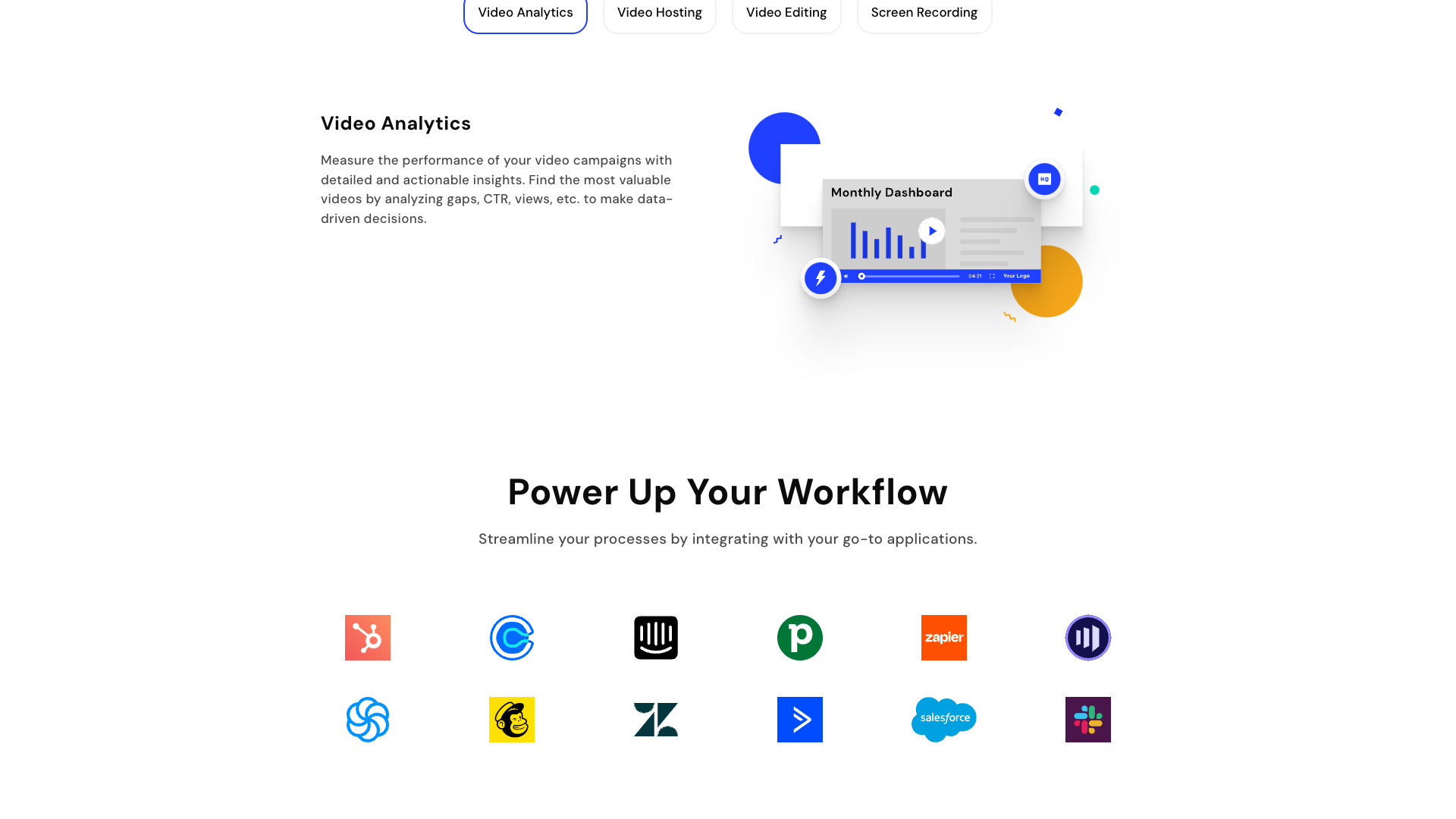
The platform offers browser extensions, desktop apps, and web-based tools to record, upload, and manage videos. Users can embed videos on landing pages, share links in emails, or publish to dedicated video channels and hubs. StoryXpress also emphasizes integrations with tools like HubSpot, Pipedrive, Mailchimp, Intercom, Zendesk, Calendly, and Zapier, helping teams keep video activity connected to their existing workflows.
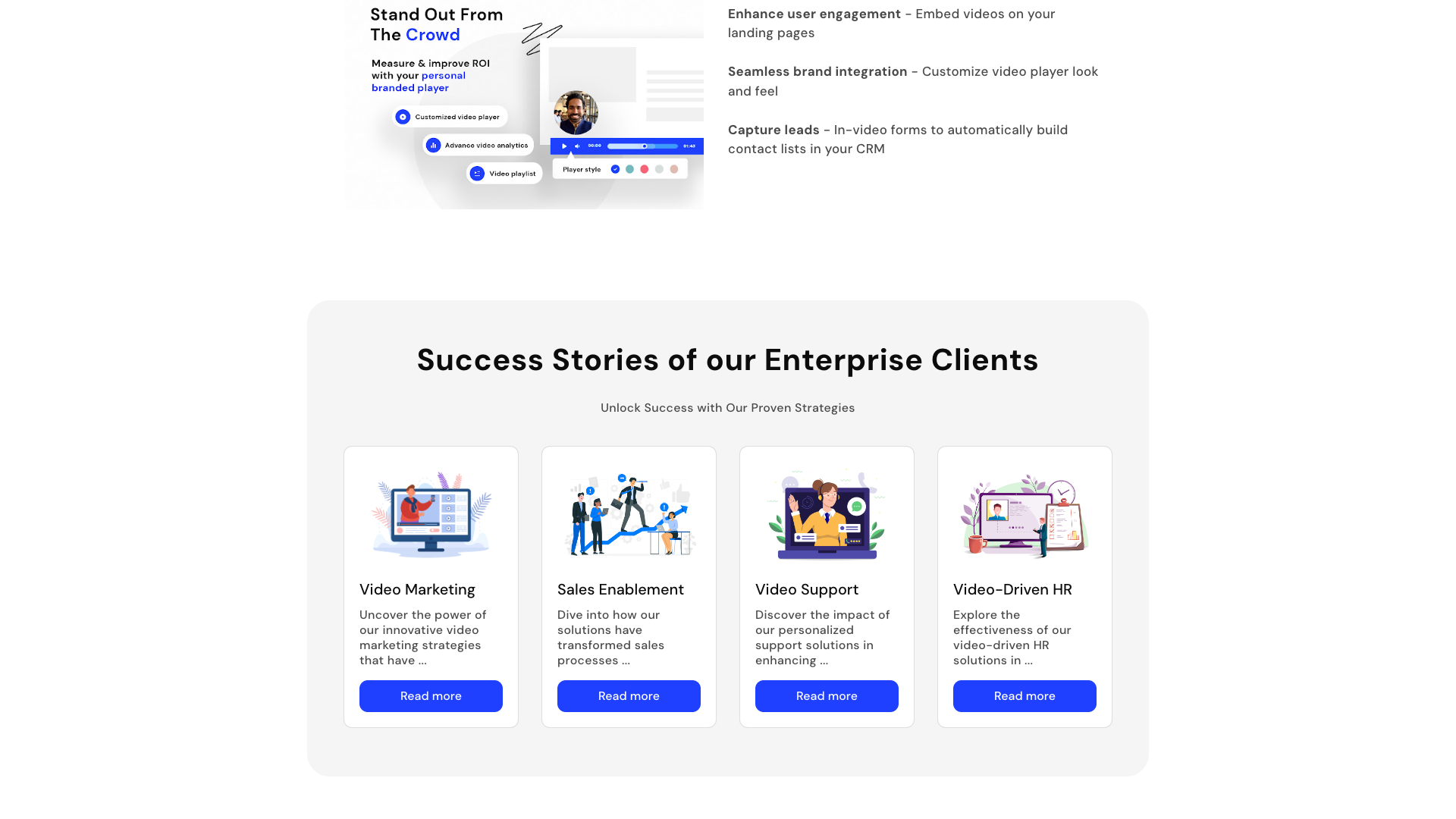
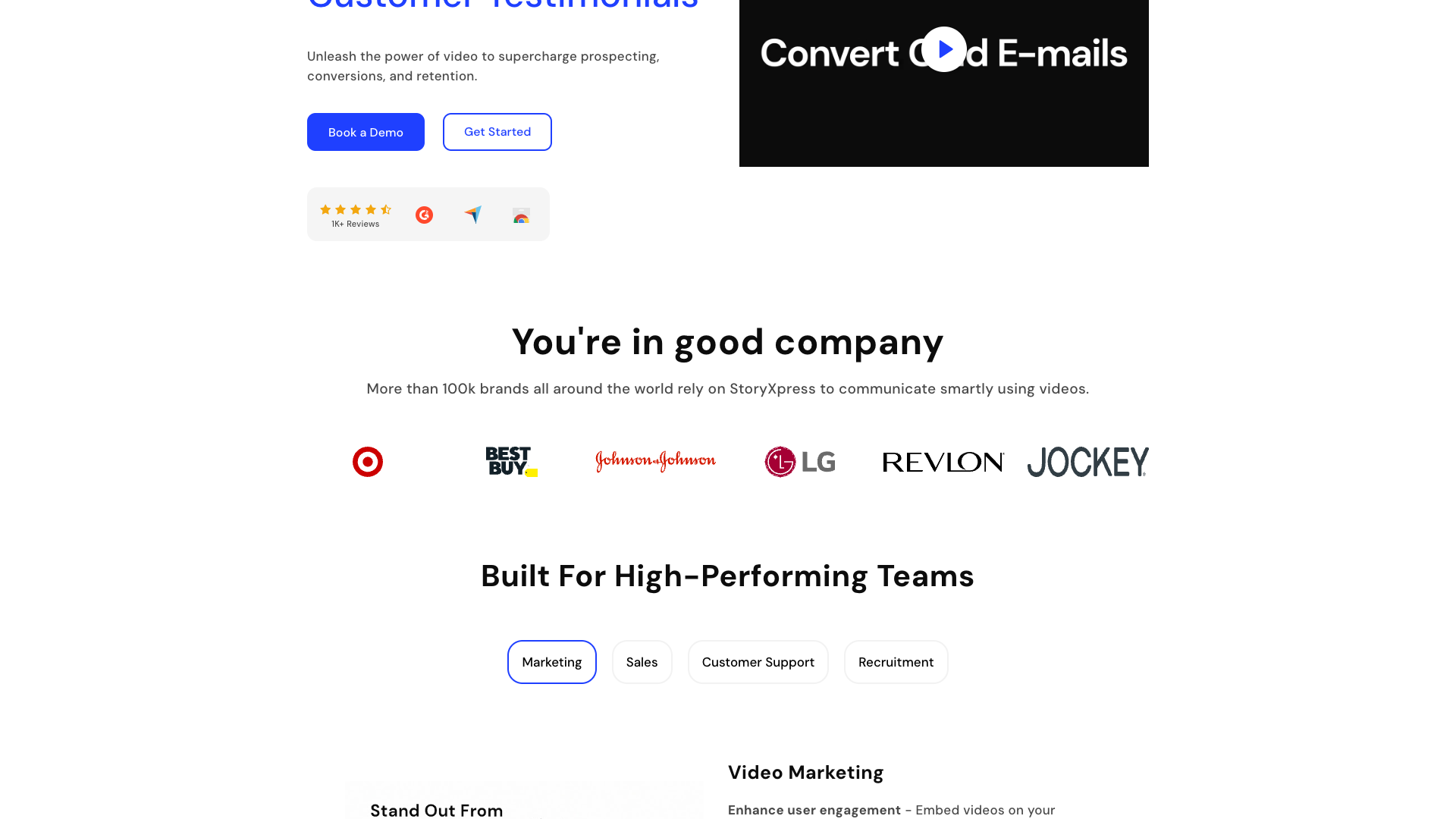
From the homepage and pricing pages, it is clear that StoryXpress wants to be a Vidyard, Loom, and Wistia alternative for teams that care about branding, analytics, and collaboration. It highlights use cases such as video marketing, sales enablement, personalized support, and video-driven HR. The platform has been around since 2014 and claims adoption by more than 100k brands and 1.5 million users, which suggests a mature and battle-tested product.
Core value proposition of StoryXpress
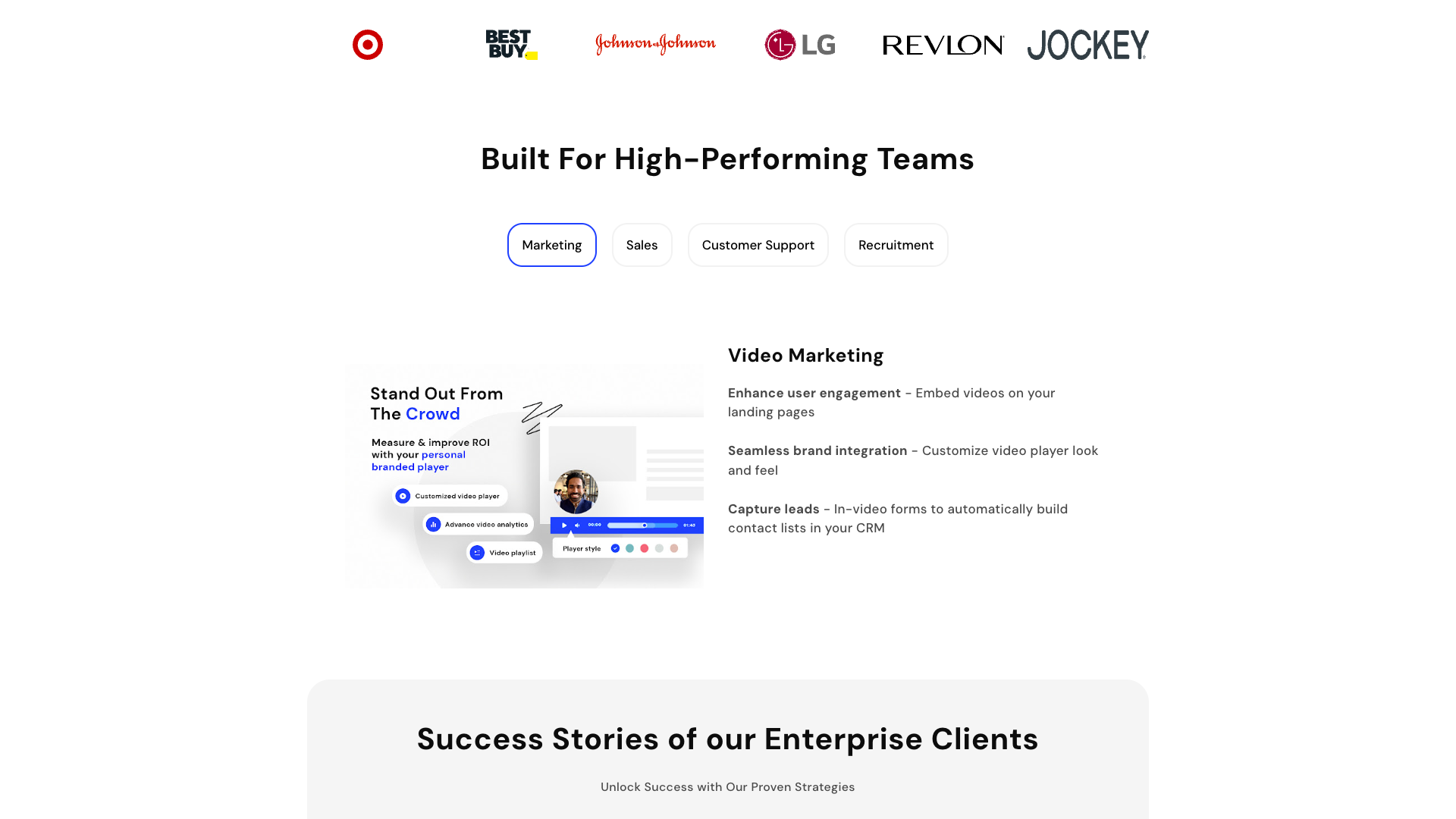
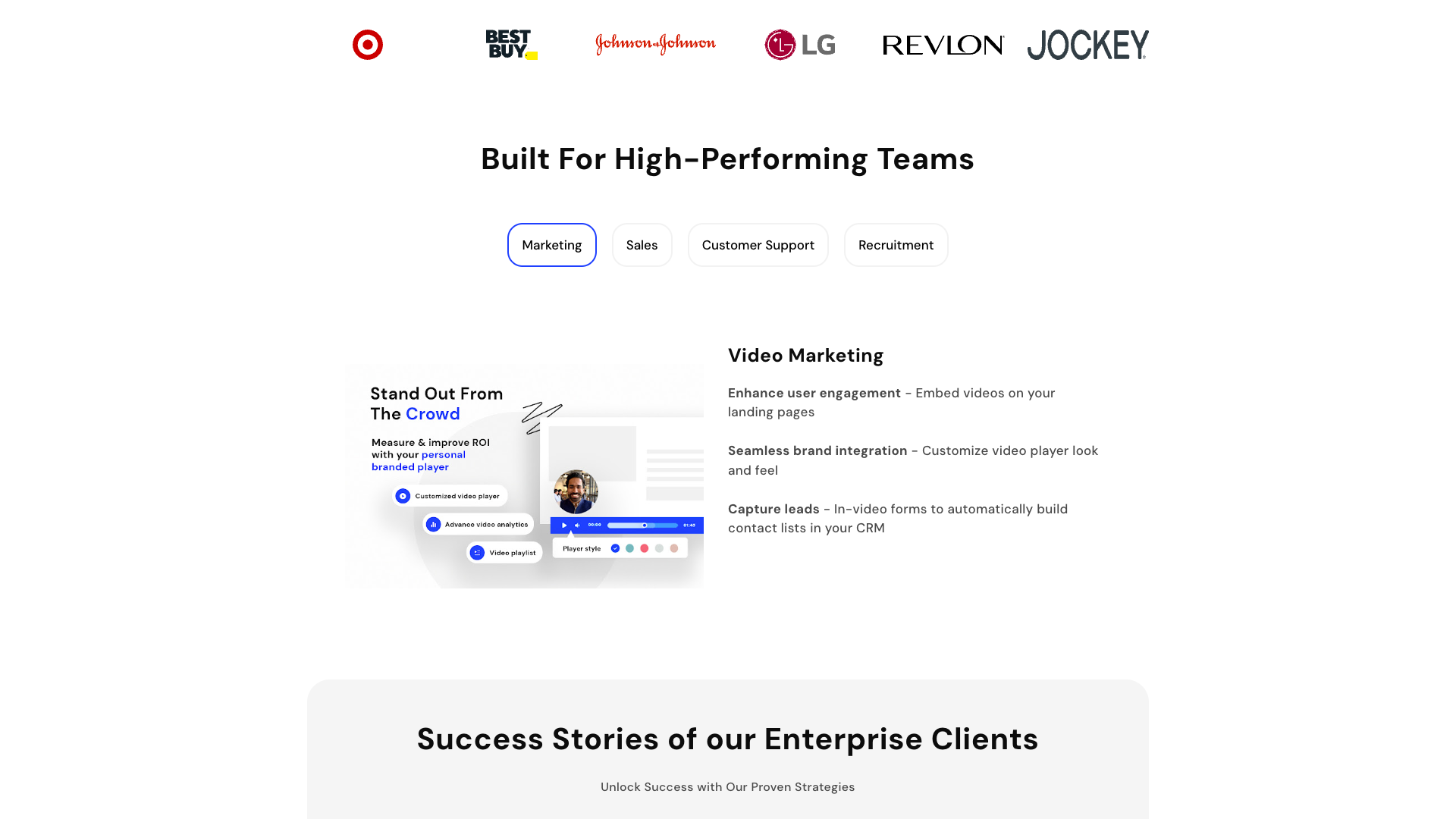
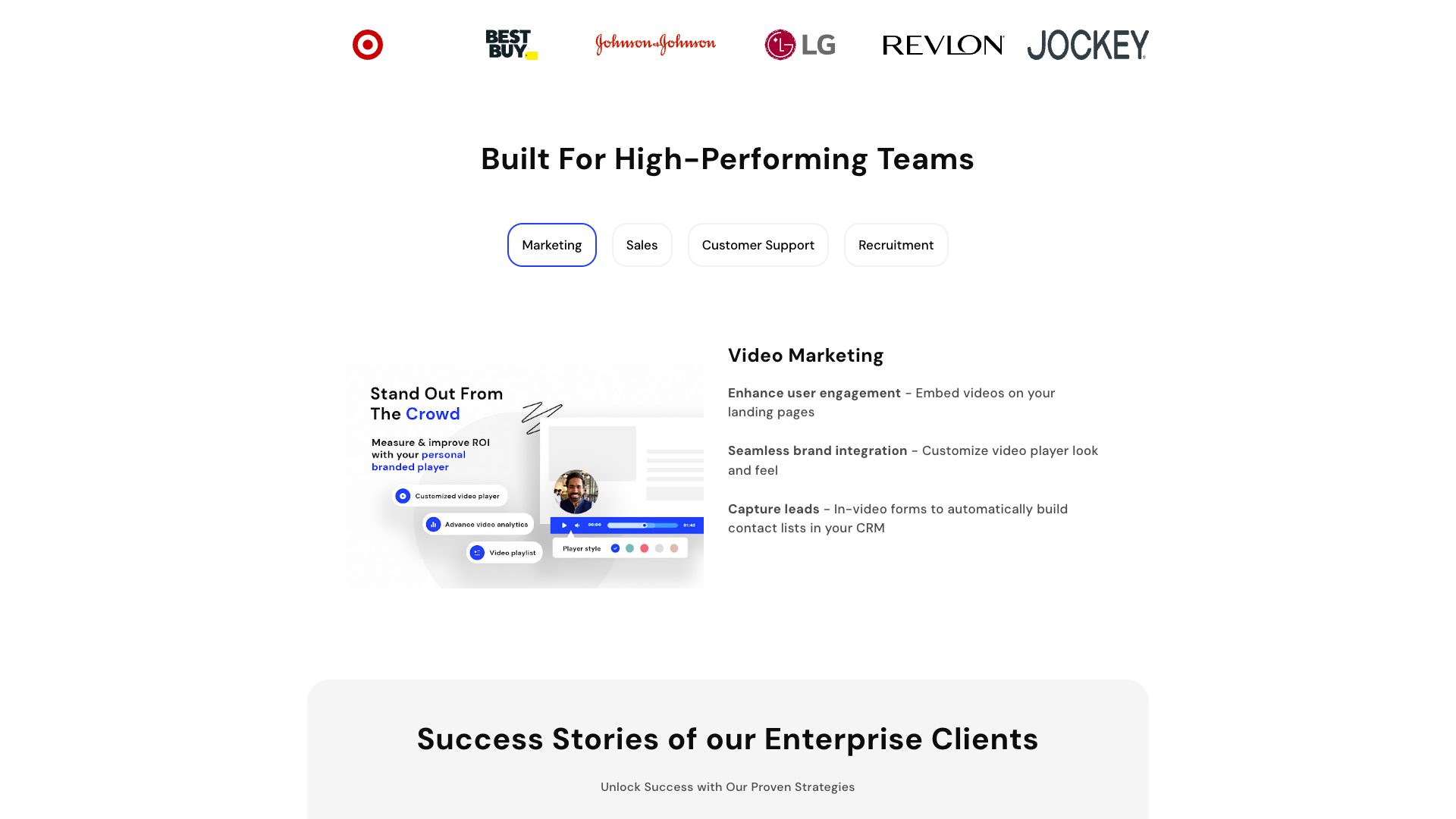
The core value proposition of StoryXpress is to provide one video platform to achieve all your goals across marketing, sales, support, and HR. Instead of juggling separate tools for recording, hosting, and analytics, teams can centralize everything in a single workspace. This unified approach is especially useful for organizations that need consistent branding and shared video libraries across departments.
StoryXpress differentiates itself with ad-free video hosting and deep analytics that go beyond basic view counts. Features like heatmaps, watch-time tracking, traffic source breakdowns, and top video reports help teams understand which content actually drives engagement and conversions. Combined with in-video CTAs, forms, and meeting scheduling, it becomes a performance-focused video platform rather than just a storage solution.
Another key pillar is personalized, asynchronous communication for sales and support. Reps can record quick screen and webcam videos, add CTAs or forms, and share them via email or CRM. Customers can even send video replies or screen recordings back, which shortens feedback loops and makes complex issues easier to explain. This makes StoryXpress particularly attractive for high-touch B2B workflows where clarity and personalization matter.
Key features and capabilities
StoryXpress offers a robust screen and webcam recorder available as a Google Chrome and Microsoft Edge extension, plus desktop apps for Windows and Mac. Users can record their screen, webcam, or both, with options for browser tab audio and system audio on higher plans. This makes it suitable for product demos, walkthroughs, onboarding videos, and quick sales messages.
On the hosting side, StoryXpress provides ad-free video hosting with fast playback, customizable video players, and branded video pages. Users can create video channels and playlists, organize content into folders and team libraries, and even host videos on a custom domain with managed SSL on advanced plans. Channel customization allows teams to align video hubs with their brand identity and control the viewing experience.
The platform includes a lightweight but practical video editor with trimming, cropping, blurring, custom thumbnails, GIF thumbnails, and intro–outro clips. Users can add custom banners, buttons, and CTAs to drive clicks, as well as in-video forms for lead generation on higher tiers. Auto-transcriptions are available with monthly minute allowances that increase with each plan, enabling better accessibility and searchability.
StoryXpress also shines in analytics and integrations. It tracks views, impressions, watch time, average watch time, traffic sources, and detailed heatmaps to show how viewers interact with each video. Exportable analytics and email or UTM-based tracking help teams connect video performance to campaigns. Integrations with CRMs, email tools, and support platforms allow automatic follow-ups, lead scoring, and contextual video sharing directly from existing tools.
Collaboration and security features round out the platform for larger teams. Users can add team members, create team libraries, manage internal sharing with role-based access control, and monitor user activity logs on higher plans. Security options include HTTPS encryption, password protection, custom storage options, and custom data retention policies for enterprise customers, making StoryXpress suitable for organizations with stricter compliance needs.
- Screen and webcam recording via Chrome and Edge extensions
- Ad-free video hosting with fast playback
- Customizable video player and branded video pages
- Video channels, hubs, and playlists for content organization
- Lightweight video editor with trimming, cropping, and blurring
- Custom thumbnails and GIF thumbnails for better engagement
- In-video CTAs, buttons, and banners
- In-video forms for lead generation on higher plans
- Auto-transcriptions with plan-based minute allowances
- Detailed video analytics including views, impressions, watch time, and heatmaps
- Traffic source analytics by country, browser, OS, and external source
- Exportable analytics reports in CSV format
- Custom domains with managed SSL for branded hosting
- Team libraries, folders, and internal sharing controls
- Role-based access control and user activity logs on advanced plans
- Video replies and request videos for testimonials and support
- Integrations with HubSpot, Pipedrive, ActiveCampaign, Mailchimp, Intercom, Zendesk, Calendly, Zapier, and more
- Password protection, HTTPS encryption, and custom storage options for enterprise
- Desktop apps for Windows and Mac for local recording
- Support for embedding videos on websites, blogs, and emails
StoryXpress pricing and plans
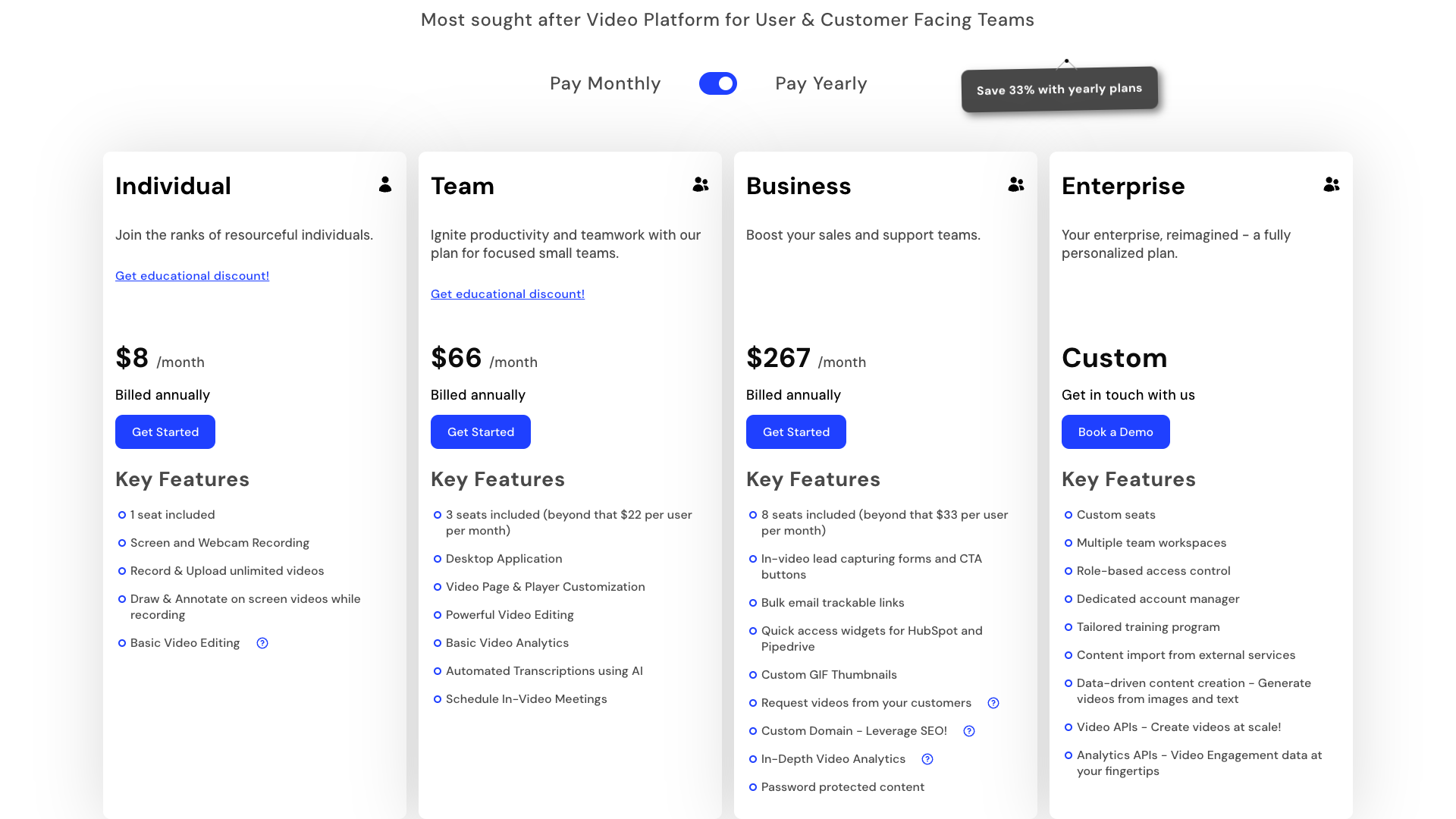
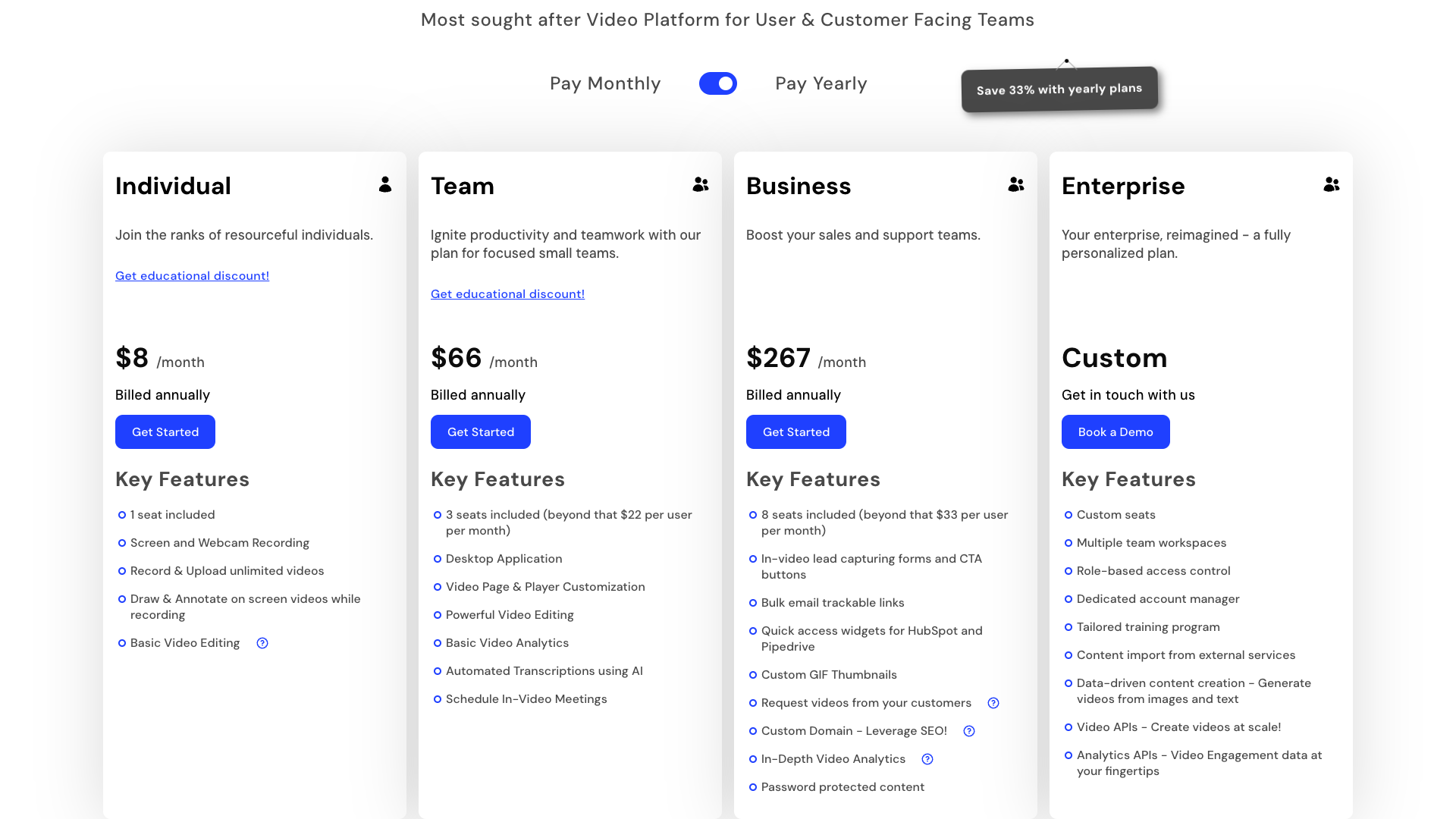
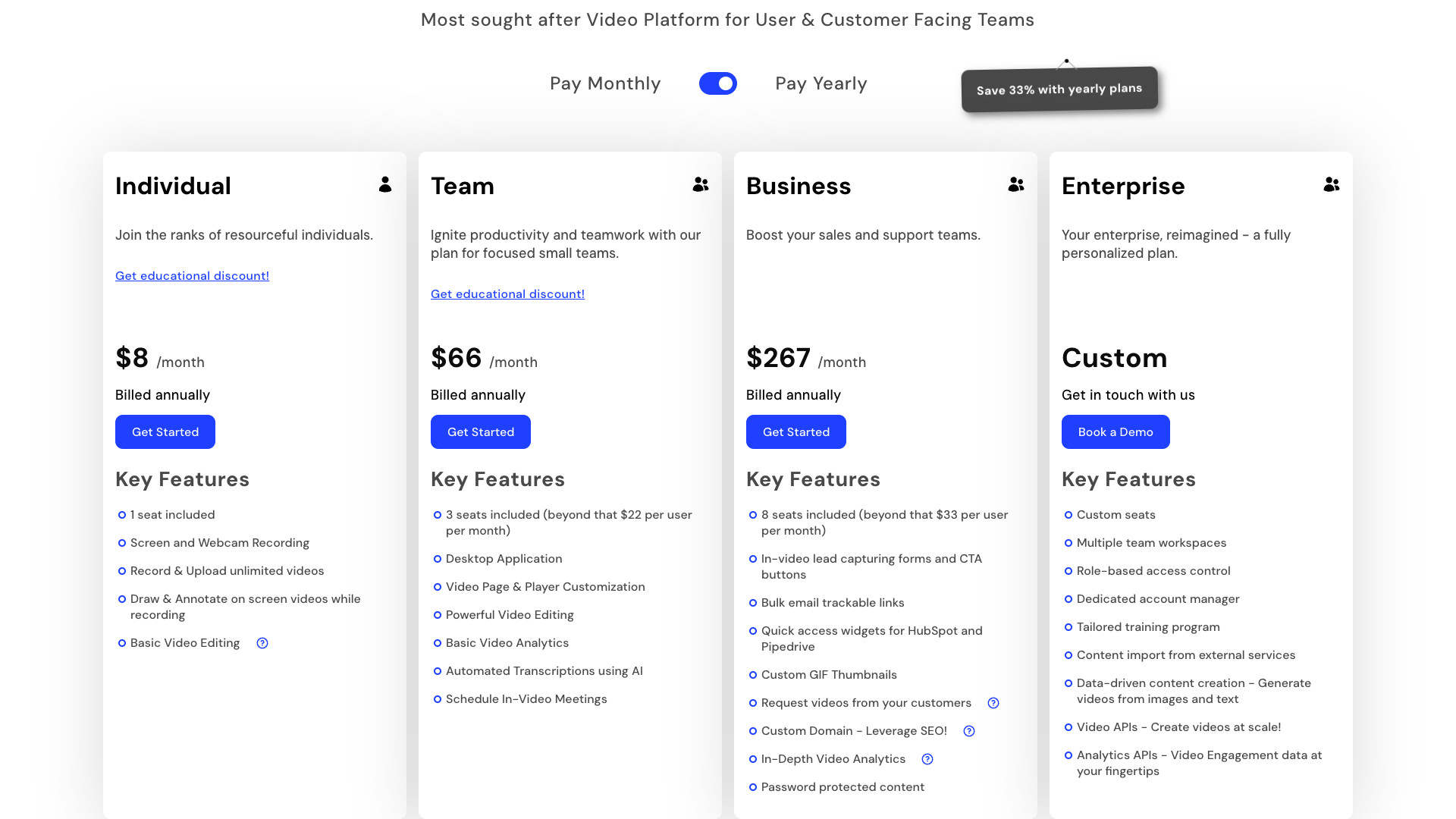
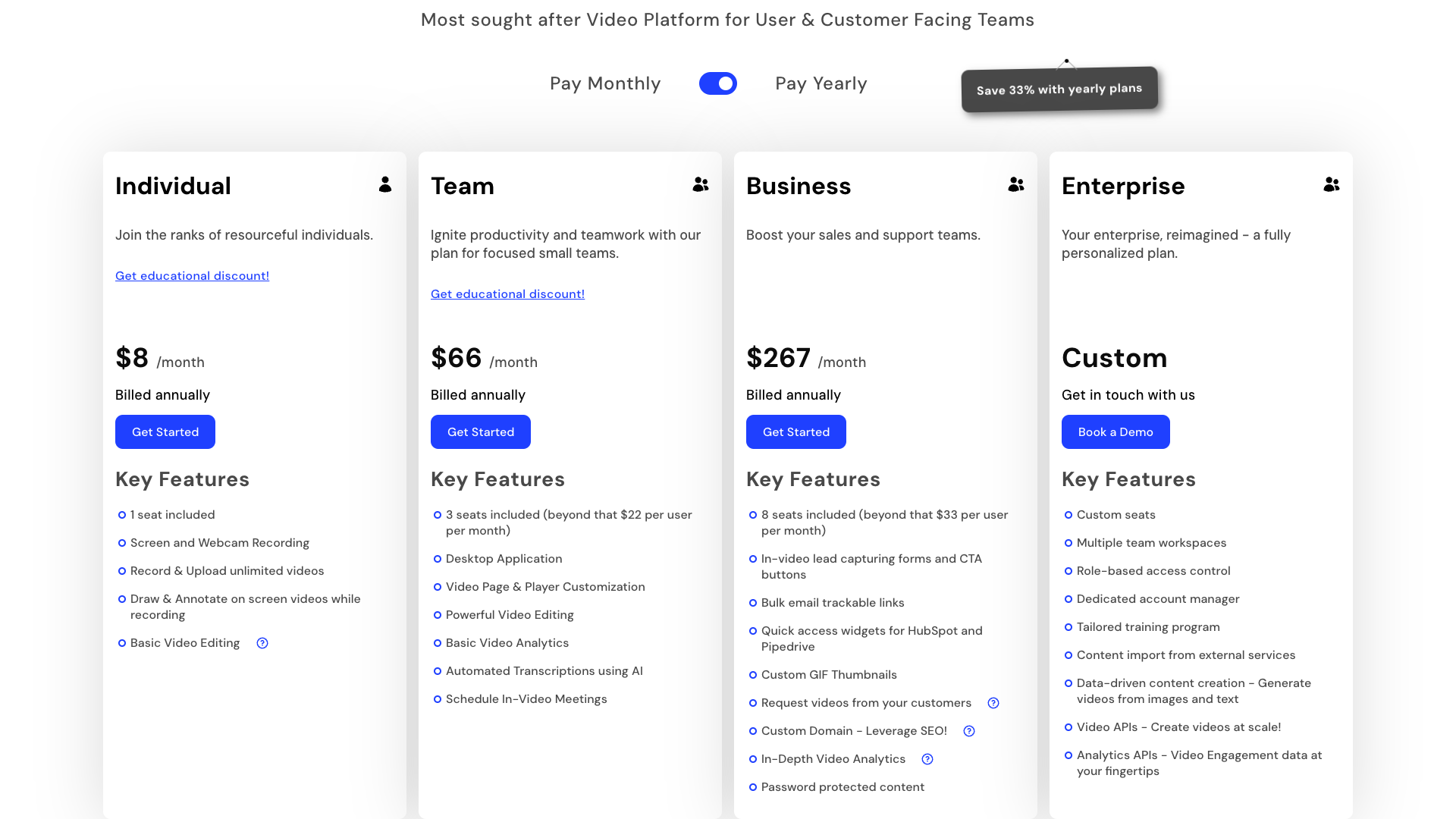
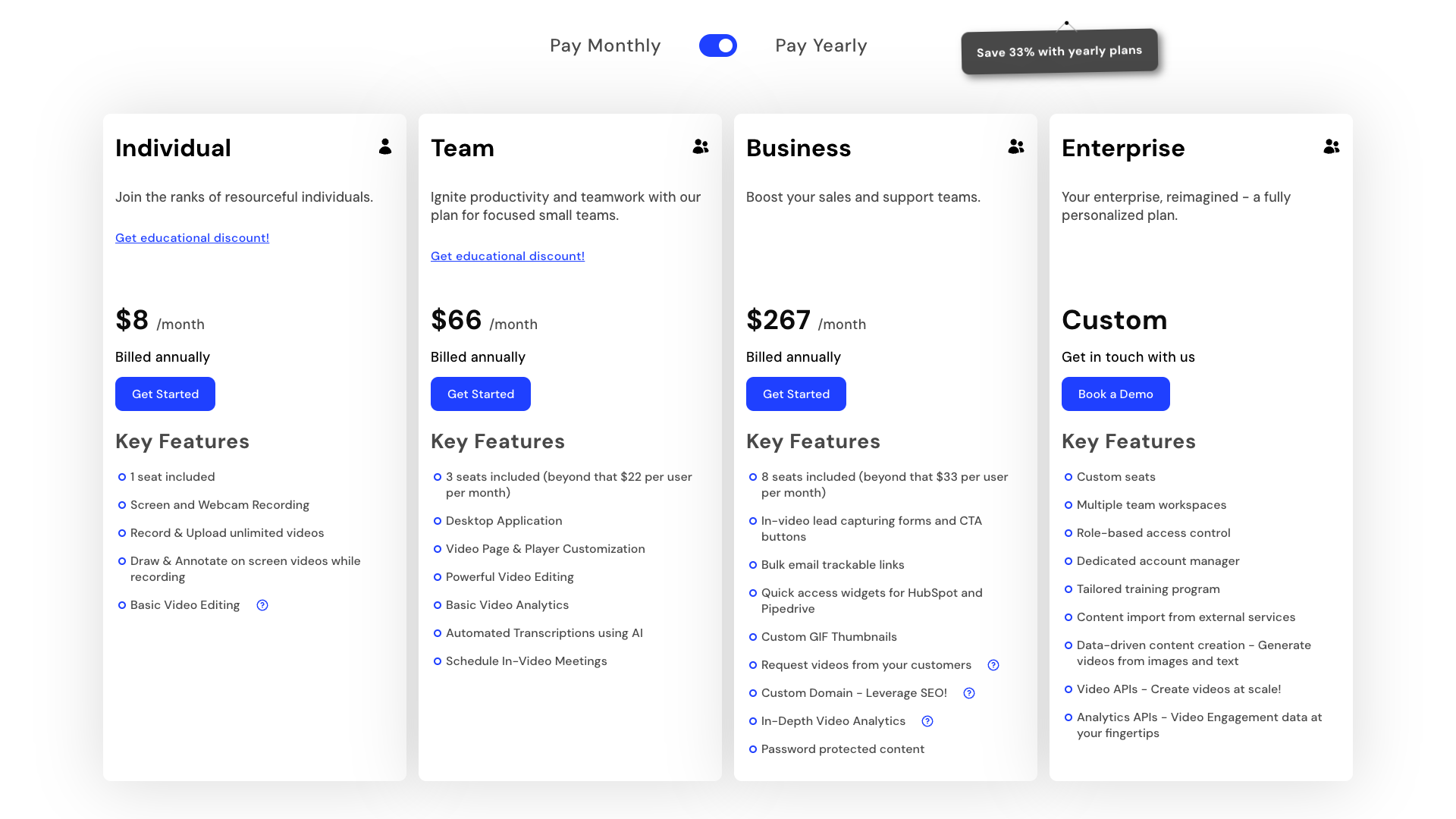
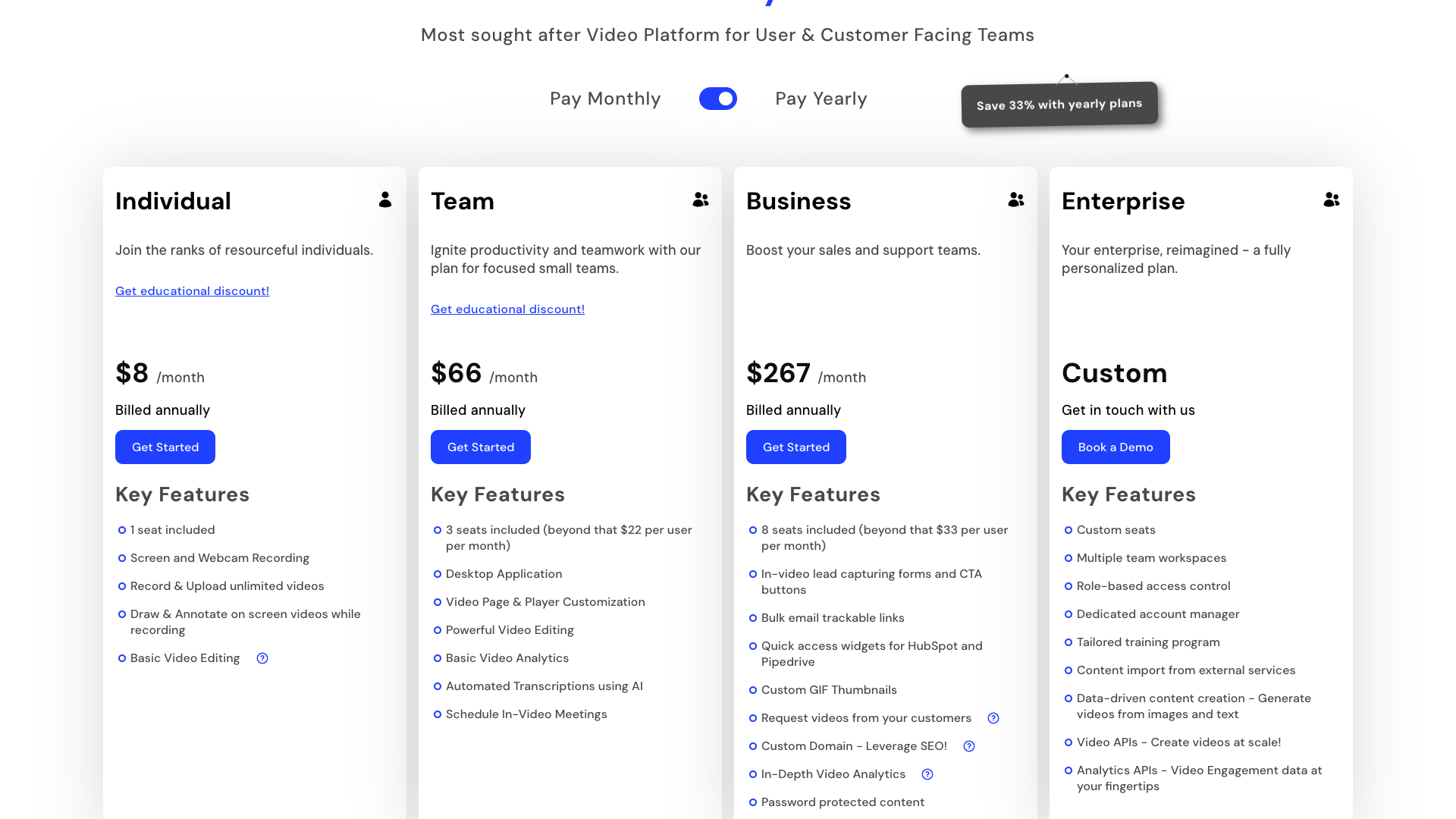
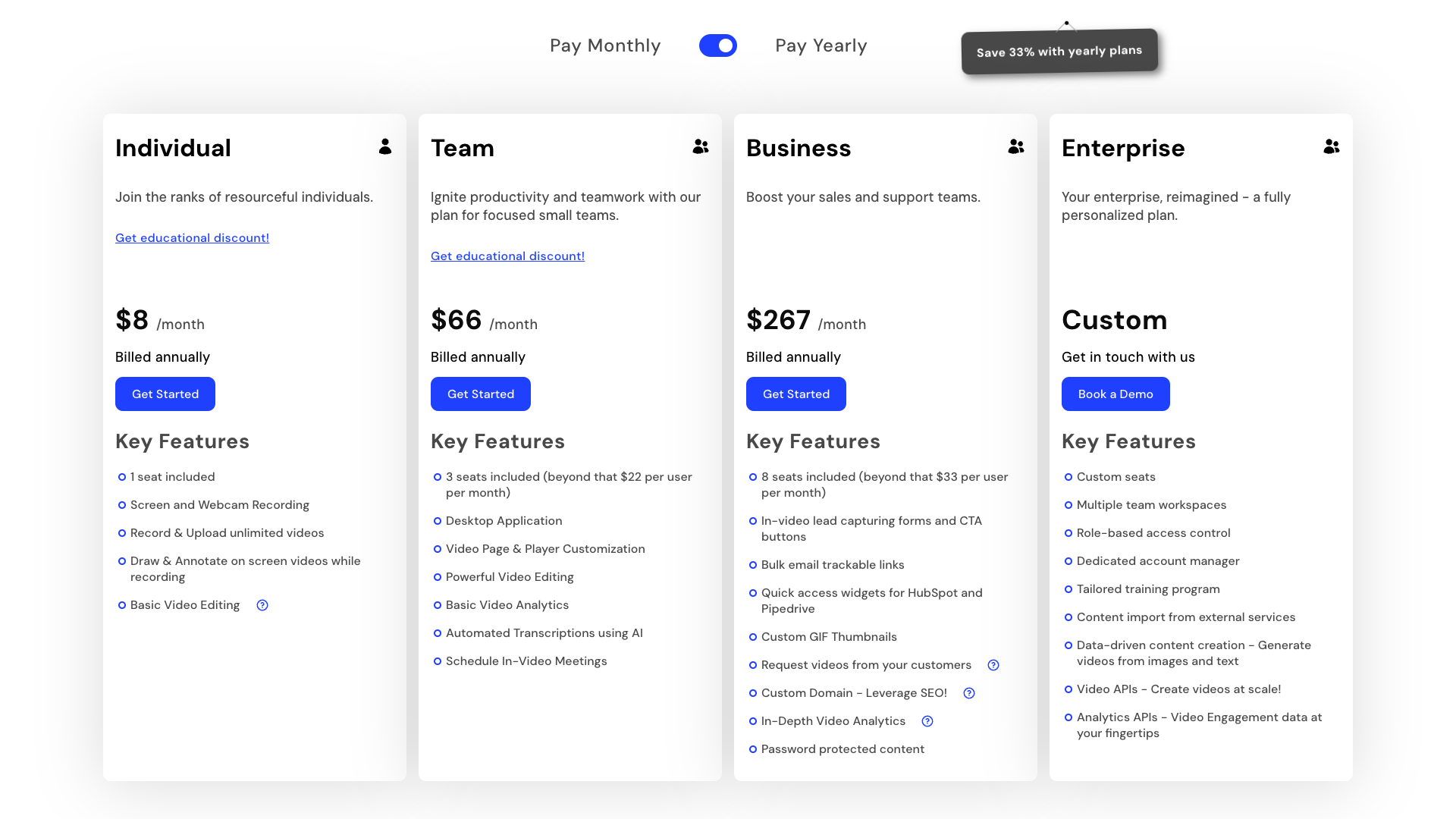
StoryXpress positions its pricing around a Recorder-centric model with flexible tiers starting from a free plan. The pricing page emphasizes a Free 7-Day Trial and the ability to pay monthly or yearly, with a 33% discount for annual billing. While the exact plan names and prices are not fully visible in the captured content, the structure clearly ranges from a free tier to multiple paid tiers with increasing limits and advanced features.
All plans include core essentials such as browser extensions, screen and webcam recording, and video uploads to an ad-free environment. As you move up the tiers, allowances for total videos, bandwidth, and recording length increase from limited to effectively unlimited. Higher plans unlock advanced capabilities like custom domains, channel customization, video replies, request videos, team collaboration, and richer analytics.
The pricing table also shows that editing and analytics features scale with plan level. Entry tiers may lack advanced editing tools, while mid and top tiers add auto-transcriptions, blurring, GIF thumbnails, intro–outro clips, and sophisticated CTAs. Similarly, analytics progress from basic views and impressions to full heatmaps, exportable reports, and granular traffic source breakdowns, which are particularly valuable for data-driven teams.
Support and onboarding benefits also expand with higher plans. Lower tiers receive standard email support, while premium tiers add live chat and priority support, tailored onboarding, personalized training, and a dedicated customer success manager. Enterprise plans further include custom integrations, custom storage options, and custom data retention policies, making them suitable for larger organizations with complex requirements.
Free
- Browser extensions for Google Chrome and Microsoft Edge
- Screen and webcam recording with camera-only mode
- Upload videos to an ad-free environment
- Total videos allowed: limited (e.g., 4 videos)
- Video recording length up to 10 minutes
- Bandwidth allowance: 5 GB
- Basic video hosting and playback
- Basic video sharing via links
- Access to core StoryXpress dashboard
Includes a free tier suitable for testing the platform with limited videos and bandwidth.
Starter / Essentials
- Unlimited total videos allowed
- Unlimited video recording length
- Increased bandwidth allowance (e.g., 50 GB)
- Video playlists and basic video channels
- Recover items from trash
- Access to desktop app for Windows and Mac
- Quick access widgets for tools like Gmail, Outlook, LinkedIn, HubSpot, and Pipedrive
- Basic video editing including trimming and cropping
- Custom video thumbnails
- GIF thumbnails for videos
- Custom banners and buttons as CTAs in videos
- Schedule meetings from within videos
- Customize video player color
- Remove StoryXpress logo from player on some tiers
- Email-based tracking of viewer activity
- Basic analytics including views, impressions, and watch time
Likely the lowest paid plan; exact monthly and yearly prices are not clearly visible on the captured pricing page.
Professional
- All Starter / Essentials features
- Higher bandwidth allowance (e.g., 100 GB)
- Advanced video channels and channel customization
- Custom domain with managed SSL for hosting videos on your own subdomain
- Video replies from viewers collected in the dashboard
- Request videos from users for testimonials and support
- Team collaboration with team members and team libraries
- Internal sharing with specific users and folders
- Role-based access control for permissions
- User activity logs and internal user performance analytics
- Increased auto-transcription minutes (e.g., 60 minutes per month)
- In-video forms for lead generation
- UTM-based tracking of viewer activity
- Traffic source analytics by country, browser, OS, and external source
- Heatmaps showing viewer engagement across each video
- Exportable analytics reports in CSV format
- Integrations with email marketing, customer support, and meeting tools
Designed for growing teams that need collaboration, branding, and advanced analytics; pricing likely mid-range SaaS.
The pricing page clearly shows Free, monthly, and yearly options with a 7-day free trial, but exact numeric prices for paid tiers were not fully visible in the captured content. Prospective customers should check the live pricing page for current amounts.
Customer feedback and social proof
StoryXpress prominently showcases customer testimonials on both its homepage and pricing page, emphasizing ease of use and strong customization. One customer, Gourav Sharma, notes that the product marketing team initially used StoryXpress for tutorial videos, and later the customer support and success teams adopted it for onboarding and queries. This suggests that the platform scales well across multiple departments once introduced.
Another testimonial from Alvin Parra highlights StoryXpress Recorder as his primary tool for instant sales, tutorial, and explanation videos with his own logo and branding. He praises the customization options and additional tools like video embedding and playlists, stating that the platform makes him look like a “rock star.” This reinforces the value of white-label branding and flexible hosting for client-facing professionals.
A third testimonial from Newaz focuses on the ability to record screen, face, and audio for both team communication and personal use. He mentions that users can create and edit videos, host them on a video landing page with CTAs, and access detailed analytics, which can be used effectively for sales. Across these reviews, StoryXpress is consistently described as easy to use, versatile, and powerful for sales and support workflows.
- It was mentioned by Gourav Sharma, Product Marketing Professional, that StoryXpress was adopted across product marketing, customer support, and success teams for tutorials and onboarding.
- It was stated by Alvin Parra, Sales Consultant, that StoryXpress Recorder became the primary tool for instant sales, tutorial, and explanation videos with full brand customization.
- It was observed by Newaz, Business User, that StoryXpress enabled recording of screen, face, and audio, with video landing pages, CTAs, and analytics that could be applied to sales workflows.
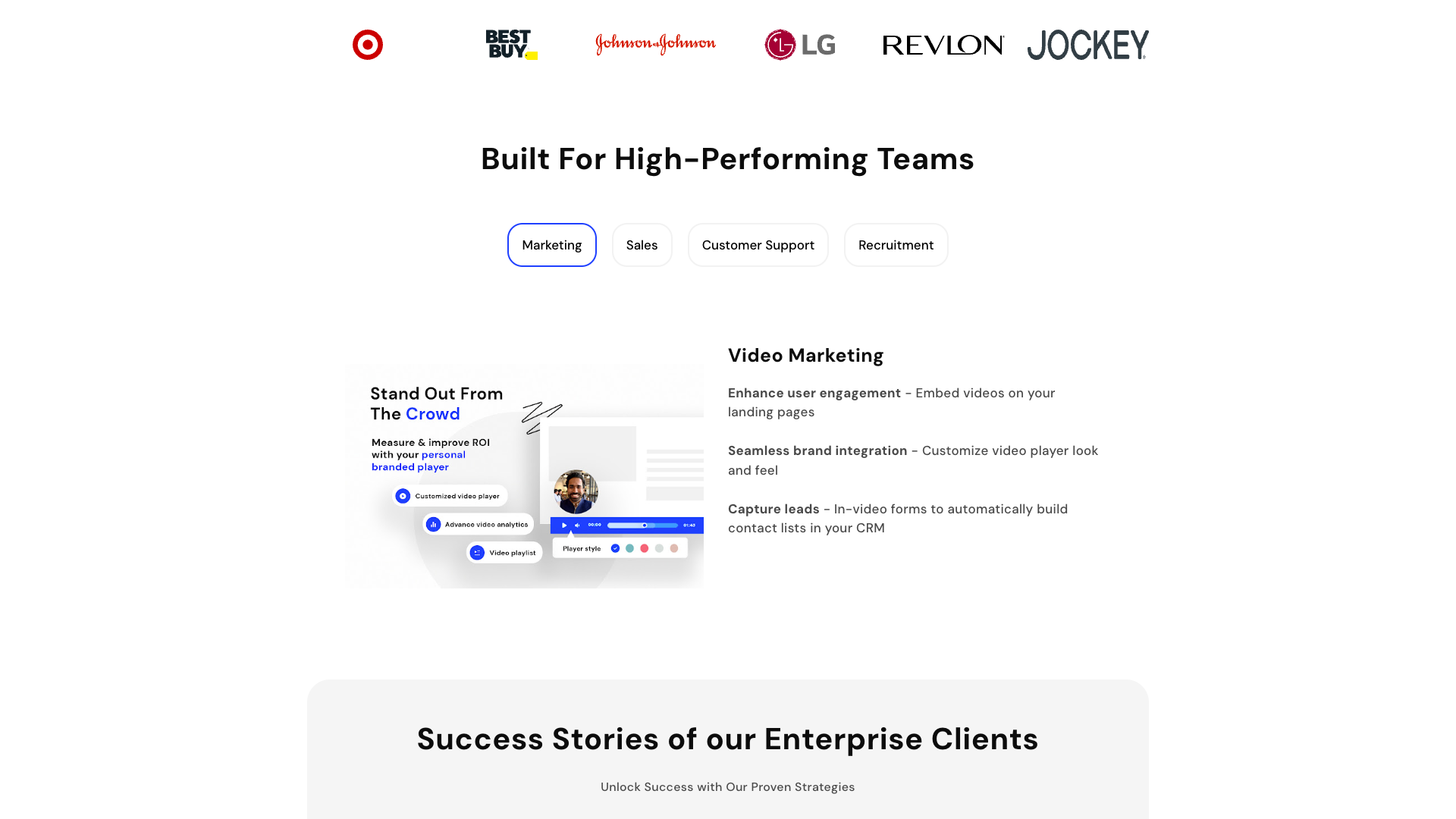
Our in-depth review of StoryXpress
From a usability perspective, StoryXpress delivers a smooth recording and hosting experience that should feel familiar to users of Loom or Vidyard. The Chrome and Edge extensions make it quick to capture videos, while the web dashboard keeps management straightforward. The interface is not overly flashy, but it is functional and focused on getting videos recorded, shared, and analyzed with minimal friction.
Where StoryXpress stands out is in its blend of marketing-grade hosting and sales-focused workflows. Features like ad-free hosting, custom domains, CTAs, forms, and meeting scheduling transform simple recordings into conversion assets. The analytics suite is strong for a tool in this category, and the ability to integrate with CRMs, email tools, and support platforms makes it a serious option for revenue teams.
There are, however, a few trade-offs to consider. The pricing structure and feature matrix can feel complex, especially for smaller teams that only need basic recording and sharing. Some advanced features, such as custom domains, deep analytics, and robust collaboration, are locked behind higher tiers that may be overkill for solo users. Additionally, while the editor is capable, it is not a full-fledged video production suite, so teams needing heavy post-production may still rely on separate tools.
Overall, StoryXpress is best suited for growing teams that want more control and insight than consumer-grade tools provide, without jumping to heavyweight enterprise video platforms. It offers a compelling mix of recording, hosting, analytics, and integrations that can meaningfully improve marketing, sales, and support performance. For organizations already invested in CRM and marketing automation, StoryXpress can become a central hub for video-driven engagement.
Pros
- All-in-one platform combining recording, hosting, editing, and analytics
- Ad-free video hosting with strong branding options and custom domains
- Detailed analytics including heatmaps, traffic sources, and exportable reports
- Rich engagement tools such as CTAs, forms, and meeting scheduling inside videos
- Robust integrations with CRM, email marketing, and support tools
- Team collaboration features with libraries, roles, and activity logs
- Video replies and request videos for testimonials and support workflows
- Secure hosting with HTTPS, password protection, and enterprise storage options
- Available on browser, desktop, and across major operating systems
Cons
- Exact pricing for paid tiers is not immediately clear from the captured page
- Feature matrix and plan structure can feel complex for smaller teams
- Some of the most valuable features are locked behind higher-tier plans
- Built-in editor is solid but not a full replacement for advanced video production tools
- New users may need onboarding to fully leverage analytics and integrations
Final verdict: Is StoryXpress worth it?
StoryXpress is a well-rounded video platform that successfully bridges the gap between simple screen recorders and full enterprise video suites. Its strengths lie in ad-free hosting, strong branding options, actionable analytics, and thoughtful integrations that support marketing, sales, and support teams. For businesses that rely heavily on video to communicate with prospects and customers, it can become a central pillar of their go-to-market stack.
The main limitations are the complexity of the pricing tiers and the fact that some of the most attractive features sit in higher plans. Very small teams or solo creators who only need occasional recordings may find simpler tools more cost-effective. However, once a team begins to scale and needs collaboration, analytics, and CRM-connected workflows, StoryXpress becomes significantly more compelling.
Taking into account its feature depth, business focus, and customer feedback, StoryXpress earns a strong rating in the video platform category. It is not the lightest tool on the market, but it offers substantial value for teams that will actually use its analytics, integrations, and branding capabilities. For organizations serious about video-led growth, StoryXpress is definitely worth a close look.
Alternatives
If StoryXpress isn't the right fit, consider these similar tools:
Last updated: 17.11.2025

