
OneUp Review

Table of Contents
What is OneUp?
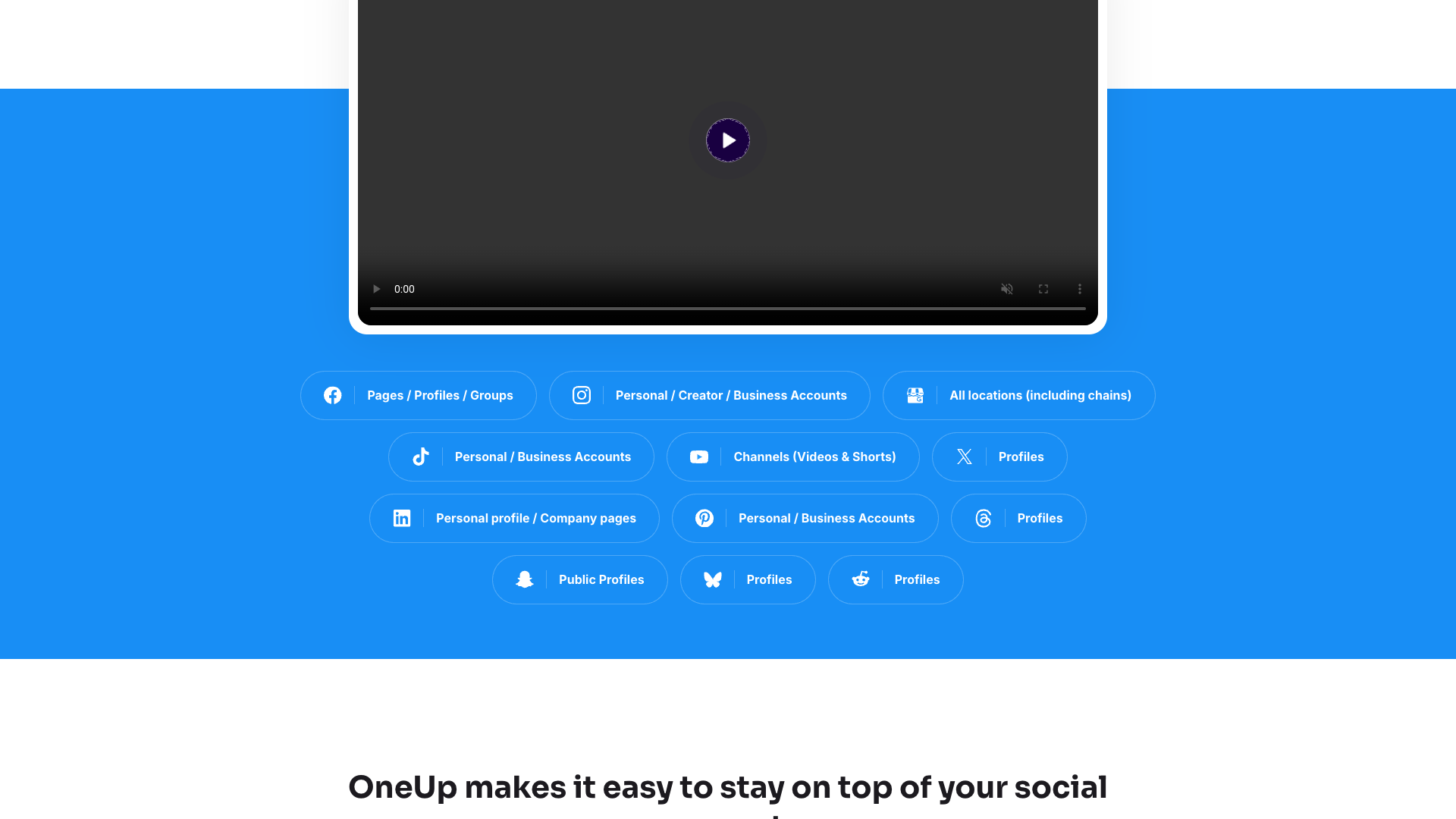
OneUp is a social media scheduling and management tool designed to help individuals, businesses, and agencies plan, publish, and analyze content across multiple social networks. It supports Facebook, Instagram, TikTok, YouTube, Pinterest, Reddit, LinkedIn, X, Bluesky, Threads, Snapchat, and Google Business Profiles from a single dashboard. The platform emphasizes simplicity and scalability, allowing users to connect many accounts without being penalized by per-profile pricing.
The core idea behind OneUp is to make it easy to create, schedule, and recycle posts so that your social feeds stay active with minimal manual effort. Users can choose to publish once or automatically recycle posts at chosen intervals and frequencies. A visual calendar view, bulk upload options, and media management tools help streamline workflows for both solo creators and larger teams.
OneUp also includes analytics, reporting, and a social inbox so you can track performance and respond to comments, DMs, and reviews in one place. Agencies and multi-brand marketers can group accounts into categories, send posts for approval, and share read-only calendars with clients. Over 100,000 users have reportedly published tens of millions of posts through OneUp since its launch in 2016, which signals a mature and battle-tested product.
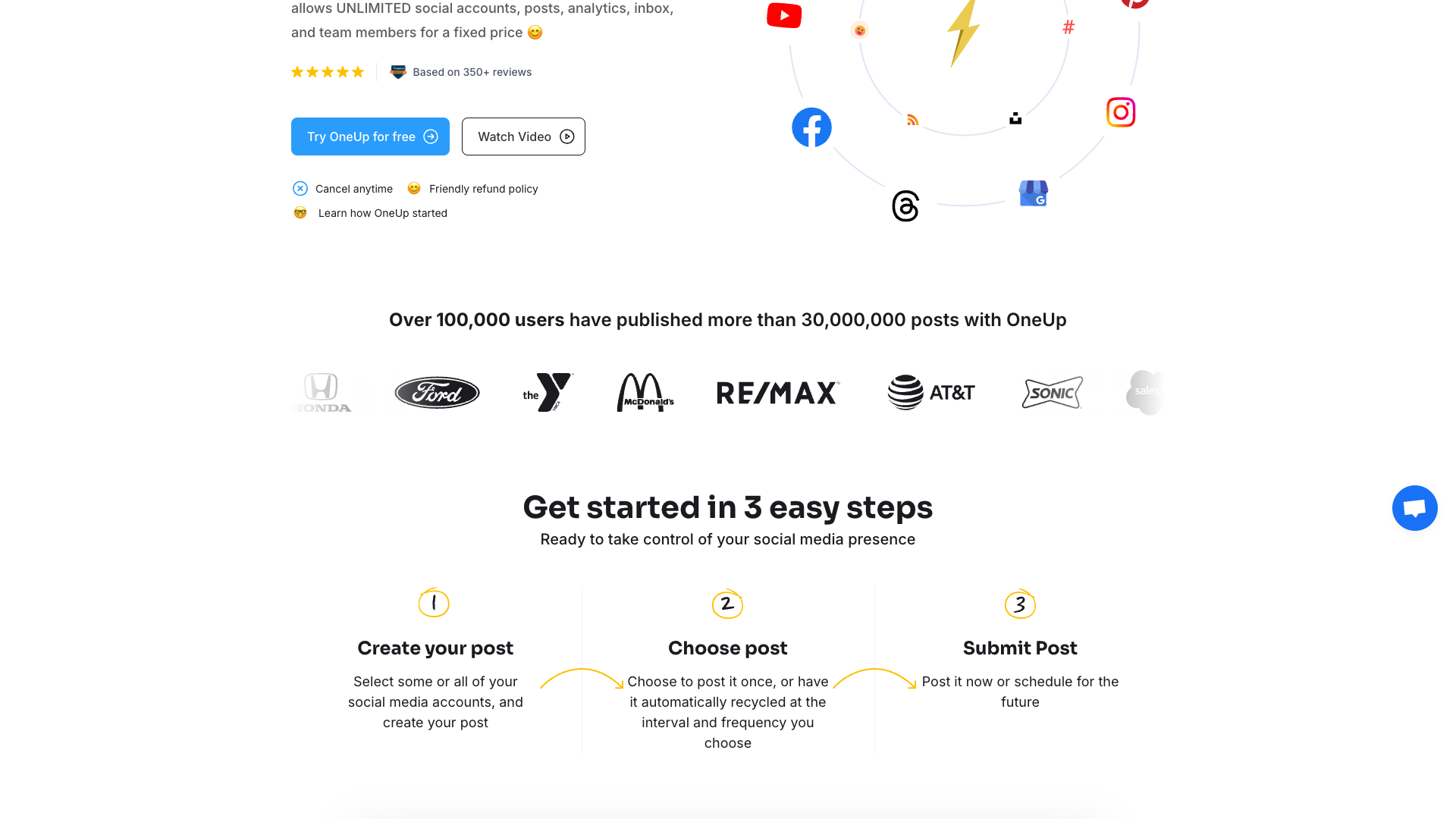
Core value proposition: unlimited scale for a fixed price
OneUp’s standout promise is unlimited social accounts, posts, analytics, inbox, and team members for a fixed price on its top plans. This is a major differentiator from many social media tools that charge per user or per connected profile, which can quickly become expensive for agencies or multi-brand organizations. With OneUp, you can grow your client roster or brand portfolio without constantly renegotiating your software budget.
The platform focuses on being the simplest way to schedule and manage social media posts, rather than trying to be a full-blown marketing cloud. Its workflow is built around drafting posts, selecting accounts, choosing whether to publish once or repeat, and then tracking results. For teams, built-in approvals, internal notes, and account-level permissions make collaboration manageable without extra add-ons.
Another key part of the value proposition is its broad channel coverage and direct publishing capabilities, especially for Instagram, Reels, Stories, and Google Business Profiles. Being able to post directly to Instagram (including carousels, Stories, Reels, and Collab posts) and manage Google reviews from the same tool reduces the need for multiple niche platforms. For many users, this combination of breadth, simplicity, and predictable pricing is what makes OneUp compelling compared to more complex suites.
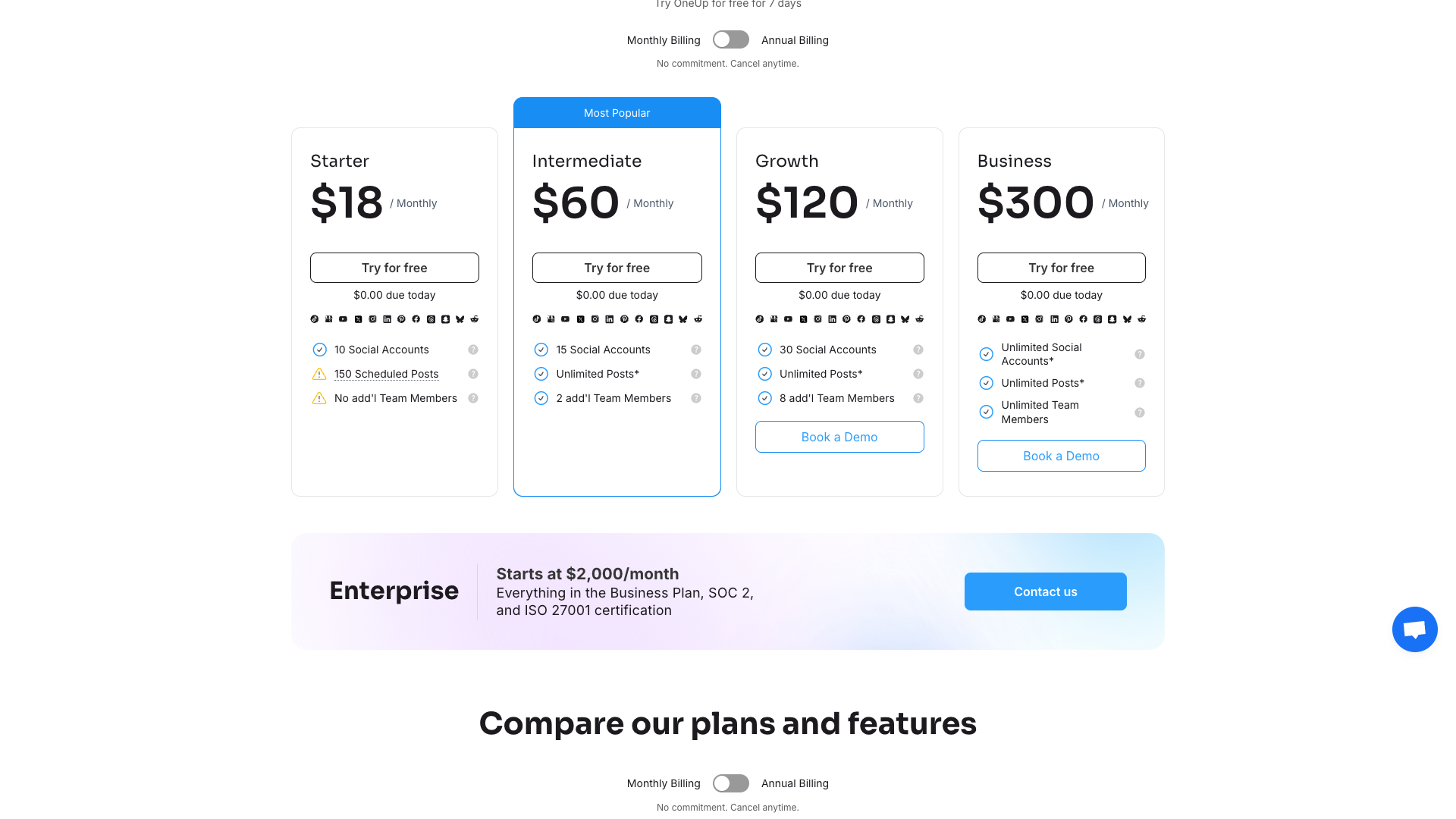
Features and capabilities
OneUp covers the full lifecycle of social media publishing, starting with post creation and scheduling across Facebook, Instagram, TikTok, YouTube, LinkedIn, Pinterest, X, Threads, Bluesky, Snapchat, Reddit, and Google Business Profiles. You can schedule single-image posts, multi-image carousels, videos, Reels, Stories, and even long-form posts and threads on X. Posts can be set to publish once or automatically repeat at custom intervals, which is especially useful for evergreen content.
The platform includes an AI caption generator that lets you type a prompt and automatically generate post captions, which you can then edit before scheduling. There is also support for AI-generated images that can be added directly to posts, plus text formatting options like bold and italics, and reusable hashtag groups for quick insertion. A media gallery stores images, GIFs, and videos, and you can paste images directly from your clipboard for faster uploads.
For planning and organization, OneUp offers a visual calendar view, categories to group accounts by client or brand, and shareable read-only calendar links for stakeholders. Instagram-specific tools include a drag-and-drop grid planner and a link-in-bio page, while Google Business Profile users can schedule What’s New, Offer, and Event posts, upload photos, and reply to reviews with AI-suggested responses. Bulk upload via CSV, Google Sheets, Google Drive, Dropbox, or direct file upload makes it easier to schedule large batches of posts.
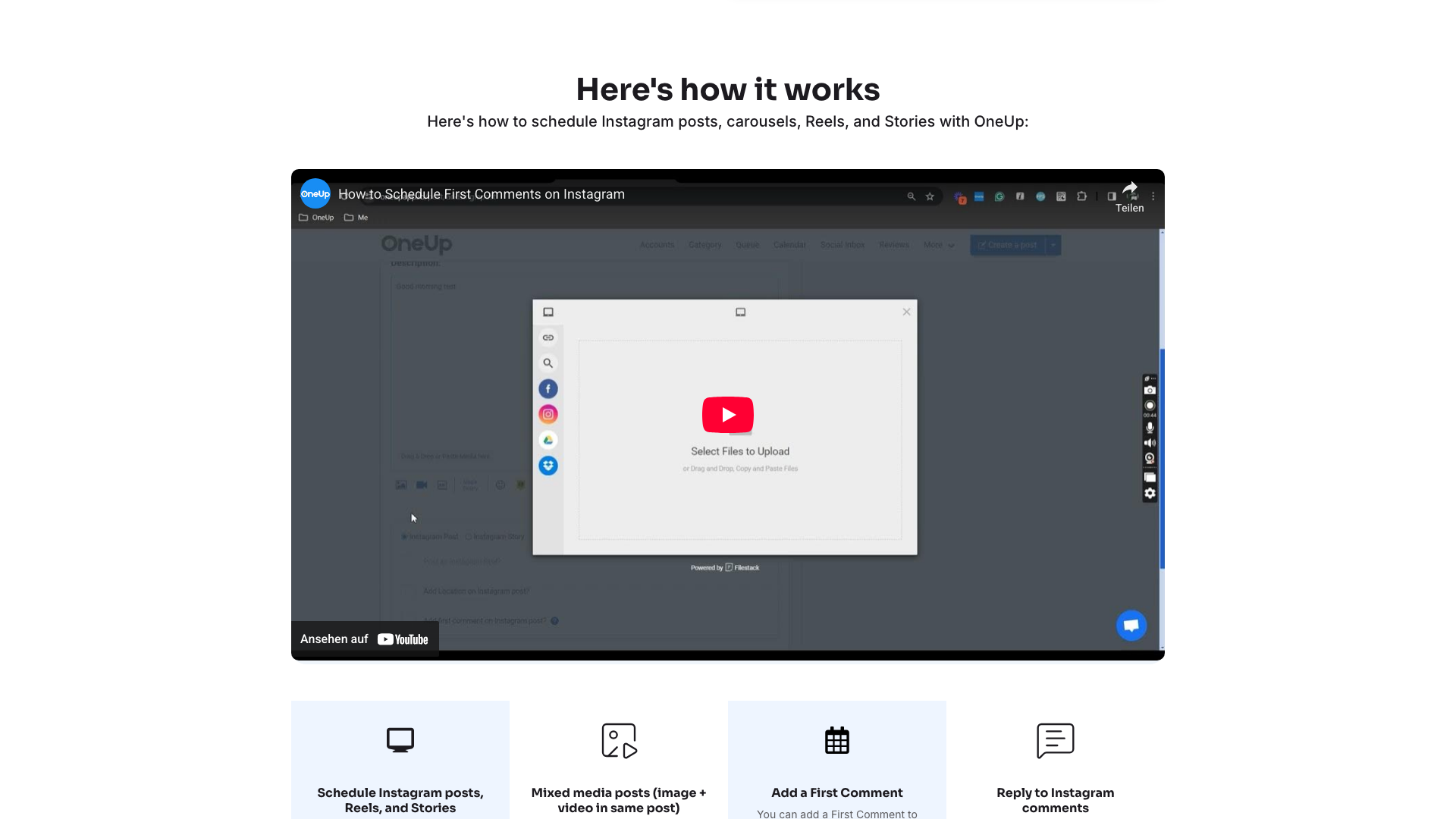
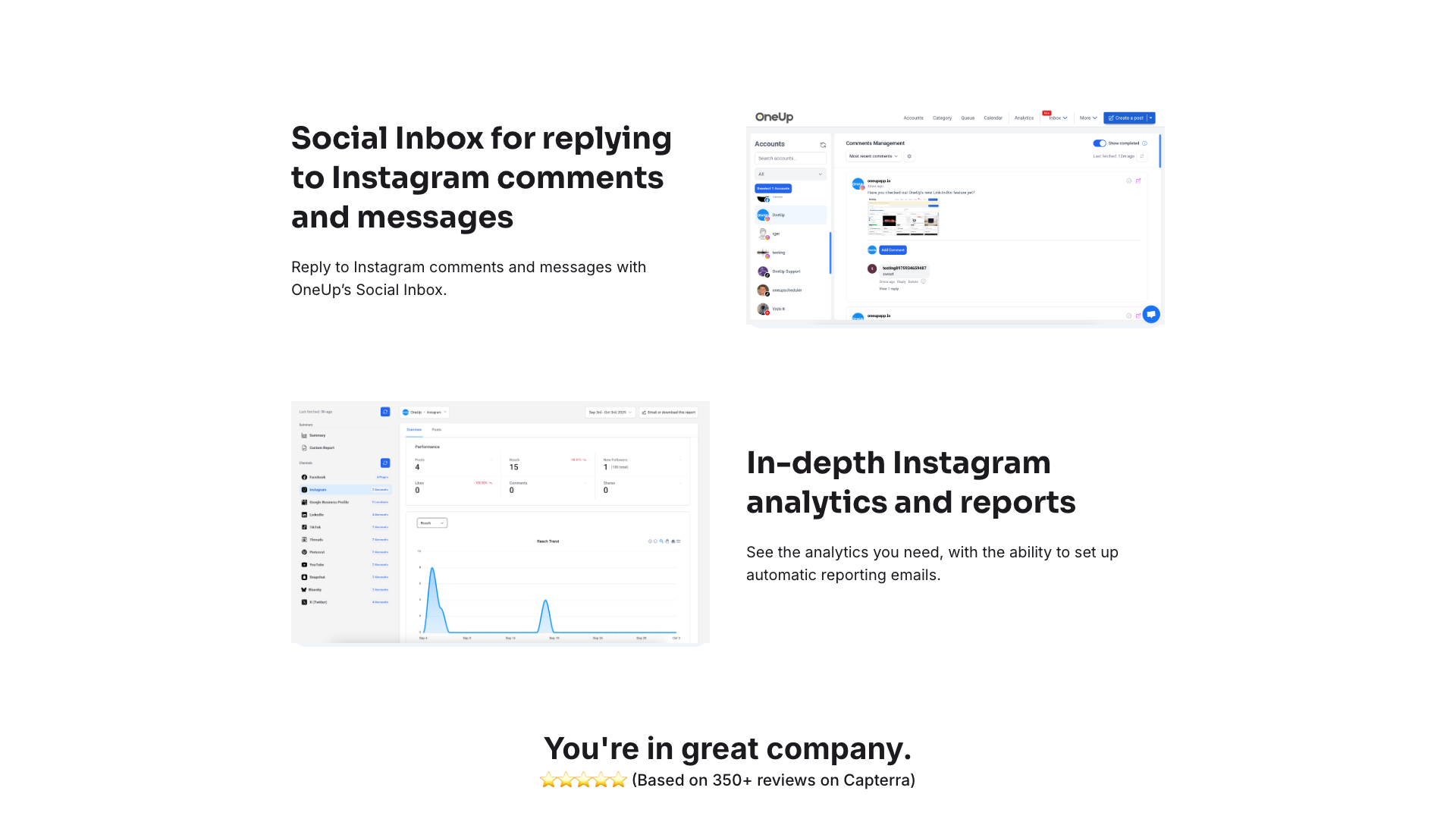
On the engagement and analytics side, OneUp provides a social inbox for replying to comments and DMs across Facebook, Instagram, YouTube, TikTok, and Threads, plus Google review replies. Analytics include summary and post-level metrics, with options to generate weekly or monthly reports and even white-labeled reports on higher plans. Integrations like Canva, Zapier, RSS auto-posting, and an API extend OneUp into broader workflows, while team features such as post approvals, internal notes with @mentions, and account-level permissions support agency use cases.
- Multi-network scheduling for Facebook, Instagram, TikTok, YouTube, Pinterest, LinkedIn, X, Threads, Bluesky, Snapchat, Reddit, and Google Business Profiles
- Direct publishing of Instagram posts, carousels, Reels, Stories, and Collab posts, even without a linked Facebook Page
- AI caption generator and AI image creation for faster content production
- Visual calendar view with drag-and-drop rescheduling and shareable read-only calendar links
- Bulk upload of posts via CSV, Google Sheets, Google Drive, Dropbox, or direct file upload
- Media gallery for storing and reusing images, GIFs, and videos
- Hashtag groups, text formatting, first comment support, and alt text for accessibility
- Social inbox for replying to comments, DMs, and Google reviews from one place
- Analytics and reporting with post-level metrics, scheduled PDF or CSV reports, and white-labeled reports on higher plans
- Team collaboration features including post approvals, internal notes with @mentions, and account-level permissions
- Auto-posting from RSS feeds or from one social account to another
- Support for long-form posts and threads on X, plus Stories and Reels on Facebook and Instagram
Pricing and plans
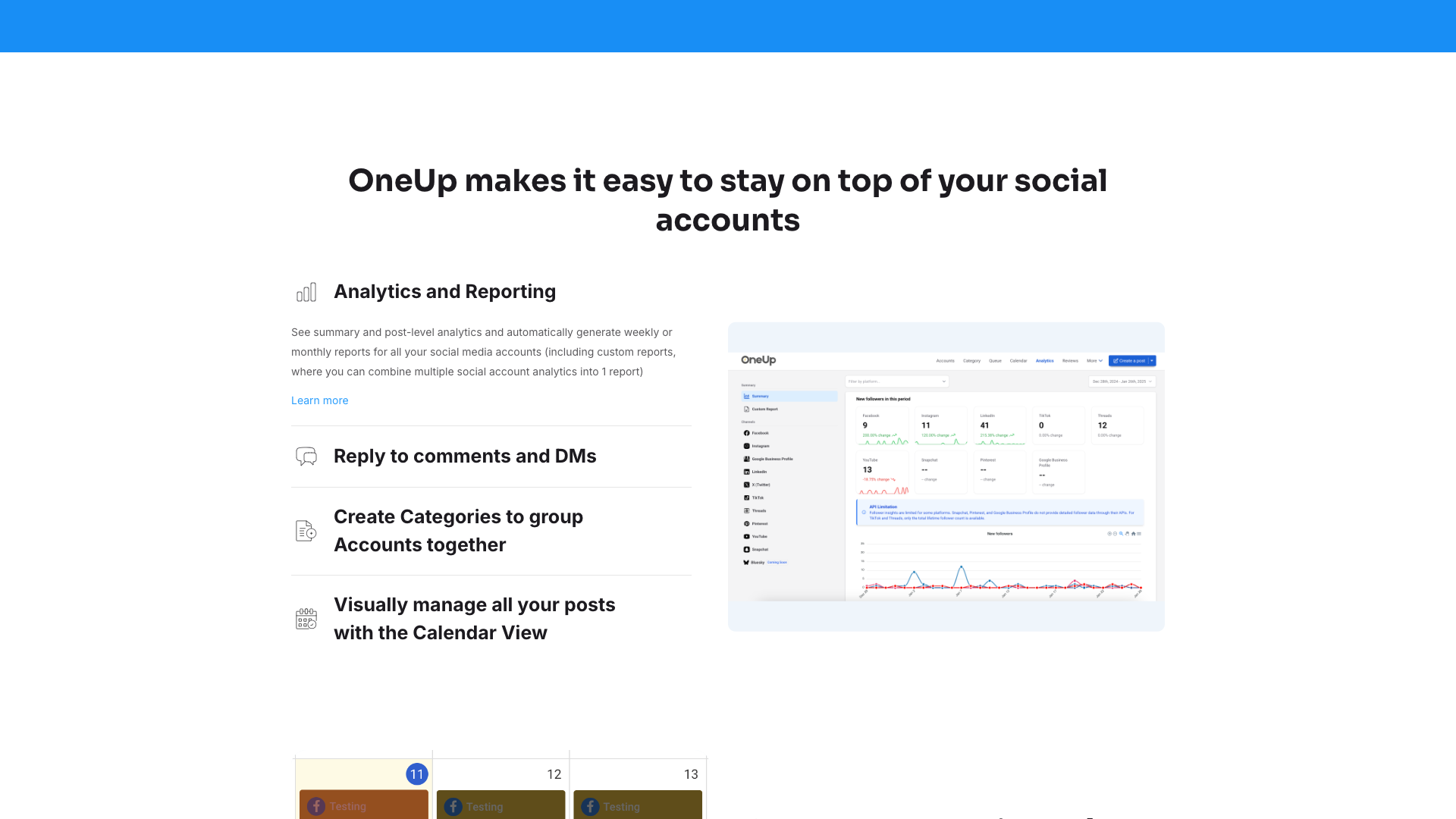
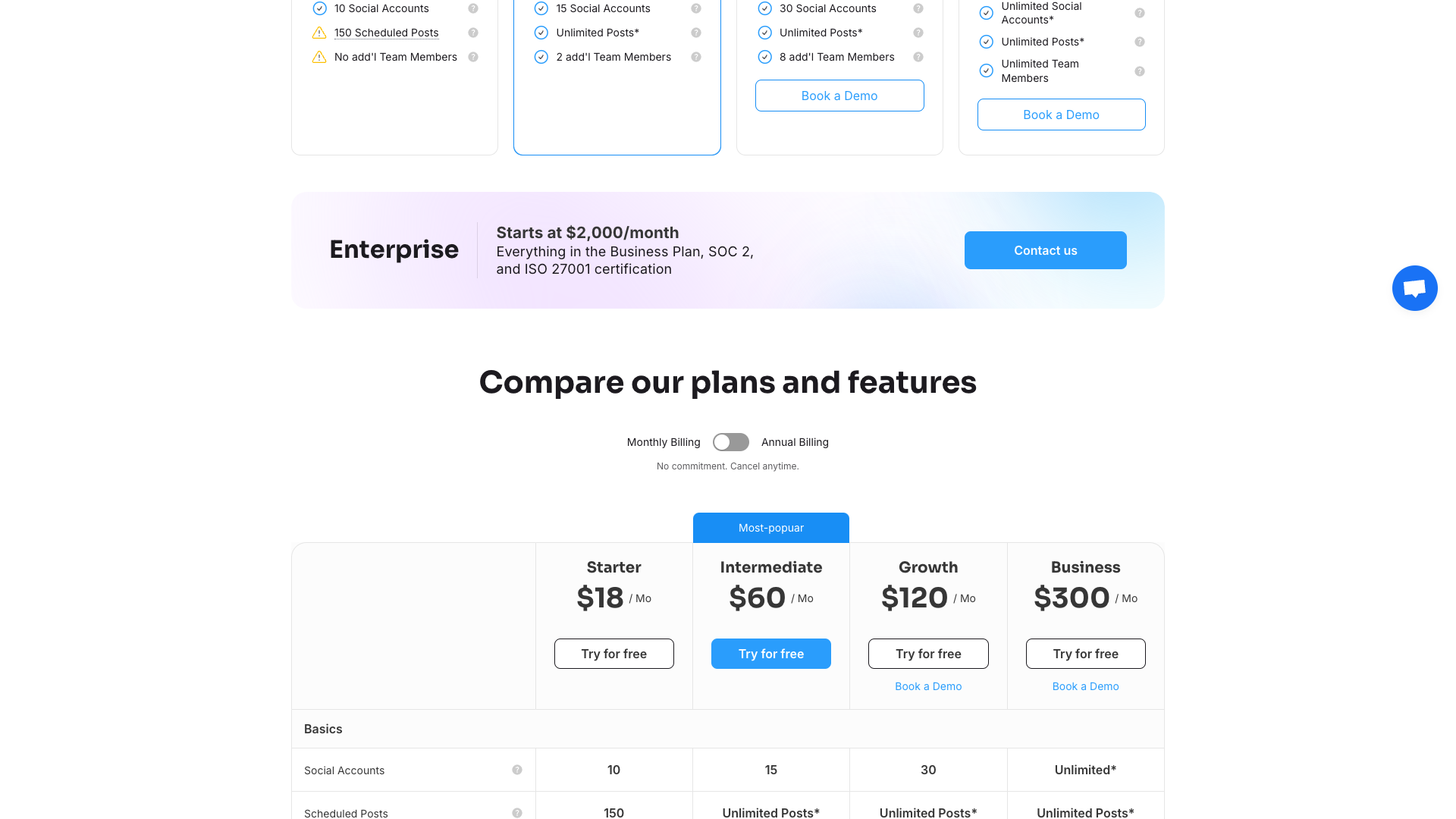
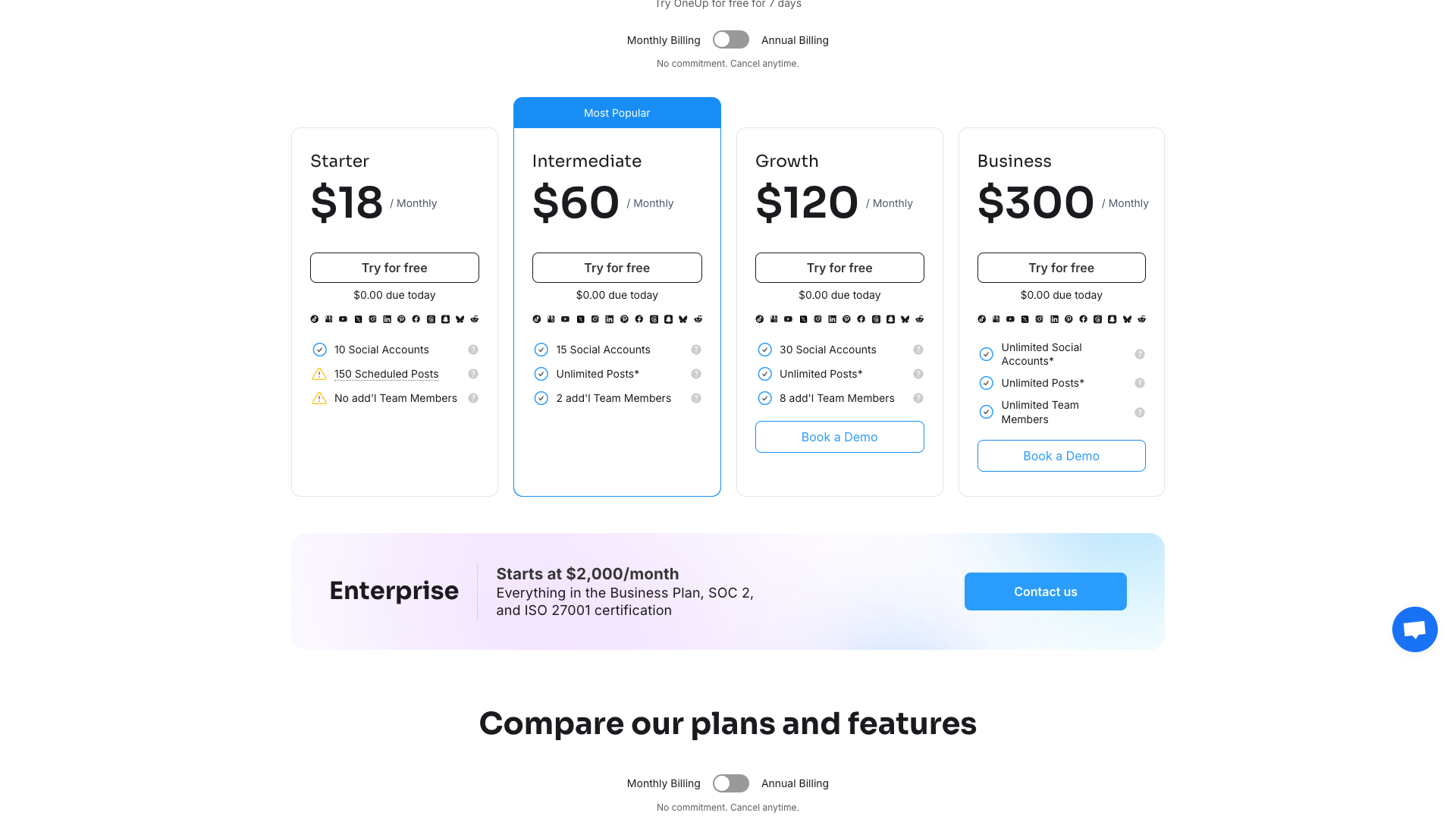
OneUp’s pricing is structured around clear tiers, with both monthly and annual billing options and a 7-day free trial on all plans. The main tiers are Starter, Intermediate, Growth, Business, and Enterprise, each increasing limits on social accounts, scheduled posts, and team members. Annual billing offers a discount compared to paying month-to-month, with prices displayed as both monthly and annual equivalents on the pricing page.
The Starter plan is aimed at smaller users who need up to 10 social accounts and 150 scheduled posts, without additional team members. Intermediate and Growth plans expand to 15 and 30 social accounts respectively, remove post limits, and add more team seats, making them suitable for growing businesses and small agencies. The Business plan unlocks unlimited social accounts, unlimited posts, and unlimited team members, which is particularly attractive for agencies managing many clients.
For larger organizations, OneUp offers Enterprise plans starting at a higher price point, including everything in the Business plan plus SOC 2 and ISO 27001 certifications and support for up to 1,000 social accounts. Enterprise customers can also book demos and discuss custom needs between 100 and 1,000 accounts. All paid plans include a friendly refund policy, with the option to receive a full refund if you cancel within a week of your trial ending, and billing is handled in USD via Stripe.
Starter (Monthly)
- 10 social accounts
- 150 scheduled posts
- No additional team members
- Multi-network scheduling
- Basic analytics and reporting
Includes 7-day free trial; billed monthly in USD via Stripe.
Intermediate (Monthly)
- 15 social accounts
- Unlimited posts*
- 2 additional team members
- Social inbox (excluding X analytics)
- Bulk upload and RSS auto-posting (up to 15 feeds)
Includes 7-day free trial; suitable for growing teams and small agencies.
Growth (Monthly)
- 30 social accounts
- Unlimited posts*
- 8 additional team members
- Includes X analytics
- Expanded RSS auto-posting (up to 30 feeds)
Includes 7-day free trial; designed for larger teams and agencies.
Business (Monthly)
- Unlimited social accounts*
- Unlimited posts*
- Unlimited team members
- Includes X analytics
- Maximum RSS auto-posting feeds (up to 50 feeds)
- Advanced analytics and white-labeled reports
Includes 7-day free trial; best for agencies managing many clients.
All plans include a 7-day free trial with $0 due today and a friendly refund policy if you cancel within a week of your trial ending. Billing is in USD via Stripe, and there is no long-term commitment; you can cancel anytime.
Customer reviews and social proof
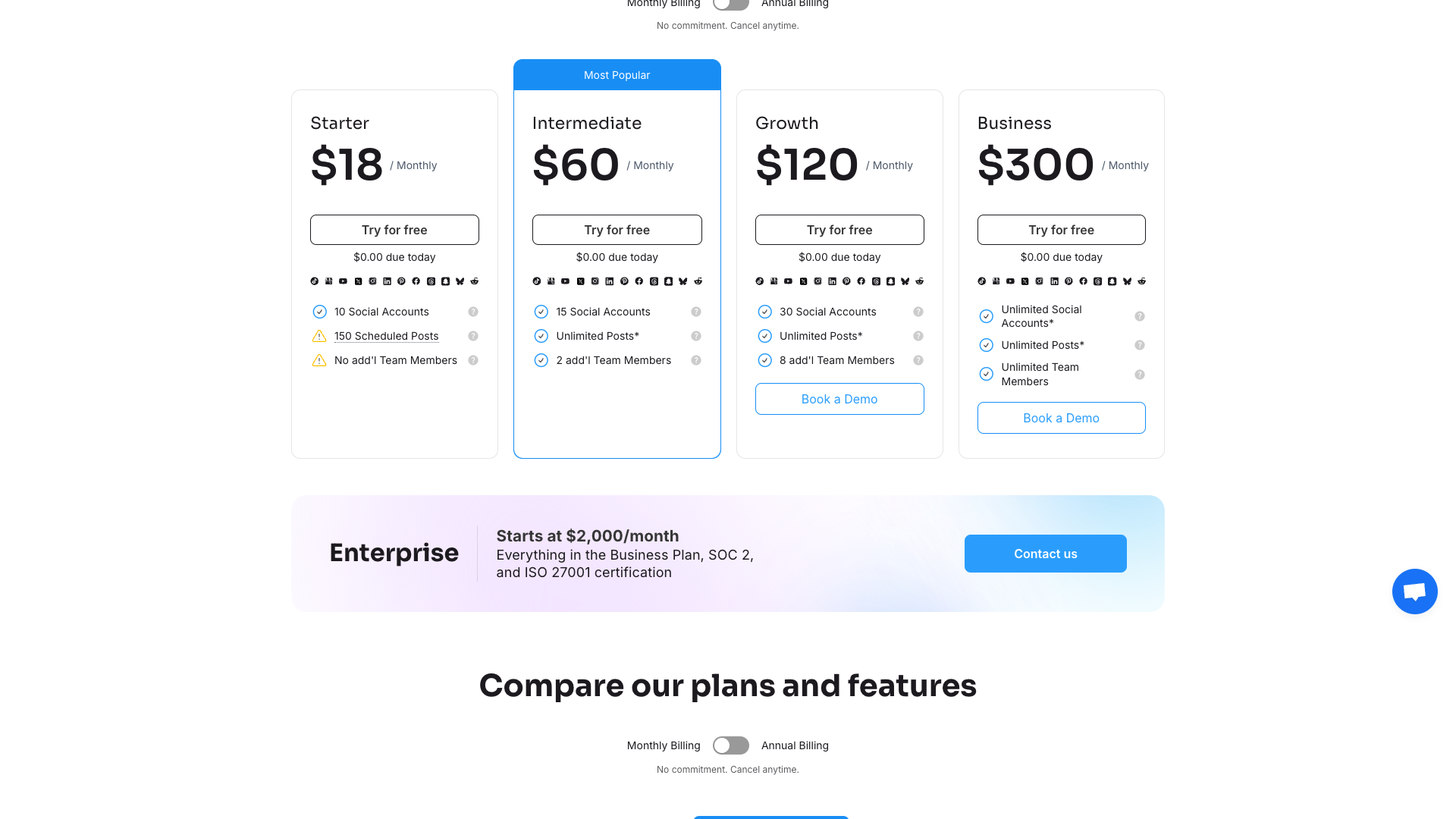
OneUp highlights strong customer satisfaction scores, including a 4.8 out of 5 rating on Capterra based on more than 320 reviews and a broader claim of 350+ reviews overall. On its Instagram features page, OneUp showcases a perfect 5 out of 5 rating snippet, reinforcing its reputation among users. These ratings suggest that customers generally find the platform reliable, easy to use, and well-supported.
The testimonials featured on the site emphasize ease of use, problem-solving, and customer service. Users describe OneUp as solving their social media scheduling issues and praise the simplicity of the interface. Others highlight excellent customer service and the platform’s ability to streamline their posting workflows.
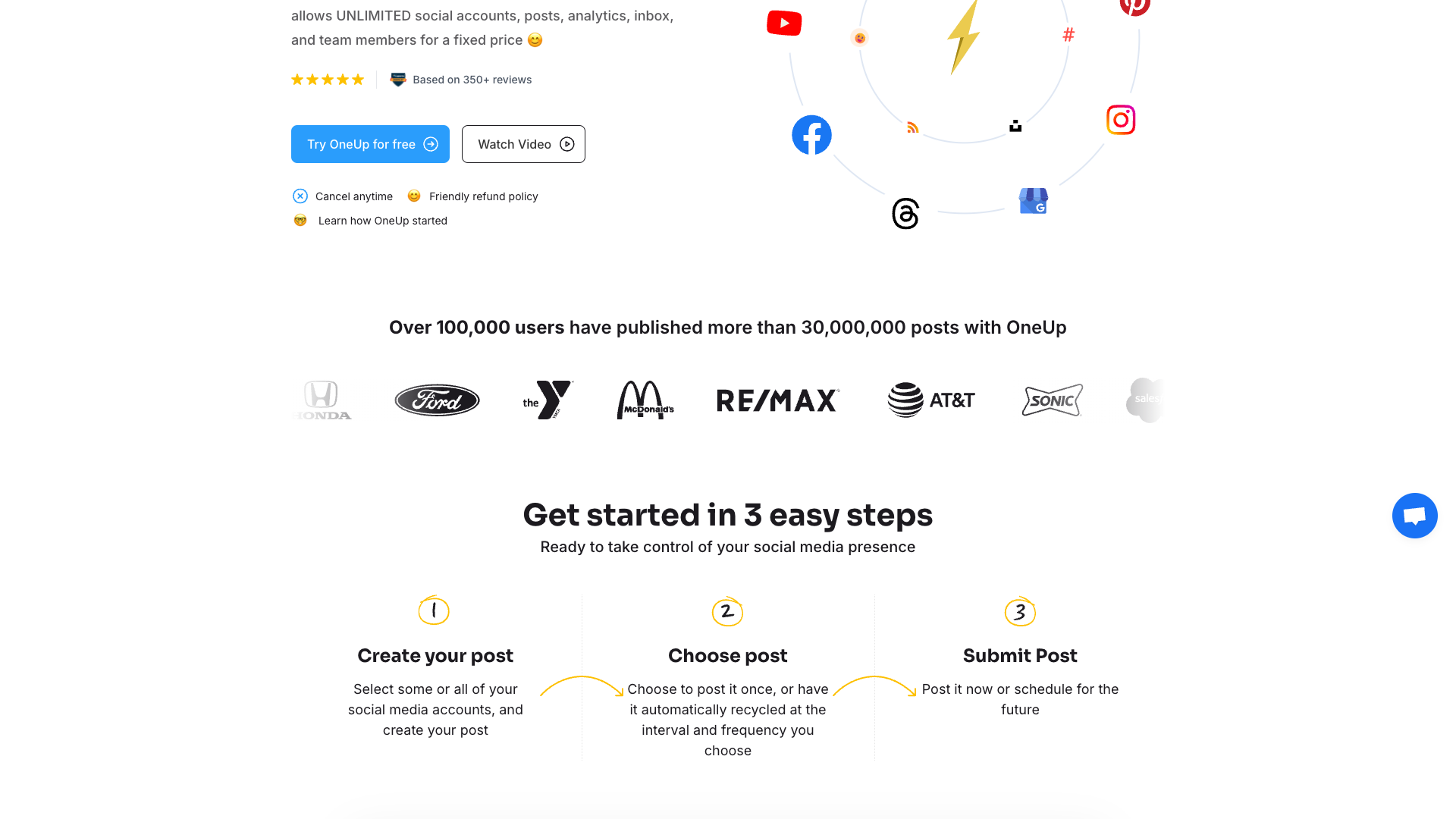
OneUp also leans on usage-based proof, stating that over 100,000 users have published more than 30,000,000 posts through the platform. This scale indicates that the tool has been tested across many industries and use cases over several years. Combined with its profitability and longevity since 2016, the social proof suggests that OneUp is a stable choice rather than an experimental startup.
- It was said that OneUp solved all social media scheduling issues for Krystle D, Director of HR.
- It was mentioned that OneUp’s customer service and ease of use were excellent by Chad G, recreation facility owner.
- It was shared that the simplicity of the program was highly enjoyed by Judith H, esthetician owner.
Our in-depth review of OneUp
From a product perspective, OneUp delivers a well-balanced mix of scheduling, analytics, and engagement tools without becoming bloated. The interface is designed to be straightforward, and the ability to manage many accounts and posts from a single calendar is a genuine productivity boost. For agencies and multi-brand marketers, unlimited accounts and team members on higher plans remove a common scaling pain point.
The feature set is particularly strong for Instagram and Google Business Profiles, where direct publishing, carousels, Reels, Stories, Collab posts, and review management are all supported. The AI caption generator and AI image creation are helpful, though they are more utility features than full creative suites. If your primary challenge is ideation and writing, you may still want a dedicated AI content tool alongside OneUp.
On the downside, OneUp is primarily a management and scheduling platform, not a deep content strategy or advanced listening suite. Social listening is marked as “coming soon,” and while the social inbox is robust, it may not replace enterprise-level engagement platforms for very large brands. Additionally, some users may find the interface more utilitarian than polished compared to premium competitors, though this trade-off helps keep pricing accessible.
Overall, OneUp is best suited for agencies, small to mid-sized businesses, and power users who need to manage many accounts efficiently and value predictable pricing. Solo creators who only manage one or two profiles might find the platform more than they strictly need, especially if their main pain point is writing posts rather than scheduling them. Pairing OneUp with a specialized AI writing tool can create a powerful stack that covers both content creation and distribution.
Pros
- Unlimited social accounts, posts, analytics, and team members on Business and Enterprise plans for a fixed price
- Broad support for major social networks including Instagram, TikTok, YouTube, Threads, Bluesky, Snapchat, Reddit, and Google Business Profiles
- Direct publishing of Instagram carousels, Reels, Stories, and Collab posts, even without a linked Facebook Page
- Robust Google Business Profile support, including posts, photos, and AI-suggested review replies
- Visual calendar, categories, and shareable read-only calendar links for clear planning and client visibility
- AI caption generator and AI image creation to speed up content production
- Bulk upload via CSV, Google Sheets, and cloud storage for efficient scheduling at scale
- Social inbox for replying to comments, DMs, and reviews from one place
- Post approvals, internal notes, and account-level permissions for teams and agencies
- Zapier integration and API access for advanced automation and custom workflows
Cons
- AI writing features are helpful but not as advanced or specialized as dedicated AI content tools
- Interface is more functional than flashy, which may feel less polished than some competitors
- Social listening is marked as “coming soon,” so advanced monitoring is limited today
- Starter plan limits scheduled posts to 150, which may be restrictive for heavy schedulers
- Some advanced analytics and X analytics are only available on higher-tier plans
- Enterprise-level features like SOC 2 and ISO 27001 are reserved for the most expensive tier


Final verdict: Is OneUp worth it?
OneUp earns a strong position in the social media tools landscape by combining broad channel support, unlimited scaling on higher plans, and a clean scheduling workflow. Its strengths lie in multi-account management, direct publishing to key networks like Instagram and Google Business Profiles, and a social inbox that centralizes engagement. For agencies and growing teams, the ability to add unlimited social accounts and team members at a fixed price is particularly compelling.
However, OneUp is not designed to be a full content ideation or long-form writing platform, and its AI features are more supportive than transformative. If your primary struggle is generating high-quality posts quickly, you may want to complement OneUp with a dedicated AI writing tool or consider alternatives that focus more heavily on content creation. For users who already have a content pipeline and mainly need reliable scheduling, approvals, and reporting, OneUp fits the brief very well.
Considering its mature feature set, strong customer ratings, and fair pricing, OneUp is highly recommended for agencies, consultants, and businesses managing multiple brands or locations. Solo creators with simpler needs might find lighter tools sufficient, but they can still benefit from OneUp’s automation if they post frequently across many channels. Overall, OneUp delivers excellent value for money and is a solid choice if you prioritize scheduling power and scalability over advanced AI content generation.
Alternatives
If OneUp isn't the right fit, consider these similar tools:
Last updated: 17.11.2025

