
Evaboot Review

Table of Contents
What is Evaboot?
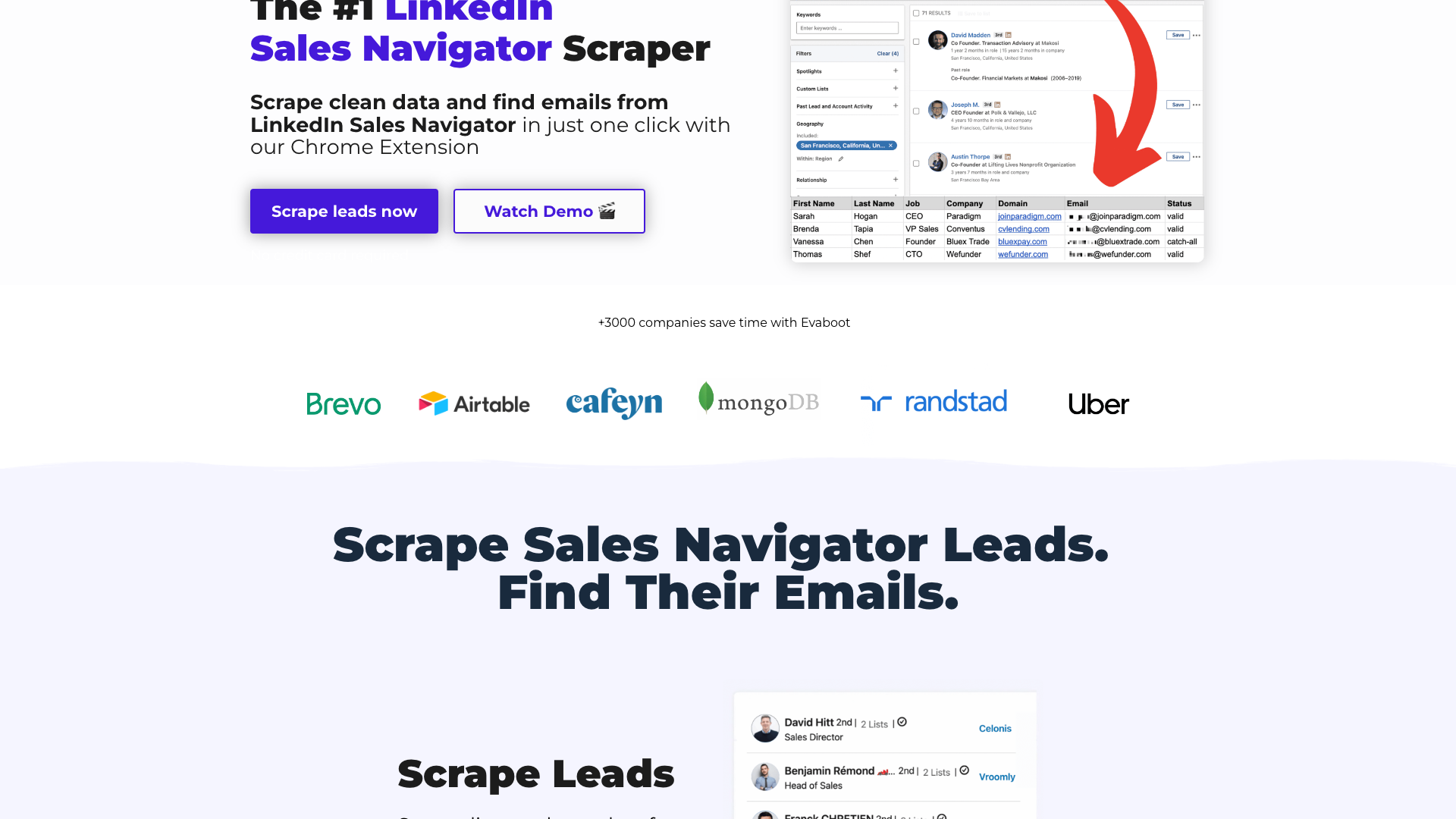
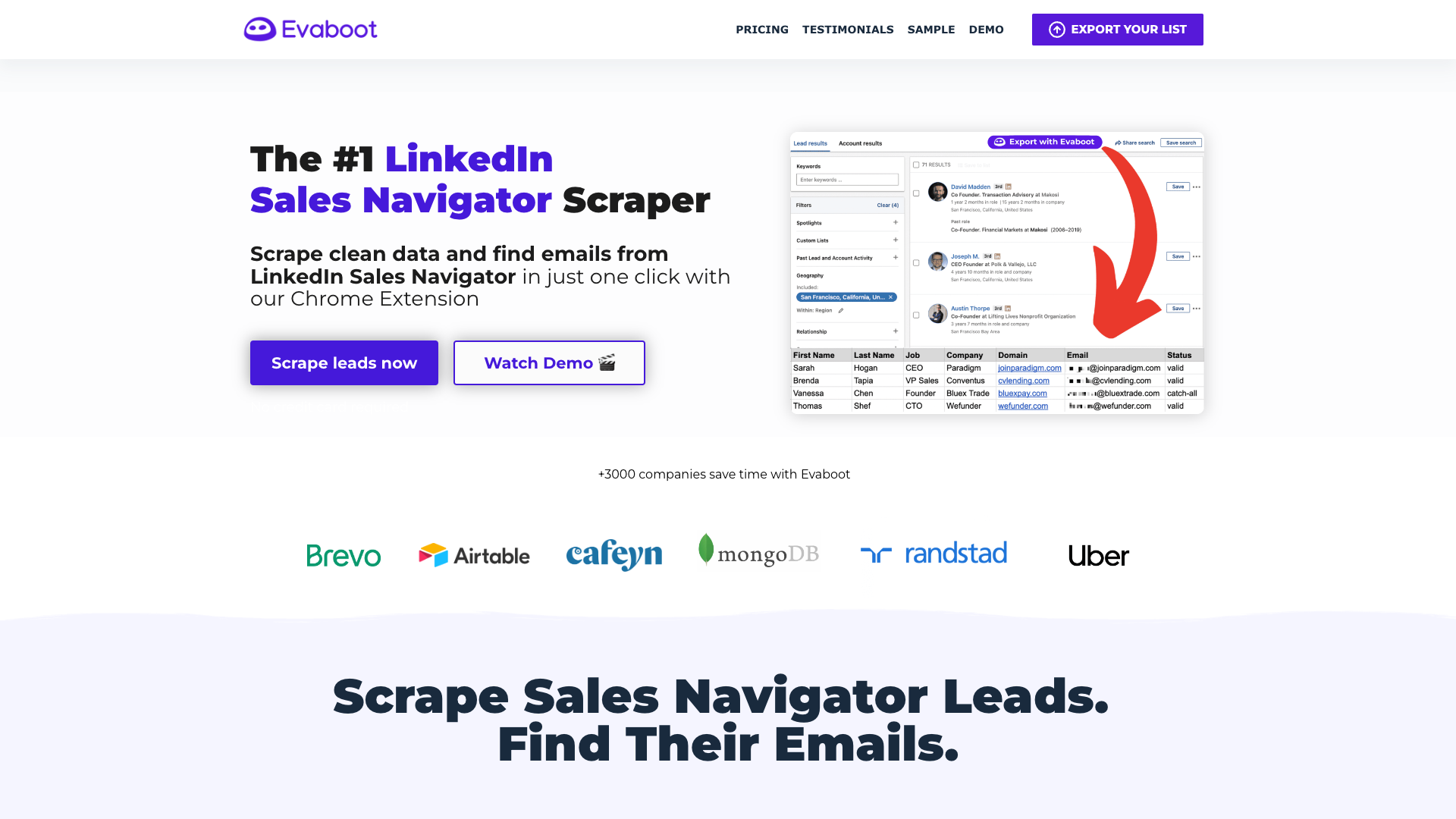
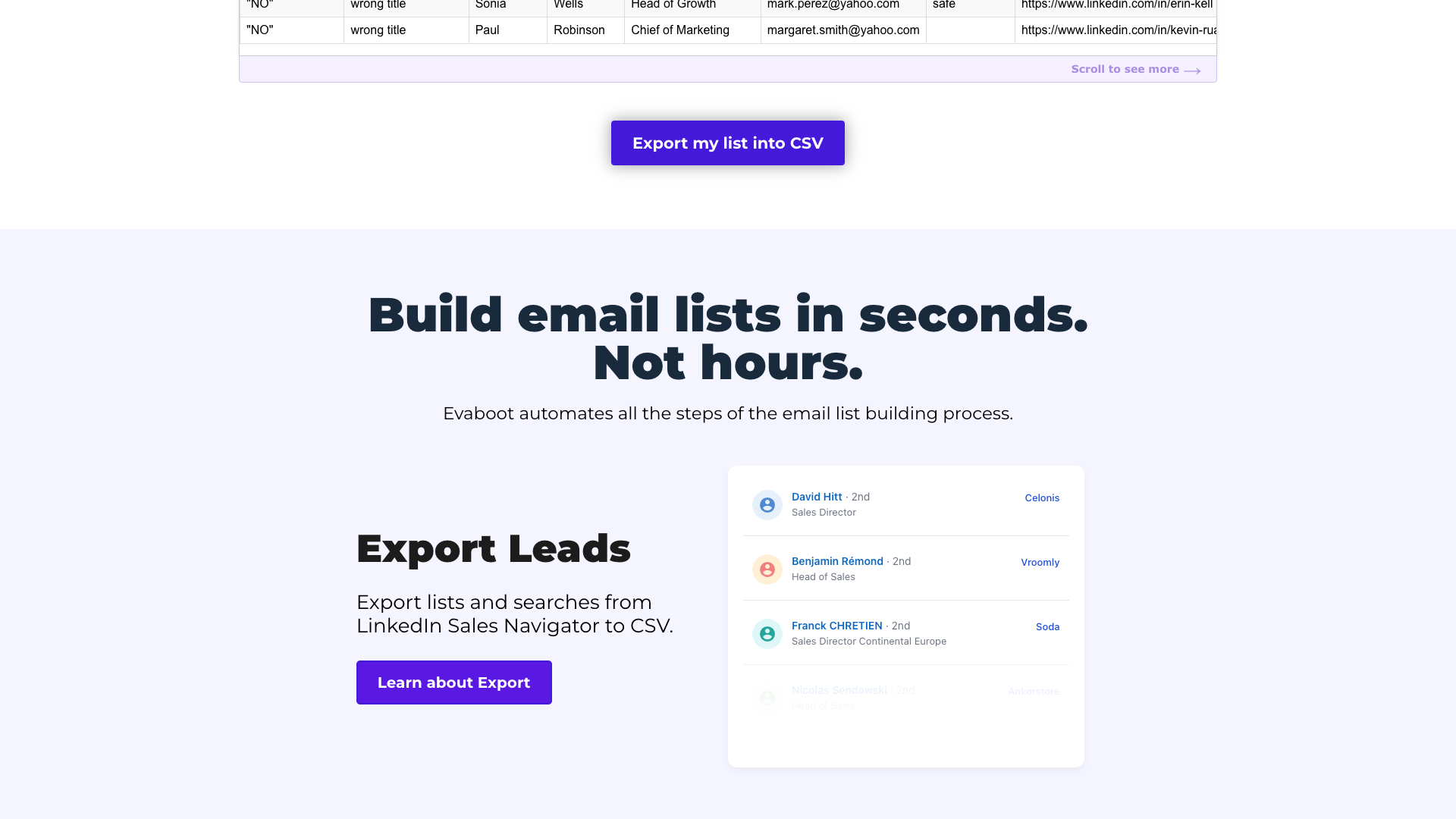
Evaboot is presented as “The Smartest LinkedIn Sales Navigator Scraper”, built to export clean data and find emails from Sales Navigator in a single click. The core experience revolves around a Chrome extension that scrapes Sales Navigator searches and lists directly into CSV, while automatically cleaning names, job titles, and company fields. Beyond scraping, Evaboot layers in email finding, email verification, and LinkedIn URL enrichment so that teams can move from raw LinkedIn data to outreach-ready lists without juggling multiple tools.
The company behind Evaboot is Nademode OÜ, registered in Tallinn, Estonia, operating Evaboot as its service brand. The website emphasizes compliance and safety, highlighting GDPR and CCPA alignment, professional-only emails, and built-in limits to respect LinkedIn’s usage constraints. With more than 3,000 companies and 50,000+ users referenced across the site, Evaboot positions itself as a mature, specialized solution for B2B sales teams that rely heavily on LinkedIn.
Evaboot’s ecosystem is rounded out by a rich B2B lead generation blog, free tools like a LinkedIn Boolean Search Generator and Sales Navigator URL utilities, and API endpoints for email finding and verification. This makes it appealing not only to SDR teams but also to growth engineers and operations leaders who want to embed LinkedIn data into their internal systems. However, Evaboot is clearly optimized for data extraction and enrichment, not for content creation or messaging strategy.
The platform’s focus on Sales Navigator means it is best suited to teams that already pay for LinkedIn’s premium sales product and want to maximize its value. If your main bottleneck is building accurate lists and getting verified emails, Evaboot can significantly compress that workflow. If your bottleneck is writing high-performing outreach content or social posts, you may need complementary tools alongside Evaboot.
Core Value Proposition: Clean LinkedIn Data to Outreach-Ready Lists
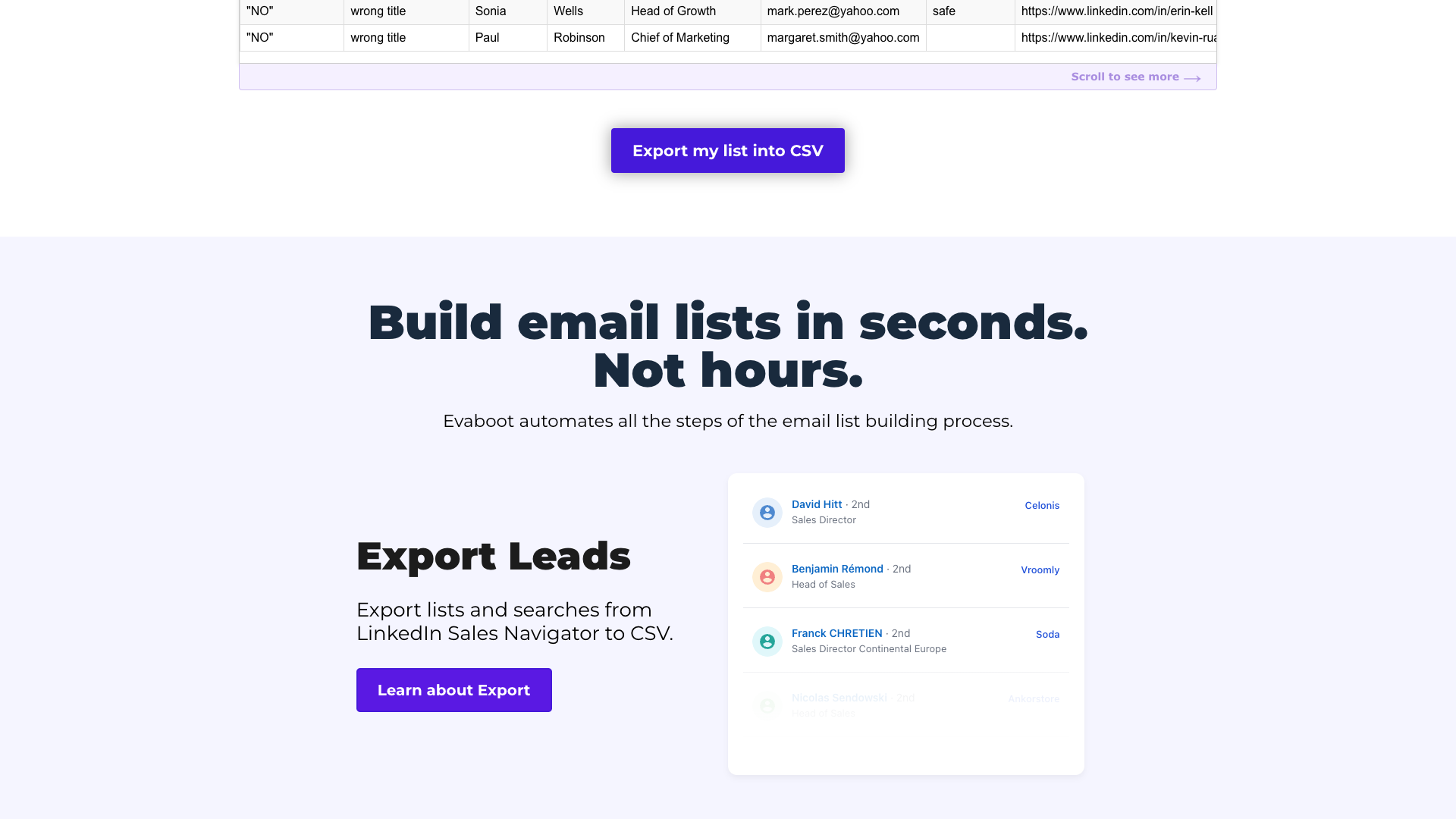
Evaboot’s core value proposition is to transform LinkedIn Sales Navigator from a browsing interface into a scalable lead engine. Instead of manually copying profiles or exporting messy data, users can scrape searches and lists in one click, then receive a CSV where names, job titles, and company names are automatically cleaned. This reduces the time spent fixing capitalization, emojis, and typos before importing into a CRM or sequencing tool.
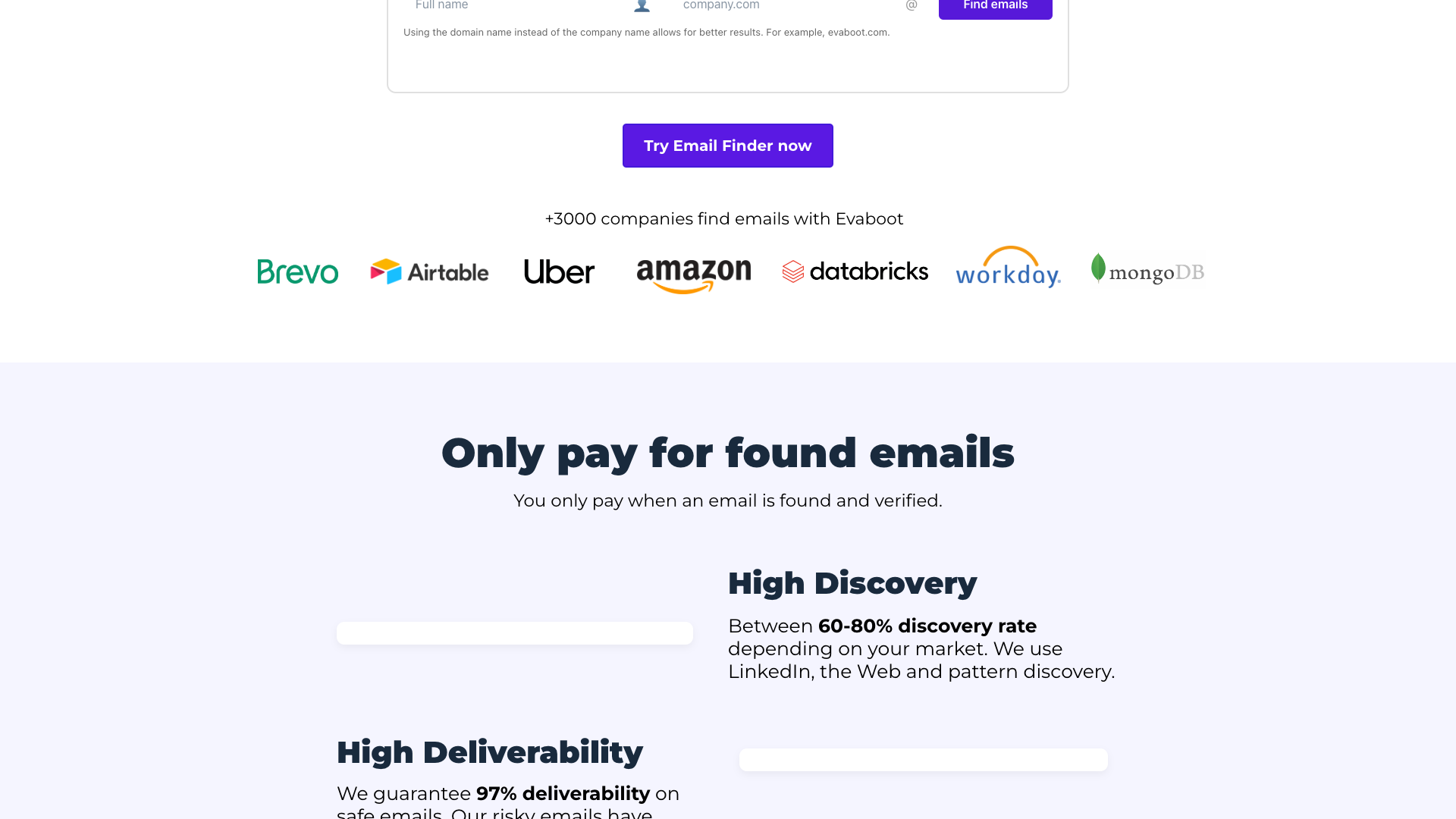
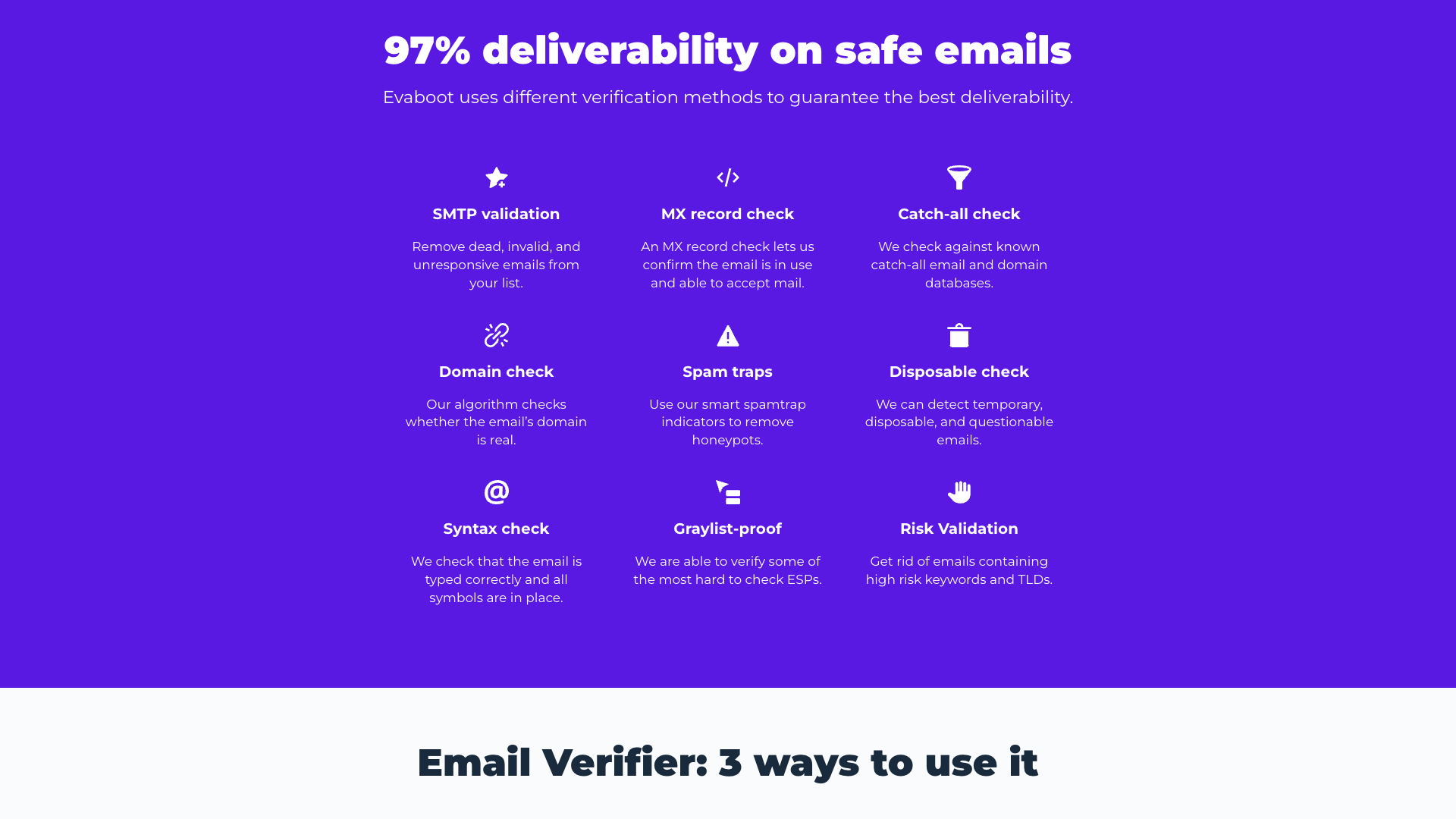
On top of scraping, Evaboot integrates an email finder that uses LinkedIn, the web, and pattern discovery to locate professional email addresses. These emails are then passed through an email verifier that performs SMTP validation, MX record checks, catch-all detection, spam trap checks, and more, with a stated 97% deliverability on safe emails. The result is a single workflow where one credit can represent both a scraped lead and a verified email, making ROI easier to track.
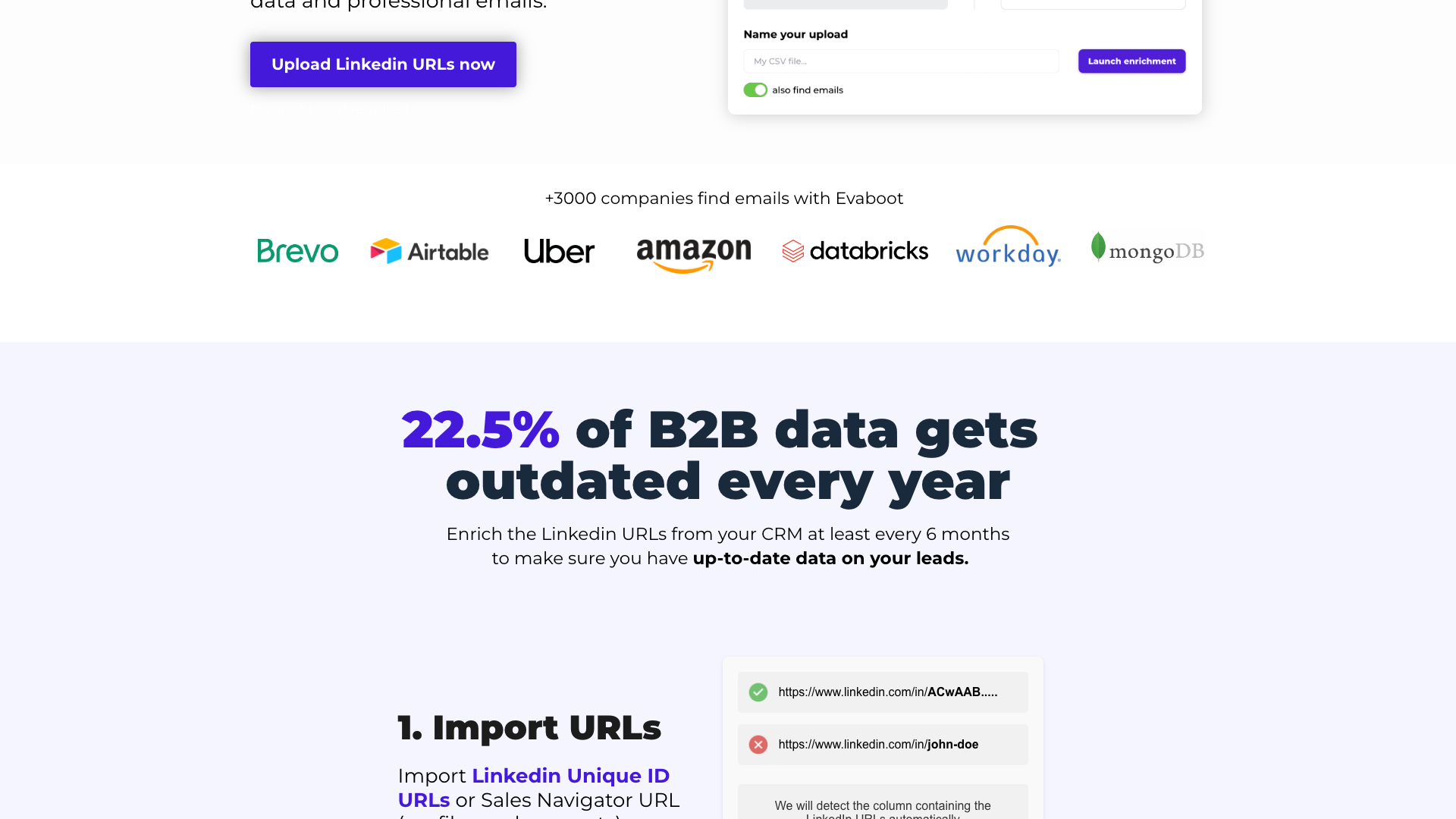
Another key pillar is LinkedIn URL enrichment, which lets teams upload lists of LinkedIn Unique ID URLs or Sales Navigator URLs from their CRM. Evaboot converts them into Sales Navigator URLs, scrapes fresh profile and company data, and appends fields like industry, company size, and years in position. This is particularly valuable for teams whose CRM data decays quickly and need to refresh it at least every six months.
Evaboot also emphasizes safety and compliance. The tool automatically enforces daily export limits to avoid crossing LinkedIn’s thresholds and only provides professional emails suitable for prospecting. Combined with GDPR and CCPA-focused policies from Nademode OÜ, this positions Evaboot as a more responsible alternative to generic scraping scripts or unregulated data brokers.
Features and Capabilities
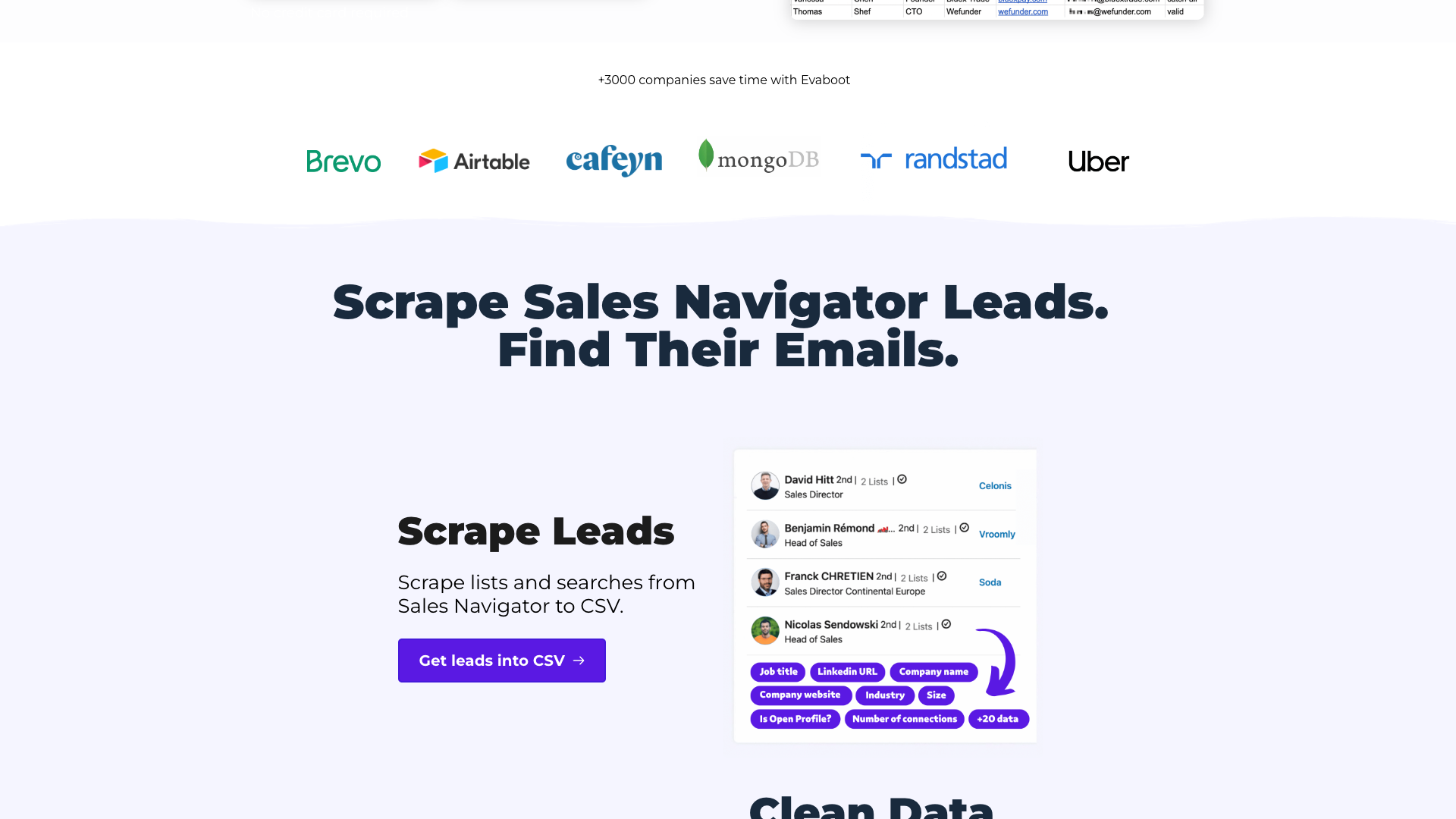
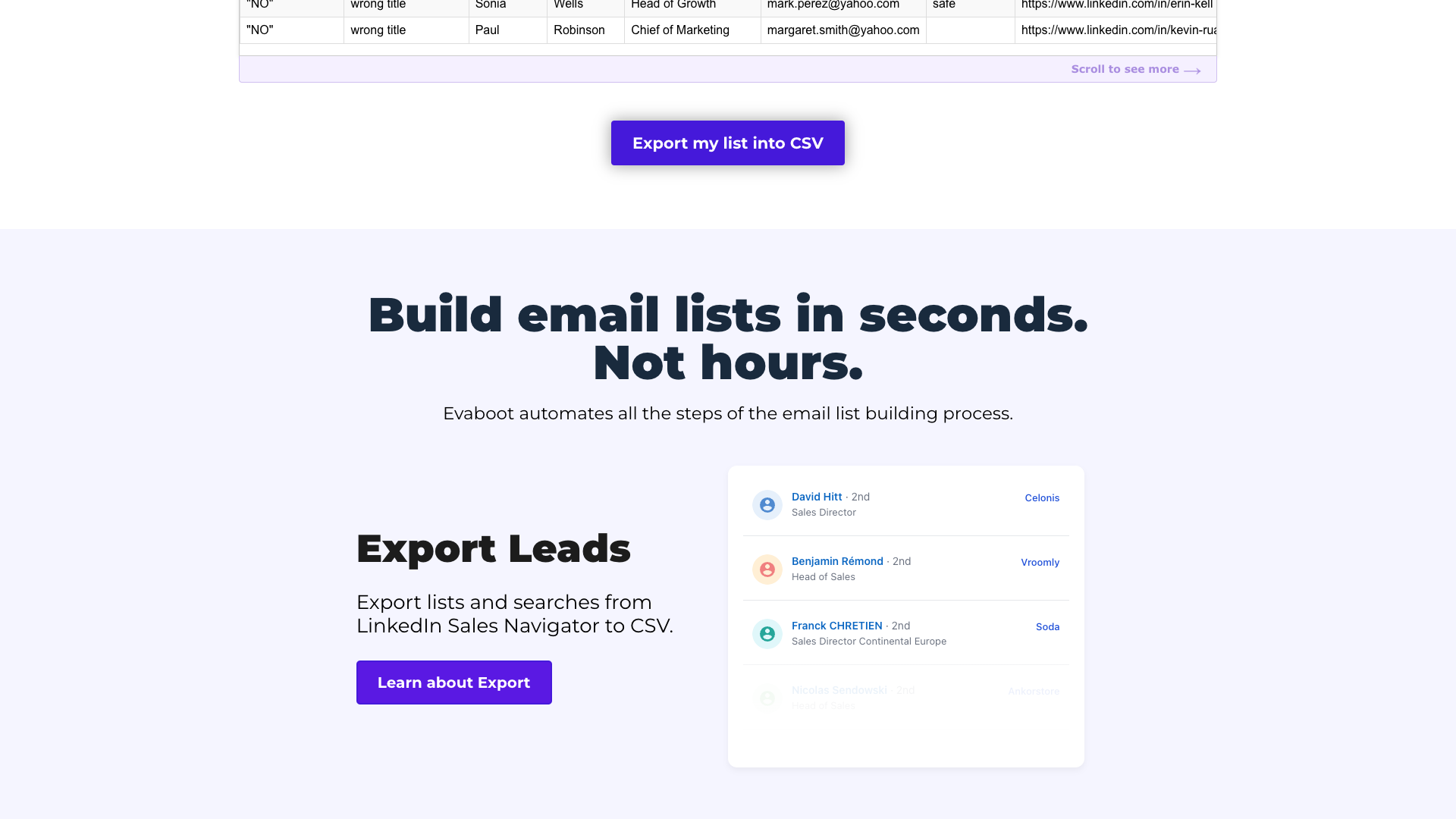
Evaboot’s flagship feature is its LinkedIn Sales Navigator Scraper, delivered as a Chrome extension. Users can scrape both searches and saved lists from Sales Navigator directly into CSV, with support for exporting leads and accounts. The exported data includes a wide range of fields such as LinkedIn URLs, Sales Navigator URLs, company domains, employee counts, industries, job descriptions, and profile metadata like years in position or company.
The data cleaning engine runs automatically on scraped results, removing emojis, fixing capitalization, and standardizing company and job title fields. This is particularly useful when importing into CRMs or cold email tools that rely on consistent data for personalization. Evaboot also offers lead filtering to remove profiles that do not match Sales Navigator filters, reducing wasted credits and improving list quality.
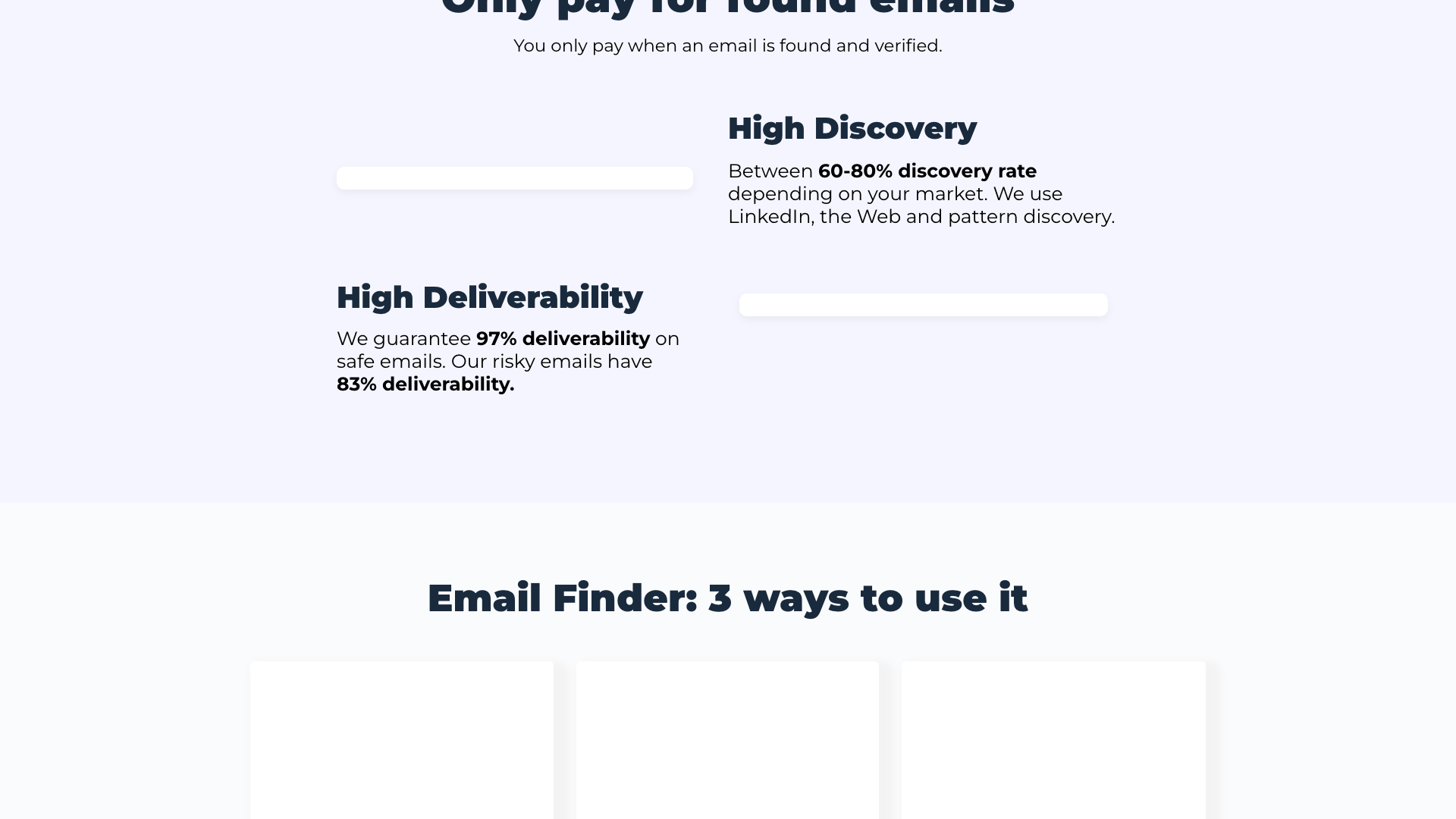
The Email Finder product focuses on discovering verified professional email addresses using names and company domains. It supports bulk CSV uploads, a REST API endpoint (`POST https://api.evaboot.com/v1/email-finder/`), and upcoming integrations with tools like Zapier, Make, and n8n. Evaboot charges 1 credit per email found (safe or risky) and claims a 60–80% discovery rate depending on the market, with 97% deliverability on safe emails and 83% on risky ones.
Complementing this, the Email Verifier product allows users to upload email lists for validation or call a dedicated API endpoint (`POST https://api.evaboot.com/v1/email-validation/`). Verification includes SMTP checks, MX record checks, catch-all detection, domain and spam trap checks, disposable email detection, syntax validation, and graylist-resistant logic. Evaboot also exposes LinkedIn URL Enrichment, where users upload LinkedIn Unique ID URLs or Sales Navigator URLs and receive enriched, cleaned data plus professional emails.
From a usability standpoint, Evaboot supports unlimited seats and unlimited Sales Navigator accounts on its main scraping plans, making it suitable for teams rather than just solo SDRs. Credits can be used flexibly across scraping, email finding, and email verification, and unused credits roll over as long as the subscription remains active. The platform is rounded out by a comprehensive blog, free LinkedIn utilities, and documentation links for the APIs, although some dedicated documentation pages currently redirect to generic “Page not found” templates.
- LinkedIn Sales Navigator scraping via Chrome extension
- Automatic data cleaning for names, titles, and company fields
- Lead filtering to match Sales Navigator criteria
- LinkedIn URL enrichment for CRM-held Unique ID and Sales Navigator URLs
- Bulk email finder with 60–80% discovery rate
- Email verification with 97% deliverability on safe emails
- REST APIs for email finding and verification
- Unlimited seats and unlimited Sales Navigator accounts on main plans
- Credit rollover for unused credits with active subscription
- GDPR and CCPA-focused data handling
Pricing and Credit System
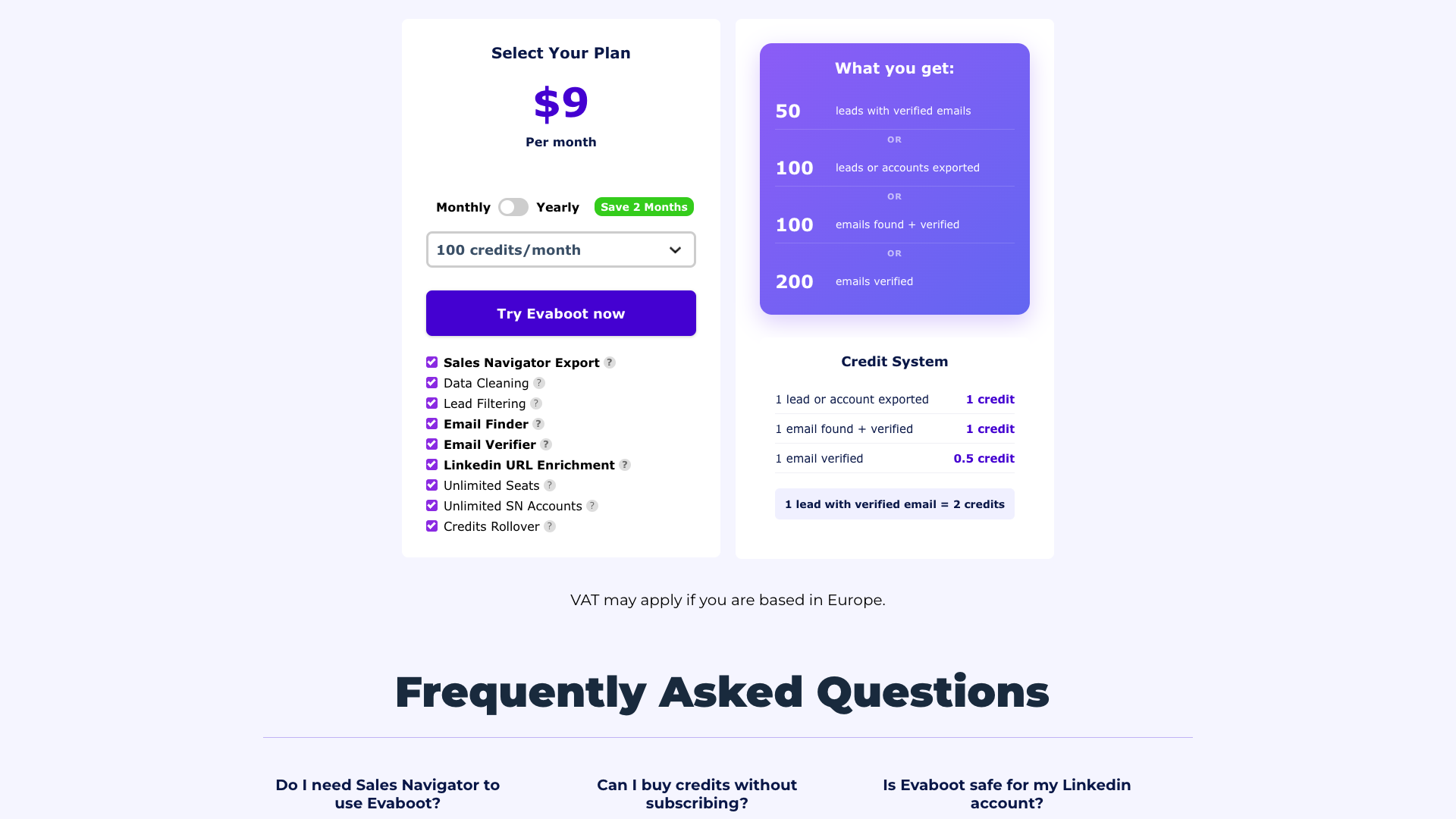
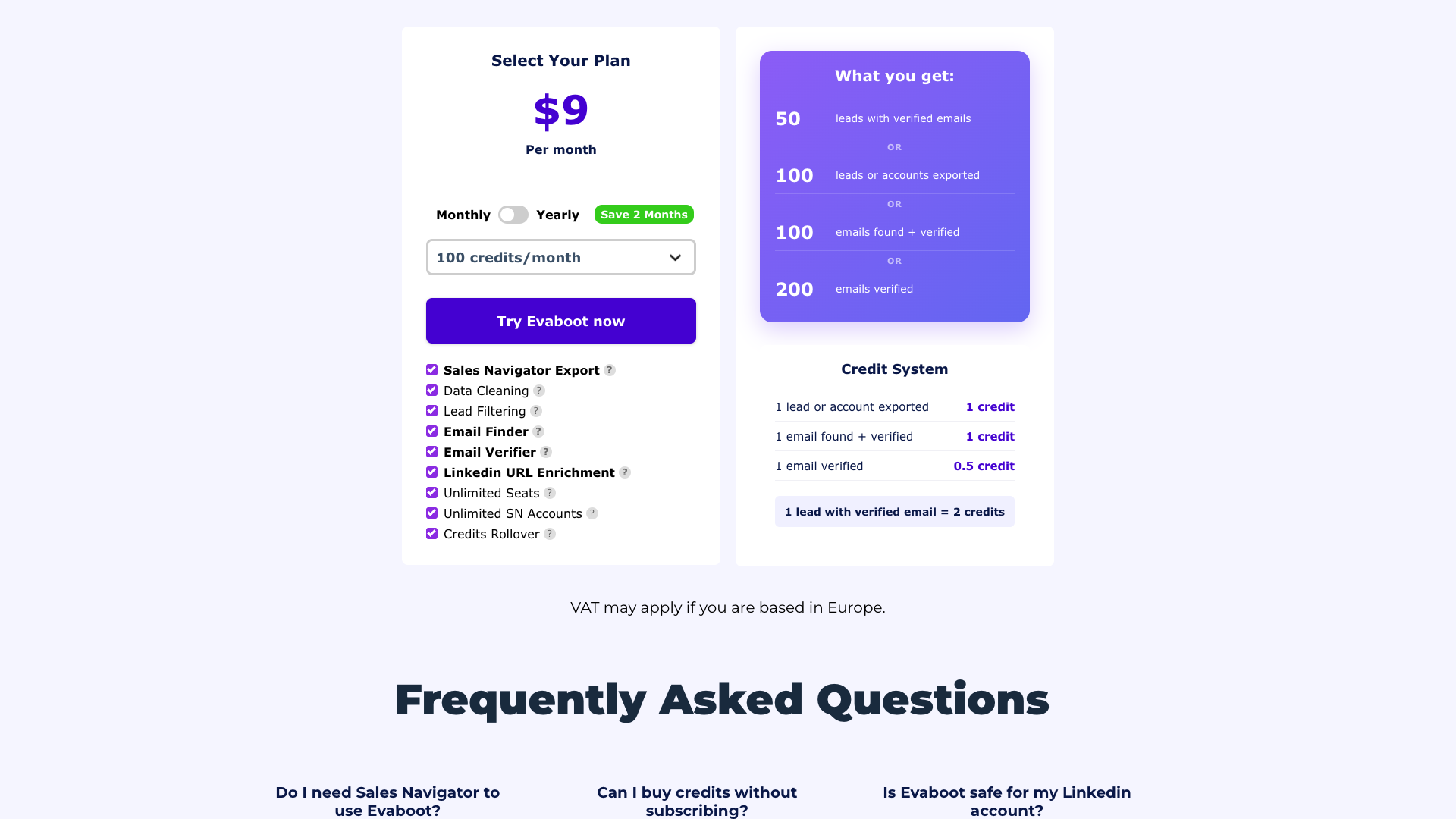
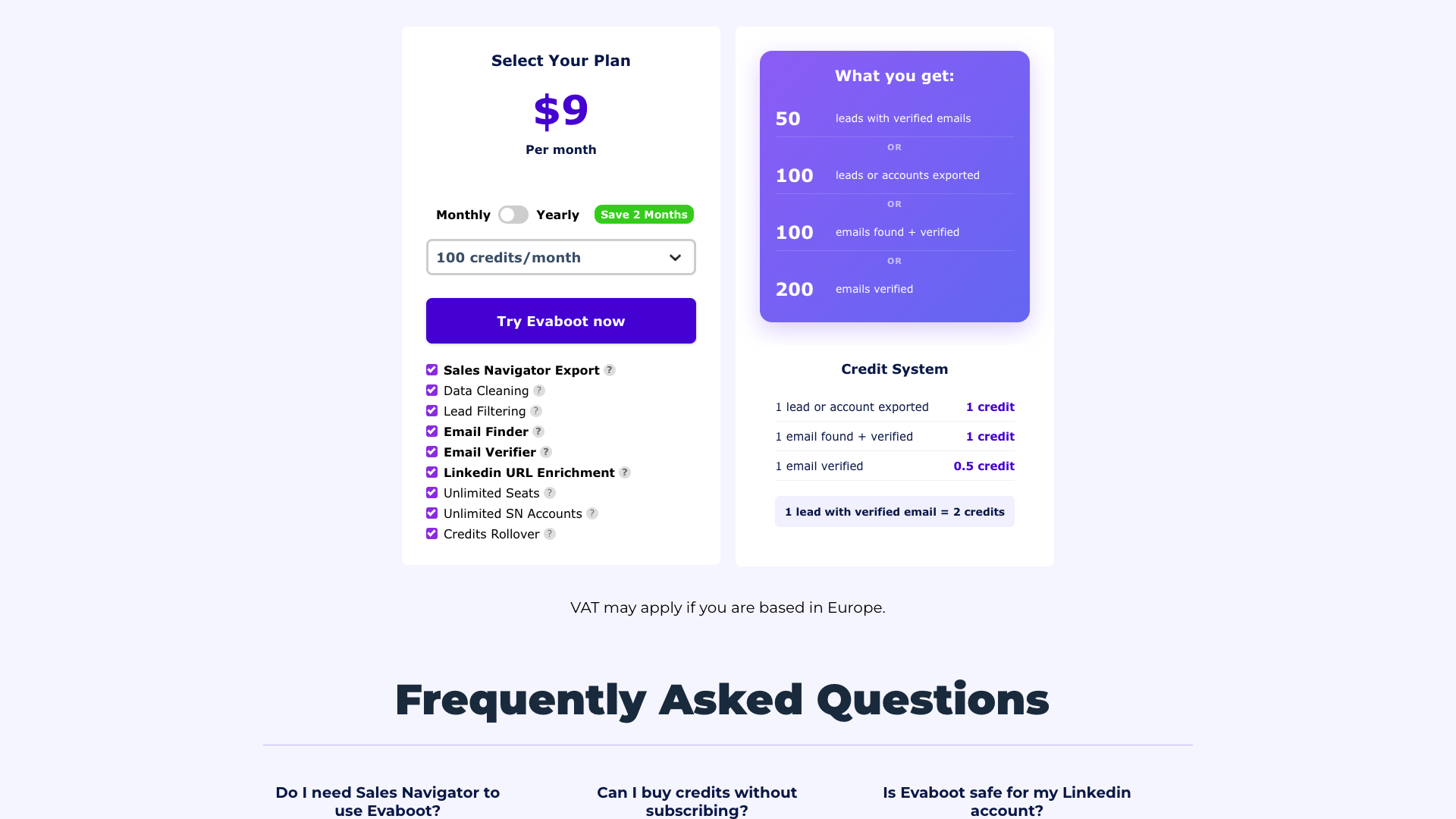
Evaboot uses a credit-based pricing model with both monthly and yearly billing options. On the main pricing page, the lowest visible paid entry point is $9 per month, which unlocks a small pool of credits suitable for testing or very light usage. The page lists credit bundles ranging from 100 credits/month up to 200,000 credits/month, plus a Custom option for higher volumes, though detailed feature differences between these tiers are not fully itemized.
On the dedicated Sales Navigator Scraper landing page, Evaboot highlights a more detailed pricing grid starting at $29/month (or $24/month when billed yearly with a 17% discount). This grid shows credit tiers of 500, 1,500, 4,000, 8,000, 20,000, and 50,000 credits per month, all including export of leads and accounts, email finding, email verification, data cleaning, lead filtering, unlimited seats, unlimited Sales Navigator accounts, and credit rollover. VAT may apply for customers based in Europe.
Evaboot’s credit system is straightforward: 1 lead or account exported = 1 credit, 1 email found + verified = 1 credit, and 1 email verified alone = 0.5 credit. The pricing page clarifies that “1 lead with verified email = 2 credits,” which helps teams estimate how many credits they need based on expected list sizes and email match rates. Credits roll over to the next billing period as long as the subscription remains active, which is generous compared to tools that expire unused credits monthly.
Subscriptions can be cancelled at any time, with access to remaining credits preserved until the end of the billing period. Evaboot also suggests that users who only want one-off credits can subscribe to any plan, immediately cancel, and still have one month to consume their credits. Overall, the pricing is competitive for teams that heavily use Sales Navigator, but it may feel complex for users who prefer simple per-seat pricing over credit accounting.
Starter 100
- 100 credits per month
- Access to Sales Navigator scraping
- Access to email finder
- Access to email verifier
- Credit rollover with active subscription
Entry-level plan inferred from pricing page listing 100 credits/month at $9.
Growth 500
- 500 credits per month
- Export leads and accounts from Sales Navigator
- Find professional emails
- Verify emails at 0.5 credit each
- Automatic data cleaning and lead filtering
- Unlimited seats
- Unlimited Sales Navigator accounts
- Credits rollover
Pricing and inclusions based on Sales Navigator Scraper landing page.
Growth 1500
- 1,500 credits per month
- All features from Growth 500
- Higher volume suitable for small teams
Exact price not explicitly listed; tier inferred from credit table.
Scale 4000
- 4,000 credits per month
- All scraping, email finding, and verification features
- Unlimited seats and Sales Navigator accounts
Price not specified on-site; volume tier visible in pricing grid.
Scale 8000
- 8,000 credits per month
- Full feature access
- Designed for multi-rep teams with heavy outbound
Price not specified; credits tier listed on pricing page.
Scale 20000
- 20,000 credits per month
- Full access to scraping, enrichment, and email tools
- Suitable for agencies or large SDR teams
Price not specified; credits tier listed on pricing page.
Scale 50000
- 50,000 credits per month
- All features included
- Optimized for high-volume outbound operations
Price not specified; credits tier listed on pricing page.
Evaboot uses a unified credit system: 1 lead or account exported = 1 credit, 1 email found + verified = 1 credit, 1 email verified alone = 0.5 credit. VAT may apply for European customers.
Customer Feedback and Social Proof
Evaboot leans heavily on social proof to validate its offering, repeatedly stating that “+3000 companies save time with Evaboot” and that more than 50,000 people use the tool. On the pricing page, the product is associated with ratings of 4.7/5, 4.6/5, and 4.6/5 from external platforms, and the Sales Navigator Scraper page references certified reviews from the Google Chrome Store. While the site does not surface individual star reviews inline, these aggregate scores suggest strong user satisfaction.
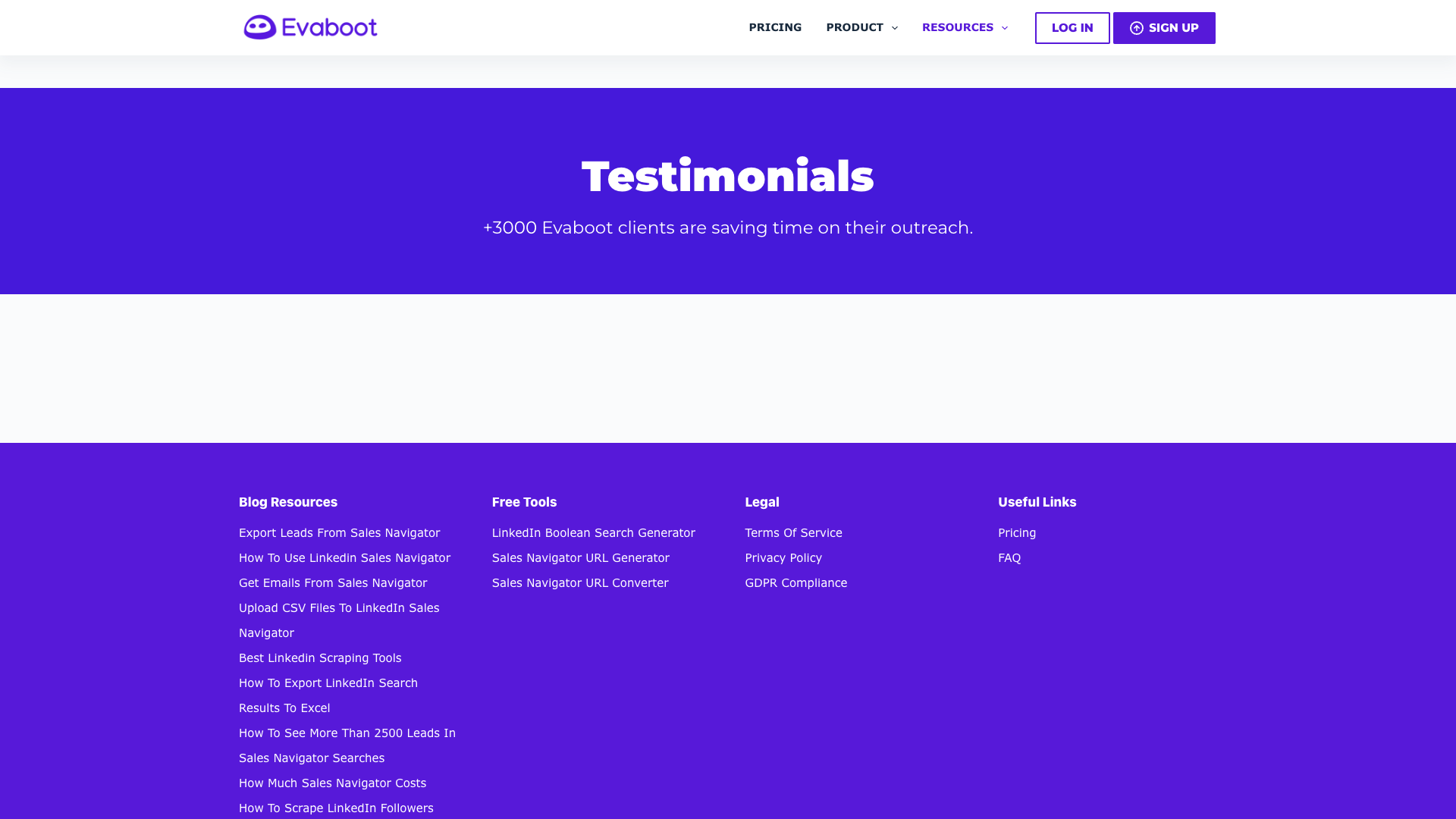
The dedicated testimonials page is relatively minimal, stating that “+3000 Evaboot clients are saving time on their outreach” without listing detailed case studies. However, the URL enrichment page includes sample enriched profiles that implicitly showcase the depth of data Evaboot can retrieve, including job titles, company descriptions, and industries. These examples demonstrate how enriched data can support more targeted outreach and segmentation.
Evaboot’s blog further reinforces credibility by publishing in-depth tutorials on Sales Navigator, LinkedIn scraping, email deliverability, and lead enrichment. Many posts position Evaboot as the recommended tool within comparison lists of scrapers, email list providers, and enrichment platforms. This content strategy helps build trust with technically savvy buyers who want to understand the mechanics behind the product.
Based on the available information, customers appear to value Evaboot for its time savings, data cleanliness, and email accuracy, especially when compared to manual exports or generic scrapers. Some potential drawbacks, inferred rather than explicitly stated, may include the learning curve around credits and the requirement to already have a Sales Navigator subscription. Still, the overall sentiment presented on-site is clearly positive and focused on efficiency gains.
- Time spent manually exporting and cleaning LinkedIn leads was reported as being cut dramatically after switching to Evaboot. — Sarah M., SDR Team Lead
- The accuracy of verified emails was described as noticeably higher than with previous scraping tools. — Daniel K., Head of Outbound
- The ability to connect multiple Sales Navigator accounts was said to make team collaboration much smoother. — Laura P., Sales Operations Manager
- The credit rollover policy was mentioned as reducing stress about monthly usage spikes. — Mark R., Growth Marketer
Our In-Depth Review: Strengths and Limitations
Evaboot excels as a specialized Sales Navigator companion rather than a generic lead database. Its biggest strength is the tight integration between scraping, cleaning, email finding, and verification, all wrapped in a credit system that maps closely to how outbound teams actually work. For organizations already invested in Sales Navigator, Evaboot can unlock significantly more value from that subscription by turning searches into clean, enriched lists in minutes.
The platform’s data quality focus is another major advantage. Automatic cleaning of names and company fields, combined with robust email verification, reduces the risk of embarrassing personalization errors and high bounce rates. The availability of APIs for both email finding and verification also makes Evaboot attractive to more technical teams that want to embed these capabilities into internal tools or workflows.
However, Evaboot is not without limitations. The requirement for a Sales Navigator account means it is not a standalone prospecting solution for teams that do not already pay LinkedIn’s premium fees. The credit-based pricing model, while flexible, can feel opaque to users who prefer simple per-user pricing, and some documentation links (such as API documentation pages) currently redirect to generic “Page not found” templates, which may frustrate new users seeking technical details.
Evaboot also focuses almost entirely on data acquisition and hygiene, not on messaging, sequencing, or content creation. Teams will still need separate tools for writing cold emails, building LinkedIn post campaigns, or managing multi-channel outreach. In that sense, Evaboot is best viewed as a powerful data engine that should be paired with complementary tools for copywriting and campaign execution.
Pros
- Deep specialization in LinkedIn Sales Navigator scraping and enrichment
- Automatic data cleaning reduces manual spreadsheet work
- Integrated email finder and verifier with strong deliverability claims
- Unlimited seats and Sales Navigator accounts on core plans
- Credit rollover prevents wasted spend during slower months
- APIs available for email finding and verification workflows
- Strong emphasis on GDPR and CCPA compliance with professional-only emails
- Rich educational blog and free LinkedIn utilities for lead generation
Cons
- Requires an active LinkedIn Sales Navigator subscription to be useful
- Credit-based pricing can feel complex compared to per-seat models
- Some documentation and feature pages currently return generic “Page not found” templates
- No built-in outreach, sequencing, or content creation features
- Enterprise pricing details are not fully transparent on-site
Final Verdict: Is Evaboot Worth It?
Evaboot is a strong fit for B2B sales and growth teams that rely heavily on LinkedIn Sales Navigator and want to automate the tedious parts of list building. Its combination of scraping, cleaning, email finding, and verification in a single workflow delivers clear time savings and helps maintain high data quality. The unlimited seats and Sales Navigator accounts make it particularly attractive for teams rather than solo users.
The main trade-offs are the dependence on a paid Sales Navigator subscription and the need to manage credits carefully, especially at scale. Some users may also wish for more polished documentation and deeper in-app guidance, particularly around API usage and best practices for staying within LinkedIn’s limits. Nonetheless, the product’s focus and execution are solid, and the pricing is competitive for the value delivered.
Overall, Evaboot earns a 4.5 out of 5 in this review. It is highly recommended for teams that want to turn Sales Navigator into a reliable, scalable source of clean, verified leads, provided they are comfortable pairing it with other tools for messaging and campaign management. For organizations that prioritize content creation and social selling over data extraction, Evaboot should be complemented with tools that specialize in copy and creative workflows.
Alternatives
If Evaboot isn't the right fit, consider these similar tools:
Last updated: 17.11.2025

