HeyOrca Review

Table of Contents
What is HeyOrca?
HeyOrca is a social media management tool built specifically for agencies, nonprofits, small businesses, and faith-based organizations that manage multiple brands. Instead of focusing only on publishing, it brings planning, collaboration, approvals, community management, and reporting into a single calendar-based workspace. Each client or brand gets its own calendar with media and content libraries, approval workflows, and reporting.
The platform is used by more than 40,000 social media managers and emphasizes ease of use for both teams and clients. A key differentiator is that every paid plan includes unlimited users, so you are not penalized for growing your team or inviting stakeholders. Combined with strong customer care and educational resources like HeyOrca Academy, it aims to be a long-term partner for social media teams.
HeyOrca’s homepage and testimonials highlight how it replaces spreadsheets, email chains, and clunky tools with a more visual, collaborative calendar. Clients can review and approve content via shareable links without logging in, which reduces friction and confusion. For agencies juggling many brands and stakeholders, this focus on client-friendly collaboration is central to the product’s identity.

Core Value Proposition: Calendars, Collaboration, and Unlimited Users
HeyOrca’s core value proposition centers on calendar-based planning that mirrors how agencies think about clients. Each calendar represents a brand, with up to 10 social profiles included and dedicated spaces for media, content drafts, and approvals. This structure makes it easy to keep each client’s assets, posts, and reports neatly separated while still allowing your internal team to work across calendars.
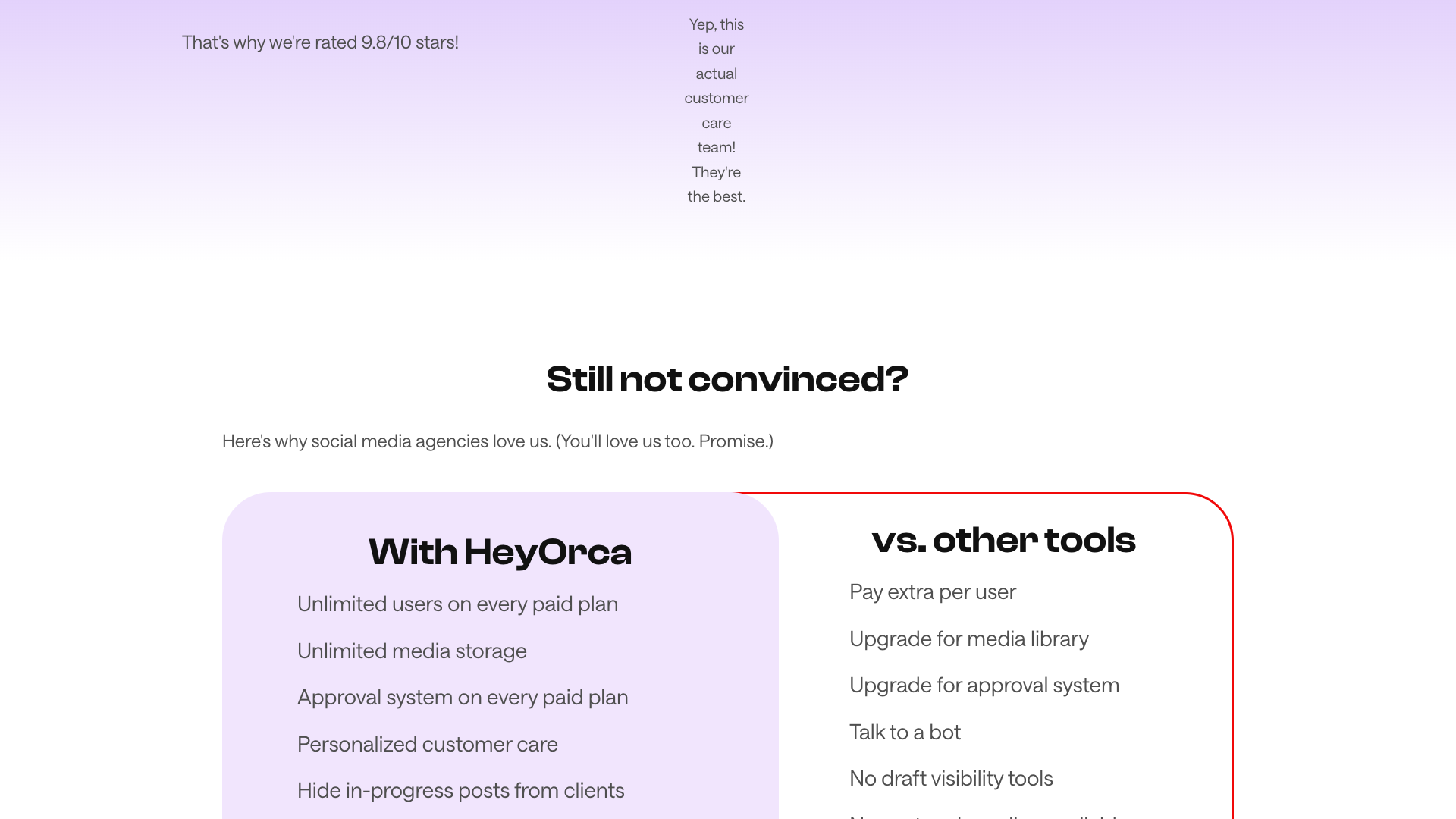
Another major pillar is unlimited users on every paid plan, which is rare in this category. Agencies can invite strategists, copywriters, designers, account managers, and clients without worrying about per-seat fees. This pricing model aligns with collaborative workflows, where more eyes and hands often improve quality rather than inflate costs.
Finally, HeyOrca leans heavily into client-friendly approvals and reporting. Clients can approve or reject posts via secure shareable links, see only what you choose to show them, and receive minimal email noise. Reporting features, especially on the Pro plan, help agencies prove value with automated, custom, and competitor reports, making it easier to justify retainers and renewals.
Key Features and Capabilities
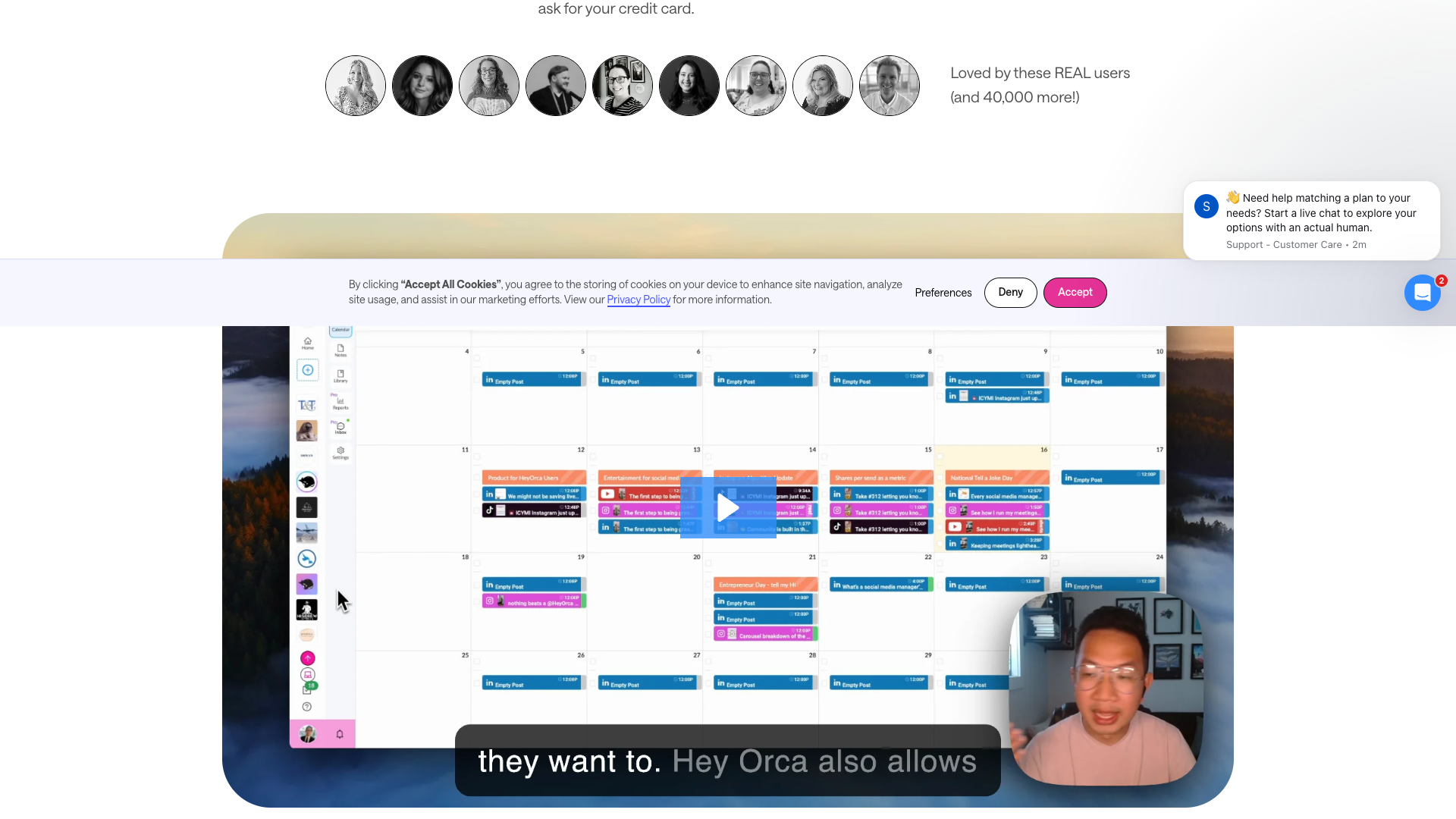
HeyOrca’s scheduling and publishing features cover all major networks, including Facebook, Instagram, LinkedIn, TikTok, X, Pinterest, YouTube, Threads, and Google Business Profile. You can schedule posts, reels, stories, carousels, YouTube Shorts, and more, with options like Instagram first comment, product tagging, and recurring posts. A visual calendar and Instagram grid preview help teams see how content will look over time and in the feed.
The platform’s collaboration and approval toolkit is where it shines for agencies. Each calendar includes an approval workflow, feedback sections, audit trails, draft visibility controls, and real-time presence indicators. Clients and external stakeholders can approve or reject posts via shareable links without logging in, and you can hide in-progress drafts until they are ready for review.
HeyOrca also invests in AI and productivity tools. Features include AI caption suggestions, AI alt text, AI hashtag suggestions, and an AI brand voice score that helps keep content on-brand. There is a hashtag library, link shortener, best times to post, content export, and text-to-library uploads via SMS/MMS in supported regions. Integrations with Canva and Dropbox streamline asset creation and storage.
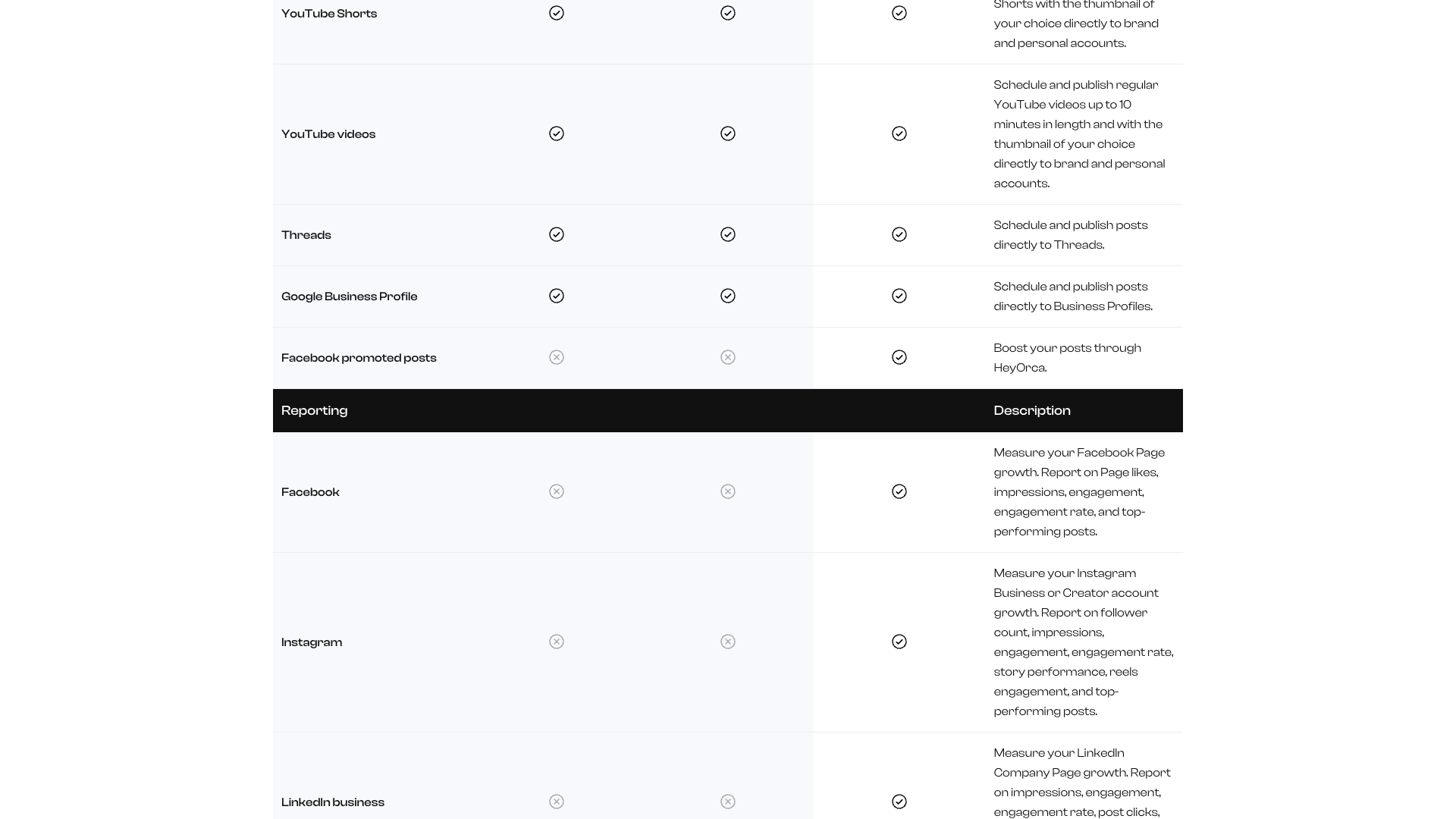
On the reporting and analytics side, Pro plans unlock unlimited social media reports across Facebook, Instagram, LinkedIn (business and personal), TikTok, and X. You can generate AI report summaries, custom reports, cross-channel reports, brand monitoring reports, and competitor benchmarks. Demographic insights for Instagram and date-range comparisons help agencies tell a clear performance story to clients.
Finally, HeyOrca includes community management via a social inbox for Facebook, Instagram, LinkedIn, and TikTok on the Pro plan. Teams can respond to comments, mentions, and DMs from one place, supported by brand monitoring to track keywords and conversations. Combined with the mobile app and bio link feature, this makes HeyOrca a full-funnel tool from content creation to engagement and reporting.
- Calendar-based planning per client or brand
- Unlimited users on every paid plan
- Up to 10 social accounts per calendar with paid add-ons
- Visual content calendar and Instagram grid preview
- Approval workflows with shareable links for clients
- Feedback sections and audit trails on posts
- Draft visibility controls to hide in-progress content
- Real-time collaboration indicators on calendars and posts
- AI captions, alt text, and hashtag suggestions
- AI brand voice scoring and suggestions
- Hashtag library and link shortener
- Best times to post recommendations
- Recurring posts and holiday calendar overlays
- Unlimited media and content libraries per calendar
- Canva integration for in-app design creation
- Dropbox integration for asset management
- Text-to-library uploads via SMS/MMS (US and Canada)
- Social inbox for Facebook, Instagram, LinkedIn, and TikTok (Pro)
- Brand monitoring and keyword tracking (Pro)
- Competitor and cross-channel reporting (Pro)
- Custom and automated social media reports (Pro)
- Instagram demographics and date-range comparison (Pro)
- Instagram bio link landing page builder
- Mobile app for on-the-go content management
- Customer care via FAQ, chat, and email with fast response times
Pricing and Plans
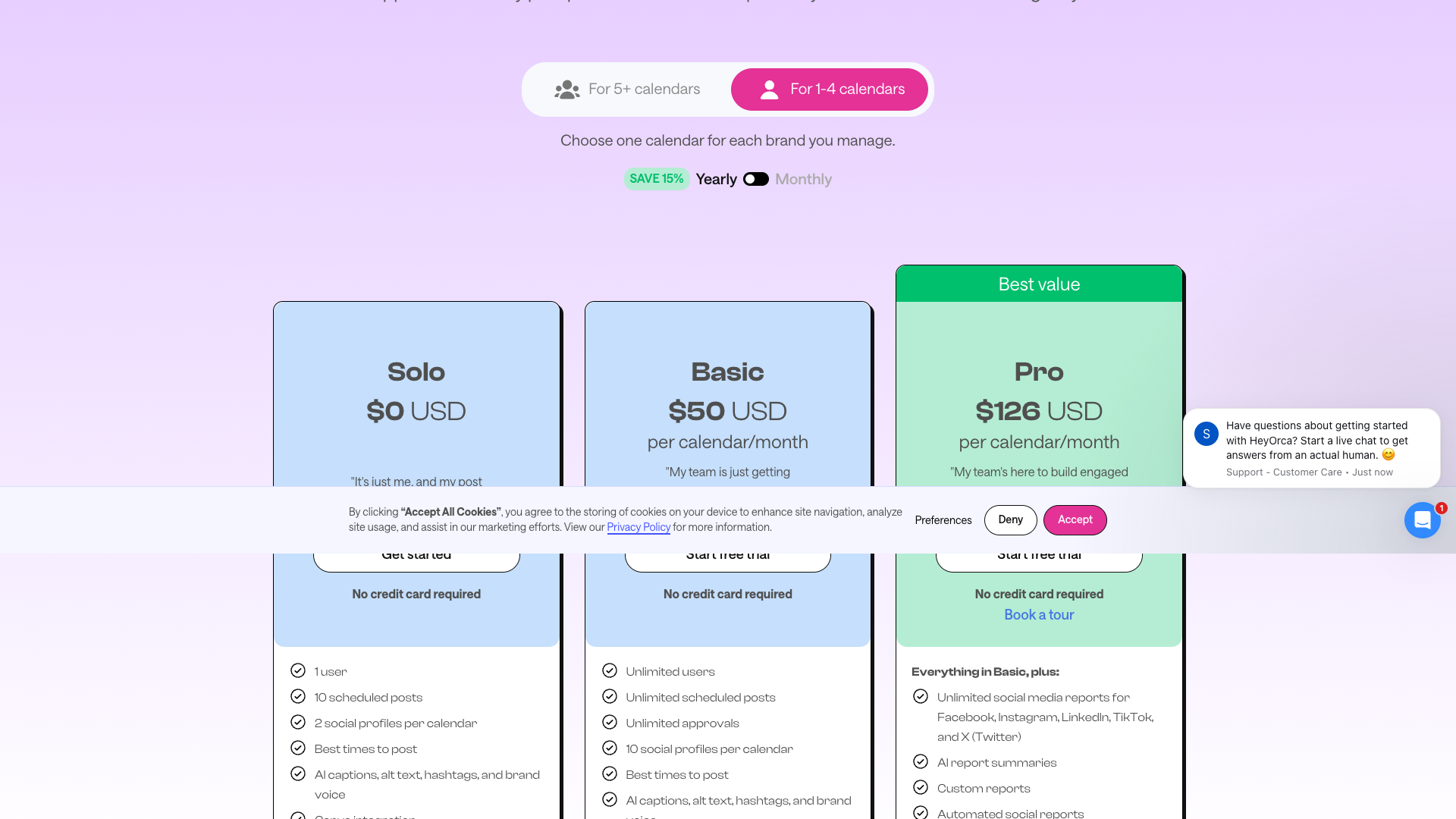
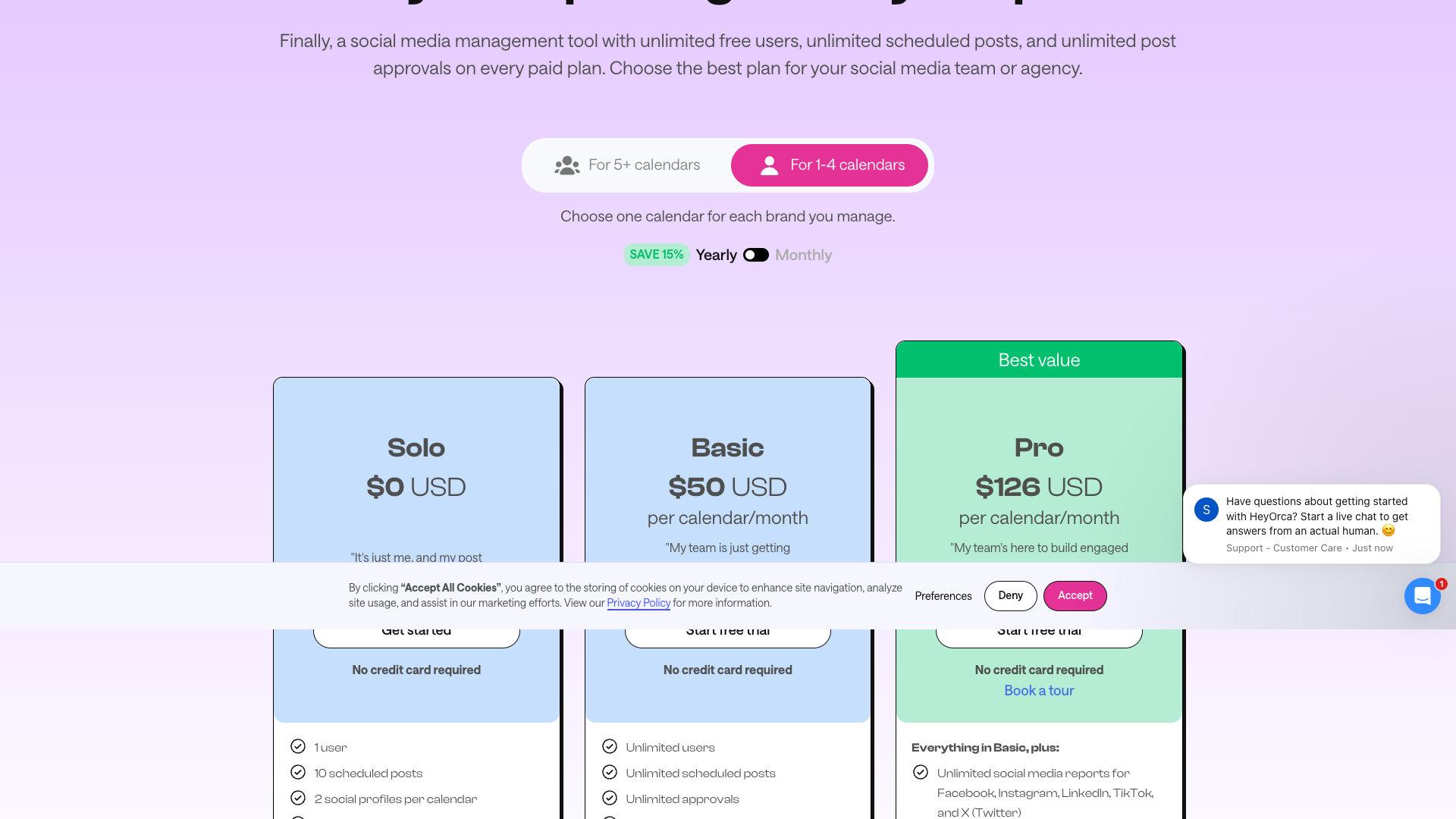
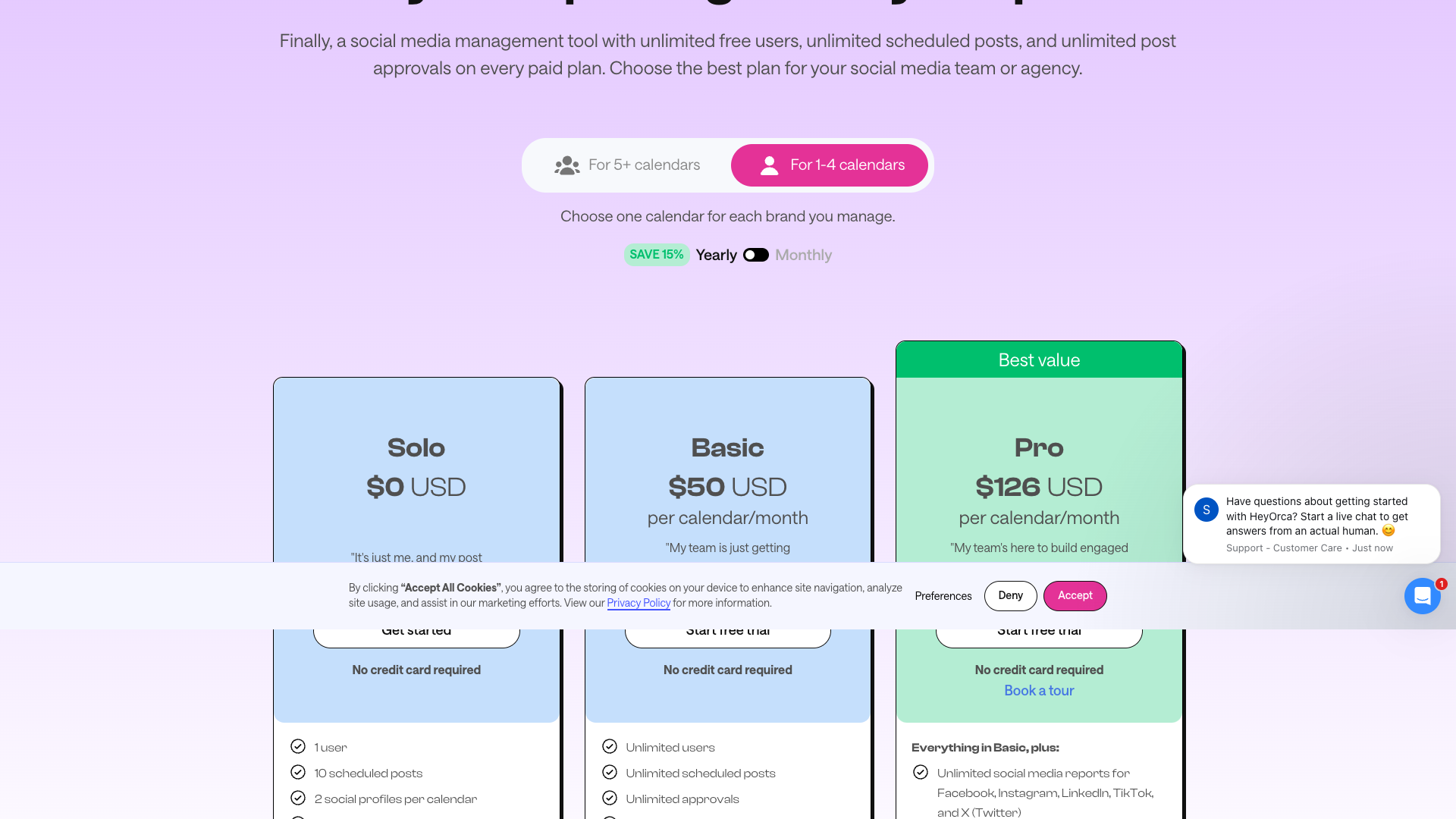
HeyOrca’s pricing is structured per calendar, not per user, which is ideal for agencies and teams. A calendar represents one brand and includes up to 10 social media accounts, with additional accounts available for a small add-on fee. All paid plans include unlimited users, unlimited media storage, and unlimited approvals, so your costs scale with the number of brands rather than the number of collaborators.
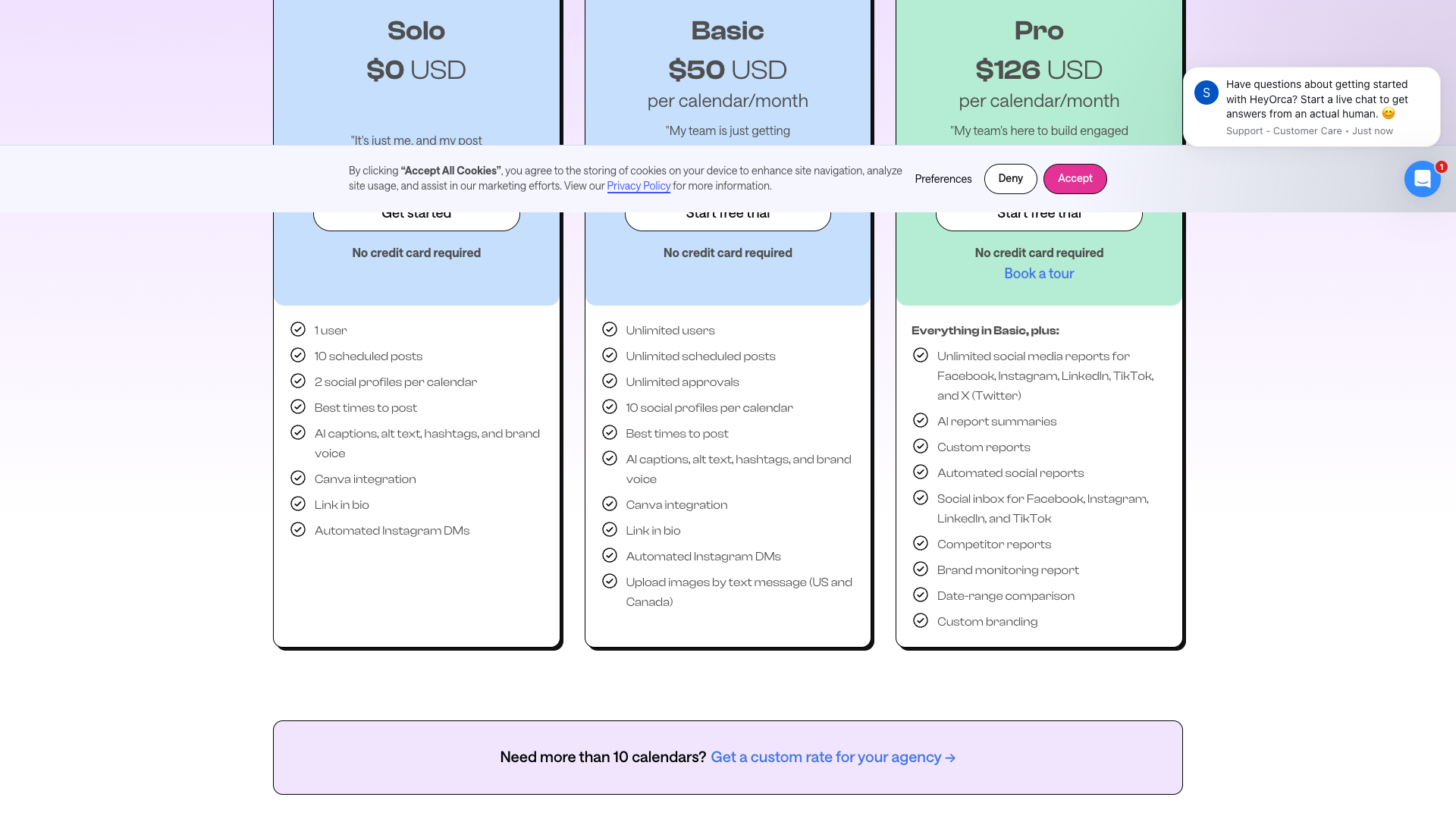
There are three main tiers: Solo, Basic, and Pro. Solo is a free entry-level option aimed at individuals with light posting needs, while Basic introduces unlimited scheduling and approvals for growing teams. Pro is designed for teams that need advanced reporting, a social inbox, and brand monitoring to manage larger communities and prove ROI.
HeyOrca also offers multi-calendar discounts, annual billing savings, and special pricing for nonprofits and charities. A pricing calculator on the site helps estimate costs based on the number of calendars, billing cycle, and eligibility for discounts. Agencies with more than 10 or 20 calendars are encouraged to contact the sales team for custom rates tailored to their portfolio size.
Solo
- 1 user included
- 10 scheduled posts per month
- 2 social profiles per calendar
- Best times to post suggestions
- AI captions, alt text, hashtags, and brand voice
- Canva integration
- Instagram bio link feature
- Automated Instagram DMs
Designed for individuals with light posting needs; no credit card required.
Basic
- Unlimited users
- Unlimited scheduled posts
- Unlimited approvals
- 10 social profiles per calendar
- Unlimited media storage
- Unlimited content library items
- Calendar view and mobile app access
- Approval workflow with shareable links
- Canva integration
- Feedback section and audit trail
- Instagram grid preview
- Link shortener and hashtag library
- AI captions, alt text, hashtags, and brand voice
- Content export to Excel
- Text-to-library uploads via SMS/MMS (US and Canada)
- Best times to post and recurring posts
- Draft visibility and real-time presence indicators
- Instagram product tagging
- Notes section and holiday calendar overlays
- Instagram bio link and automated Instagram DMs
- FAQ, chat, and email support with ~4-minute response time
Includes a 14-day free trial; pricing is per calendar with multi-calendar and annual discounts available.
Pro
- Everything in Basic plan
- Unlimited social media reports for Facebook, Instagram, LinkedIn, TikTok, and X
- AI-generated report summaries
- Custom social media reports
- Automated social reports
- Cross-channel performance reports
- Brand monitoring report and keyword tracking
- Facebook and Instagram competitor reports
- Instagram demographics reporting
- Date-range comparison for performance analysis
- Social inbox for Facebook, Instagram, LinkedIn, and TikTok
- Custom branding for client-facing views
Best suited for teams focused on advanced reporting and community management; includes 14-day free trial and discounts for annual billing and nonprofits.
All plans are priced per calendar (brand) and include up to 10 social media accounts per calendar. Additional social accounts beyond 10 are available for an extra fee per account. Annual billing saves approximately 15%, and nonprofits or charities may qualify for additional discounts. Agencies with more than 10–20 calendars can request custom pricing.
Customer Feedback and Social Proof
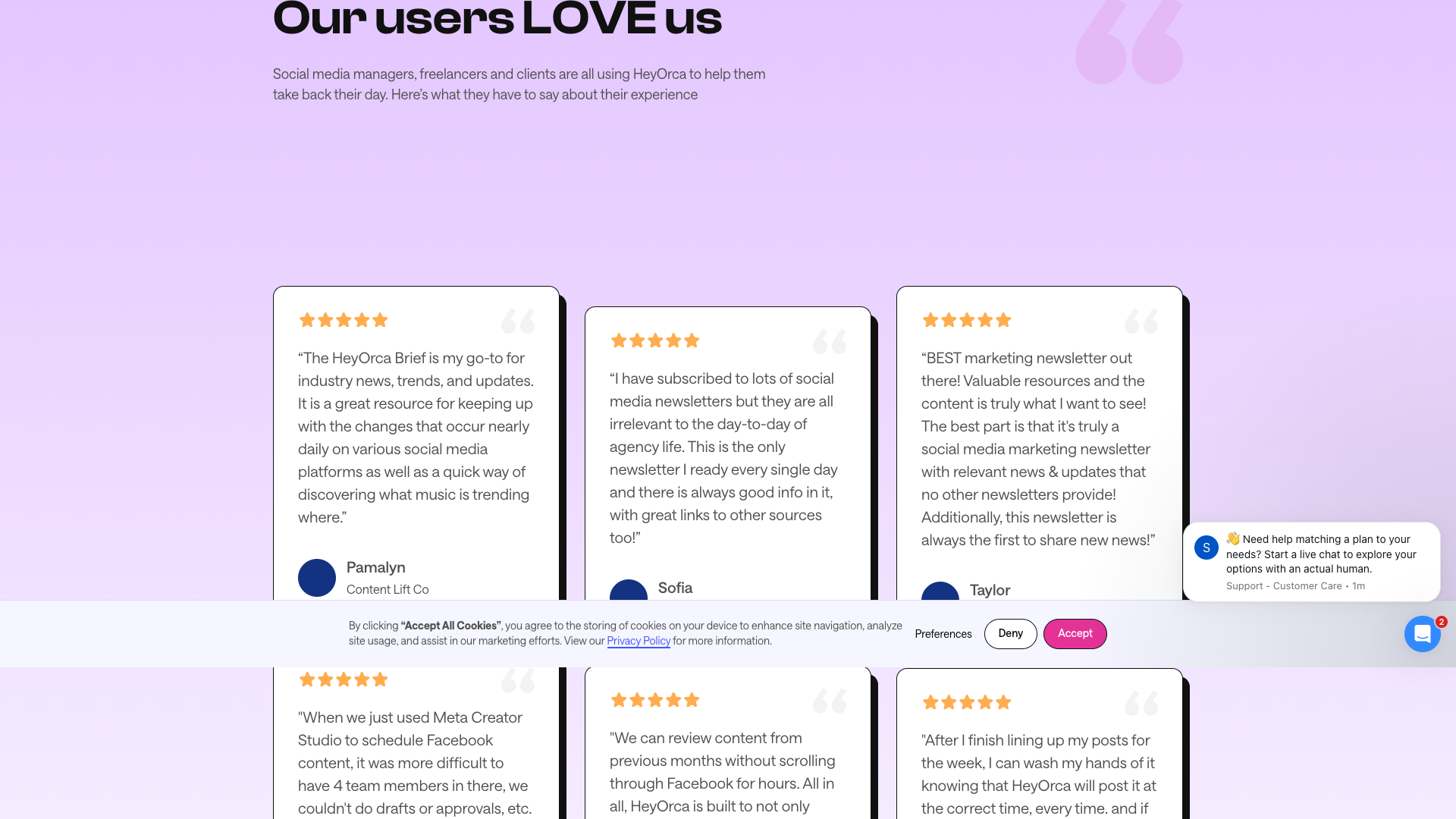
Customer feedback on HeyOrca’s site and testimonials page is overwhelmingly positive, especially around ease of use and collaboration. Agency owners and social media managers repeatedly mention that the calendar view, grid preview, and bulk creation tools make planning months of content more manageable. Many reviewers note that clients quickly understand the interface and appreciate being able to approve or comment on posts without logging into a complex system.
Another recurring theme is time savings and process improvement. Users describe moving away from Meta Creator Studio, Hootsuite, and spreadsheets, and immediately gaining efficiency through centralized scheduling and approvals. Several agencies report saving dozens of hours and thousands of dollars within the first month of switching to HeyOrca, largely due to better workflows and fewer manual steps.
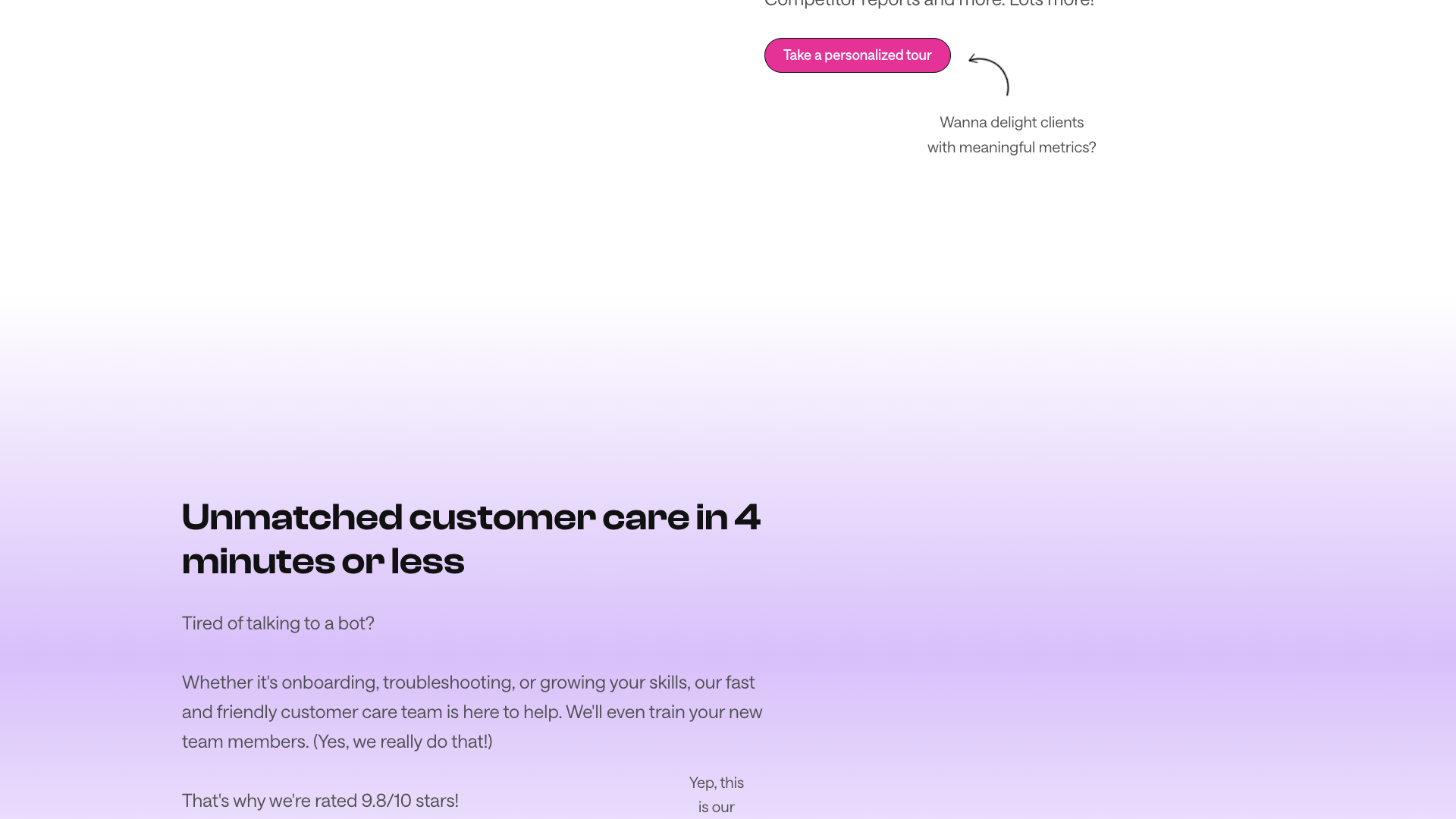
HeyOrca’s customer care receives particular praise, with an average rating of 9.8/10 highlighted on the site. Users say support is fast, friendly, and proactive, often spotting and resolving issues with platforms like Facebook or Instagram before clients notice. The broader ecosystem—newsletters, webinars, and HeyOrca Academy—also earns compliments for keeping teams up to date on social media trends and platform changes.
While most feedback is glowing, some implicit limitations can be inferred. Advanced reporting and the social inbox are reserved for the Pro plan, which may be more than small teams need. Additionally, because pricing is per calendar, very small businesses with many micro-brands might find costs add up if each requires its own calendar.
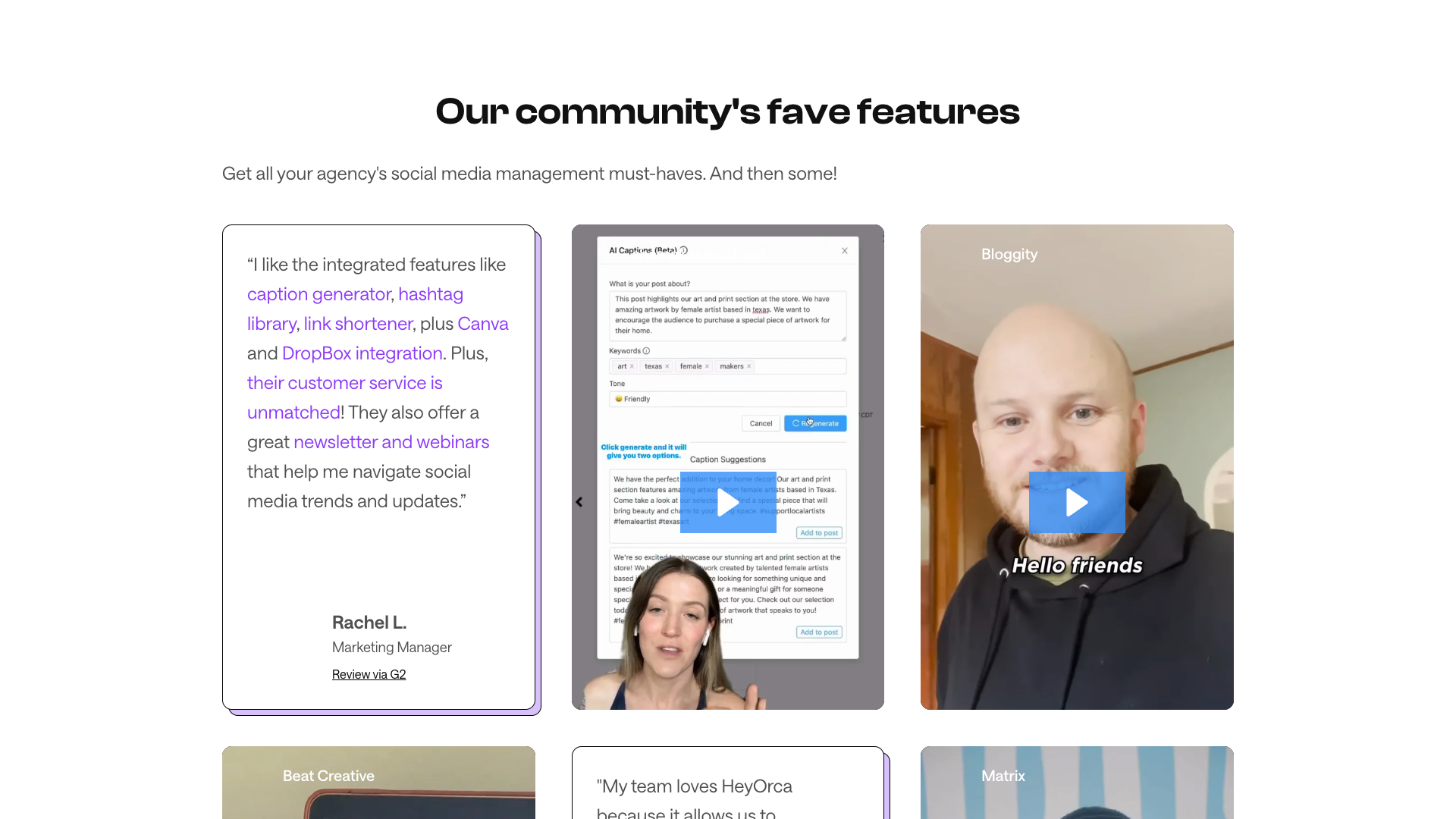
- The integrated features like caption generator, hashtag library, link shortener, and Canva integration were described as a powerful combination, while customer service was said to be unmatched. – Rachel L., Marketing Manager
- The ability to collaborate on content without spreadsheets and shared documents was highlighted, and clients were said to love viewing and approving posts easily from their phones. – Nicole G., Agency Owner
- Trusting HeyOrca with client social media schedules was described as one of the best agency decisions, making it feel like joining a community rather than buying software. – Christine G., Agency Professional
- The approvals workflow was praised for enabling full control over creation, review, and publishing, while unlimited users were called a real game changer. – Ruth C., Project Lead
- The platform format was described as user-friendly for clients and coworkers, with the calendar and Instagram grid views making planning and review straightforward. – Brianna S., Senior Social Media Manager
Our In-Depth Review
From a reviewer’s perspective, HeyOrca is exceptionally well aligned with agency workflows. The calendar-per-client model, unlimited users, and built-in approvals solve real operational pain points that generic schedulers often ignore. The interface is approachable for non-technical clients, which reduces friction in the approval process and helps agencies maintain a professional, organized experience.
Feature-wise, HeyOrca covers the full lifecycle from content ideation to reporting. The inspo library, media and content libraries, AI tools, and Canva integration support creation, while scheduling, recurring posts, and best times to post optimize distribution. On the back end, Pro-level reporting and brand monitoring provide the data agencies need to justify strategy and budgets.
The platform’s biggest strengths are its collaboration focus and customer care. Unlimited users, draft visibility controls, and role-based access make it easy to involve exactly the right people at each stage. Meanwhile, fast human support, extensive documentation, and free Academy courses reduce onboarding friction and help teams get more value over time.
On the downside, some advanced capabilities are gated behind the Pro plan, which may be more than solo practitioners or very small teams require. The per-calendar pricing model is fair for most agencies but could feel expensive if you manage many very small brands that do not need full reporting. Overall, however, the balance of features, usability, and support makes HeyOrca a strong choice for collaborative social media teams.
Pros
- Unlimited users on every paid plan, ideal for agencies and growing teams
- Calendar-per-client model keeps brands organized and separated
- Robust approval workflows with shareable links and no client logins required
- Strong AI features for captions, alt text, hashtags, and brand voice consistency
- Advanced reporting and analytics on Pro, including competitor and cross-channel reports
- Social inbox and brand monitoring help manage community engagement from one place
- Unlimited media and content libraries support rich, visual campaigns
- Fast, highly rated customer care with human support and training
- Extensive educational resources via HeyOrca Academy, blog, and newsletters
- Integrations with Canva and Dropbox streamline creative workflows
Cons
- Advanced reporting and social inbox are only available on the Pro plan
- Per-calendar pricing can add up for organizations with many small brands
- Solo plan has strict limits on scheduled posts and users
- Some teams may find the feature set more than they need if they only schedule basic posts
- No dedicated public integrations page; some integration details must be inferred from marketing copy
Final Verdict: Is HeyOrca Worth It?
HeyOrca is a highly compelling option for agencies, nonprofits, and collaborative teams that manage multiple brands and need structured approvals. Its unlimited-user model, client-friendly calendars, and strong reporting capabilities directly address the realities of agency life. For teams that have outgrown basic schedulers or are tired of per-seat pricing, it offers a refreshing and practical alternative.
If you are a solo creator with minimal reporting needs, the free Solo plan may be sufficient, but the full value of HeyOrca emerges when multiple collaborators and clients are involved. In that context, the platform’s focus on approvals, reporting, and customer care can significantly reduce friction and save time. The educational ecosystem around the product further strengthens its appeal for teams that want to stay ahead of social media changes.
Considering its feature set, pricing structure, and customer feedback, HeyOrca earns a 4.6 out of 5 in this review. It is not the cheapest option for very small operations, but for agencies and teams that live in calendars and client approvals, it delivers strong value. Pairing it with AI-first tools like PostFlow for ideation and copy generation can create an efficient, modern social media stack.
Alternatives
If HeyOrca isn't the right fit, consider these similar tools:
Last updated: 17.11.2025

