
ContentIn Review

Table of Contents
What is ContentIn?
ContentIn is an AI LinkedIn Post Generator built specifically to help you ideate, write, and schedule LinkedIn content in minutes instead of hours. The tool focuses on personal branding and thought leadership, promising that you do not need to be a professional writer to publish posts that resonate. Its AI is designed to write in your own voice, turning rough ideas into polished posts that feel human rather than robotic.
The platform targets solopreneurs, coaches, consultants, and small business owners who struggle with LinkedIn fatigue and inconsistent posting. By combining idea generation, content planning, AI writing, and scheduling, ContentIn aims to become a single workspace for your LinkedIn presence. The website emphasizes that users can create a week's worth of memorable content in less than one hour.
Beyond writing, ContentIn also supports scheduling for both personal profiles and company pages on LinkedIn. It includes analytics, media support, and tools to manage ideas and repurpose successful posts. This makes it more than a simple AI writer and closer to a lightweight LinkedIn content operating system.
Core Value Proposition: From Ideas to Scheduled LinkedIn Posts
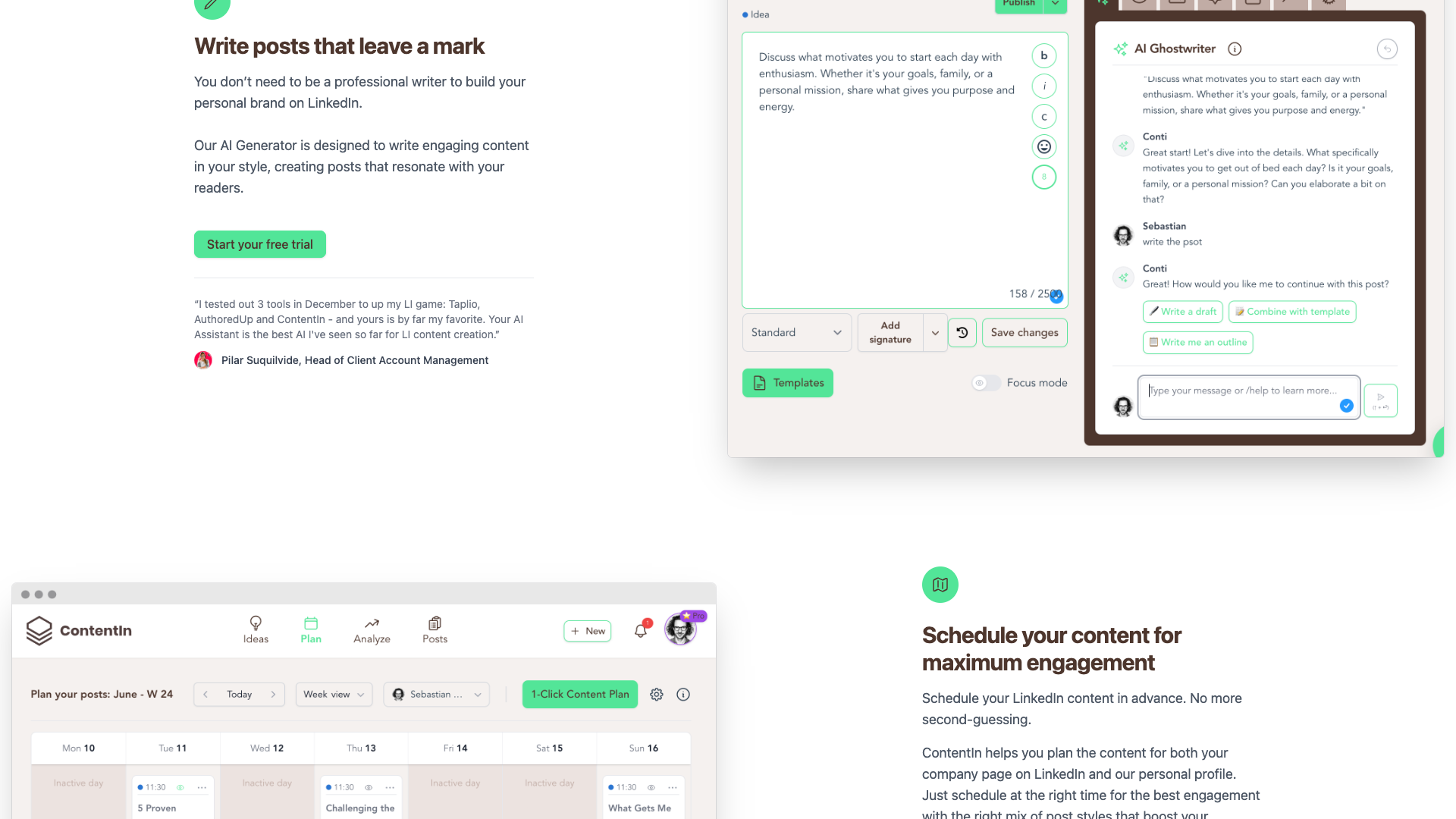
ContentIn’s core value proposition is turning scattered ideas into ready-to-publish LinkedIn posts with minimal friction. The platform combines an AI Ghostwriter, viral templates, and a structured workflow to help you move from brainstorming to scheduled content in a few guided steps. This is particularly attractive if you know your topics but struggle to turn them into consistent, engaging posts.
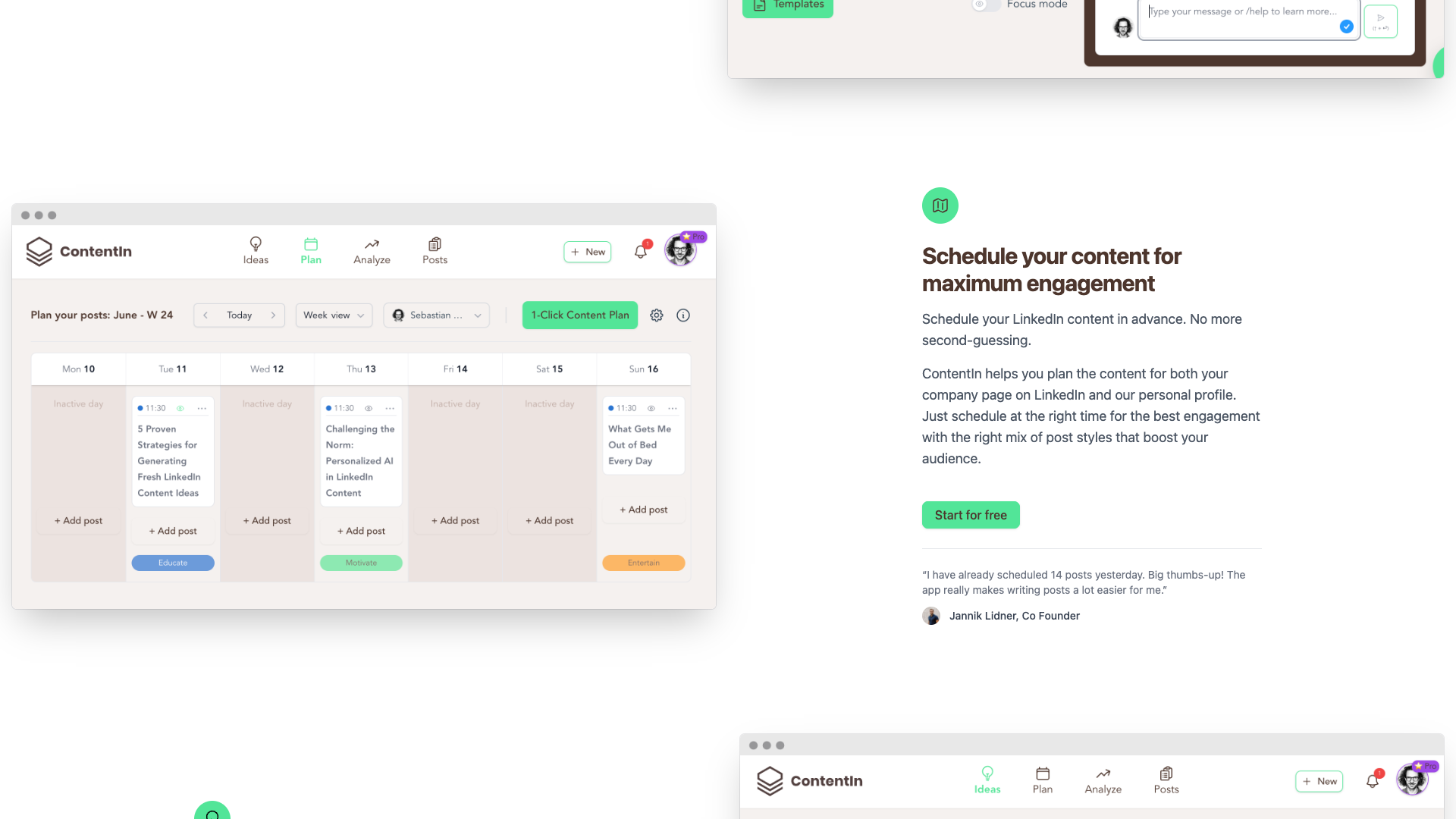
The website outlines a four-step process: come up with ideas, plan your content, write your post, and then post and analyze. Idea generation is powered by AI and supported by an idea manager, so you always have a backlog of potential posts. Once ideas are ready, you can plan them into a content calendar, write with the AI Ghostwriter, and schedule posts at optimal times.
A key differentiator is that the AI is trained to write in your own voice, which is repeatedly highlighted in the marketing copy and testimonials. Users report that the posts feel human and aligned with their personality, rather than generic AI output. Combined with scheduling and analytics, ContentIn positions itself as a tool that not only helps you write but also helps you grow your audience strategically.

Features and Capabilities
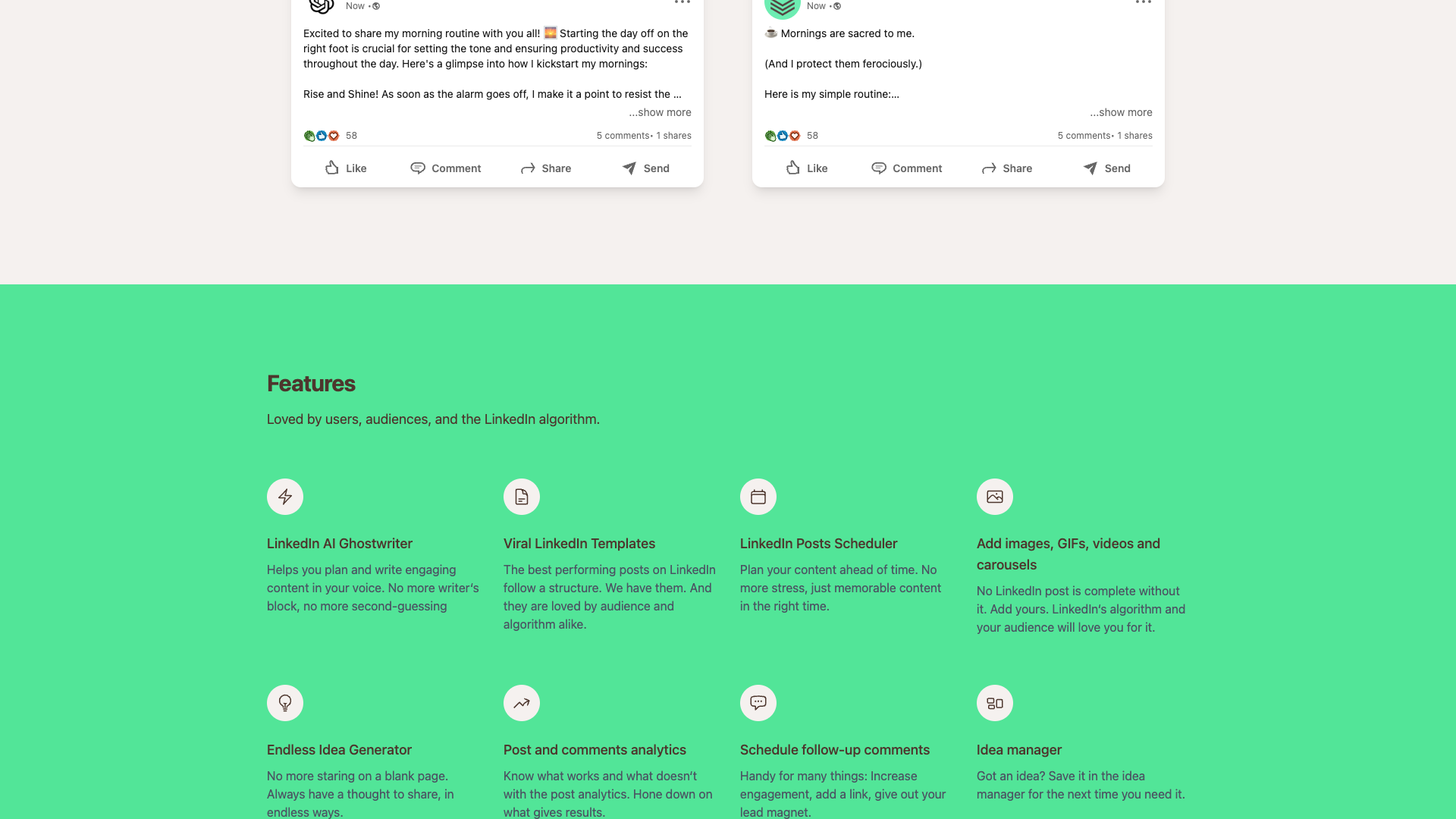
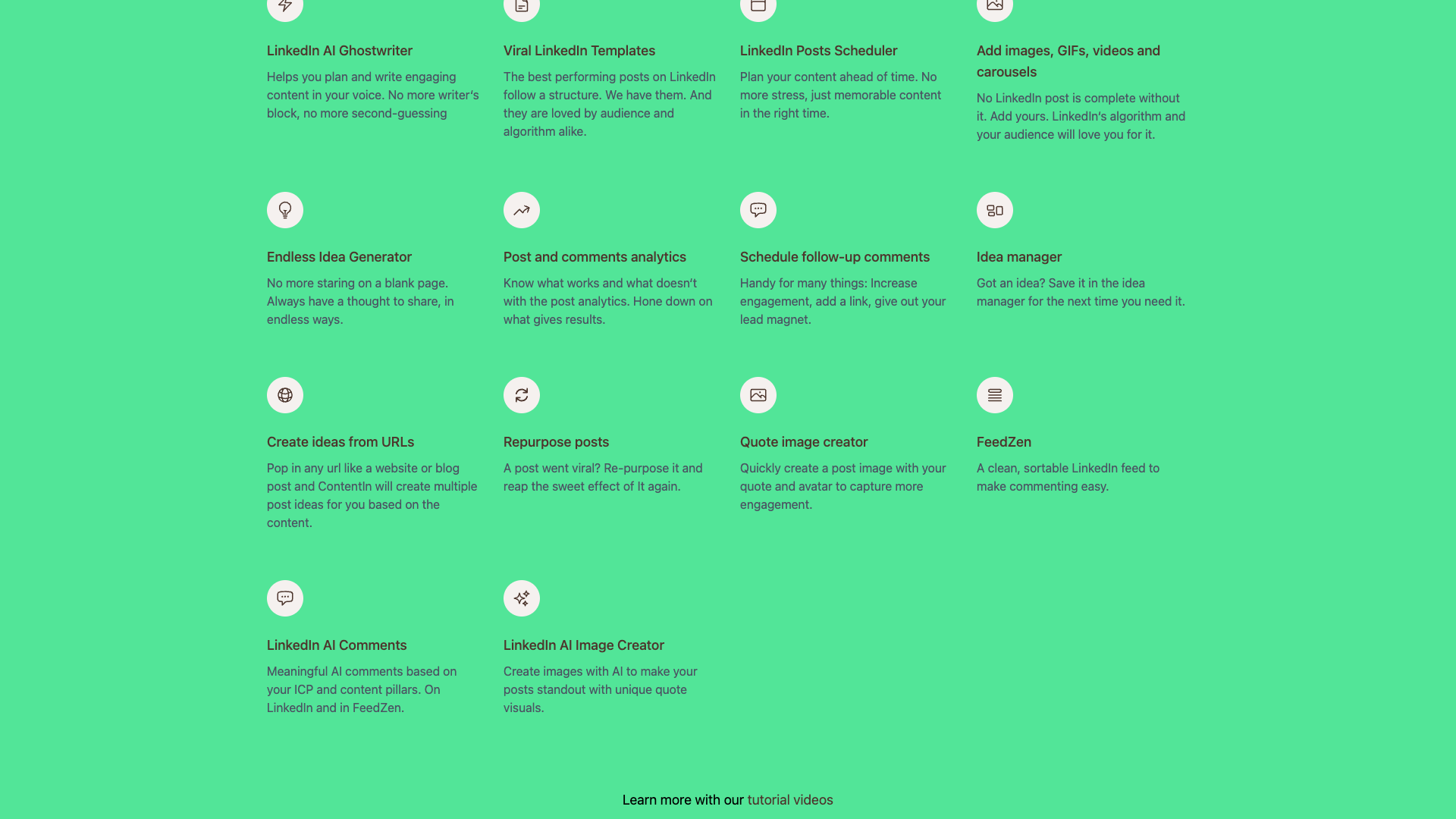
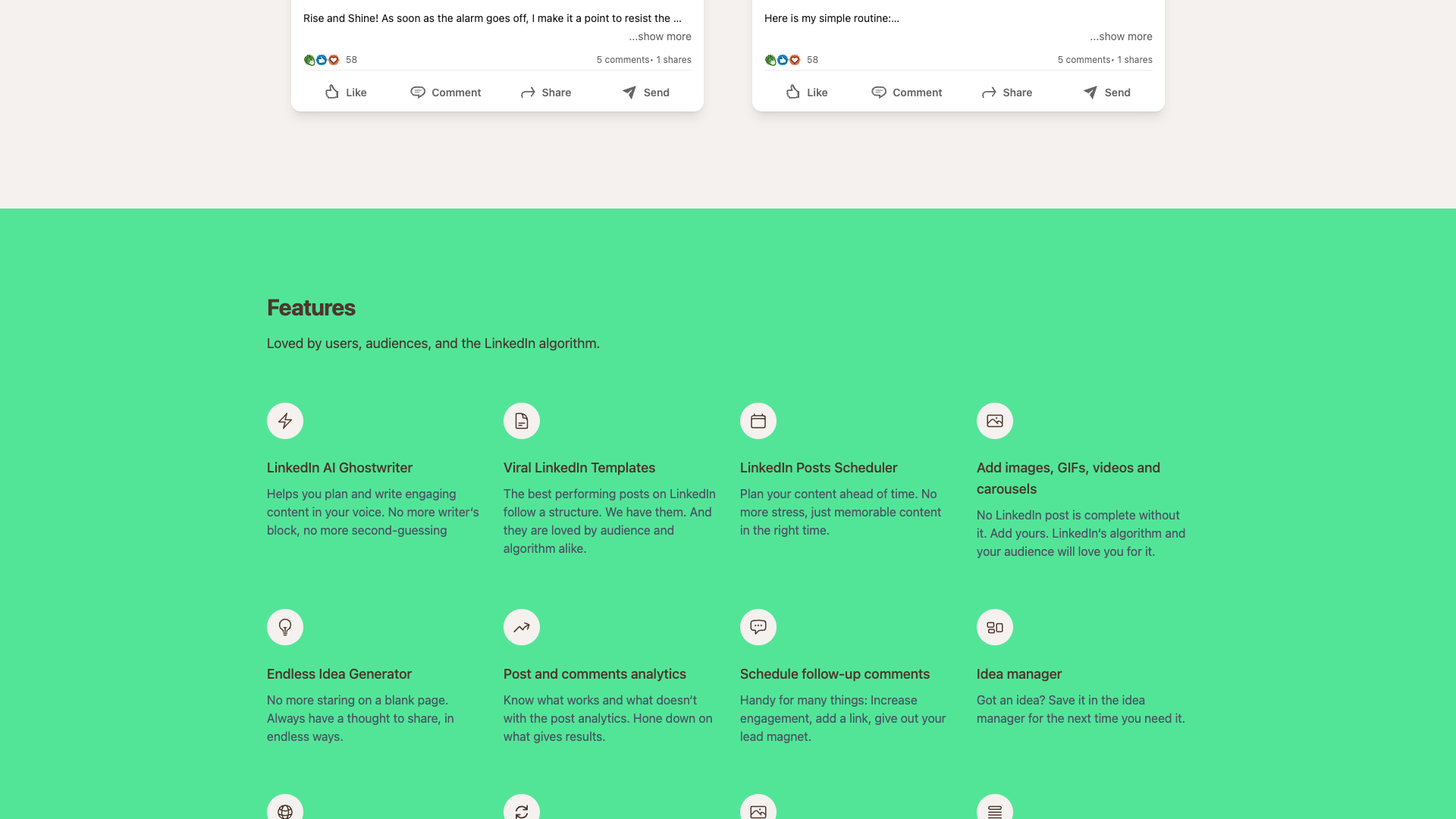
ContentIn offers a focused but surprisingly rich feature set centered around LinkedIn content creation and scheduling. At the heart of the product is the LinkedIn AI Ghostwriter, which helps you plan and write engaging posts in your own voice. The tool is designed to eliminate writer’s block and second-guessing by suggesting structures, angles, and wording tailored to your style.
The platform includes Viral LinkedIn Templates that mirror the structure of high-performing posts on LinkedIn. These templates are promoted as being loved by both audiences and the LinkedIn algorithm, giving you a proven starting point for hooks, storytelling, and calls to action. You can combine templates with the AI Ghostwriter to quickly generate posts that feel polished but still personal.
ContentIn also features a LinkedIn Posts Scheduler that lets you plan content ahead of time for both your personal profile and company page. You can add images, GIFs, videos, and carousels directly to posts, which is important because the site stresses that no LinkedIn post is complete without visuals. Scheduling follow-up comments is supported as well, which can be used to add links, share lead magnets, or boost engagement after the initial post goes live.
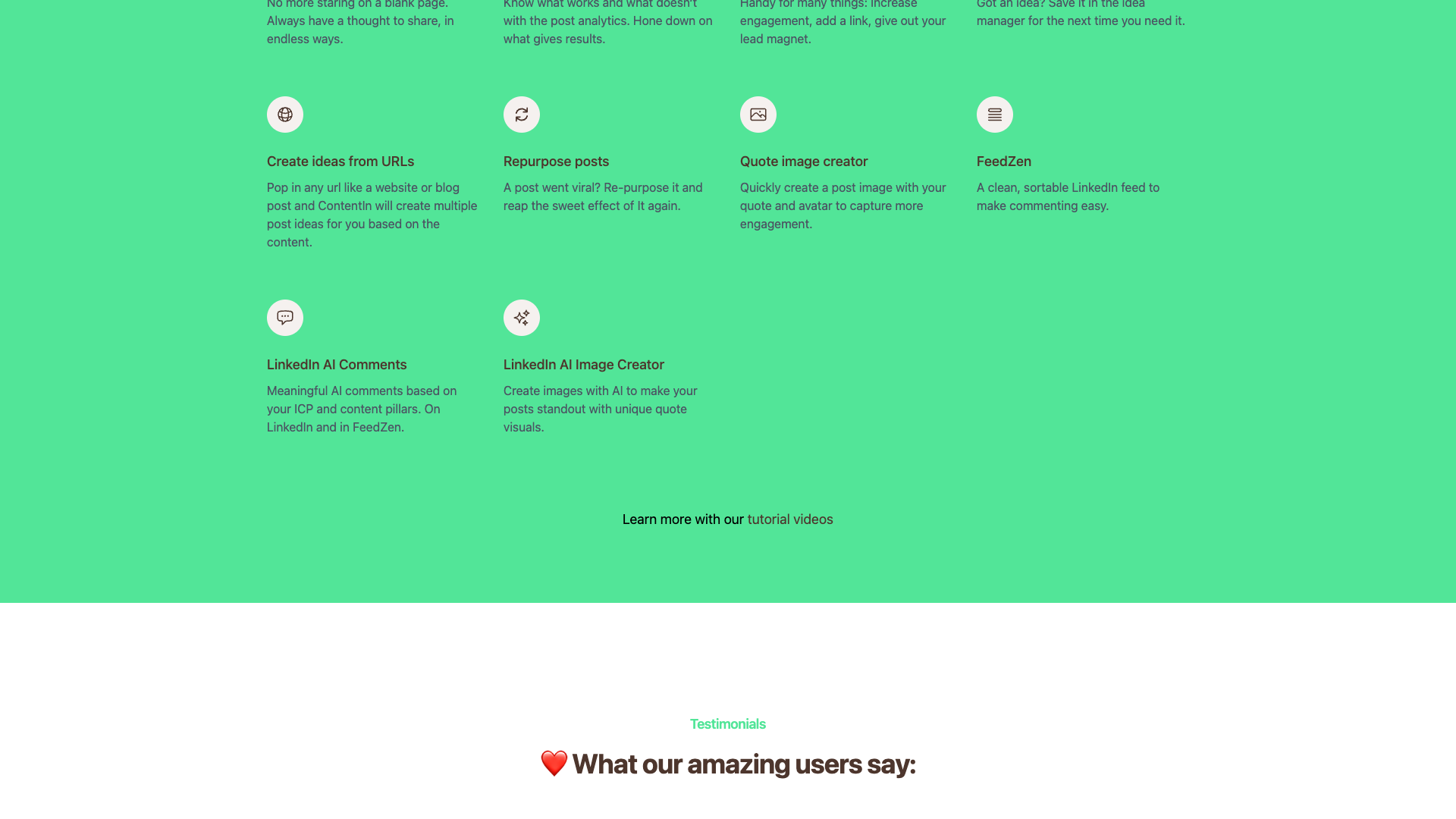
On the ideation side, the Endless Idea Generator and Idea Manager ensure you never face a blank page. You can store ideas, organize them, and even create ideas from URLs by pasting in a website or blog post. ContentIn will then generate multiple post ideas based on that content, making it easier to repurpose existing assets into LinkedIn-friendly formats.
For optimization, ContentIn offers post and comments analytics so you can see what works and what does not. You can repurpose posts that performed well, using the built-in repurposing feature to recreate or adapt successful content. A Quote image creator lets you quickly turn key lines into branded visuals, and a Media library and GIF library help you reuse assets efficiently across posts.
The platform also includes FeedZen, a clean, sortable LinkedIn feed that makes commenting easier and more intentional. With LinkedIn AI Comments, you can generate meaningful comments based on your ideal customer profile and content pillars, both directly on LinkedIn and inside FeedZen. Finally, a LinkedIn AI Image Creator allows you to create unique quote visuals with AI, helping your posts stand out in crowded feeds.
- LinkedIn AI Ghostwriter that writes in your own voice
- Viral LinkedIn Templates based on high-performing post structures
- LinkedIn Posts Scheduler for personal profiles and company pages
- Support for images, GIFs, videos, and carousels in posts
- Endless Idea Generator and Idea Manager for storing and organizing ideas
- Create ideas from URLs such as websites and blog posts
- Post and comments analytics to understand what works
- Schedule follow-up comments to boost engagement and share links or lead magnets
- Repurpose posts that performed well to reuse winning content
- Quote image creator for quick branded visuals
- FeedZen clean, sortable LinkedIn feed for focused commenting
- LinkedIn AI Comments based on ICP and content pillars
- LinkedIn AI Image Creator for unique quote visuals
- Media library and GIF library for asset management
- Basic analytics dashboard and weekly AI report (Essentials plan)

Pricing and Plans
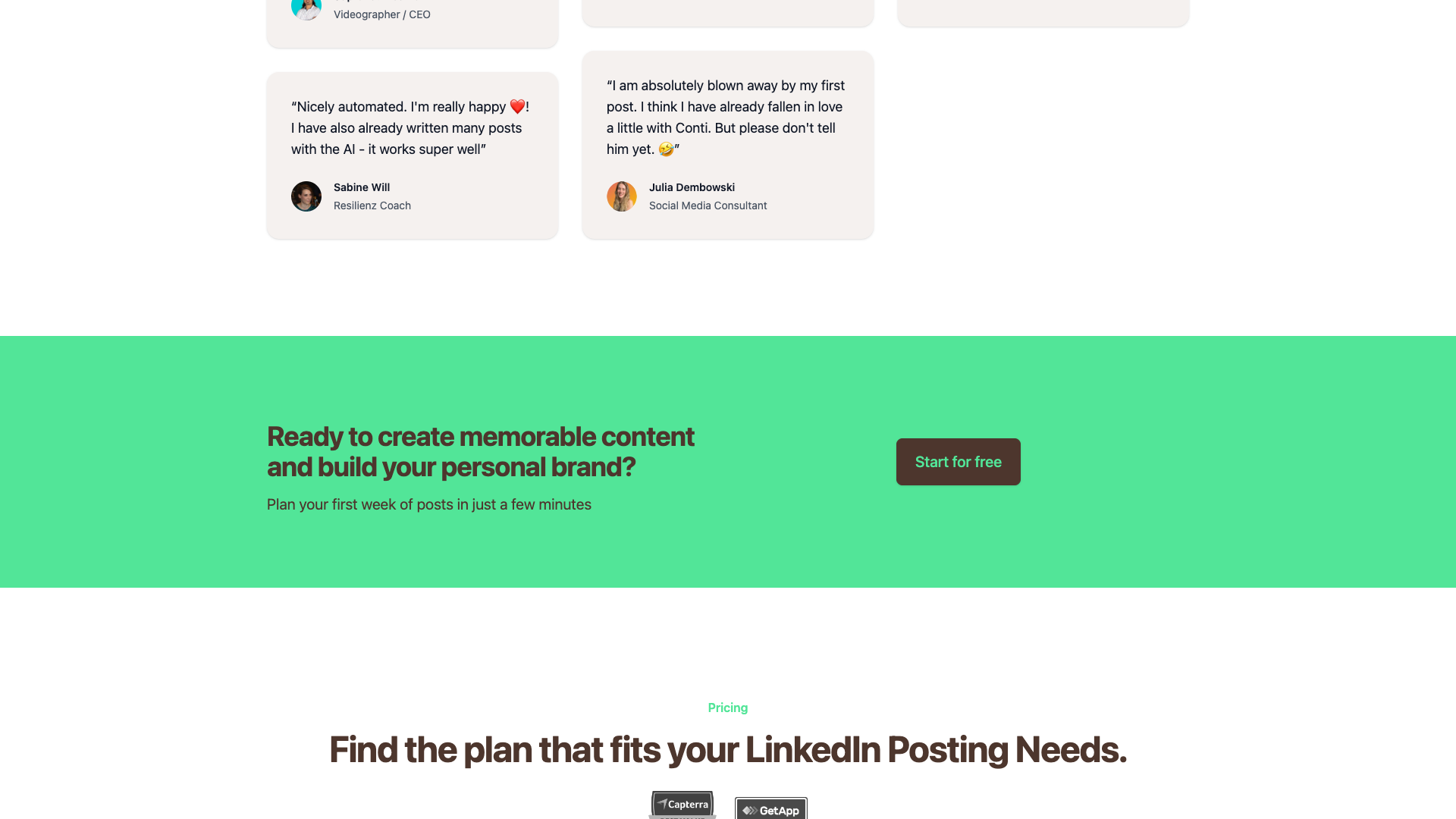
ContentIn’s pricing is structured around different levels of LinkedIn activity and AI usage, with clear positioning for each tier. The Essentials plan is presented as the entry-level option for leveling up LinkedIn with powerful tools but without the full AI feature set. Higher tiers, such as Growth, are positioned for users who want deeper AI assistance and more advanced capabilities.
On the homepage pricing section, the Essentials plan is listed at $15 per month, making it accessible for solopreneurs and early-stage creators. This plan focuses on unlimited post scheduling for one LinkedIn profile, basic analytics, and core planning tools. It is explicitly described as ideal for users who want structure and consistency without relying heavily on AI writing.
The Growth plan is labeled as the “Most Popular” option and is priced at $31 per month according to the visible pricing snippet. While the full feature list is not completely visible in the captured section, it is reasonable to infer that Growth includes the AI Ghostwriter and additional advanced features like enhanced analytics or multi-profile support. The pricing layout also hints at an Enterprise-style tier, styled differently with a darker background, which likely targets agencies or teams needing custom solutions.
Because the dedicated /pricing page currently returns a 404 error, all pricing information must be taken from the homepage section. Users should be aware that prices and inclusions may change, and it is wise to confirm the latest details directly on ContentIn before subscribing. Even with this caveat, the starting price of $15 per month for Essentials is competitive compared to many LinkedIn-focused tools.
Essentials
- Unlimited post scheduling for one LinkedIn profile
- Basic analytics dashboard
- Weekly AI report
- Idea storage and content plan to organize strategy
- Feed with comments and basic content templates
- Media library
- GIF library
- Schedule comments
Positioned as perfect for leveling up LinkedIn with powerful tools, minus the full AI feature set.
Growth
- All Essentials features
- Access to LinkedIn AI Ghostwriter
- Access to Viral LinkedIn Templates
- Enhanced idea generation and management
- Likely expanded analytics and AI capabilities (inferred from positioning)
Marked as the most popular plan and intended for users who want full AI assistance for LinkedIn content creation.
Pricing details are taken from the homepage pricing section because the dedicated /pricing page currently returns a 404 error. Features for Growth and Enterprise are partially inferred from context and visual layout; users should verify current inclusions and prices directly with ContentIn.
Customer Feedback and Social Proof
ContentIn’s homepage features a strong collection of testimonials from coaches, consultants, agency owners, and creators. Many of these users highlight that they are now posting every day on LinkedIn, something they struggled with before using the tool. The AI is frequently praised for accelerating the writing process and making it easier to maintain a consistent posting schedule.
Several testimonials emphasize that the AI-generated posts feel human and natural, rather than obviously produced by a machine. One user notes that the choice of words and overall format have a human feel, which is critical for personal branding on LinkedIn. Another user mentions that the Ghostwriter helps them think and leads to better posts than they could write alone.
There is also social proof comparing ContentIn to other LinkedIn tools like Taplio and AuthoredUp. One testimonial states that after testing three tools, ContentIn was the clear favorite, with its AI Assistant described as the best seen so far for LinkedIn content creation. Agency owners report that their clients love the product so much that it becomes a core part of their programs, which suggests strong adoption in professional settings.
Overall, the tone of customer feedback is enthusiastic and focused on ease of use, idea generation, and consistency. Users mention scheduling many posts at once, feeling excited to write because structures are prepared, and being impressed enough to commit to annual subscriptions. This combination of qualitative praise and behavioral signals indicates high satisfaction among the target audience.
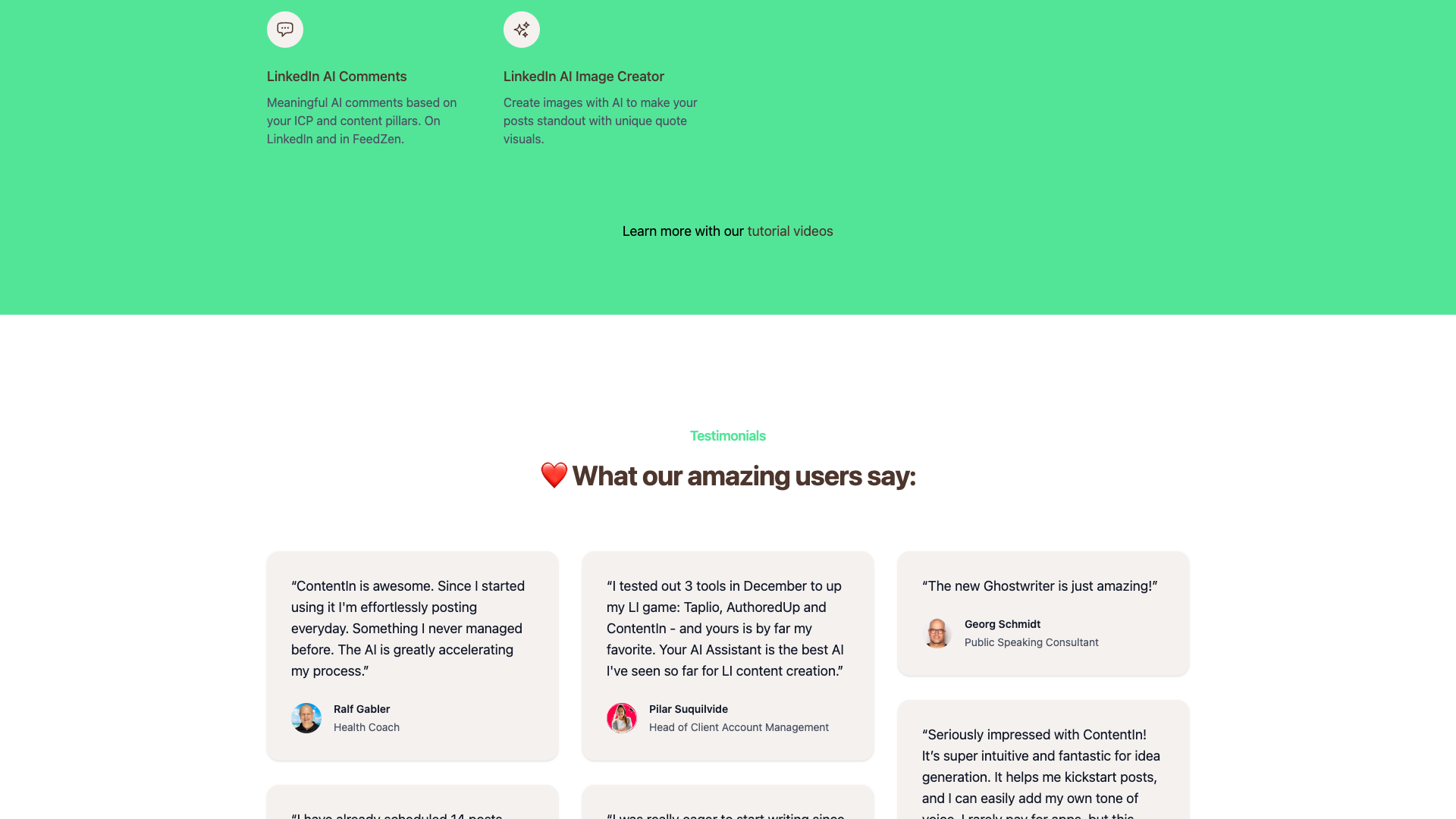
- It was said that ContentIn is awesome and that daily posting became effortless thanks to the AI accelerating the process. — Ralf Gabler, Health Coach
- It was shared that fourteen posts were scheduled in one day and that writing posts became much easier with the app. — Jannik Lidner, Co Founder
- It was mentioned that the choice of words and overall format felt human rather than AI generated. — Supraket Meshram, Videographer / CEO
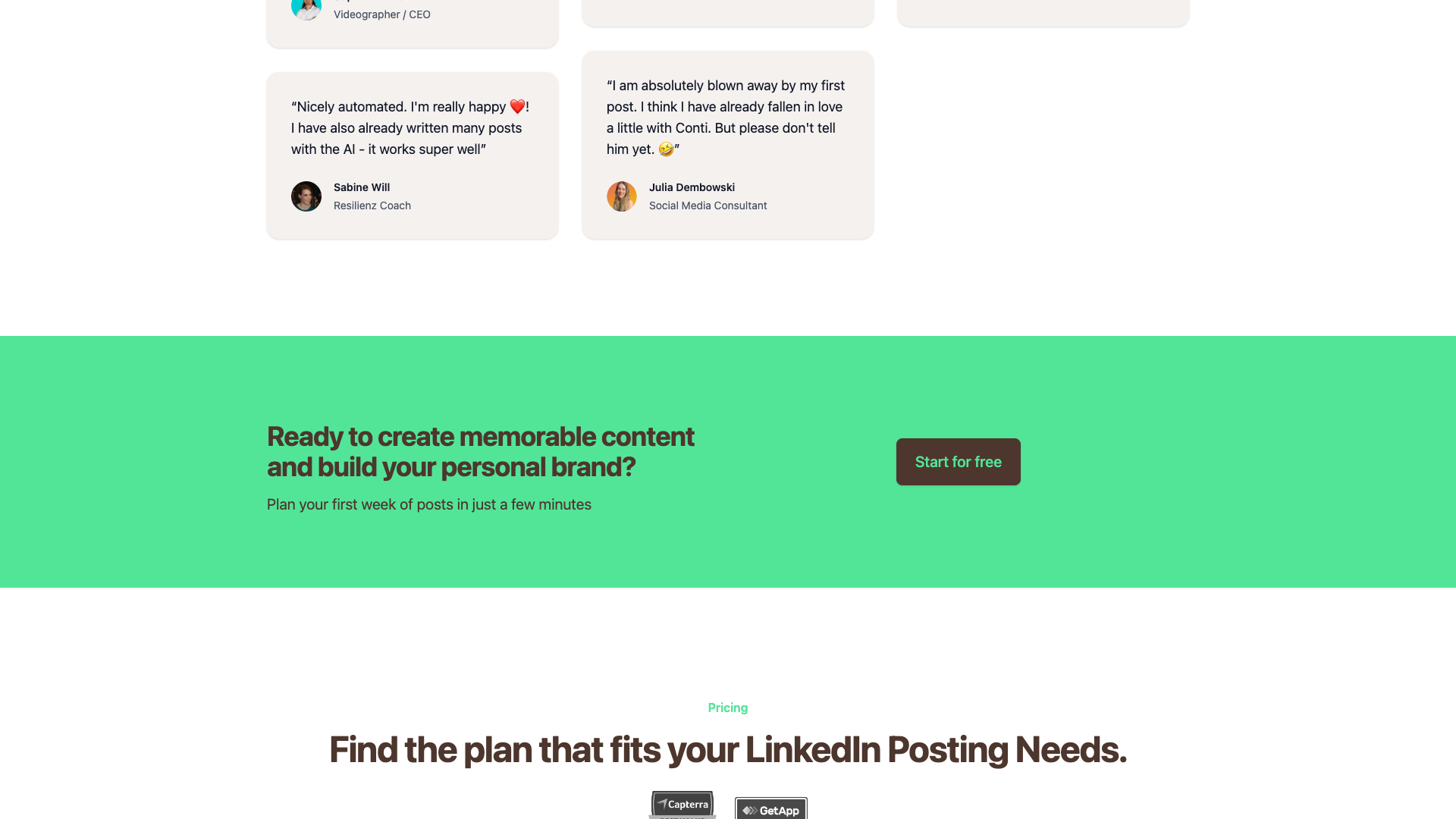
- It was noted that the workflow felt nicely automated and that many posts were written with the AI, which worked very well. — Sabine Will, Resilience Coach
- It was reported that after testing Taplio, AuthoredUp, and ContentIn, ContentIn became the favorite because its AI Assistant felt best for LinkedIn content creation. — Pilar Suquilvide, Head of Client Account Management
- It was observed that having the structure prepared in advance made the user eager to start writing. — Melanie Lirk, Business Coach
- It was stated that every client shown the product loved it and requested it as a core part of programs. — Isaac Anderson, LinkedIn Agency Owner
- It was expressed that the first AI-generated post was astonishing and that there was a playful sense of having fallen in love with the tool. — Julia Dembowski, Social Media Consultant
- It was commented that the new Ghostwriter was simply amazing. — Georg Schmidt, Public Speaking Consultant
- It was said that the tool was super intuitive, fantastic for idea generation, and worth paying annually to keep using it. — Simon Hofmeister, Head of Fashion at TikTok
- It was highlighted that the Ghostwriter helped the user think and led to better posts than could be written alone. — Dawid Sobieski, Creative Agency Owner
Our In-Depth Review and Analysis
From a reviewer’s perspective, ContentIn stands out as a LinkedIn-first platform rather than a generic social media scheduler with AI bolted on. The workflow, terminology, and features are all optimized for LinkedIn, which is a major advantage if that is your primary channel. The AI Ghostwriter, templates, and idea tools are clearly designed around the nuances of LinkedIn posts, such as hooks, storytelling, and comment strategies.
The feature set is robust for individual creators and small teams, but it may feel heavier than necessary if you only want a quick way to generate occasional posts. There are multiple modules—Ghostwriter, templates, scheduler, analytics, FeedZen, AI comments, image creation, and more—which can be powerful but also add complexity. Users who enjoy having a full content workspace will appreciate this depth, while minimalists might prefer a simpler tool.
In terms of strengths, ContentIn excels at idea generation, voice-aligned writing, and consistency. The ability to store ideas, generate new ones from URLs, and repurpose successful posts makes it easier to build a sustainable content engine. The testimonials reinforce that users feel supported in writing better posts and posting more often, which is exactly what most LinkedIn creators need.
On the downside, the missing dedicated pricing page and partial visibility of some plan details introduce a bit of uncertainty. Prospective buyers may need to dig into the app or contact support to clarify exact inclusions for each tier. Additionally, users who only need a fast LinkedIn post generator without scheduling or analytics might find ContentIn more than they strictly require, both in features and in cognitive load.
Overall, ContentIn is a strong choice if you want an all-in-one LinkedIn content system that goes beyond simple AI writing. If your priority is speed and simplicity over breadth, a focused alternative like PostFlow may be more aligned with your needs. The decision ultimately comes down to whether you want a full LinkedIn content hub or a lightweight generator that gets you to a finished post in seconds.
Pros
- Highly focused on LinkedIn, with workflows and features tailored to the platform
- AI Ghostwriter is designed to write in your own voice, improving authenticity
- Strong set of viral templates and idea tools to overcome writer’s block
- Built-in scheduler supports both personal profiles and company pages
- Analytics, repurposing, and follow-up comments help optimize performance over time
- FeedZen and AI comments make engagement and commenting more strategic
- Competitive starting price at $15/month for Essentials
- Testimonials from coaches, agency owners, and creators show strong real-world adoption
Cons
- Dedicated /pricing page currently returns 404, making some plan details less transparent
- Feature depth may feel heavy for users who only want a simple AI post generator
- Some higher-tier capabilities (especially Enterprise) are not fully documented publicly
- Tool is tightly focused on LinkedIn, so it is less suitable if you need multi-platform social scheduling
- Users who dislike AI-assisted writing may not fully benefit from the Ghostwriter-centric workflow

Final Verdict: Is ContentIn Worth It?
ContentIn delivers on its promise of helping users write memorable LinkedIn posts and stay consistent. The combination of AI Ghostwriter, viral templates, scheduling, and analytics makes it a compelling option for solopreneurs, coaches, and small business owners who treat LinkedIn as a primary growth channel. Strong testimonials and clear focus on LinkedIn-specific workflows further support its value.
However, the platform’s breadth means it is best suited to users who want a comprehensive LinkedIn content hub, not just a quick AI writer. If you only need to generate posts quickly and are less concerned with scheduling, analytics, or commenting workflows, ContentIn may feel more complex than necessary. In that case, a streamlined tool like PostFlow can be a better fit.
Considering its focused feature set, competitive starting price, and positive customer feedback, ContentIn earns a strong rating in our review. It is particularly recommended for creators who want to move from sporadic posting to a structured, AI-assisted content system. As with any SaaS, you should confirm current pricing and features on the official site before committing to a long-term plan.

Alternatives
If ContentIn isn't the right fit, consider these similar tools:
Last updated: 17.11.2025

