
Linked Helper Review

Table of Contents
What is Linked Helper?
Linked Helper is a LinkedIn automation tool for smart outreach that focuses on lead generation, sales, and recruiting workflows. It is a standalone desktop application rather than a browser extension, which allows it to simulate human behavior on LinkedIn and reduce the risk of account bans. The platform is positioned as a technically advanced solution with a strong emphasis on security, feature breadth, and responsive customer support.
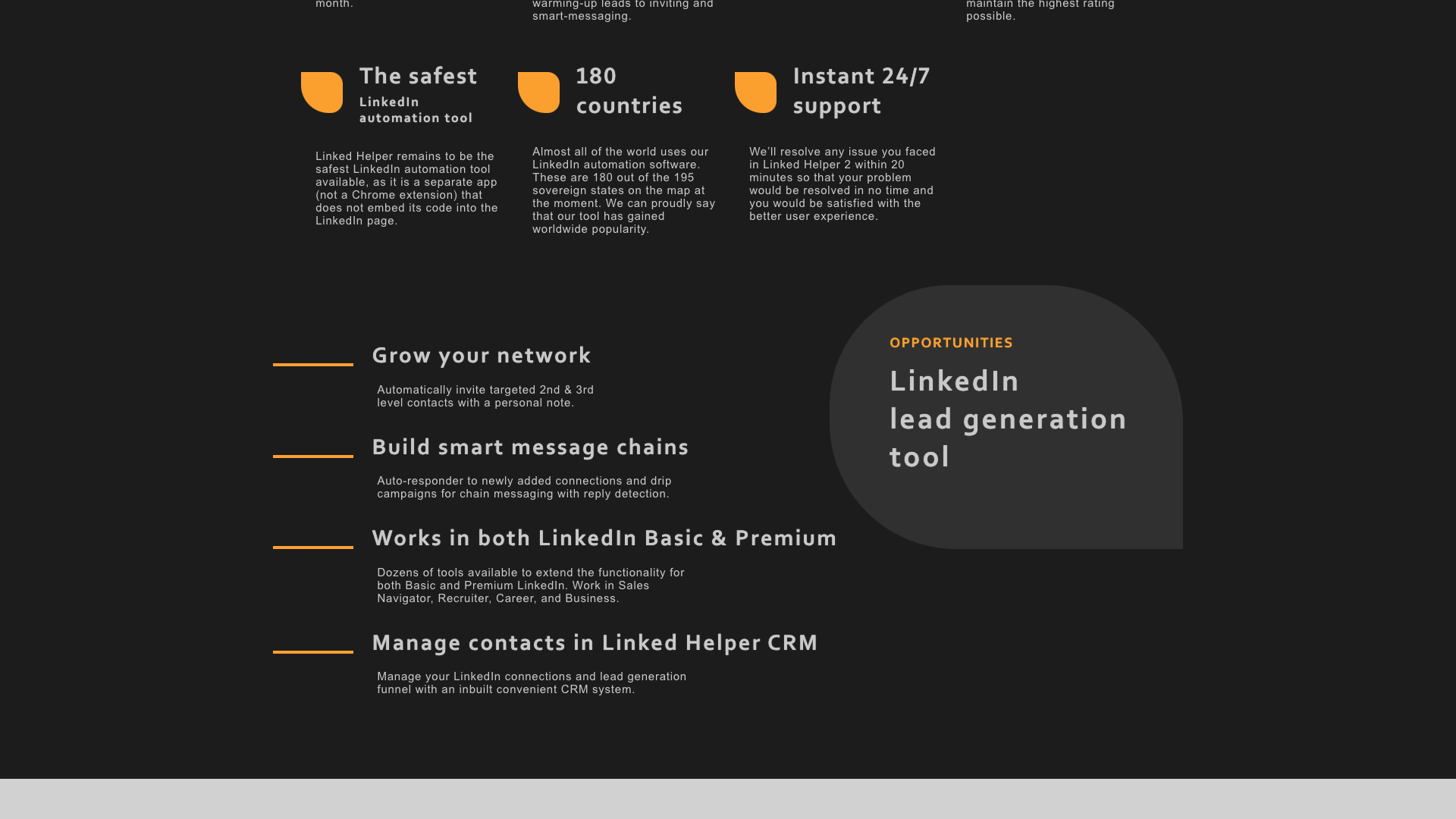
According to the homepage, Linked Helper is trusted by over 10,000 businesses and has accumulated 300,000+ users across 180 countries. The company highlights more than 31 features that cover everything from warming up leads and sending connection requests to complex drip campaigns and CRM synchronization. It also promotes 24/7 instant support, claiming most issues are resolved within about 20 minutes to keep campaigns running smoothly.
Unlike content‑creation tools, Linked Helper is built primarily for automation of LinkedIn actions such as inviting, messaging, endorsing, and exporting data. It supports LinkedIn Basic and Premium, as well as Sales Navigator, Recruiter, Career, and Business accounts, making it suitable for both individual operators and larger teams. The tool is developed and operated by Linked Helper LLC, a company based in Wilmington, Delaware, USA, and clearly states that it is not affiliated with or endorsed by LinkedIn or Microsoft.
Core Value Proposition: Smart, Safer LinkedIn Automation at Scale
Linked Helper’s core value proposition is scalable LinkedIn outreach with enhanced safety controls. Because it runs as a separate app and does not inject code into LinkedIn pages like many Chrome extensions, it can more closely mimic human browsing behavior. The tool uses randomized timeouts, human‑like navigation, and browser‑style execution to reduce patterns that might trigger LinkedIn’s anti‑bot systems.
On top of safety, Linked Helper aims to centralize the entire LinkedIn lead generation funnel. You can automatically invite targeted 2nd and 3rd‑degree contacts, send follow‑up messages after acceptance, and build multi‑step drip campaigns with reply detection. All processed contacts are stored in an internal Linked Helper CRM, where you can view interaction history, add notes and tags, and move leads between campaigns.
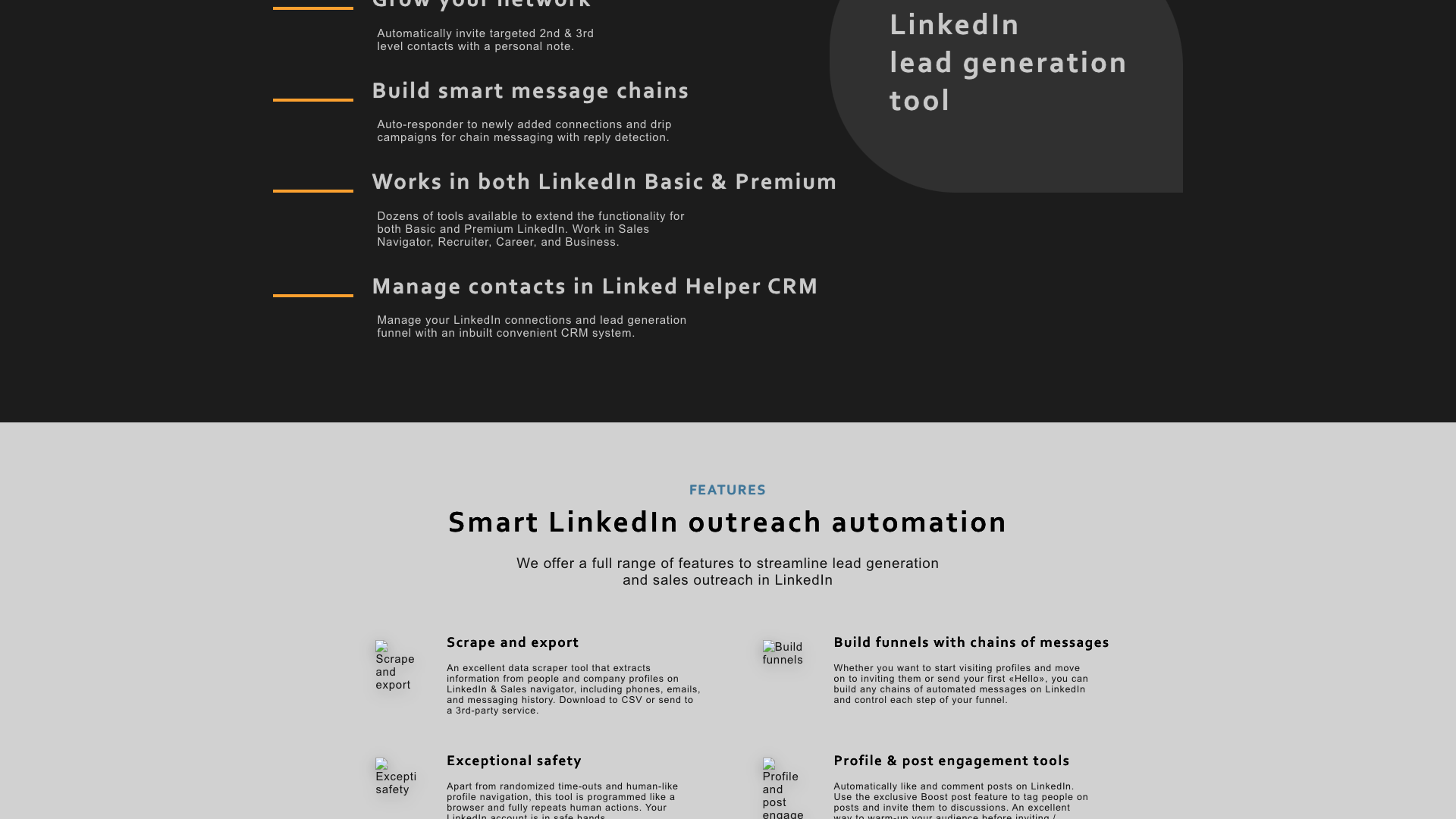
The platform also differentiates itself with deep data capabilities. It can scrape and export people and company profiles, including emails, phone numbers, and messaging history, and then push that data to third‑party CRMs via webhooks or direct integrations. Combined with the built‑in Email Finder that uncovers emails for 2nd and 3rd‑degree connections, Linked Helper positions itself as a full‑funnel LinkedIn lead generation engine rather than a simple messaging bot.
Key Features and Capabilities
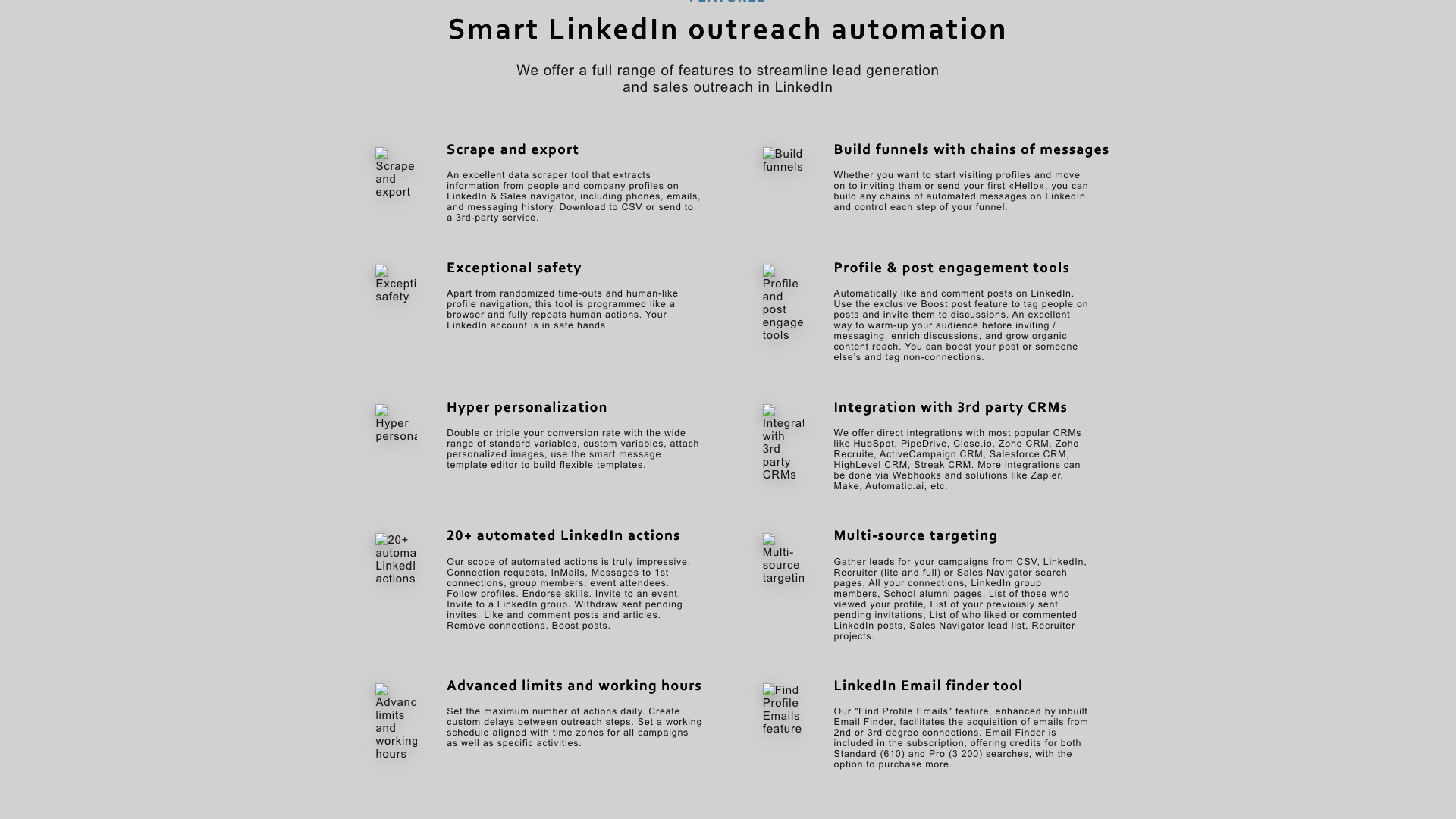
Linked Helper offers a broad toolkit of 20+ automated LinkedIn actions designed to cover most outreach and engagement scenarios. You can send connection requests with personalized notes, follow up with message sequences, send InMails, and message group members or event attendees. The tool also supports bulk engagement actions such as liking and commenting on posts, following profiles, endorsing skills, inviting contacts to events or groups, and even removing unwanted connections.
A standout capability is the built‑in Email Finder and email enrichment. The "Find Profile Emails" feature can uncover up to 95% of emails for 2nd and 3rd‑degree connections, using data scraped from LinkedIn profiles. Email Finder credits are included in both Standard and Pro subscriptions—around 620 profiles per month on Standard and 3,100 profiles per month on Pro, with the option to purchase additional credits starting from 1,000 for $15. This makes Linked Helper useful not only for LinkedIn messaging but also for building email outreach lists.
The platform includes a full Linked Helper CRM that stores all processed contacts, campaign history, tags, and notes. When you visit a profile in LinkedIn, Sales Navigator, or Recruiter, you can see CRM data in a side panel and quickly add the contact to new campaigns. Hyper‑personalization is supported through advanced message templates, custom variables, and personalized images, including integrations with tools like Uclic and Hyperise. For teams, Linked Helper integrates with major CRMs such as HubSpot, Pipedrive, Close.io, Zoho, Salesforce, HighLevel, Streak, and more via webhooks, Zapier, Make, and similar services.
Targeting and control features are also robust. You can build audiences from many sources, including LinkedIn search pages, Sales Navigator lead lists, Recruiter projects, group members, school alumni pages, people who viewed your profile, and those who liked or commented on posts. Advanced limits and working hours let you set daily action caps, custom delays between steps, and time‑zone‑aligned schedules for campaigns and specific activities. Together, these capabilities make Linked Helper a powerful choice for users who need fine‑grained control over high‑volume LinkedIn automation rather than just simple one‑off actions.
- Standalone desktop app that mimics human behavior instead of using a browser extension
- Automated connection requests with personalized notes to 2nd and 3rd-degree contacts
- Multi-step drip campaigns with reply detection and smart conversation filtering
- Messaging to 1st-degree connections, group members, and event attendees
- Support for LinkedIn Basic, Premium, Sales Navigator, and Recruiter (Lite and Pro)
- Built-in Linked Helper CRM with tags, notes, and full interaction history
- Advanced message template editor with custom variables and personalized images
- Built-in Email Finder to uncover emails for 2nd and 3rd-degree connections
- Data scraping and export of people and company profiles to CSV or CRMs
- Bulk engagement actions: likes, comments, follows, endorsements, invites, and removals
- Boost Post feature to tag prospects under posts and increase content reach
- Multi-source targeting from searches, groups, alumni pages, profile viewers, and more
- Advanced limits and working hours to control daily actions and time windows
- Direct integrations with HubSpot, Pipedrive, Close.io, Zoho, Salesforce, HighLevel, Streak
- Webhooks and Zapier/Make integrations for custom workflows and tools
- 24/7 support with a stated goal of resolving issues within about 20 minutes
- Knowledge base and LinkedIn marketing blog with tutorials, guides, and case studies
Pricing and Plans
Linked Helper’s pricing is structured around two paid tiers—Standard and Pro—plus a free 14‑day trial. Billing is flexible, with options for 1, 3, 6, or 12‑month subscriptions, and discounts applied to longer commitments. The pricing page emphasizes that all plans include the core automation engine, with Pro unlocking higher limits and more advanced capabilities for heavy users.
The Trial plan is free and provides access to all essential features needed to get started with LinkedIn automation. It is explicitly described as a 14‑day trial with "all features you need to get started with free LinkedIn automation." This allows new users to test connection workflows, messaging sequences, and basic CRM functionality before committing to a paid subscription.
The Standard plan is designed as a "standard suite of the most used features" for growing businesses that rely on LinkedIn for messaging and data scraping. Pricing varies by billing period, starting at $15 for 1 month, $40 for 3 months, $60 for 6 months, and $99 for 12 months, which the site translates into effective monthly rates of $15, $13.33, $10, and $8.25 per month respectively. The Pro plan targets businesses that want to leverage the full range of Linked Helper’s automation and data capabilities, with prices of $45 for 1 month, $120 for 3 months, $180 for 6 months, and $297 for 12 months, corresponding to $45, $40, $30, and $24.75 per month. The pricing page notes that local tax may apply depending on your location.
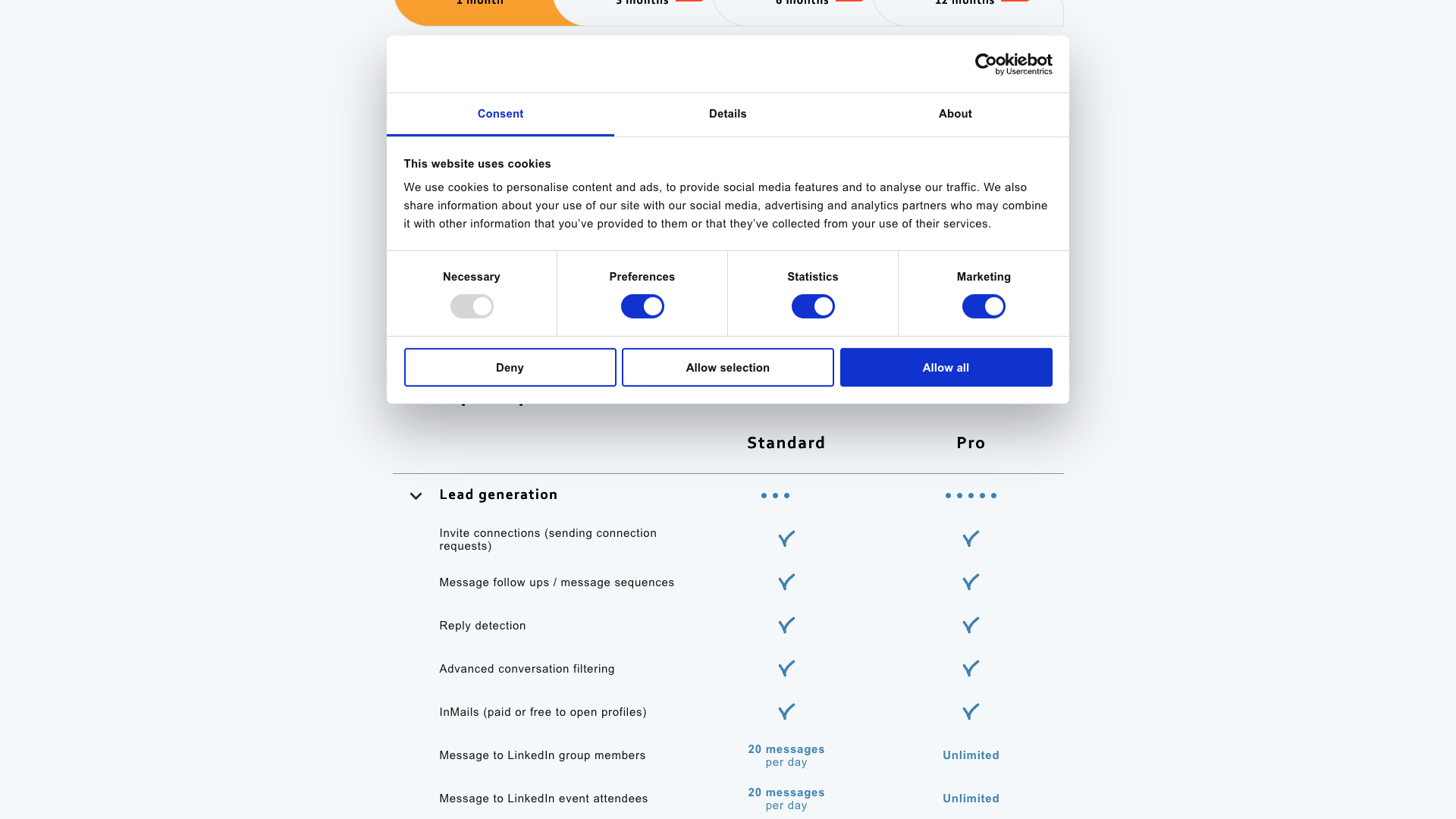
Feature‑wise, both Standard and Pro include core lead generation, campaigns, CRM, and data export, but Pro significantly raises or removes many daily limits. For example, Pro offers unlimited messages to group members and event attendees, higher or unlimited daily actions for bulk engagement, and a much larger quota for email enrichment via the Email Finder. This makes Pro more suitable for agencies, power users, or teams running multiple high‑volume campaigns, while Standard is adequate for individual operators or smaller businesses that still want robust automation without maximum scale.
Standard (1 month)
- Standard suite of the most used LinkedIn automation features
- Automated connection requests and follow-up message sequences
- Reply detection and advanced conversation filtering
- Campaign builder with unlimited campaigns
- Smart custom settings for limits and timeouts
- Flexible working hours for automated actions
- Export of people profiles to CSV and via webhooks (limited daily volume)
- Export of messaging history to CSV and via webhooks
- Linked Helper CRM with notes, tagging, and full-profile data scraping
- Email enrichment with Linked Helper Email Finder (around 620 profiles per month)
- Bulk engagement actions with daily limits (invites, likes, tags, etc.)
- Support for LinkedIn Basic, Premium, Sales Navigator, and Recruiter
Billed monthly at $15 in total; local tax may apply.
Standard (3 months)
- All Standard features from the 1-month plan
- Discounted effective monthly rate for a 3-month commitment
- Access to Linked Helper CRM and Email Finder credits
- Automation for lead generation, messaging, and data scraping
$40 in total for 3 months (approx. $13.33 per month); local tax may apply.
Standard (6 months)
- All Standard features with extended subscription period
- Lower effective monthly price for long-term users
- Continued access to automation, CRM, and Email Finder credits
$60 in total for 6 months (approx. $10 per month); local tax may apply.
Standard (12 months)
- All Standard features for a full year
- Maximum discount on effective monthly price
- Ideal for users committed to long-term LinkedIn automation
$99 in total for 12 months (approx. $8.25 per month); local tax may apply.
Pro (1 month)
- All Standard features plus maximum advanced automation capabilities
- Higher or unlimited daily limits for many actions
- Unlimited messages to LinkedIn group members and event attendees
- Higher limits for messages with attached images and personalized media
- Larger quota for Linked Helper Email Finder (around 3,100 profiles per month)
- Expanded bulk engagement actions (invites, likes, tags, etc.)
- Best suited for agencies and power users running multiple campaigns
Billed monthly at $45 in total; local tax may apply.
Pro (3 months)
- All Pro features from the 1-month plan
- Discounted effective monthly rate for a 3-month commitment
- High-volume automation and data scraping for teams and agencies
$120 in total for 3 months (approx. $40 per month); local tax may apply.
Pro (6 months)
- All Pro features with extended subscription period
- Lower effective monthly price for heavy users
- Ideal for agencies standardizing on Linked Helper for multiple clients
$180 in total for 6 months (approx. $30 per month); local tax may apply.
Pro (12 months)
- All Pro features for a full year
- Maximum discount on effective monthly price
- Best value for long-term, high-volume LinkedIn automation
$297 in total for 12 months (approx. $24.75 per month); local tax may apply.
All prices are listed in USD; local taxes may apply depending on your billing country. The Trial plan is free for 14 days, while Standard and Pro are paid subscriptions with discounts for longer billing periods.

Customer Feedback and Social Proof
Linked Helper prominently showcases strong ratings from third‑party review platforms on its homepage. While the exact platform names are not fully visible in the extracted text, the site displays scores such as 4.8 (131 reviews), 4.5 (139 reviews), and 4.9 (296 reviews), suggesting consistently high satisfaction across multiple sites like G2, Capterra, or Trustpilot. The homepage also highlights that Linked Helper has maintained a 5‑star rating over the last seven years, reinforcing its reputation for reliability.
There is a dedicated "Linked Helper Reviews" section labeled as TESTIMONIALS, which invites visitors to "Read 101 proved testimonials on G2". This section positions the tool as "LinkedIn‑experienced" and emphasizes that clients share their opinions about the automated messaging tool there. Although the full testimonial texts are hosted on external platforms, Linked Helper’s site uses this social proof to reassure new users that the product is battle‑tested in real‑world outreach scenarios.
From the messaging across the site and blog, it is clear that long‑term users value safety, feature depth, and support responsiveness. Case studies and blog content describe agencies running dozens of LinkedIn accounts, recruiters sourcing thousands of candidates, and marketers scaling multi‑client campaigns without bans when configured correctly. At the same time, the complexity of the tool and the need to respect LinkedIn’s evolving limits mean that results depend heavily on thoughtful setup and responsible usage.
- The tool was described as a reliable way to scale LinkedIn outreach without bans when campaigns were configured carefully. — Sarah M., B2B Marketing Manager
- Customer support was reported to respond quickly and resolve most Linked Helper issues within minutes. — David K., Sales Operations Lead
- The built-in CRM and tagging system were said to simplify tracking conversations across multiple LinkedIn campaigns. — Elena R., Talent Acquisition Specialist
- The email finder feature was noted as a cost-effective way to enrich LinkedIn profiles with verified emails. — Mark T., Agency Owner
- The learning curve was mentioned as noticeable, but the depth of automation was considered worth the effort. — Julia P., Growth Consultant
Our In‑Depth Review: Strengths and Weaknesses
From a capabilities standpoint, Linked Helper is one of the most feature‑rich LinkedIn automation tools currently available. Its ability to combine connection workflows, drip messaging, email finding, data scraping, and CRM‑style contact management in a single desktop app is impressive. The focus on safety—through human‑like behavior, randomized delays, and non‑extension architecture—addresses a major concern for anyone automating LinkedIn at scale.
However, this power comes with complexity and responsibility. New users may find the interface and campaign builder overwhelming compared to simpler tools that only handle basic messaging or posting. To get the most out of Linked Helper, you need to understand LinkedIn’s limits, design thoughtful funnels, and monitor performance closely, which may be overkill for users who just want to publish content or send occasional manual messages.
In terms of value, Linked Helper’s pricing is very competitive for what it offers, especially on longer billing cycles where the effective monthly cost drops significantly. The inclusion of Email Finder credits, CRM functionality, and extensive integrations makes the Standard plan attractive for solo operators and small teams, while Pro is well‑suited to agencies and power users. The main trade‑off is that Linked Helper is optimized for automation and lead generation, not for content ideation, copywriting, or brand storytelling—areas where complementary tools like PostFlow can add more value.
Pros
- Standalone desktop app that mimics human behavior and reduces reliance on risky browser extensions
- Extremely rich feature set covering invitations, messaging, email finding, scraping, and CRM
- Built-in Linked Helper CRM with tags, notes, and full interaction history for each contact
- Powerful campaign builder for multi-step funnels with reply detection and smart filtering
- Robust targeting from many LinkedIn sources, including groups, alumni pages, and post engagers
- Deep integrations with popular CRMs and automation tools via webhooks, Zapier, and Make
- Competitive pricing, especially on longer billing cycles, with generous email finder credits
- 24/7 support and a detailed knowledge base plus an active LinkedIn marketing blog
- Strong social proof with high ratings across multiple review platforms and thousands of users
Cons
- Learning curve can be steep for new users unfamiliar with LinkedIn limits and automation best practices
- Desktop app requirement may be less convenient than purely cloud-based tools for some teams
- Focuses on automation rather than content creation, copywriting, or post optimization
- Misconfigured campaigns can still risk account issues if users ignore LinkedIn’s evolving policies
- Interface and feature density may feel overwhelming for users who only need simple messaging
- Email Finder and scraping capabilities require careful, compliant use to avoid deliverability issues

Final Verdict: Is Linked Helper Worth It?
Linked Helper is best suited for users and teams who treat LinkedIn as a primary acquisition channel and are comfortable managing sophisticated automation. If you are a sales rep, marketer, recruiter, or agency running high‑volume outreach, the combination of safety features, deep automation, and CRM integration makes it a compelling choice. The long track record, global user base, and strong third‑party ratings further support its credibility.
On the other hand, if your main goal is to publish high‑quality LinkedIn content, build a personal brand, or occasionally nurture your network, Linked Helper may feel heavier than necessary. It does not focus on AI‑assisted writing, content strategy, or post optimization, which are increasingly important for organic reach. In those cases, pairing or replacing it with a content‑first tool like PostFlow can provide a smoother, more focused experience.
Overall, Linked Helper earns a 4.6 out of 5 in this review. It excels in automation depth, safety‑conscious design, and value for money, while its main drawbacks are complexity and a lack of native content creation features. If you are ready to invest time in setup and want to scale LinkedIn outreach responsibly, Linked Helper is a strong contender that can anchor your LinkedIn lead generation stack for years.
Alternatives
If Linked Helper isn't the right fit, consider these similar tools:
Last updated: 17.11.2025

