
Posting on social media without a plan is like shouting into the void. You might make some noise, but no one's really listening. The secret to turning random posts into a predictable growth engine is starting with a solid foundation: know your audience inside and out, set crystal-clear goals, and build content pillars that consistently solve their problems.
Building Your Content Strategy From the Ground Up

Before a single word gets written, you need a strategy. This is the essential groundwork that separates content that truly connects from the endless stream of online noise. Without it, you’re just guessing and hoping something sticks.
So many businesses fall into the trap of jumping straight to creation. They get hung up on the what ("We need a carousel post!") before they've even figured out the who and the why. A winning approach flips this entirely. It all starts with your audience and your goals.
Truly Understand Your Audience
Going beyond basic demographics is non-negotiable. You have to get inside your audience's head. What are their biggest professional headaches? What goals keep them up at night? What would make them stop their scroll and think, "Finally, someone gets me"?
Let's imagine you run a B2B software company that targets HR managers. A generic profile tells you their job title and company size. That's surface-level stuff. A deep understanding uncovers their actual pain points:
- They're buried in manual onboarding processes that are slow and riddled with errors.
- They feel the pressure to keep remote employee morale high but don't know where to start.
- They're constantly worried about compliance with the ever-changing landscape of labor laws.
This is where great content is born. You're no longer just pushing software; you're offering real solutions to the specific, nagging problems they face every day.
Set Goals That Actually Matter
"Increase engagement" isn't a goal; it's a wish. A strong content strategy is built on specific, measurable objectives that tie directly back to business results. Vague goals just lead to vague content with no real purpose.
Your goals need to be sharp. They need to be actionable.
The difference between a good goal and a great one is clarity. Instead of aiming for 'more followers,' aim to 'drive 15 qualified demo requests from LinkedIn this quarter' or 'increase newsletter sign-ups from social by 20%.' This focus transforms your content from a popularity contest into a revenue driver.
When you know exactly where you're going, it's a lot easier to map out the journey. Every single post should serve one of these goals. And as you get going, understanding the nuts and bolts of how to improve social media engagement will be key to keeping the momentum going.
Develop Your Core Content Pillars
Okay, so you know who you're talking to and what you want to achieve. Now it's time to build your content pillars. Think of these as the 3-5 core themes or topics your brand will own. They're the well you can always draw from, ensuring you never stare at a blank screen wondering what to post.
For our B2B software company targeting HR managers, the pillars could look something like this:
- Pillar 1: Process Automation: Sharing tips, frameworks, and case studies on streamlining HR workflows.
- Pillar 2: Employee Experience: Discussing strategies for boosting morale, building culture, and improving retention.
- Pillar 3: HR Compliance & Tech: Providing updates on new laws and breaking down the latest tools for HR pros.
Suddenly, you have an endless pipeline of ideas. A post about "3 Common Onboarding Bottlenecks" fits perfectly under Pillar 1. An idea for "How to Run an Effective Remote Team Huddle" comes straight from Pillar 2. If you're ever feeling stuck, you can always explore a list of social media content ideas to get the creative juices flowing again. This structured approach makes sure every piece of content is relevant, valuable, and perfectly aligned with your strategy.
Crafting a Hook That Stops the Scroll
You’ve got less than three seconds. That's it. That’s the entire window you have to stop someone from scrolling right past your content. In that tiny sliver of time, the hook is everything.
A killer hook isn’t just a catchy phrase; it’s an instant connection. It has to immediately plug into a problem your audience is wrestling with, spark a curiosity they can't ignore, or hit an emotional nerve. If your first line doesn't land, all the brilliant insights and beautiful graphics that follow are completely invisible.
Think of it as the headline for your post. Its only job is to earn you a few more seconds of their time. Fail at that, and nothing else matters.
Formulas for Unforgettable Hooks
The good news is you don’t have to reinvent the wheel every single time you write a post. I rely on a handful of proven formulas that consistently grab attention and turn a bland idea into something people have to click.
Let's break down a few of the most powerful ones you can use today:
- The Relatable Problem Hook: Kick things off with a pain point your audience knows intimately. This shows you're in their world and you understand their struggles. Instant connection.
- The Surprising Statistic Hook: Hit them with a number that’s shocking, counterintuitive, or just plain wild. Numbers create authority and make people stop and rethink what they thought they knew.
- The Controversial Question Hook: Ask a question that challenges a common belief in your industry. This is fantastic for sparking curiosity and driving comments as everyone rushes to share their take.
- The "Mistake" Hook: Everyone is afraid of making a mistake. Frame your content around a common error, and you tap directly into that desire for self-improvement.
These are just frameworks. The real power comes when you adapt them to your specific audience and message. For a deeper dive, I've put together more examples of great hooks to get your creative gears turning.
Transforming Bland Into Compelling
The gap between a weak hook and a great one can be subtle, but the impact on your post's performance is massive. It’s all about shifting the focus from what you're announcing to why they should care.
Here's a real-world example of this shift in action.
Before: "Our new project management feature is here!"
After: "This one task is silently costing your team 10 hours a week."
See the difference? The "before" is an announcement. It's about you. The "after" is all about the audience. It zeros in on a huge pain point—wasted time—and quantifies it to make it feel urgent. Suddenly, your feature isn't just a feature; it's the solution to a very expensive problem.
Let's try another one for a leadership consultant:
- Weak Hook: "My new guide to effective leadership is now available."
- Strong Hook: "Are you a manager or a leader? Most people don't know the difference."
The second one is a direct challenge. It forces the reader to pause and self-reflect, creating an immediate need to read on and discover the answer. This is how you stop the scroll.
The Visual Side of the Hook
Your hook isn't just words. It’s also the first visual impression you make. The image, the colors, and the layout you choose are just as crucial for stopping that thumb in its tracks.
The visuals that consistently work best tend to have a few things in common:
- High Contrast: Use bold, bright colors that pop against the social media feed's background. Don't blend in.
- Human Faces: We are hardwired to connect with faces. A clean shot of a person, especially making eye contact, can create an instant bond.
- Clear Focal Point: A cluttered image is an ignored image. Your visual needs one clear subject that the eye is drawn to immediately.
- Text Overlay: Don't assume people will read the caption. Put your hook directly on the image to make sure your message gets seen, no matter what.
When you combine a powerful text hook with a scroll-stopping visual, you've got a one-two punch that makes your content almost impossible to ignore. This is your toolkit for making every post magnetic.
Choosing the Right Content Format for Your Message
A brilliant idea in the wrong package is just a missed opportunity. You can have the perfect hook and a killer message, but if you choose the wrong format, your audience will scroll right past it. It's all about matching the medium to the message.
This isn't about blindly following trends or declaring video the one true king of content. I've seen beautifully designed static images and thoughtful carousels outperform expensive video shoots, especially for B2B brands on LinkedIn and Instagram. Getting the format right is a huge piece of the puzzle.
The Surprising Power of Static Content
For years, the echo chamber screamed "video, video, video!" But the data is starting to tell a different, more interesting story.
Have you ever been scrolling your feed and just… stopped? A single, powerful photo post can do that. It turns out that in 2025, that's exactly what's driving huge engagement on Instagram. A recent study of over 5 million posts found that static images are crushing it with a 6.2% engagement rate, while Reels lag behind at just 3.5%. This directly challenges the hype we've all been sold. Find out more about how static content is making a comeback.
So, when does a simple, static image pack the biggest punch?
- Quick Tips & Checklists: A clean graphic can deliver a key takeaway faster than any video ever could.
- Powerful Quotes or Statistics: Use bold typography and a striking design to make a single point impossible to ignore.
- Announcements & Highlights: A sharp visual is perfect for a product launch, an event announcement, or celebrating a team win.
An image is snackable. It delivers value in a split second, respects your audience's time, and is incredibly easy to share. Don't underestimate it.
Telling a Deeper Story with Carousels
When a single image just won't cut it, carousels are your best friend. They are consistently one of the most versatile and high-performing formats out there because they require active participation—your audience has to swipe to get the full story.
This format is fantastic for breaking down complex ideas into bite-sized, easy-to-digest chunks.
Carousels are basically mini-presentations. They let you walk your audience through a narrative or a tutorial, slide by slide. Each swipe is a small commitment that keeps them engaged longer, which the algorithms absolutely love.
This format is a natural fit for:
- Step-by-Step Tutorials: Show someone how to use a feature or complete a process.
- Listicles: Think "5 Mistakes to Avoid When..." or "3 Tools I Can't Live Without."
- Data Storytelling: Break down a dense report into a series of insightful charts and key takeaways.
- Before-and-Afters: Visually show the impact of what you do. It's compelling stuff.
The trick is to make that first slide an irresistible hook and end with a clear call-to-action on the last slide to get that comment or share.
Below is a quick snapshot of how different formats tend to perform. It’s a good starting point for deciding where to focus your creative energy.
Social Media Format Performance Snapshot
| Format Type | Platform | Typical Engagement Rate | Best Use Case |
|---|---|---|---|
| Static Image | Instagram, Facebook | 4% - 6% | Quick tips, announcements, quotes |
| Carousel/Slideshow | LinkedIn, Instagram | 3% - 5.5% | Step-by-step guides, storytelling |
| Short-Form Video | TikTok, Instagram Reels | 2.5% - 4% | Behind-the-scenes, personality, trends |
| Native Document | 2% - 4% | In-depth guides, presentations, reports |
This isn't a hard-and-fast rule, of course, but it highlights that you don't always need a high-production video to get massive engagement.
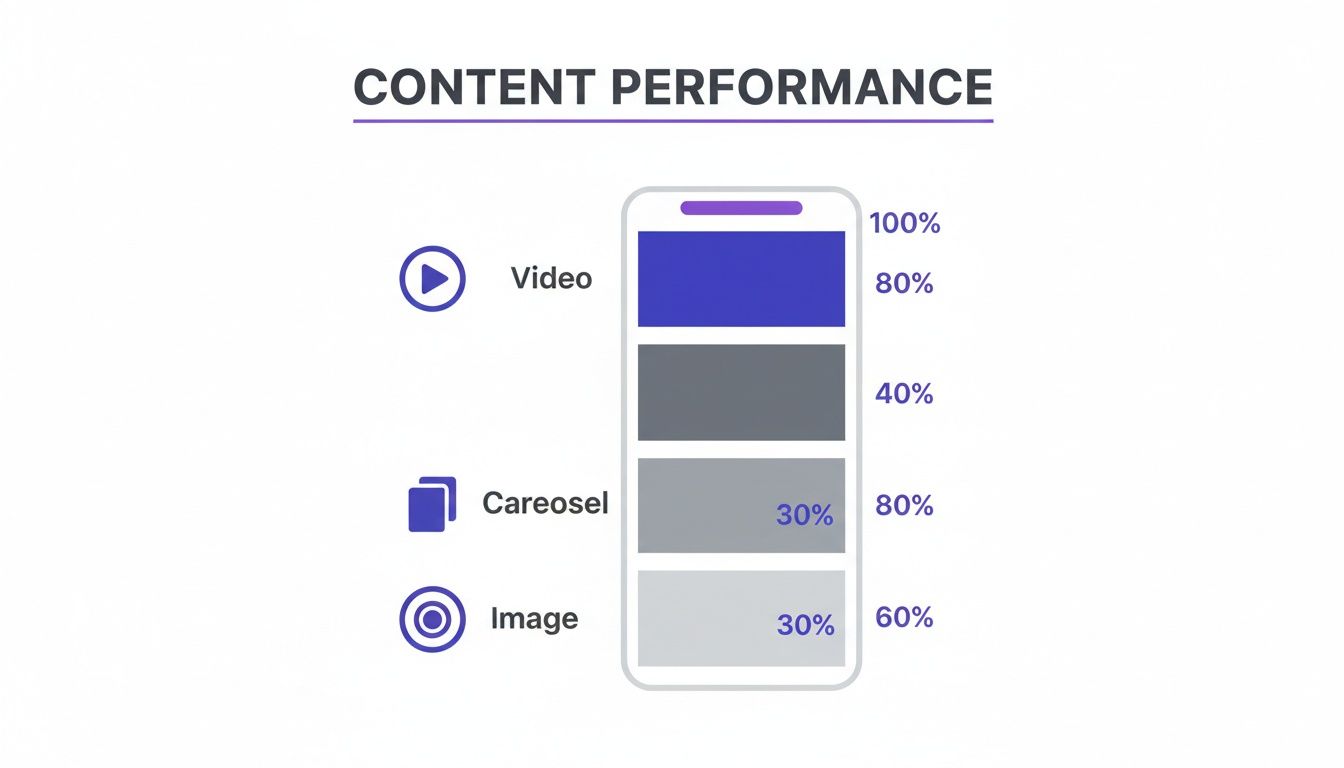
As you can see, carousels and static images can hold their own—and often outperform video for specific goals.
Using Video and Documents for Deeper Connection
While static formats are workhorses, video and LinkedIn documents serve a unique and powerful purpose: building authority and trust.
Short-form video is unbeatable for showing personality and authenticity. It’s less about a polished final cut and more about creating a genuine human connection. Think behind-the-scenes glimpses, sharing a personal story, or a quick, energetic take on an industry trend.
For really deep dives on LinkedIn, the native document feature (which turns a PDF into a carousel) is a game-changer. It lets you share meaty content like presentations, case studies, or detailed guides right in the feed. Your audience gets high-value content without ever leaving the platform, which is a fantastic, frictionless way to establish yourself as an expert.
Choosing the right format isn’t about picking a favorite. It’s about building a versatile toolkit and knowing exactly which tool to grab for the job at hand.
Writing and Designing Content People Actually Enjoy
Even the most brilliant idea can fall completely flat with poor execution. This is where the magic really happens—turning a raw concept into a piece of content that's clear, valuable, and genuinely easy for your audience to consume.
It’s all about making your message as frictionless as possible. The core principle? Write for scannability. No one has time for dense walls of text. Your audience is scrolling fast, and your formatting has to guide their eyes to the good stuff instantly.
This means embracing short paragraphs, bullet points, and intentional white space to make your content feel approachable, not overwhelming.
Writing for Maximum Readability
Your first job as a writer is to be understood. On social media, that means being direct and conversational. Forget the corporate jargon and stiff, formal language; write like you’re explaining something to a smart friend over coffee.
This is especially true on a platform like LinkedIn. While the context is professional, the users are still people. An authentic, relatable voice that feels both authoritative and approachable will always outperform a robotic one. Let your brand’s personality shine through in every caption.
A massive part of this comes down to formatting. Here’s a quick checklist to keep in mind:
- Paragraphs: Keep them to 1-3 sentences maximum. This is non-negotiable for mobile reading.
- Bolding: Use bold text strategically to highlight key statistics, important terms, or the main takeaway of a sentence.
- Lists: Employ bullet points or numbered lists to break up information and make complex ideas a breeze to follow.
This structure isn’t just about looking good; it’s about respecting your reader's time and making it effortless for them to pull value from your post.
Crafting a Call-to-Action That Connects
Every single post needs a purpose. Your call-to-action (CTA) tells your audience what to do next, but "like this post" is a tired request that gets you nowhere. The best CTAs spark genuine conversation and build community, turning passive scrollers into active participants.
Instead of generic asks, try posing a thoughtful question related to your content. If you just shared a post about productivity tips, end with something like, "What's one productivity hack you can't live without? Share it below!" This invites valuable interaction and gives you real insight into your audience’s own experiences.
Don’t just ask for engagement; earn it by starting a meaningful conversation. A CTA's goal isn't just to boost metrics—it's to deepen the relationship with your audience by showing you actually value their input.
Simple Design Principles for Non-Designers
Good news: you don't need to be a professional graphic designer to create visuals that work. With tools like Canva, anyone can produce clean, effective graphics. The trick is to focus on a few fundamental principles that keep things consistent and readable.
Your main goals in design should be pretty straightforward:
- Brand Consistency: Use your brand’s colors, fonts, and logo on everything. This creates a signature look that helps people recognize your content instantly in a crowded feed.
- Readability: Make sure any text on your images is large, clear, and has high contrast with the background. If it's hard to read, it will be ignored. Simple as that.
- Simplicity: Don't clutter your designs. A single, clear focal point with minimal text is almost always more effective than a busy, overloaded graphic.
This is especially true on LinkedIn, which has become the undisputed king of engagement. Recent data shows it boasts an average engagement rate of 6.50%, with formats like documents hitting a record 37%. This tells us that LinkedIn users crave content that educates and informs. Your clean, value-packed designs will fit right in. Learn more about the latest social media statistics and see for yourself.
How to Schedule and Measure Your Content
Getting your content created is really only half the job. I’ve seen it a thousand times: a brilliant post goes live when the audience is asleep, and it flops. The real separator between sporadic effort and predictable growth is a smart, repeatable system for publishing and analyzing your work.
First, let's kill the myth of finding that one magical "best time to post." Sure, timing helps, but consistency is a superpower. What truly matters is building a reliable content calendar that works for you and your team—a rhythm your audience can actually count on.
Building a Sustainable Content Calendar
Think of your content calendar as more than just a schedule; it's your strategic command center. It’s what keeps your content pillars balanced, prevents that last-minute scramble for ideas, and gives you a clear view of your messaging. The goal isn't to post frantically every day, but to find a pace you can actually maintain without burning out.
Try planning your content just a week or two out. You can use a simple spreadsheet or a dedicated tool like PostFlow to map everything out. For each post, I recommend noting down:
- The Core Idea: What’s the one key message you’re trying to get across?
- The Format: Is this going to be a carousel, a video, a simple image, or a document post?
- The Caption: A polished draft, including that all-important hook and call-to-action.
- The Visuals: A link to the finished graphic or video file so it’s ready to go.
This approach turns content creation from a chaotic daily chore into a streamlined process. If you want to dive deeper into timing, check out our guide on creating a solid social media posting schedule that fits your brand.
Focusing on Metrics That Truly Matter
Likes and follower counts are vanity metrics. They feel good, sure, but they don’t tell you if your content is actually connecting with people or moving your business forward. To really get a feel for what’s working, you have to look at the numbers that signal real engagement and intent.
These are the metrics I obsess over:
- Comments: This is the gold standard for me. A comment takes way more effort than a like and shows your content sparked a thought strong enough for someone to type out a reply.
- Shares: When someone shares your post, they're vouching for you. It's a massive signal of trust and value.
- Saves: A save means your content was so useful that someone wants to come back to it later. This is a huge win for any educational or how-to content.
- Click-Through Rate (CTR): If your goal is traffic, this is your bottom line. It tells you exactly how well your post convinced people to take the next step.
Your analytics aren't a report card; they're a roadmap. They tell you exactly what your audience wants more of and what isn't landing, giving you the data you need to make smarter decisions next month.
The Power of the Monthly Review
A simple one-hour review at the end of each month is the feedback loop that will change your entire strategy. Don't just glance at the dashboard—dig in and start asking the hard questions.
Look at your top 3-5 performing posts from the last month. What do they have in common?
- Was it the topic?
- The format (carousel vs. video)?
- The hook you used or the question in your CTA?
Now do the same for your lowest-performing posts. What are the patterns there? This isn't about judging your past work; it's about gathering intel to make your future content better. To get a full picture of your impact, it's worth checking out the best social media monitoring tools to track conversations and brand mentions across different platforms.
While trends come and go, short-form video is becoming a core part of product discovery—a staggering 78% of consumers now prefer it for learning about new products. With 5.42 billion users on social media, that bite-sized format is perfectly tuned for modern attention spans.
This monthly review ensures you're not just guessing, but adapting to what your specific audience is telling you right now.
Got Questions About Social Media Content?
Even with the best playbook in hand, you're going to hit a few stumbling blocks when you get down to the nitty-gritty of creating content every day. It happens to everyone.
Here are a few of the most common questions that pop up, along with some straight-to-the-point answers to help you get unstuck and keep moving.
How Often Should I Post on Social Media?
Let's clear this up right now: there is no magic number. Anyone selling you a "perfect" posting frequency is probably selling something else, too. I've always found that prioritizing quality and consistency beats chasing a quota every single time. This is a marathon, not a sprint.
On a professional network like LinkedIn, 2-3 truly valuable posts a week will do far more for you than seven generic ones. For something more visual and fast-paced like Instagram, you might find your rhythm at 3-5 times a week. The real goal is to find a cadence you can actually stick to without your quality taking a nosedive.
Start with what you can realistically create at a high level. Keep a close eye on your analytics and let the data guide you. If you ramp up your posting and see engagement per post drop, that’s your signal to pull back and focus on delivering more value, not just more noise.
What Are the Best Free Tools for Creating Social Media Content?
You absolutely do not need a massive budget to create content that looks professional and gets results. In fact, a handful of powerful free tools can handle just about everything you need, especially when you're starting out.
This is my go-to stack for creating great content without spending a dime:
- For Design: Canva is the undisputed king here. Its free version is ridiculously powerful for making everything from static images and carousels to simple video animations.
- For Video Editing: CapCut is a game-changer. It’s surprisingly intuitive for editing short-form videos right on your phone.
- For Stock Media: When I need a high-quality, royalty-free photo or video clip, I head straight to Pexels or Unsplash. They’re my top two, hands down.
- For Writing: The free version of Grammarly is non-negotiable. It’s a simple lifesaver for catching typos and grammar mistakes in your captions, making sure you always look polished.
How Do I Find Good Content Ideas for My Niche?
Your best, most resonant content ideas will almost always come from one simple activity: listening. Your audience is constantly telling you what they care about, what they're confused by, and what problems they need solved. You just have to tune in.
The most valuable insights are usually hiding in plain sight.
- Your Audience's Questions: Dig into your comments, DMs, and even the questions that come up on sales calls. Every single one is a potential post that directly answers a proven need.
- Industry Conversations: On LinkedIn, follow a few key hashtags in your niche. See what people are already talking about and which topics are sparking the most debate and discussion.
- Search Behavior: Use a free tool like AnswerThePublic. It shows you the exact questions people are typing into Google about your field. It's a goldmine.
- Competitor Analysis: Check out your competitors' most popular posts. The goal isn't to copy them. Instead, analyze why those topics hit a nerve and then think about how you can bring a unique, more valuable perspective to that same conversation.
How Long Should My Social Media Videos Be?
The "perfect" video length is a myth. It's completely dependent on the platform you're on and the value you're delivering. A one-size-fits-all approach just doesn't fly. You have to match the length to what people expect when they're scrolling that specific feed.
For quick, thumb-stopping content on TikTok or Instagram Reels, you've got to keep it short—think under 30 seconds. People are in a rapid-scroll mindset there and have zero patience for a long-winded intro.
For something more educational on LinkedIn, like a quick tutorial, you've got a little more runway. You can easily go for 90 to 120 seconds, as long as every second is packed with value. My golden rule is simple: be as long as you need to be, but as short as you possibly can. Always, always pack your hook into the first 3-5 seconds.
Stop missing opportunities on LinkedIn. Let PostFlow help you turn your expertise into consistent, engaging content that grows your business. Try PostFlow today.

