
Trying to create blog content without a plan is like setting off on a road trip with no map. You’ll burn a lot of gas and end up somewhere you never intended to be. The whole process really boils down to planning your strategy, outlining your structure, writing something genuinely valuable, and then optimizing it for search engines.
This is the foundational workflow that turns random ideas into assets that consistently attract and engage the right audience.
Building a Content Strategy That Actually Works

Before you even think about writing a headline, you need a plan. Let me be clear: great content never happens by accident. It’s always the result of a deliberate strategy built to attract a very specific person and solve a very specific problem they have.
Honestly, this planning phase is the single most important part of the entire process. It’s where you separate the blogs that get real business results from the ones that just collect digital dust. The goal isn’t just to hit “publish.” It's to build a library of resources that cements you as an authority and consistently brings the right people to your digital doorstep.
To do this right, you first need to understand how to develop a content strategy that actually supports your business goals. It means going way beyond basic demographics to figure out what really makes your readers tick.
Define Your Ideal Reader
So, who are you really writing for? If you can't answer that question in detail, your content is going to feel generic and completely miss the mark. Creating a detailed audience persona isn't just a fluffy marketing exercise; it's the bedrock of content that connects.
Don’t just jot down job titles and age ranges. Get specific.
- Pain Points: What keeps them up at night? For a consultant, maybe it’s the feast-or-famine cycle of finding new clients.
- Goals and Aspirations: What are they trying to achieve? A startup founder is probably obsessed with hitting their first revenue milestone or securing that next round of funding.
- Information Sources: Where are they already hanging out online? Knowing this tells you what kind of content they expect and who you’re competing against for their attention.
By creating a vivid picture of your ideal reader—let's call her "Sarah the Startup Founder"—you can tailor every headline, example, and call-to-action directly to her world. Your content instantly feels more personal and, more importantly, immediately valuable.
Pinpoint Topics with Keyword Research
Okay, you know who you're talking to. Now you need to find out what they're typing into Google.
Keyword research isn't about gaming the system or stuffing awkward phrases into your articles. It’s about uncovering the exact language your audience uses when they're looking for help. This step is absolutely non-negotiable for anyone serious about content marketing.
Start by brainstorming some broad topics in your area of expertise. Then, jump into a tool like Ahrefs or even the free Google Keyword Planner to dig up more specific, long-tail keywords.
For instance, instead of a generic topic like "business growth," you might discover your audience is actually searching for "how to find B2B sales leads" or "client acquisition strategies for consultants." See the difference? These phrases scream intent and give you a crystal-clear direction for your next article. This is how you create content people are actively looking for, setting yourself up for a steady stream of organic traffic.
Turning Ideas Into Powerful Outlines

It’s tempting to dive right in and start writing. I get it. But trust me on this: the best blog posts aren’t born from a spontaneous burst of creativity. They’re built on a solid blueprint.
Your outline is the secret weapon that turns a messy collection of ideas and research into a clear, reader-friendly piece. It's what saves you from the inevitable "what do I write next?" paralysis and makes sure every single paragraph serves a purpose.
This is the critical step that separates a rambling article from a focused guide that keeps your reader hooked from start to finish. If you’re serious about figuring out how to create blog content that actually works, this is where you map out your journey before getting in the car.
From Keywords to Core Sections
That keyword research you did earlier? It’s about to become incredibly useful. Take a look at the "People also ask" questions and related searches on Google for your main keyword. These aren't just suggestions; they are the literal questions your audience is asking.
Now, group those related queries into logical themes. Let’s say your topic is "client acquisition strategies for consultants." Your research might naturally give you these themes:
- Defining your ideal client profile.
- Leveraging LinkedIn for outreach.
- Building a referral network.
- Using content to attract leads.
Boom. Each of those themes just became a major H2 or H3 heading in your article. You’re no longer guessing what people want to know—you're building your content around their existing questions.
An outline is more than just a list of topics. It’s a promise to your reader that you respect their time and will deliver value in a clear, organized way.
Structuring for Flow and Clarity
With your main headings in place, it’s time to flesh them out. Start dropping bullet points under each one, jotting down the specific details, stats, examples, or personal anecdotes you plan to include. Forget about perfect sentences for now; this is all about getting the raw ideas down.
A simple structure that always works for me looks like this:
- The Intro: Grab the reader immediately with a relatable pain point or a surprising stat. Then, quickly tell them what the article covers and what they'll walk away with.
- The Main Body: Each section tackles one of your core themes. Lead with a strong topic sentence, back it up with your examples or data, and then wrap up the point.
- The Conclusion: Briefly summarize the most important takeaways and give them a clear call-to-action. What's the very next thing they should do with this newfound knowledge?
Following this methodical approach ensures your final draft is logical, comprehensive, and a breeze to read. It's a non-negotiable step that dramatically boosts the quality of your blog content.
You've got a solid outline, which means the terrifying blank page is already half-conquered. Now it’s time to breathe some life into those bullet points and create a piece that actually connects with people. The goal isn't just to dump information; it's to start a conversation.
Your intro is everything. It's your one shot to grab a reader scrolling through a hundred other things. Forget the bland, generic warm-ups. You have about three seconds. Hit them with a bold claim, a relatable mini-story, or a stat so surprising they have to stop and think.
Once you’ve got their attention, don't lose it. Keep your sentences sharp and your paragraphs even sharper. I’m talking one to three sentences, max. This isn’t a novel; it’s a blog post. People scan, especially on their phones, so make it easy for them.
Crafting Headlines That Get Clicks
Let's be real: your headline is the bouncer for your content. If it’s weak, nobody gets in, no matter how great the party is inside. A good headline isn't just a label; it’s a promise of value. It needs to scream "this will solve your problem" or "you need to know this."
Think of your headline as an ad for the article itself. It must be specific and tap into either curiosity or a pressing need. This is why you see so many headlines with numbers, questions, or direct promises—they work.
A great headline doesn't just describe what the article is about; it sells the value inside. It answers the reader’s unspoken question: “What’s in it for me?”
I've seen so many brilliant articles die on the vine because of a boring, uninspired headline. Don't let that be you. Spend real time on this—it’s arguably the most important sentence you’ll write.
To help you get started, here are a few formulas I’ve seen work time and time again for founders, consultants, and creators.
Headline Formulas for High Click-Through Rates
| Formula Type | Structure | Example |
|---|---|---|
| The "How-To" | How to [Achieve a Desired Outcome] Without [Common Pain Point] | How to Scale Your Content Without Hiring a Huge Team |
| The "Listicle" | [Number] Ways to [Solve a Specific Problem] | 7 Overlooked LinkedIn Features That Drive Leads |
| The "Question" | Are You Making This [Common Mistake]? | Are You Making This Critical SEO Mistake on Your Blog? |
| The "Secret" | The Secret to [Achieving a Goal] | The Secret to Writing Blog Posts That Actually Convert |
| The "Warning" | The Truth About [Topic] That No One is Telling You | The Truth About AI Content That No One is Telling You |
These aren't magic bullets, but they're a fantastic starting point. The key is to adapt them to your specific audience and the unique value you're offering.
Using Visuals to Boost Engagement
Okay, your copy is sharp. But writing is only half the battle. If your post is just a giant wall of text, you’re practically begging people to click away. You have to think visually.
Visuals aren't just pretty decorations. They’re functional. They break up the monotony, illustrate complex points, and give the reader’s eyes a place to rest. It makes the whole experience feel less like work and more like a conversation.
The numbers don't lie. Posts with images get way more engagement than those without. I've seen data showing that blog posts with images can get up to 98% more comments. And on platforms like LinkedIn, carousels can boost engagement by a staggering 596% over plain text. If you want to see the proof, just look at the latest LinkedIn statistics—visuals are dominating.
Weaving a Compelling Narrative
Beyond the structure, the headlines, and the images, the best content tells a story. Even if you're writing a super technical guide, a narrative is what makes it stick.
Share an anecdote about a time you completely messed something up and what you learned. Use a client’s success story as a case study. These little moments of humanity build a real connection and turn you from just another faceless expert into someone they trust.
This is where your unique voice comes in. Don't be afraid to be yourself. Your perspective, your wins, your screw-ups—that’s what separates your content from the thousands of other articles on the exact same topic. It’s how you go from writing a blog post to creating a resource people come back to again and again.
Mastering On-Page SEO for Better Visibility
Let's be real: your brilliant content means nothing if no one can find it. This is where on-page SEO comes into play. It's not about stuffing keywords or trying to trick Google. It's simply the practice of adding clear signposts to your content so search engines understand exactly what it’s about and who it’s for.
Think of it this way: a well-optimized post helps Google confidently recommend your article to someone searching for answers. Getting this right is a huge part of creating blog content that actually moves the needle.
Weaving Keywords in Naturally
Your target keyword should feel like a natural part of the conversation, not something you’ve awkwardly shoved in. I've found a good rule of thumb is to place it in a few key spots where search engines tend to look for context.
- In your title and the first 100 words: This is non-negotiable. It immediately tells both the reader and Google what the article is about.
- Within at least one H2 or H3 subheading: This helps structure your content around the main topic and reinforces its theme.
- In the alt text of a relevant image: It’s a small detail, but it gives search engines another powerful clue about your content's focus.
- Naturally throughout the body copy: Don't overthink this. Just write naturally and mention it where it makes sense, along with related phrases (sometimes called semantic keywords).
The whole point of on-page SEO isn't just to rank, but to rank for the right audience by perfectly matching what they're searching for. When you nail it, you actually make the content more focused and helpful for the reader.
Optimizing Your Meta Description and URLs
Your meta description is that little snippet of text under your title in the search results. While it’s not a direct ranking factor anymore, a killer meta description can dramatically boost your click-through rate. It’s basically your 160-character ad to convince someone your post is the answer they need. Make it count.
Also, make sure your URL (or "slug") is clean and descriptive. A URL like /how-to-increase-blog-traffic is infinitely better than /post-123-final-v2. It’s a tiny detail that helps users and search engines know what the page is about before they even click. For a deeper dive, our guide on how to increase blog traffic covers these foundational elements in more detail.
Building Authority with Internal and External Links
Links are a massive trust signal for search engines.
Internal links are links that point to other relevant articles on your own site. These are fantastic because they keep readers on your blog longer and help search engines crawl and index more of your content. It’s a simple way to show the topical depth of your site.
External links point out to other high-authority websites. Linking out to credible sources, studies, or industry reports shows you’ve done your homework. It adds weight to your arguments and positions your content as a well-rounded, trustworthy resource—a signal Google definitely values.
Promoting and Repurposing Content for Maximum Reach
So you’ve hit “publish.” Feels good, right? But the job isn’t done. Not even close. This is where the real work begins—the part that turns a great article into a marketing asset that keeps delivering long after it goes live.
Honestly, this is the step that separates a blog that actually grows a business from one that’s just a digital diary.
Before you blast your new post out to the world, take five minutes for a final quality check. I can't tell you how many times I've caught a typo or a broken link right after sharing something.
- Read it aloud: Seriously. It’s the fastest way to catch clunky sentences you missed during editing.
- Click every link: Make sure your internal and external links actually go where they’re supposed to.
- Check your image alt text: This is crucial for both SEO and making your content accessible.
Once you’re confident it’s polished, it’s time to get it in front of people. The on-page SEO work you did earlier is what makes your content discoverable by search engines, setting the foundation for all your promotion efforts.
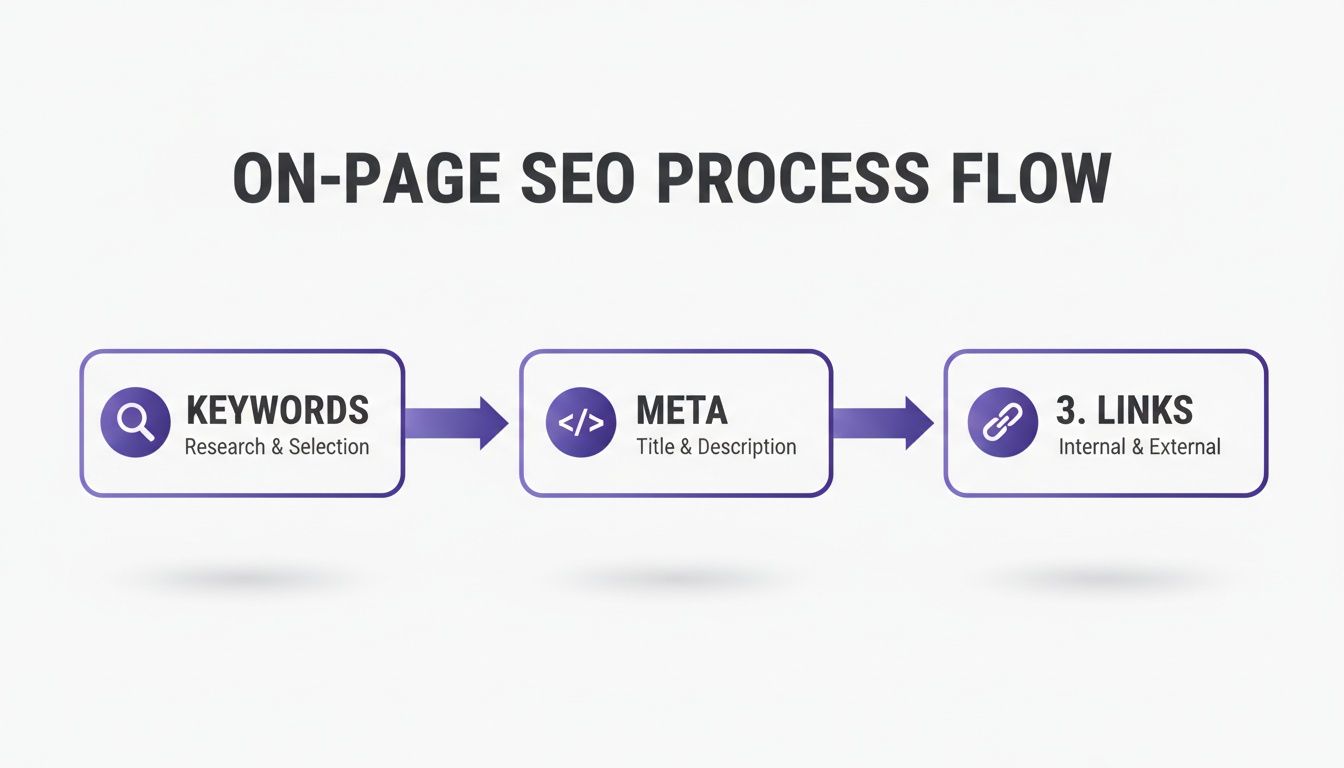
Think of it this way: your keywords, meta details, and internal links all work together to tell Google, "Hey, this content is valuable and relevant!" Now, let's show your audience.
Turn One Article Into Many Assets
Your blog post shouldn’t be a one-and-done deal. It’s a goldmine of smaller, snackable content pieces just waiting to be extracted. This is how you work smarter, not harder.
The idea is to maximize the effort you've already put in without having to start from scratch every single time. It's a game-changer once you get the hang of how to repurpose content effectively across different platforms.
The smartest creators don't create more content; they create content that does more. Repurposing respects your time and your audience’s attention by meeting them where they are with content tailored to that platform.
Look at your blog post and think about how you can deconstruct it:
- Pull out key stats or quotes: These are perfect for creating simple, eye-catching graphics for Twitter or Instagram.
- Use your main sections (H2s/H3s): Each one can be spun into a standalone LinkedIn post that dives a little deeper into that specific point.
- Find a step-by-step process: This is a natural fit for a visual carousel on LinkedIn or Instagram.
- Boil down the core idea: Use it as a quick script for a short-form video on TikTok, Reels, or YouTube Shorts.
This strategy gets your hard work in front of so many more people. For a deeper dive, we have a complete guide to content repurposing strategies you should check out.
A Simple LinkedIn Repurposing Workflow
For anyone in B2B—consultants, founders, service providers—LinkedIn is an absolute powerhouse. It’s the perfect place to give your blog content a second life and connect with your target audience.
Consistency is everything on LinkedIn. The data shows that businesses posting just 1-2 times per week see 2x more engagement. It's the same principle as blogging: show up regularly, and you'll build trust with your audience and the algorithm.
Here’s a simple way to approach it:
First, grab one powerful insight or takeaway from your article. Don't just copy and paste the text. Reframe it for a conversational platform. You could start with a question, share a personal story related to the topic, or even present a slightly controversial take to spark discussion.
Next, turn that idea into a simple text-only post or a quick carousel that breaks down one of your article's main points into a few digestible slides.
Finally, always, always end with a call to engagement. Ask a direct question like, "What's one tactic you'd add to this list?" This simple step invites people into the conversation, which boosts your post's visibility and drives the right kind of traffic back to your original article.
A Few Common Questions I Get Asked About Blog Content
Even with the best workflow in the world, you’ll always run into little questions when you’re actually in the weeds, writing. I've been there. Let's tackle some of the most common hurdles people hit when they're figuring out how to create blog content that actually moves the needle. These are the straight-up, real-world answers that have worked for me and my clients.
So, How Long Should a Blog Post Actually Be for SEO?
This is the classic question, and the honest answer is: there's no magic number. But the trend is undeniable—depth wins. For any topic with even a little competition, you'll see that long-form content, usually 1,500 words or more, tends to rank better.
But don't get it twisted. This isn't because Google has some kind of word count fetish. It's because a longer, more detailed article usually does a much better job of answering a searcher's question completely. It satisfies their intent, so they don't have to click back to the search results.
Quality will always, always crush sheer quantity. A perfectly targeted 1,200-word post that solves one specific problem is infinitely more valuable than a rambling 3,000-word monster filled with fluff.
Your goal isn’t to hit a word count; it's to be the last click. Focus on creating the most thorough, helpful resource on a given topic, and you'll find it naturally ends up at the right length.
How Often Do I Need to Publish New Posts?
Let me be clear: consistency is far more important than frequency. It’s a thousand times better to publish one killer, in-depth post every single week than it is to dump five mediocre articles online and then disappear for a month.
Both search engines and your human readers reward a predictable rhythm. A steady publishing schedule builds trust and signals to Google's algorithms that your site is an active, fresh source of valuable information.
For most businesses I've worked with, aiming for one to two well-researched posts per month is a fantastic—and more importantly, sustainable—strategy. Don't burn yourself out trying to hit a daily or weekly target you simply can't maintain over the long haul.
What Are the Best Tools for Creating Blog Content?
Having the right tools in your corner can make a huge difference. You don't need a hundred different subscriptions, just a few key players. Here's the toolkit most pros, myself included, rely on:
- Writing & Collaboration: Google Docs is still the undisputed champ. It’s simple, makes sharing and collaborating a breeze, and it just works.
- SEO Research: You need a powerhouse here. Tools like Ahrefs or Semrush are the industry standard for a reason. They're essential for deep keyword research, seeing what your competitors are up to, and tracking how your content performs over time.
- Polishing the Draft: Grammarly is a non-negotiable for me. It’s your safety net for catching typos and grammatical slip-ups, but it also helps improve clarity and makes your writing sound more professional.
And of course, AI-powered writing assistants are quickly becoming part of the standard workflow. They're fantastic for getting past writer's block, brainstorming a few initial angles, or quickly repurposing your finished article for social media.
Seriously, How Do I Find Good Ideas for Blog Posts?
The best ideas almost never come from sitting in a quiet room and staring at a blank screen. They come from listening. Pay very close attention to the questions your customers, clients, and prospects are asking you every single day. Those questions are pure content gold.
Once you have a few, head over to free tools like AnswerThePublic. It will show you the exact questions people are typing into Google about your topic. Another great tactic is to spy on your competitors. Look at their most popular articles and find the "content gaps"—what did they miss? What could you explain better?
But at the end of the day, your most powerful content will come from your own unique experience. The problems you've personally solved, the mistakes you've made, the lessons you've learned—that's the stuff no one else can replicate.
PostFlow is your personal AI content strategist, helping you turn your expertise into consistent, engaging LinkedIn posts that grow your business. Stop letting great ideas go unshared.
Let PostFlow build your LinkedIn presence.

