
Let’s be honest: the social media grind is brutal. If you’re a founder, a consultant, or a creator, trying to manually craft and publish posts every single day is a massive time-suck. It’s the kind of thing that leads to burnout, inconsistent messaging, and a whole lot of missed opportunities when life inevitably gets in the way.
This isn’t just inefficient—it’s a bottleneck that’s actively stunting your growth.

The goal here isn't to replace your authentic voice with some robotic scheduler. It's about building a smart, sustainable workflow that handles the tedious parts of content distribution so you can focus on what actually matters: strategy and engagement.
Beyond Just Saving Time
So, what’s the real win with social media automation? It goes way beyond just clawing back a few hours in your week. The true value is in building a reliable content engine that works for you, 24/7, even when you're not logged in. That consistency is gold for building trust and staying top-of-mind with your audience.
Here’s what a smart automation system really unlocks:
- A Shift to Strategic Thinking: Instead of scrambling for something to post today, you can block out time to plan thoughtful, high-impact content weeks or even months ahead.
- An Always-On Presence: Your profiles stay active and engaging, which the algorithms absolutely love—especially on professional networks like LinkedIn.
- Seriously Better Content: When you batch your work, you give yourself the space for deeper thinking. The result? Sharper writing, better ideas, and a far more cohesive brand message.
The core idea is simple: You provide the unique insights and expertise, and automation handles the logistics of getting that message out to the world consistently.
Modern AI-driven platforms like PostFlow are built to make this whole process feel effortless. They can take your raw ideas—even quick voice notes—and help spin them into a steady stream of quality content.
This is a massive advantage, especially for professionals on LinkedIn. In a market where LinkedIn has 1.2 billion members, a consistent, automated presence translates directly into higher impressions and the kind of performance insights that fuel real business growth. Professionals who are still stuck posting manually just can’t keep up and end up seeing lower returns.
If you’re still on the fence, explore more LinkedIn stats and see for yourself why automation isn’t just a nice-to-have; it’s a must.
Figure Out Your Goals and Posting Rhythm First
Jumping into social media automation without a plan is a classic mistake. It feels productive, but you'll just be spinning your wheels. Before you even look at a single automation tool, you need to get crystal clear on what you're actually trying to accomplish.
Are you trying to reel in qualified leads for your consulting practice? Or is the main goal to build up your personal brand and become the go-to expert in your niche? Maybe you're focused on creating a real community around what you do. Each of these goals demands a totally different approach to content.
Pick One Main Objective
Seriously, just one. Trying to be the master of lead gen, brand awareness, and community building all at once is a recipe for a diluted message and zero measurable results. Your one primary goal is your North Star—it dictates every single post you create and schedule.
- For Lead Generation: Your content needs to be all about solving problems for your ideal customer. Think practical how-to guides, deep-dive case studies, and posts that point to a valuable resource they can download.
- For Brand Awareness: Here, it’s all about getting seen. You'll want to craft content that's easy to share—things like sharp commentary on industry news, bold takes, and eye-catching visuals.
- For Community Building: This is about starting conversations. Ask your audience questions, run simple polls, and share behind-the-scenes content that makes people feel like they're part of something.
I see this all the time. A B2B consultant will focus purely on lead gen, posting three high-value, problem-solving articles a week on LinkedIn. On the flip side, a founder building their brand might post daily, authentic updates to grow their audience and get conversations started. Different goals, different playbooks.
Lock in a Posting Schedule You Can Actually Keep
Once your goal is set, you have to decide on a realistic posting frequency. I'll say it louder for the people in the back: Consistency is way more important than volume.
It's a million times better to post three fantastic pieces of content every single week than it is to post twice a day for a week and then vanish for a month. Your audience will forget you exist.
For most professionals, especially on a platform like LinkedIn, aiming for 3-5 posts per week is a great starting point. It's enough to stay on people's radar without completely flooding their feeds.
Finding that perfect rhythm is part art, part science. If you want to go deeper on what works for different platforms, check out our detailed guide on creating a social media posting schedule. It’ll help you fine-tune your frequency to get the most engagement.
This is where automation becomes your secret weapon. It takes the daily pressure off, letting you batch your content creation and schedule everything out. It ensures your strategy actually gets executed, turning your social media from a daily chore into a powerful, automated engine for your brand.
Your End-to-End Social Media Automation Workflow
Goals are great, but a repeatable system is what actually gets things done. A solid workflow is what separates the idea of "automating social media" from a practical, step-by-step process that doesn't make you want to pull your hair out. It keeps you from getting overwhelmed by the sheer chaos of managing multiple platforms and a waterfall of content ideas.
Let's break this down into four key stages I've seen work time and time again: Content Capture, Content Refinement, Smart Scheduling, and Performance Monitoring. Each step flows logically into the next, turning a rough idea into a polished post that actually performs.
This visual really nails the big picture: you have to define your goal and set your rhythm before you even think about hitting the "automate" button.
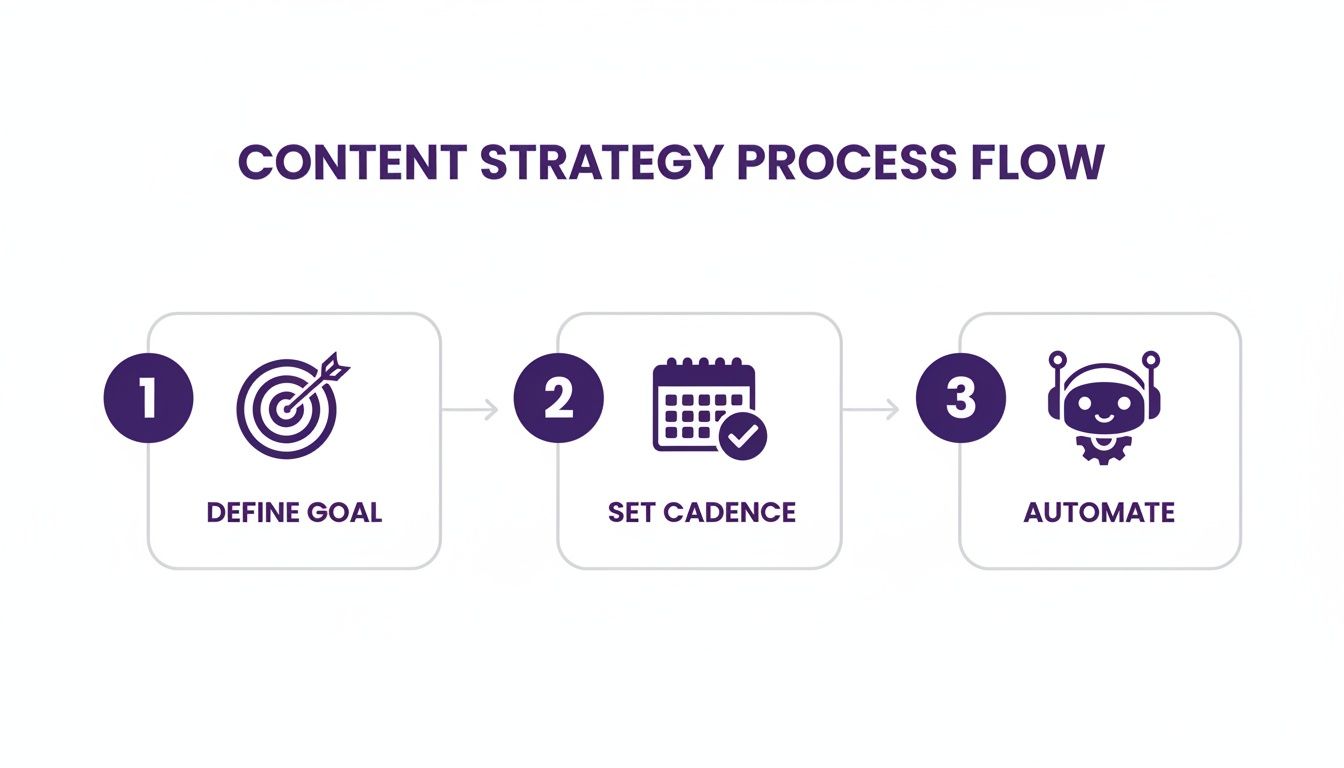
The main takeaway here? Smart automation is deliberate. It’s a strategy, not just a task you rush through.
Capture Your Ideas Effortlessly
Let's be honest, the best content ideas never show up when you're sitting at your desk, ready to work. They hit you during a walk, in the middle of a meeting, or while you're listening to a podcast. A killer automation workflow starts with a dead-simple way to grab these thoughts before they vanish.
Forget fumbling for a notes app. The modern way is to just record a voice note. This becomes the raw material for your entire content engine. I've seen people use AI assistants that transcribe the recording and even ask a few smart questions to flesh out the core message, turning a fleeting thought into a solid concept.
Refine Your Message With AI Assistance
Once your raw ideas are down, it's time to polish them. This is where AI becomes an incredible partner, helping you turn messy notes into compelling copy without stripping away your authentic voice. You can feed it your specific writing style, tone, and audience details, and it adapts.
This isn't about letting a robot take over. It’s about collaboration.
- Generate Multiple Angles: Ask the AI to spin a single idea into several different post variations.
- Improve Clarity and Flow: Use it to smooth out clunky sentences or rephrase things for better impact.
- Check for Tone Consistency: Make sure the final post sounds exactly like you or your brand.
The real magic of AI here is that it kills the "blank page" problem and massively speeds up editing. You're still the expert, the final say. The AI is just the most efficient assistant you've ever had, helping you say what you mean, better.
Schedule Your Content Intelligently
With a fresh batch of polished posts ready, scheduling becomes the logistical heart of your workflow. But this is way more than just plugging content into a calendar. To truly nail your automation, you have to understand the nuances of each platform—for example, knowing how to schedule posts on Twitter effectively is a whole different ballgame than LinkedIn.
A good scheduler should do more than just post on time; it should offer suggestions for optimal posting times based on your past engagement data. If you want to go deeper on this, our own guide on how to schedule social media posts covers the techniques I use to plan content weeks in advance for a consistently strong presence.
Monitor and Adapt Based on Data
The final piece of this puzzle is monitoring. Automation is not a "set it and forget it" machine; it's a feedback loop. By keeping an eye on key metrics like impressions, engagement rate, and clicks, you get a direct line into what your audience actually wants to see.
This data feeds right back into the start of your workflow. See a spike in engagement on posts about a certain topic? Great. Capture more ideas around that theme. This iterative cycle is what makes your automated system smarter and more effective over time.
For a clearer picture, here’s a quick summary of how these stages fit together.
Your Automation Workflow at a Glance
| Workflow Stage | Primary Goal | Key Actions and Tools |
|---|---|---|
| 1. Content Capture | Never lose a good idea. | Use a voice-to-text app or a tool like Notion to quickly record thoughts and insights on the go. |
| 2. Content Refinement | Polish raw ideas into compelling posts. | Collaborate with an AI writing assistant to generate drafts, improve clarity, and ensure tone consistency. |
| 3. Smart Scheduling | Publish consistently at the best times. | Use a social media scheduling tool with optimal timing suggestions and bulk scheduling features. |
| 4. Performance Monitoring | Learn from what works (and what doesn't). | Track key metrics in your scheduling tool or platform analytics to inform your next content batch. |
By treating these four stages as a connected system, you move from reactive, last-minute posting to a proactive, strategic content machine that consistently delivers value.
Choosing the Right Automation Tools for Your Needs
With a solid workflow in place, it’s time to pick your tech stack. The market for social media automation is flooded with options, and it's ridiculously easy to get stuck in analysis paralysis.
To cut through the noise, I always tell people to focus on three core things: ease of use, integration power, and the depth of its analytics. A tool that’s confusing or clunky will just add friction, completely defeating the purpose of automating in the first place. Your chosen platform should feel intuitive right out of the box.
Different Tools for Different Jobs
Not all automation tools are built the same. From my experience, they generally fall into a few distinct categories, each designed for different pain points.
- All-in-One Platforms: Think of tools like SocialBee or Sendible. They aim to be a complete command center, handling scheduling, analytics, and social inbox management. These are great for agencies or anyone juggling multiple brands.
- Content-First Specialists: These platforms are built around the content creation process itself. They often pack in powerful AI assistants to help brainstorm, write, and polish your message before it ever hits a calendar.
- Scheduling Powerhouses: Tools like Pallyy absolutely nail the logistics. Their strength is in simple, drag-and-drop calendars and efficient content queuing, especially for visual-heavy platforms.
The most important thing is finding a tool that fits your specific workflow like a glove. If your biggest bottleneck is turning raw ideas into polished content, a content-first tool is your best bet. If you already have the content but can't seem to publish it consistently, a pure scheduler is what you need.
An AI-Native Approach for LinkedIn
For professionals laser-focused on LinkedIn, a new wave of AI-native platforms offers a much more integrated experience. Take a platform like PostFlow, for example. It’s designed from the ground up to turn your expertise into consistent, high-quality content that resonates with a professional audience.
Its features are built to support the exact workflow we’ve been talking about. You can use its AI-powered interview mode to capture raw ideas, refine them with an AI strategist that actually learns your unique voice, and schedule everything with smart time suggestions—all in one place.
For freelancers and creators, automating outreach with custom delays and follow-ups can be a massive efficiency booster. The secret is using safe, cloud-based tools that mimic human behavior and have built-in limits to avoid getting flagged by the platform. PostFlow is a prime example of this, from its voice-to-post generator to its advanced scheduler and performance analytics.
Finding the Perfect Fit
Ultimately, the "best" tool is the one that solves your single biggest problem. Don't get distracted by a long list of shiny features you’ll never touch. Pinpoint your primary bottleneck—is it idea generation, writing, or just getting posts out the door?—and choose a tool that excels there.
If you're still feeling overwhelmed by the options, check out what various Social Media Marketing Agencies are using in the wild. Their hands-on experience can give you valuable insight into which platforms deliver real-world results. Remember, the goal here is to make your life easier and your content better. That's it.
How to Measure Success and Refine Your Strategy
Let’s get one thing straight: social media automation isn't a "set it and forget it" magic button. If you treat it that way, you’re leaving all the real value on the table.
The secret sauce is treating it like a dynamic feedback loop. You publish, you measure, you learn, and then you refine. This constant cycle of optimization is what turns a basic scheduling tool into a genuine growth engine for your business.
Without solid metrics, you're just posting into the void and hoping for the best. The key is to tie your analytics directly back to the goals we talked about earlier. If you’re after lead generation, then the click-through rate (CTR) on your website links is your north star, not the number of likes.
Pinpointing the Right Metrics
It’s easy to get distracted by vanity metrics. Sure, a rising follower count and a flood of likes feel great, but they don't pay the bills. You need to focus on the data that actually signals audience interest and intent.
Let’s break down which metrics matter for specific goals:
- Brand Awareness: Keep a close eye on impressions and reach. These numbers show you how many unique people are actually seeing your content—crucial for getting your name out there.
- Community Building: Your main focus here is engagement rate (a mix of likes, comments, and shares). A high rate is a clear sign that your content is hitting the mark and sparking real conversations.
- Lead Generation: This is all about the bottom line. Prioritize your click-through rate (CTR) and the conversion rate on your landing pages. This is the most direct way to see if your social efforts are driving action.
The most powerful insights come from connecting the dots. Say a post gets unusually high impressions but a low engagement rate. That’s a signal! It tells you the topic caught the algorithm's attention, but the execution didn't grab your audience. That’s your cue to tweak the messaging for that topic next time.
Turning Data into Actionable Insights
Collecting data is only half the job. The real strategy happens when you start interpreting it. Your automation tool's analytics dashboard should become your new best friend. Start digging for patterns in your top-performing posts.
Do you see more traction at a specific time of day? Is there a particular format—like carousels or polls—that consistently drives more comments? These aren't just fun facts; they are direct instructions from your audience on what they want to see.
For example, if you notice that posts published on Tuesday mornings always get higher engagement, it’s a no-brainer to adjust your calendar to lean into that peak time. This iterative process of testing and refining is absolutely fundamental.
If you’re ready for a deeper dive, our guide on how to measure social media success lays out a complete framework for tracking the numbers that truly matter.
This data-driven approach is what makes your automation strategy smarter over time. It allows you to double down on what’s working, cut what isn’t, and make every single post you schedule more impactful than the last.
Questions I Hear All the Time About Social Media Automation
Jumping into social media automation can feel like a big step, and it's smart to have a few questions. I get it. Before you overhaul your workflow, you want to know what you’re getting into.
Let's walk through the most common concerns I hear from professionals just like you. The goal here is to use automation as a force multiplier for your own authentic voice, not to replace it. Getting these questions answered upfront is the key to doing it right.
Will Automating My Posts Make My Brand Sound Robotic?
This is, without a doubt, the number one fear. The good news? It's completely avoidable.
Automation should only handle the logistics—the tedious stuff—not your personality or your ideas. You are still the strategist. You're the source of every core concept. The trick is to use tools that assist, not impersonate.
Modern AI assistants, for example, are built to help refine your own thoughts while adopting your specific tone and style. You feed it your unique insights, and it just helps you polish them for the public stage.
Think of automation as a highly efficient personal assistant. It handles the scheduling and distribution, freeing you up to focus on what really matters: creating genuine, high-value content that comes directly from your expertise. The voice remains 100% yours.
How Much Time Can I Realistically Save?
The time savings are massive. This isn't a small perk; it's one of the main reasons people make the switch. Most busy founders and experts I've worked with get back anywhere from five to ten hours every single week.
That might sound like an exaggeration, but the efficiency gains come from a few key areas:
- Batching Your Content: Instead of scrambling for 30-60 minutes every day to come up with a post, you can sit down for one focused two-hour block a week and get everything planned and scheduled.
- A Smoother Creation Process: Imagine going from a quick voice note to a polished, scheduled post without a dozen manual steps in between. That’s what a good workflow does—it eliminates the friction.
- Cutting Out Manual Labor: The simple act of logging in, copying, pasting, uploading, and publishing across different platforms is a much bigger time-suck than most people realize until it's gone.
This isn't just about saving time, it's about reallocating it. You can now spend those hours on things that actually move the needle, like engaging with your audience, networking, or thinking about big-picture strategy.
Is It Safe to Use Automation Tools on LinkedIn?
Yes, it’s safe—if you use reputable tools that play by the rules. The safest and most effective automation is all about content creation, scheduling, and analyzing performance. These are all perfectly acceptable practices.
Where people run into trouble is with sketchy tools that automate spammy behavior, like sending hundreds of connection requests or auto-commenting on posts. That stuff will get your account flagged in a heartbeat.
A platform like PostFlow is built squarely around the content workflow. This is a powerful—and completely safe—use of automation that boosts your presence without ever crossing into territory that violates LinkedIn's terms. Always stick with tools that are transparent and prioritize your account's safety.
How Often Should I Post on LinkedIn Using Automation?
Here’s the thing: consistency will always beat frequency. Always.
That said, a great starting point for most professionals on LinkedIn is posting three to five times per week. The beauty of automation is that it makes this cadence totally achievable without causing burnout.
This level of activity keeps you visible in your network's feed without being overwhelming. The best strategy is to start there, then watch your analytics to see what's working. A quality automation tool will show you which days and times get the most engagement, letting you fine-tune your schedule for maximum impact.
Ready to turn your expertise into a consistent stream of high-quality LinkedIn content without the daily grind? PostFlow gives you an AI content strategist to capture your ideas, refine your voice, and schedule your posts, so you can focus on growing your business. Start automating your LinkedIn presence with PostFlow today!

