
Setting up a business profile on LinkedIn is pretty simple on the surface. You just hop onto your personal profile, find the 'For Business' menu, and click 'Create a Company Page'. A few fields to fill out, a logo and cover image upload, and you're technically live.
But let's pause there for a second. The real work isn't in the clicking, it's in the why.
Why Your Business Needs a LinkedIn Page
Before you even start filling out those fields, you need to get your head straight about what a LinkedIn Company Page actually is. It’s not just another social media profile to check off your list.
Think of it as your company’s professional headquarters. It’s where credibility is built, talent is scouted, and clients size you up. A well-tended page is a living asset, with every single post and interaction building on your long-term success. This isn't just about showing up; it's about strategically cementing your authority in your industry.
Establish Credibility and Trust
A complete, active Company Page is a massive signal of legitimacy. When a potential client or a top-tier job candidate Googles your business, that LinkedIn profile is almost guaranteed to be one of the top results.
It's their first handshake with your brand. It validates that you’re an established, professional operation. An empty or ghost-town page? That just raises red flags.
Drive Growth and Generate Leads
Your LinkedIn page is an absolute powerhouse for bringing in new business, if you use it right. By sharing content that actually helps people, you position yourself as a thought leader and naturally attract the right kind of customers.
A consistent content strategy keeps you on your audience's radar, slowly turning curious prospects into paying clients. If you want to go deeper on this, check out our guide on how to generate leads on LinkedIn: http://www.gopostflow.com/blog/how-to-generate-leads-on-linkedin.
A LinkedIn Company Page is not just a marketing tool; it's a dynamic asset that builds social proof, attracts top-tier talent, and opens doors to new partnerships. It’s where your brand’s professional story unfolds.
Attract Top Talent
Beyond just sales, your Company Page is a crucial recruiting tool. It’s a transparent window into your company culture.
You can show off your team, talk about your company values, and post job openings directly to a network of professionals actively looking for their next move. This makes it a no-brainer for attracting high-quality talent that actually fits your mission. For a deeper dive, consider reading about the enduring power of LinkedIn for B2B marketing.
The platform's growth has been wild, expanding from 644 million users in 2019 to over 1.2 billion today. With projections hitting nearly 943 million active users by 2028, there's a constant stream of professionals joining the network. Now is the perfect time to build your presence.
Getting Your Ducks in a Row Before You Build
Before you even navigate to the “Create a Company Page” button, let’s talk prep work. A few minutes of prep now can save you a mountain of frustration later. I’ve seen so many people dive in headfirst only to get stuck because they’re missing a key piece of information.
Think of it like assembling furniture. You wouldn't start building without checking if all the screws and panels are in the box, right? Same principle applies here. LinkedIn has some ground rules, mostly to keep the platform professional and free of spammy, half-built pages.
Your Personal Profile is the Key
First things first: you can't just create a business page out of thin air. LinkedIn requires you to have an active, established personal profile. This is non-negotiable. Your personal account is the gatekeeper, proving you're a real person and giving you the admin keys to your new Company Page.
LinkedIn's systems are pretty smart and look for signs that you're a genuine user, not a bot trying to spin up a shell company. To get the green light, your personal profile needs to check a few boxes.
- Profile Strength: You need to be at least at an “Intermediate” or “All-Star” level. If your profile is looking a bit sparse, take a few minutes to fill out your experience, add a photo, and list some skills.
- A Decent Network: LinkedIn is vague on the exact number, but a profile with only three connections is a major red flag. You need a reasonably established network.
- Account Age: Your personal profile has to be at least seven days old.
These aren't just arbitrary hoops to jump through. They're safeguards that maintain the quality of the platform, ensuring the person behind the page is a real member of the community.
Gather Your Business Assets
Okay, so your personal profile is good to go. The next step is getting all your company's "stuff" together. Having these assets ready means you can build your page in one clean, efficient session instead of scrambling to find logos and links. Nobody wants their brand's grand debut to look like an "under construction" sign.
Getting your assets organized beforehand is the simplest way to avoid setup friction. It transforms the page creation from a scavenger hunt into a streamlined, focused task.
Here’s your pre-flight checklist. Have these ready:
- Official Company Name: The legal name of your business, exactly as it should appear.
- Public URL Preference: Start thinking about your ideal custom URL. It's usually something like
linkedin.com/company/your-business-name. - Company Website: The full URL of your primary website.
- High-Resolution Logo: Your logo should be a square image, ideally 400 x 400 pixels, to serve as your main profile picture.
- Industry & Company Size: You'll need to select these from LinkedIn’s dropdowns, so know which categories you fall into.
Getting Your Company Page Up and Running
Alright, you've got your assets corralled and your personal profile is in good shape. Now for the main event: actually building your LinkedIn Company Page. The process itself is pretty straightforward, but don't rush through it. Every choice you make here sets the stage for how people will see your brand.
Let's walk through it together, focusing on making the right calls from the very first click.
First things first, log into your personal LinkedIn account. In the top-right corner, you’ll see a little grid icon labeled “For Business.” Give that a click, and a menu will drop down. Head all the way to the bottom and select “Create a Company Page.” This is where it all begins.
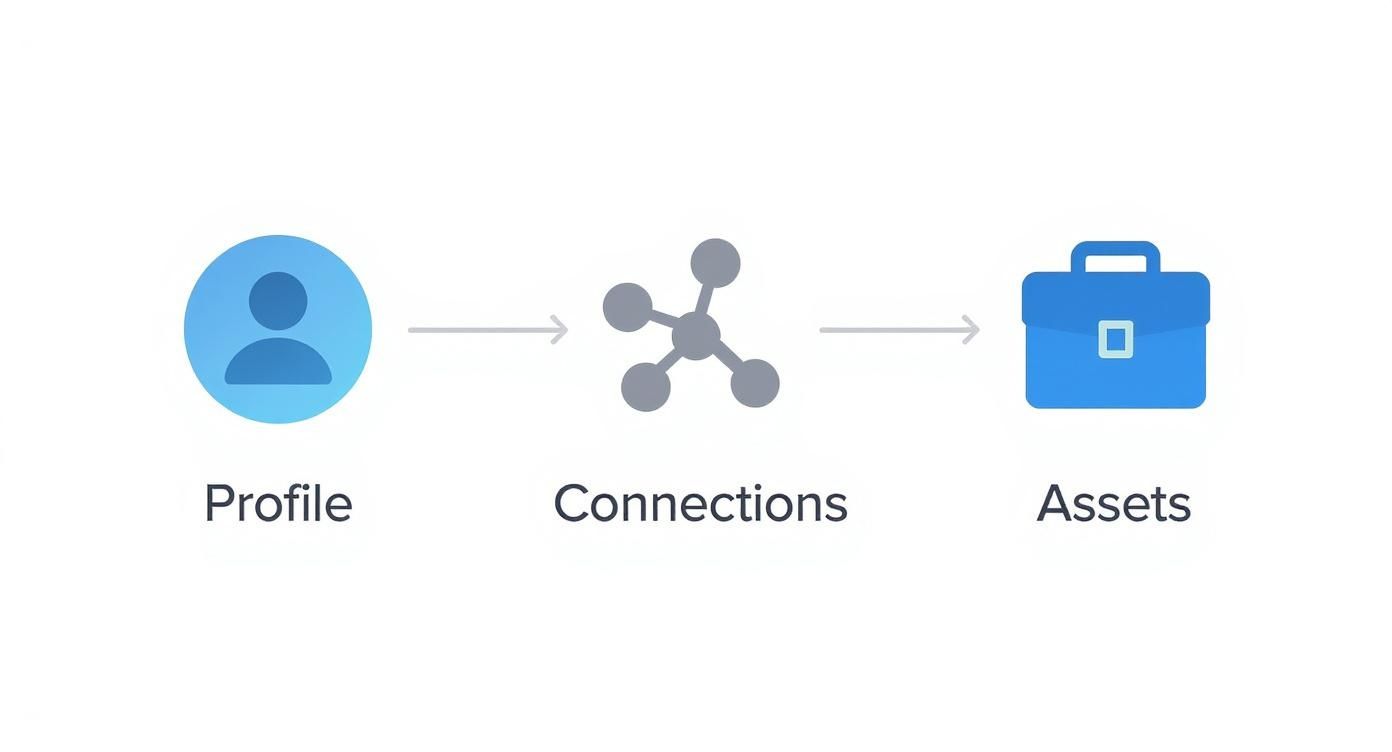
When you have your profile, network, and assets sorted beforehand, this whole setup process goes from being a tedious task to a smooth, strategic move.
Company vs. Showcase Page: What's the Difference?
Right off the bat, LinkedIn will ask you what kind of page you want to create. For 99% of businesses just getting started, the answer is “Company.” This creates the central, main hub for your entire organization on the platform.
So what's a “Showcase Page”? Think of it as a specialized sub-page that branches off from your main Company Page. It’s designed to put a spotlight on a specific product line, a distinct brand under your corporate umbrella, or a major initiative. For example, Microsoft has its main Company Page, but also Showcase Pages for products like Microsoft Azure or Surface. You can't create one without having a main page first.
For now, stick with "Company" to build your primary brand presence. You can always circle back and add Showcase Pages later on as your business grows and you need to speak to different audience segments.
Once you hit "Company," you'll be taken to the creation form. This is where you'll start plugging in your details. Each field is a chance to boost your page’s visibility and nail that first impression.
Filling in the Core Details
Now it's time to fill in the blanks. This isn't just data entry; it’s your first opportunity to optimize your page for search and make it instantly clear what you're all about.
- Name: Simple enough. Use your official business name. Keep it clean and exactly as customers would search for it.
- LinkedIn public URL: This one’s important. Customize your URL to be something clean and memorable, like
linkedin.com/company/yourbrandname. A custom URL looks far more professional and is way easier to share. - Website: Drop in the link to your company’s homepage.
- Industry, Company size, Company type: Choose the options from the dropdowns that best fit your business. Be accurate here, as it helps LinkedIn categorize you.
Next up, your logo. This is the visual anchor for your brand across the entire platform, so make it count. Use a high-quality, square image—LinkedIn recommends 400 x 400 pixels. If you need a deeper dive on all the different visual specs, our guide on LinkedIn post image sizes has all the details you'll need.
Finally, your tagline. This is more than just a snappy slogan; it’s your 120-character elevator pitch. It should be compelling, packed with relevant keywords, and clearly state who you are and what you do. A strong tagline can be the single thing that convinces someone to click that "Follow" button.
Once everything is filled out, tick the verification box to confirm you're an authorized representative, and then hit “Create page.”
Just like that, your LinkedIn Company Page is officially live! Now the real work begins: optimizing it and filling it with great content.
Optimizing Your Profile for Discovery and Engagement

Hitting "Create Page" is just the starting line. An empty profile is practically invisible on a platform buzzing with activity, so now it’s time to transform that basic framework into a real hub for your brand.
This is where you infuse your brand's personality, optimize for search, and make it incredibly easy for visitors to know exactly who you are and what they should do next. Don't skip this part—businesses with complete LinkedIn pages get around 30% more weekly views. To tap into a network of over 1.2 billion members, every single detail counts. You can learn more about LinkedIn's powerful reach and user statistics to see just how big the opportunity is.
Craft a Compelling About Section
Your "About Us" section is arguably the most important piece of real estate on your page. You have up to 2,000 characters to tell your story, and you need to make every one of them work for you. This isn't just a company bio; it's your primary SEO tool on the platform.
Think about the phrases and questions your ideal customers would type into a search bar. Weave these keywords naturally into your description, especially within the first paragraph. A financial consultant, for instance, should be including terms like "small business financial planning," "cash flow management," and "startup funding strategies."
Your LinkedIn "About" section is indexed by Google. Treat it like a core page on your website, writing for both human readers and search algorithms to maximize your visibility both on and off the platform.
Master Your Visual Branding
First impressions are overwhelmingly visual. Your logo and cover photo are the digital storefront for your brand, so they need to be sharp, professional, and on-brand. A blurry or poorly cropped image immediately signals a lack of attention to detail—something no business wants.
Your logo should be a crisp, clear square image. Easy enough. But your cover photo is where you can really tell a story. Instead of a generic stock photo, use it to showcase your team, feature a powerful customer quote, or highlight a core value proposition with a clean text overlay.
Here’s a quick guide to nail your visual branding right from the start.
LinkedIn Company Page Image Specifications
| Visual Element | Recommended Dimensions (pixels) |
|---|---|
| Logo Image | 400 x 400 |
| Cover Image (Banner) | 1536 x 768 |
Getting these dimensions right ensures your visuals look professional across all devices, from a wide desktop monitor to a vertical smartphone screen. No awkward cropping or pixelation.
Configure Your Call-to-Action
LinkedIn gives you a prominent custom button right at the top of your page, next to the "Follow" button. This is your chance to guide visitors toward a specific, valuable action. Don't just leave it on the default setting.
You have several solid options to choose from:
- Visit website: The most common choice, perfect for driving traffic to your homepage or a key landing page.
- Contact us: Ideal for service-based businesses that want to encourage direct inquiries.
- Learn more: A great option for linking to a detailed service page, case study, or resource hub.
- Sign up: Perfect for promoting a newsletter, webinar, or free trial.
- Register: Use this for time-sensitive events like workshops or course enrollments.
Align this button with your current business goals. If you're launching a new online course, switching the CTA to "Register" for a few weeks can significantly boost sign-ups.
Use Hashtags and Locations to Boost Visibility
To further refine how people discover your page, you can associate it with specific topics and physical locations. LinkedIn lets you add up to three hashtags that best represent your page's focus. These act as topic tags, helping the algorithm show your page to users interested in those subjects.
Additionally, adding your business locations makes you discoverable to local audiences. This is crucial for businesses serving specific geographic areas, as it helps you appear in location-based searches and connect with the community right outside your door. It's a simple step that directly impacts your local relevance.
Launching Your Initial Content Strategy
A perfectly optimized LinkedIn Page without any content is like a grand opening for an empty store. You’ve done all the hard work setting it up, but there’s nothing to show for it. To avoid launching to crickets, you need to have an initial content plan ready to roll from day one.
This doesn't mean you need a ten-person marketing team. It just takes a little bit of foresight.
Your first goal is simple: signal to visitors that your page is an active, valuable resource they should follow. The best way to do this is by outlining three to five core content pillars. Think of these as the main themes you'll talk about over and over again. For a B2B tech company, these might be Industry Trends, Product Updates, Company Culture, and Customer Success Stories.
Building Your Foundational Content
Once you have your pillars locked in, it's time to brainstorm a few posts for each. You don't need a month's worth of content queued up, just enough to make a strong first impression for anyone who lands on your new page.
Here are a few proven ideas I've seen work time and again:
- Your Mission or "Why" Story: Kick things off with a post explaining your company's purpose. What problem are you here to solve? Why should people care?
- Meet the Team/Founder Spotlight: People connect with people, not logos. A simple post introducing a key team member or the founder can instantly humanize your brand.
- An Industry "Hot Take": Don't just be a spectator. Share a unique perspective on a current trend in your field. This is how you start positioning your brand as a thought leader.
- A Behind-the-Scenes Look: Post a photo or a quick video of your team working on a project or during a company event. It’s a great way to showcase your culture.
As you plan, think about mixing up your formats. Things like LinkedIn Carousel Ads can be a fantastic way to tell a richer brand story right out of the gate.
Creating a Simple and Consistent Posting Schedule
When you're just starting, consistency beats frequency every time. My advice? Aim for two to three high-quality posts per week. That’s it.
A simple spreadsheet can be your best friend here—use it as a content calendar. Just map out your first couple of weeks to make sure you have a steady stream of content ready for your new followers.
This initial push is so important because LinkedIn is an absolute powerhouse for B2B. A whopping 97% of B2B marketers use the platform for content marketing, and an incredible 80% of B2B social media leads come directly from LinkedIn. The numbers don't lie.
The biggest mistake I see new pages make is posting like crazy for a week and then going silent. A tool like PostFlow is a lifesaver here. It helps you schedule content and maintain a regular cadence, keeping your page active even when you're swamped with a million other things.
Of course, once you start posting, the real work begins: figuring out what your audience actually cares about. We dive deep into that in our guide on how to analyze content performance.
Your Top Questions About LinkedIn Company Pages, Answered
Even the best guides leave a few questions unanswered. After helping dozens of founders and consultants get their LinkedIn Pages off the ground, I've noticed a few questions that pop up time and time again.
Let's clear up some of the most common sticking points. Getting these right from the start will save you a ton of headaches down the road.
Do I Really Need a Personal Profile to Create a Business Page?
This is probably the number one question I get, and the answer is a firm yes. You absolutely cannot create a LinkedIn Company Page without an active personal profile. Think of it this way: LinkedIn needs to know a real, accountable human is behind the brand.
Your personal profile acts as the key holder. It’s the administrative anchor that gives you access to create and manage the page.
To get the green light, your personal profile needs to meet a few basic requirements:
- It must be at least seven days old.
- Your profile strength needs to be rated ‘Intermediate’ or ‘All-Star’.
- You need to have a decent number of connections (LinkedIn is a bit vague on the exact number, but it’s more than a handful).
Whoever creates the page is automatically assigned the role of Super Admin. Don't worry, you can—and definitely should—add other team members as admins later to share the responsibility.
What’s the Deal with Company Pages vs. Showcase Pages?
Getting this distinction right is crucial for organizing your brand’s presence on LinkedIn. A Company Page is your main hub, the central headquarters for your entire business. It's the face of your brand as a whole.
A Showcase Page, on the other hand, is a dedicated extension of your main page. It’s built to put a spotlight on a specific product line, a unique service, or a major initiative. You can't have a Showcase Page without first having a main Company Page.
For instance, a big software company like Adobe has its main Company Page. But it could also create separate Showcase Pages for its Creative Cloud suite and its Experience Cloud platform. This lets them create super-targeted content for different audiences without muddying the waters on their main page.
My take: Think of your Company Page as the main department store. The Showcase Pages are the individual designer boutiques inside. Each caters to a specific customer, but they're all part of the same parent brand.
How Do I Get My First 100 Followers? It Feels Like a Grind.
Getting that initial traction can feel slow, but it's more about smart tactics than luck. That first push is all about tapping into the network you already have.
First, invite your personal connections. This is the lowest-hanging fruit. LinkedIn gives you a stash of credits to invite people from your network to follow the new page. Use them.
Next, mobilize your team. Have every single employee add your company to the "Experience" section of their personal profile. This simple action does two things: it automatically makes them a follower, and it creates a direct link back to your page from their profile. It's a small change with a big impact.
Finally, cross-promote everywhere. Add your LinkedIn page link to your website footer, your email signature, and blast an announcement across your other social channels. The key is to start sharing valuable content immediately and get your team to engage with it to give it an initial boost in the algorithm.
Help! Why Isn't My Company Page Showing Up in Search?
It’s super frustrating when you launch your shiny new page and it’s nowhere to be found in search results. Don't panic. This is a common issue, and it usually boils down to one of three things.
First, give it time. Search algorithms on LinkedIn and Google need a bit of time to find, crawl, and index a brand-new page. It’s not an instant process.
Second, a half-finished profile is an invisible profile. The algorithm favors pages that are 100% complete. If you skimped on any sections, go back and fill in every single field.
Third, you might be missing your keywords. This is a big one. Your "About Us" summary and tagline need to be packed with the exact terms and phrases your ideal customers would use to find you. On top of that, consistent posting signals to the algorithm that your page is active and relevant, which will seriously help your search ranking over time.
Once your page is up and running, the real work begins: creating a consistent stream of content that showcases your expertise. That's where PostFlow comes in. Emilia, your AI content strategist, interviews you to pull out your best ideas and transforms them into engaging, ready-to-publish posts. Stop the content scramble and start building your brand's authority today at https://gopostflow.com.

