
You landed the client. Awesome. But the moments after the contract is signed? That's where the real work begins.
This isn't just about sending a welcome email and grabbing their login details. A clunky, disorganized start can inject doubt and friction into a brand-new partnership, jeopardizing everything before you've delivered a single result.
This is exactly why a rock-solid client onboarding process template is non-negotiable. It’s your system for welcoming new clients, gathering what you need, and setting the stage for a killer partnership. It transforms that post-sale chaos into a smooth, repeatable workflow that builds trust from day one.
Why a Solid Client Onboarding Process Matters
Think of your onboarding as the first promise you keep. It’s how you prove that the confidence they showed in your sales pitch was well-founded. A thoughtfully designed process shows you’re a pro, sets crystal-clear expectations, and heads off the scope creep and miscommunication that can sink projects.
It’s the difference between a client feeling confident they made the right call and a client hit with a wave of buyer's remorse.
Build Trust from the First Interaction
First impressions stick. When a new client gets a professional welcome packet, a clear timeline, and an invite to a structured kickoff call, it sends a powerful message: you are organized, you are prepared, and you value their business.
This initial shot of competence builds a foundation of trust that will see you through any bumps down the road.
On the flip side, a chaotic start—rushed emails, forgotten questions, a general vibe of unpreparedness—shreds that trust instantly. It makes the client wonder if they made a mistake, turning an exciting new beginning into a mess of anxiety.
Boost Client Retention and Satisfaction
The link between a smooth onboarding and long-term loyalty is undeniable. Projections for 2025 suggest that nearly 90% of users are likely to churn without strong onboarding. That’s a staggering number.
Companies that get personal during this phase see a 65% higher customer renewal rate, and simply personalizing the flow can boost retention by around 40%. The data is clear: clients who feel supported and valued from the get-go are far more likely to stick around.
You put in the hard work learning how to get freelance clients; making sure they stay is the critical next step. Your onboarding template is your number one tool for making that happen.
Drive Efficiency and Scalability
Without a template, you're forced to reinvent the wheel for every single client. This is a massive time-suck, pulling you into administrative busywork instead of high-impact, strategic tasks. A standardized onboarding process gives you a repeatable framework that guarantees quality and consistency, no matter who on your team is running point.
This systemization pays off in a few key ways:
- Less Manual Work: You'll spend way less time drafting the same emails, scheduling calls, and chasing down info.
- Guaranteed Consistency: Every client gets the same high-caliber experience, which reinforces your brand's reliability.
- Built for Growth: As you scale, you can bring on new clients and team members without your process completely falling apart.
To make this super clear, I’ve broken down the must-have elements your template needs.
Core Components of a Successful Onboarding Template
Here is a quick summary of the essential elements your client onboarding process template must include to be effective.
| Component | Purpose | Example Action Item |
|---|---|---|
| Welcome Packet | To provide all essential info upfront and reinforce their buying decision. | Send a branded PDF with team intros, communication channels, and a project overview. |
| Kickoff Call Agenda | To structure the first meeting for maximum clarity and alignment. | Outline goals, roles, and a 30-day timeline. |
| Information Gathering | To collect all necessary assets and access credentials efficiently. | Use a secure form (like one from Tally) to request logins, brand assets, and key contacts. |
| Timeline & Milestones | To set clear expectations for deliverables and project progression. | Create a shared project plan in a tool like Asana with key dates. |
| Communication Plan | To define how, when, and where you'll communicate. | Specify weekly check-in calls and the primary Slack channel for daily questions. |
Putting these pieces together isn't just about ticking boxes. It's about building a machine that nurtures relationships and drives growth.
Ultimately, a strong onboarding process is more than a checklist. It’s a strategic asset that builds trust, keeps clients happy, and gives you the operational backbone you need to scale successfully.
Building Your Master Onboarding Template
Alright, let's get to the good part—turning theory into a real, tangible asset for your business. Creating your master client onboarding process template isn’t about setting rigid rules. It’s about building a reliable framework you can tweak for each new client relationship. This is the system that ensures nothing falls through the cracks and saves you from reinventing the wheel every single time.
I like to break this down into three core phases: everything that happens before the first official meeting, the all-important kickoff call itself, and the immediate follow-up actions that get the project moving. When you structure your template this way, you create a natural flow that guides both your team and your new client from a signed contract to that first critical win.
This is what we're aiming for: turning that initial (and totally normal) client confusion into a structured partnership that leads to them sticking around for the long haul.
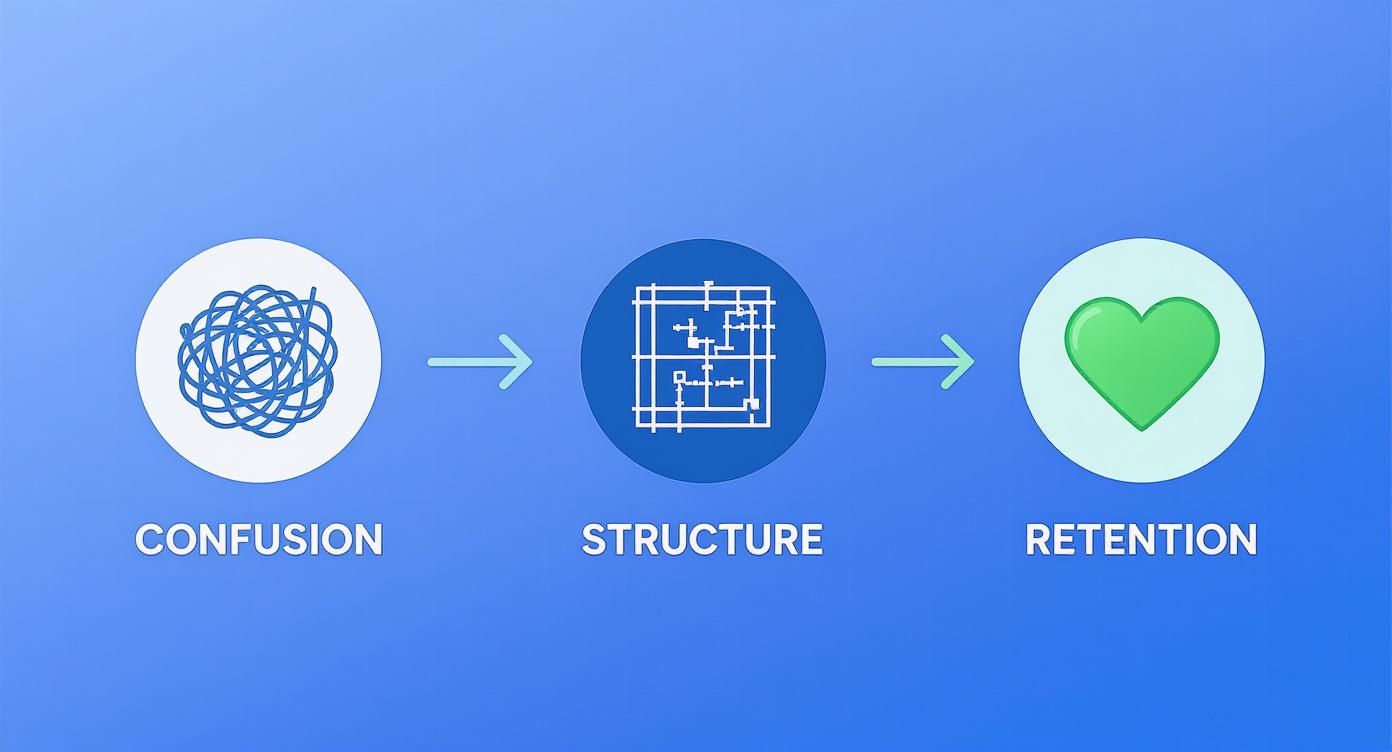
Think of your template as the bridge that converts the uncertainty of a new project into the confidence and clarity needed for a successful partnership.
Phase 1: The Pre-Kickoff Stage
The second that contract is signed, your onboarding process officially kicks off. This first phase is all about handling the logistics, setting the right tone, and making your new client feel like they absolutely made the right choice. The goal is to get all the admin tasks done efficiently while showing off your professionalism from day one.
Your template needs a simple checklist for this stage:
- Contract Signed & Stored: This is your trigger. Get that signed agreement filed away in your central system.
- Invoice for Deposit Sent: Handle the money stuff promptly. Fire off that initial invoice right away, just as the contract outlines.
- Client Added to Your Systems: Get them set up in your CRM, project management tool (like Asana or Trello), and any communication platforms you use (like Slack).
- Internal Team Notification: Let the project team know you have a new client. Share the key details about the project scope and what you're trying to achieve together.
Once the logistics are sorted, it's time for the welcome packet. This isn't just a formality; it's your first real chance to manage expectations and provide immediate value.
A great welcome packet does more than just say 'hello.' It proactively answers the questions every new client has, like 'Who do I talk to?', 'When can I expect updates?', and 'What do you need from me right now?'
This could be a branded PDF or even a dedicated page on a client portal. Make sure it includes a project timeline overview, intros to their main points of contact (with photos!), and clear communication guidelines. Outlining your business communication best practices right here prevents so many future headaches over response times or which channel to use for what.
Phase 2: The Kickoff Call
The kickoff call is the heart of your onboarding. This is a strategic alignment session, not just a casual chat. Your template absolutely must have a detailed agenda to keep this meeting productive and ensure everyone leaves feeling energized and crystal clear on what's next.
A poorly run kickoff can kill the momentum you've just built. The trick is to control the flow and keep the focus on collaboration.
Sample Kickoff Call Agenda Template
- Introductions (5 mins): Go beyond just job titles. Have everyone on both sides share their role in the project and one thing they’re excited to accomplish.
- Project Vision & Goal Review (15 mins): Reiterate the main goals from the client's perspective. I find it helpful to frame it like this: "Our understanding is that success for this project looks like X, Y, and Z. Is that still accurate?" This confirms you're on the same page and gives them a chance to add any new thoughts.
- Defining Roles & Responsibilities (10 mins): Be explicit. State who the main point of contact is on your team and confirm who has the final say on their team.
- Timeline & Key Milestones (10 mins): Walk them through the project plan, but focus on the first 30-60 days. Highlight the first major deliverable and be specific about what you'll need from them to hit that deadline.
- Tools & Communication Rhythm (5 mins): Briefly explain the tech stack. For instance, "We'll manage tasks in Asana and use a shared Slack channel for quick questions." Set the cadence: "You can expect a weekly progress email from us every Friday afternoon."
- Next Steps & Q&A (5 mins): End with a clear, actionable summary. Something like, "Okay, so after this call, I'll send a recap and invite you all to Slack. Your first task will be to get us those brand assets by Wednesday."
This kind of structure shows you respect everyone's time and keeps things moving efficiently.
Phase 3: The Post-Kickoff Transition
What happens in the 48 hours after the kickoff call is just as important as the call itself. Momentum is high, and your job is to capitalize on it by moving smoothly from planning to doing. Your template must spell out the immediate follow-up sequence to avoid that dreaded post-meeting lull.
This phase is all about activation. You need to get both the client and your team moving on the first real tasks.
Here’s a quick checklist for your post-kickoff workflow:
- Send a Recap Email: Within a few hours, send an email summarizing the key decisions made and action items with owners assigned. Attach the presentation or any notes.
- Send All Tool Invitations: Don't wait. Immediately invite their team to the project board, Slack channel, or any other tools you'll be using together.
- Schedule Recurring Meetings: If you have weekly check-ins, get them on the calendar right now while everyone is thinking about it.
- Assign First Tasks: In your project management tool, officially assign those first few tasks to both your team and the client. This makes the work feel real and gets the ball rolling.
For example, a marketing agency's first client task might be, "Complete the Audience Persona Questionnaire by EOD Friday." For a developer, it could be, "Provide access credentials for the staging server." These small, initial actions build momentum and establish a pattern of collaborative work right from the start.
Customizing Your Onboarding for Different Business Models
So, you’ve built a master client onboarding process template. It’s tempting to just hit “copy” and run with it for every new client, but let’s be real—a one-size-fits-all approach just doesn't cut it.
A freelancer's needs are worlds away from a large marketing agency or a SaaS startup. The real magic of a good template isn't its rigidity; it's how easily you can adapt it. Making a few smart tweaks based on your business model creates a killer first impression, builds instant rapport, and sets the project up for success before you even begin.
Onboarding for Freelancers
As a freelancer, your most precious resources are your time and your expertise. Your onboarding has to be ruthlessly efficient. It’s all about setting clear boundaries, locking down the scope, and positioning yourself as a strategic partner—not just a pair of hands for hire.
Forget the drawn-out, multi-person kickoff calls. A tight, one-on-one session with a clear agenda is your best friend. The goal is to get what you need fast while showing the client you’re a pro who’s in control.
Here’s how to adjust your template for freelancing:
- Lock Down the Scope: Your welcome packet and kickoff call need to hammer home what’s included and—more importantly—what’s not. Add a bolded section called "What’s In Scope (and What’s Out)" to kill scope creep before it even starts.
- Simplify Info Gathering: Use one straightforward intake form to grab all the assets and logins you need upfront. Ditch the back-and-forth emails that eat up your day.
- Set Your Boundaries: Spell out your working hours, how you prefer to communicate, and your typical response times right in the welcome materials. This manages expectations from day one.
Onboarding for Marketing Agencies
Agency onboarding is a whole different ballgame. You're juggling multiple stakeholders on the client's side, coordinating your own internal team, and managing complex, long-term projects. Your process needs to be robust, collaborative, and built to get everyone on the same page.
The focus shifts from solo efficiency to seamless team integration. You have to prove you’re a well-oiled machine they can trust. A messy onboarding process makes a new client wonder if you can actually manage their account.
Your agency's onboarding template needs these key elements:
- Team Introductions: Create a "Who's Who" page in your welcome packet. Include photos, roles, and bios for the account manager, key specialists, and anyone else the client will interact with. It puts a human face on the agency.
- Stakeholder Alignment: The kickoff call is your golden opportunity to get every client stakeholder in the room (even a virtual one) to agree on KPIs. Document these goals and send them out for sign-off immediately after the meeting.
- System Integration: This goes way beyond a simple Slack invite. It's about setting up shared dashboards, client portals, and report access. Pro tip: record short video tutorials showing them how to navigate everything.
An agency's onboarding success is measured by how quickly the client feels like you're an extension of their own team. It's about building a seamless, collaborative partnership from the moment the contract is signed.
Onboarding for Consultants
For consultants, onboarding is less about logistics and more about deep-dive discovery. Clients hire you for your brain, so your process has to be designed to extract every last drop of information about their business challenges. Think of it as a period of intense listening and analysis.
Your template should feel less like a checklist and more like a structured diagnostic. It’s about building the foundation for high-level strategic work.
Here are the essential tweaks for a consultant's template:
- Deep Discovery Questionnaire: Go way beyond the basics. Ask probing questions about their biggest headaches, what they’ve tried before, where they sit in the market, and what success really looks like to their leadership team.
- Initial Audit Phase: Build a dedicated "Discovery & Audit" phase right into your onboarding timeline. This sets the expectation that your first deliverable will be a strategic analysis, not a rush to execution.
- Strategic Kickoff Session: Don't just call it a "kickoff." Frame it as a strategic workshop. The goal is to walk away with a crystal-clear, shared understanding of the core problem you've been hired to solve.
Putting in the work to create a structured onboarding process pays off big time. Research shows that solid onboarding can boost new hire productivity by over 70%, and that principle applies just as much to new clients. When you consider what businesses spend to get a client in the door, optimizing this first experience is a no-brainer. It gets them to see the value in your work, faster. You can check out a full analysis of these onboarding statistics at hibob.com.
Automating Your Onboarding Workflow
Let’s be honest, manually sending every welcome email, chasing down client info, and scheduling kickoff calls is a fast track to burnout. Efficiency is the key to scaling your business without sacrificing quality, and this is where automating your client onboarding process template really shines.
It’s not about creating a cold, robotic experience. It’s about automating the administrative noise so you can spend your time where it counts—building that crucial client relationship.

By connecting the tools you probably already use, you create a seamless workflow that hums along in the background. This frees up your team to focus on the high-value, strategic work that actually gets results for your clients.
Choosing Your Automation Stack
You don't need a massive, expensive tech stack to get started. The secret is picking a few smart tools that solve specific problems in your process and—this is key—can talk to each other.
A solid, simple automation stack for onboarding usually includes:
- A Scheduling Tool: Something like Calendly is a must. It completely eliminates the painful email back-and-forth of finding a meeting time. Just drop a link in your welcome email, and clients can book a kickoff call based on your real-time availability.
- A CRM: Your Customer Relationship Management system is your command center. As soon as you mark a deal as "won," it should kick off the entire onboarding sequence. Finding the best CRM for agencies is a foundational step you can't skip.
- An Integration Platform: Think of a tool like Zapier as the digital duct tape holding everything together. It watches for a trigger in one app (like a signed contract) and then automatically tells another app to do something (like create a new project board in Asana).
The goal here is a chain reaction. One client action triggers a cascade of automated tasks, moving them smoothly through the first few steps without you lifting a finger.
Real-World Automation Examples
So, what does this actually look like? Imagine a new client just signed your proposal using a tool like PandaDoc.
Here’s an automated workflow that could happen instantly:
- Proposal Signed (The Trigger): The signature in PandaDoc fires off a "Zap" in Zapier.
- Project Created: Zapier instantly creates a new project in your project management tool, cloning a pre-built template that already has all your standard onboarding tasks listed out.
- Welcome Email Sent: At the same time, Zapier tells your email platform to send out your personalized welcome email sequence, complete with that Calendly link to book the kickoff call.
- Client Folder Made: Another action spins up a new client folder in Google Drive or Dropbox, ready and waiting for their files.
This entire sequence happens the moment the ink is dry on the contract. Your client gets an immediate, professional response, and your team gets a fully prepped project workspace without any manual setup. It's a win-win.
Modern tools can take this even further. For a deep dive into streamlining this initial journey, check out this great guide to automating user onboarding.
The Impact of AI in Onboarding
Artificial intelligence is also changing the game. I’ve seen teams reduce client drop-offs by 28% just by integrating AI-powered chatbots into their onboarding. Even better, these bots can slash initial support tickets by a staggering 65%.
They handle the common, repetitive questions instantly, giving clients immediate answers and a much smoother experience from day one.
Measuring Your Onboarding Success
You can't fix what you don't measure. After all the work you’ve put into crafting a brilliant client onboarding process template, the real work begins: tracking how it actually performs in the wild. This isn’t about chasing vanity metrics; it’s about getting real data to see what’s clicking with clients, what’s causing headaches, and where you can make changes that truly matter.
Taking a data-driven approach turns your static checklist into a living, breathing system that gets better with every new client. By zeroing in on the right Key Performance Indicators (KPIs), you get an unbiased look at both client happiness and your own team's efficiency.

Honestly, this is how you spot those little friction points before they snowball into big problems, guaranteeing a smoother ride for everyone you work with.
Key Metrics to Track for Onboarding Performance
To get a clear picture of how well your onboarding is working, you don't need a hundred different metrics. Just focus on a few critical ones that give you a balanced view, covering everything from the initial setup speed to long-term client health. Each one tells a crucial part of the story.
A few metrics I always keep an eye on are the task completion rate, the total time it takes to get a client fully up and running, and the number of support tickets filed in the first few weeks. Think about it: a high completion rate is a great sign that your process is clear and easy to follow. On the other hand, if you see a sudden spike in support tickets, it’s a red flag that a specific step is confusing people. You can dig deeper into tracking customer onboarding metrics at onramp.us.
Beyond those basics, I’d strongly recommend tracking these as well:
- Time to First Value (TTFV): How quickly does a new client get their first "aha!" moment or tangible win from your service? A shorter TTFV is one of the strongest predictors of long-term success.
- Client Satisfaction Scores (CSAT/NPS): Just ask! A simple CSAT survey right after onboarding or a Net Promoter Score (NPS) question a month in will give you priceless feedback.
- Feature Adoption Rates: If you're a SaaS or service-based business, pay attention to which features new clients are actually using. If a key feature is being ignored, it probably points to a gap in your initial training.
Turning Data Into Actionable Improvements
Okay, collecting the data is just step one. The real magic happens when you analyze it to spot patterns and then—this is the important part—use those insights to make your client onboarding process template even better. I recommend setting up a simple dashboard to keep these KPIs front and center and reviewing them with your team regularly.
If you notice that TTFV is taking too long, start digging for the bottlenecks. Are clients stuck waiting for you to send over credentials? Is the kickoff call a 90-minute info-dump that leaves them overwhelmed? Maybe you need to break down the first few tasks into smaller, bite-sized wins.
Consistently reviewing your onboarding KPIs is like having a constant feedback loop with your clients. It allows you to move from making assumptions about their experience to making informed decisions based on their actual behavior.
A high number of early support tickets all asking the same question is a gift. It's a flashing neon sign telling you that a specific part of your process—like setting up a tricky integration—is broken. Your move? Create a quick two-minute tutorial video or add a clearer explanation to your welcome guide.
This kind of proactive fix doesn't just improve the experience for the next client. It also frees up your support team to handle more complex issues.
Onboarding KPIs and What They Tell You
Tracking the right metrics gives you a roadmap for improvement. Here’s a quick breakdown of what to watch and what it means for your process.
| KPI (Metric) | What It Measures | Actionable Insight |
|---|---|---|
| Time to First Value (TTFV) | The time it takes for a client to achieve their first significant outcome or "win." | A long TTFV signals friction. Simplify initial steps, create "quick win" tasks, or provide better upfront guidance. |
| Client Satisfaction (CSAT/NPS) | Direct feedback on the client's happiness with the onboarding experience. | Low scores point to specific pain points. Use survey feedback to identify and fix confusing steps or communication gaps. |
| Onboarding Completion Rate | The percentage of clients who successfully complete all required onboarding steps. | A low rate means clients are getting stuck or dropping off. Re-evaluate the clarity of instructions or the complexity of tasks. |
| Early Support Ticket Volume | The number of support requests from new clients within the first 30-60 days. | A high volume, especially on one topic, indicates a confusing part of your process that needs a better explanation or a tutorial. |
| Feature Adoption Rate | The percentage of new clients who use key features of your product or service. | Low adoption of crucial features suggests your onboarding isn't effectively demonstrating their value. Improve training materials. |
By keeping a close eye on these numbers, you’re not just guessing anymore. You’re actively listening to what your clients’ actions are telling you and making smart, informed decisions to create an onboarding experience that people rave about.
Onboarding Pitfalls: Sidestepping the Common Traps
You can have the most dialed-in client onboarding process template on the planet, but tiny missteps can still create friction and sour a new client relationship before it even gets off the ground. I’ve seen it happen. Many of these slip-ups are just simple oversights, but they can have a surprisingly big impact.
The real goal here isn’t just dodging bullets; it’s about actively building confidence from day one. It's about showing your new client, "Hey, you're in good hands." Avoiding these common mistakes makes sure your carefully planned process actually works and sets a great tone for everything that follows.
The Kickoff Call Info-Dump
One of the most common blunders I see is trying to cram everything into the kickoff call. You're excited, I get it. You want to share all the plans and details. But this usually leaves clients feeling completely overwhelmed, not empowered. They don't need a crash course in your entire methodology on day one.
Instead of a data dump, make the kickoff about alignment and what needs to happen right now.
- Pace yourself: Stick to the big-picture goals, the plan for the next 30 days, and what you need from them this week.
- Lean on your welcome packet: This is the perfect place to put detailed info like tool tutorials or team bios. They can go through it on their own time.
- Focus on the "Why": Keep tying everything back to their main project goals. This keeps the conversation strategic and valuable, not just a list of tasks.
This approach shows you respect their time and mental bandwidth, which makes the whole meeting a lot more productive—and way less intimidating.
"We'll Be in Touch" and Other Vague Promises
Let me be blunt: "We'll be in touch regularly" is not a communication plan. When you don't set crystal-clear expectations for how, when, and where you'll communicate, you're just creating a recipe for anxiety on both sides. The client is left guessing whether to email, ping you on Slack, or call, and they have no idea when to expect a reply.
Setting up a simple communication charter is one of the highest-leverage things you can do during onboarding. It kills the guesswork and builds a foundation of trust and reliability right from the start.
Your charter should spell it out: your team’s business hours, target response times (e.g., 24 hours for email, 2 hours for Slack), and what each tool is for. For instance, make it clear that Slack is for quick questions, while email is for formal approvals and weekly summaries. No more confusion.
Forgetting to Celebrate the Small Stuff
Onboarding isn't just a checklist of administrative chores; it's the start of a partnership. A major oversight is just grinding from one task to the next without ever pausing to acknowledge progress. If you forget to celebrate the small, early wins, the whole initial phase can feel like a thankless slog for the client.
Build these moments right into your project plan. Make a point to celebrate them. It can be as simple as a quick email saying, "Great news! We've successfully integrated the analytics, and we’re officially up and running." These little acknowledgments build momentum, prove the value you're delivering, and keep your client’s energy and excitement levels high.
Your Onboarding Questions, Answered
Even with the slickest onboarding template, real-world questions always pop up. I get it. After refining these processes for years, I've heard just about everything. Here are the quick-and-dirty answers to the most common questions I hear from agencies, consultants, and freelancers in the trenches.
What Should Go Into a Client Welcome Packet?
Think of your welcome packet as the official kickoff—the first tangible piece of the experience you promised. Its job is to answer their immediate questions before they even have to ask and make them feel brilliant for hiring you.
A solid welcome packet always starts with a personal welcome note and an intro to their main point of contact. But the real magic is in setting expectations from day one. You absolutely need to include:
- A high-level project timeline showing the first few big milestones.
- Clear communication guidelines—your office hours, how to reach you, and when they can expect a reply.
- Direct links to all the essential tools, like their Trello board or shared Google Drive folder.
- The first invoice or a simple breakdown of the payment schedule.
Getting this one document right can save you from a dozen back-and-forth emails and immediately establishes a professional, organized tone.
How Long Should Client Onboarding Actually Take?
This is the classic "it depends" answer, but for a good reason. The timeline is completely dictated by the complexity of the work. For a freelancer writing a few blog posts, you might be up and running in a couple of days. But for a complex software implementation or a full-scale agency project, onboarding could easily stretch over several weeks.
The goal isn't speed for speed's sake; it's about building momentum. Your real focus should be on getting the client their first tangible "win" as smoothly as possible. That first taste of value is a powerful predictor of a successful, long-term relationship.
How Can I Make My Onboarding Feel More Personal?
This is where you build real rapport and stand out. Personalization shows you were actually listening during the sales calls and that you see them as a partner, not just an invoice. It's easier than you think.
Start simple: use their name and company name in your templates. But to really make an impact, reference specific goals or pain points they brought up in your initial conversations.
Want to go the extra mile? A small, thoughtful welcome gift or a quick, personalized video from their account manager can work wonders. That human touch makes a new client feel seen and understood right from the get-go, and that's priceless.
Ready to stop reinventing the wheel and build a client base that sticks around? PostFlow helps you turn your expertise into consistent, high-value content on LinkedIn. Let Emilia, your AI content strategist, interview you and transform your ideas into posts that attract your ideal clients.
Start growing your presence today at https://gopostflow.com.

