
Juggling leads in spreadsheets, tracking client communication in siloed inboxes, and managing projects with sticky notes is a recipe for missed deadlines and lost revenue. For a growing agency, this ad-hoc approach simply doesn't scale. A Customer Relationship Management (CRM) system isn't just another piece of software; it's the central nervous system for your client acquisition, project management, and business development efforts. It transforms chaos into a streamlined, predictable engine for growth.
But finding the best crm for agencies is not a one-size-fits-all solution. A creative agency focused on branding has vastly different needs than a performance marketing agency managing dozens of ad campaigns. The ideal platform depends entirely on your specific services, sales cycle complexity, team size, and existing tech stack. This guide cuts through the marketing noise to give you a clear, practical comparison of the top contenders. If you need a refresher before diving in, exploring the customer relationship management basics can provide a solid foundation for how these systems operate.
We've done the heavy lifting to evaluate each CRM based on the criteria that matter most to agencies:
- Client & Project Management: How well does it handle the entire client lifecycle, from lead to final invoice?
- Pipeline & Sales Features: Is it built for complex, multi-stage agency sales processes?
- Scalability & Cost: What is the true cost of ownership as your team and client base expand?
- Integrations: How seamlessly does it connect with your essential tools for proposals, reporting, and content creation?
Below, you'll find a detailed breakdown of each platform, complete with direct links, screenshots, pros and cons, and our honest assessment of which type of agency it serves best. Let's find the right CRM to power your growth.
1. GoHighLevel
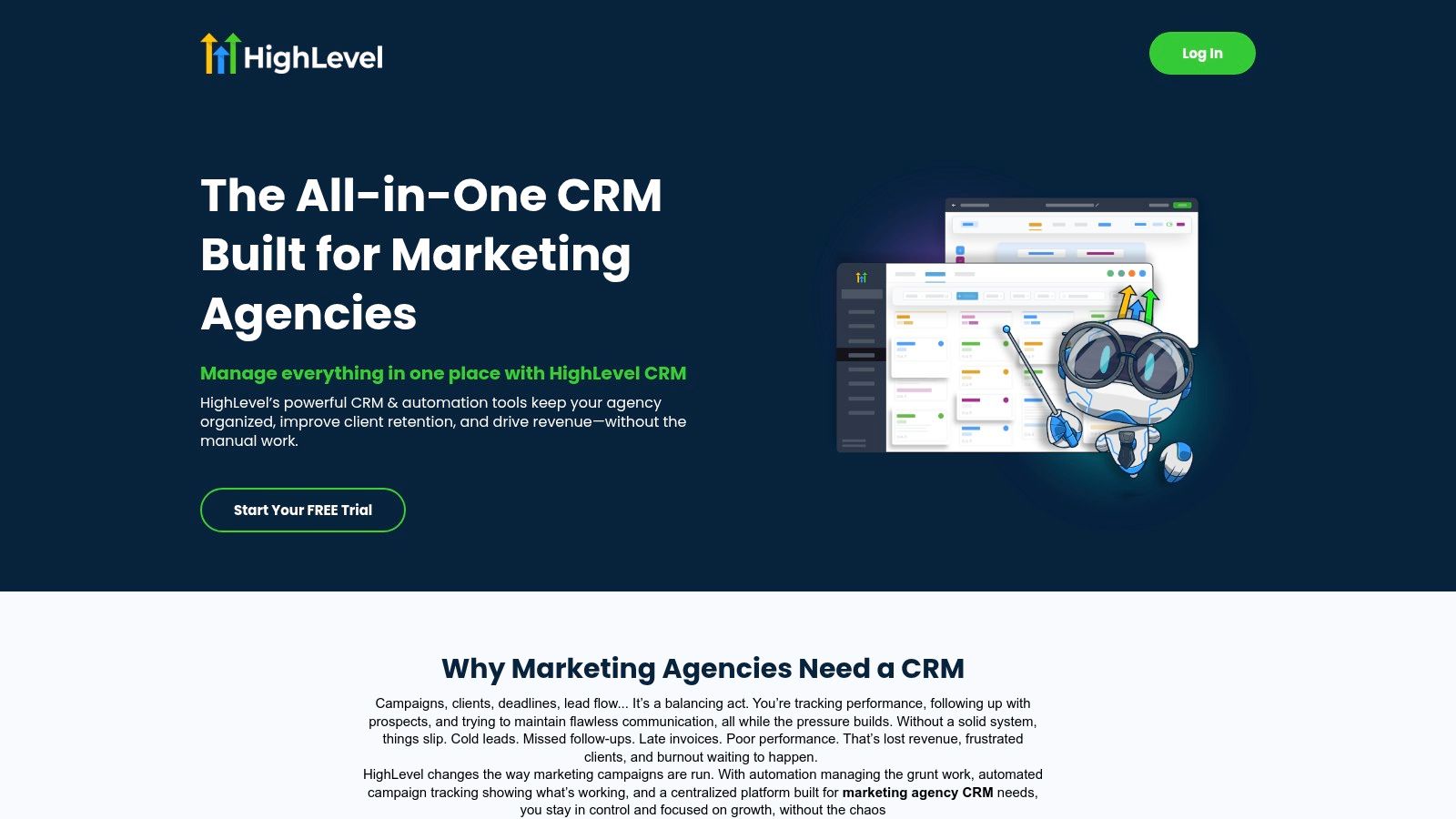
GoHighLevel is more than just a CRM; it's a comprehensive, all-in-one platform built specifically with marketing agencies in mind. Its core design philosophy is to replace a dozen different tools, consolidating client management, marketing automation, sales pipelines, and communication into a single dashboard. This approach makes it a strong contender for the best crm for agencies looking to streamline operations and offer more value to clients under their own brand.
The platform's standout feature is its white-label capability. Agencies can rebrand the entire system as their own, creating a "SaaS mode" to resell the software to clients. This opens up a new recurring revenue stream, moving beyond simple service retainers. Each client gets their own secure sub-account, allowing you to manage multiple businesses without overlap, while features like "Snapshots" let you deploy pre-built campaigns and workflows to new client accounts instantly.
Key Agency-Specific Features & Analysis
- Unified Client Management: GoHighLevel’s multi-tenant architecture is its biggest differentiator. The ability to create unlimited client sub-accounts (on higher tiers) is a game-changer, allowing you to scale your agency without multiplying your administrative workload.
- Integrated Marketing & Sales Tools: It includes a native funnel and website builder, email marketing, two-way SMS, and social media messaging in a unified inbox. This tight integration means you can build a lead capture form, trigger an automated follow-up sequence, and track the entire customer journey without third-party tools.
- Reputation Management: A built-in review request system helps you improve clients' local SEO and social proof directly from the CRM, a valuable add-on service.
Pros & Cons
| Pros | Cons |
|---|---|
| Consolidates Tech Stack: Replaces tools for funnels, email, SMS, and scheduling, reducing costs. | Steep Learning Curve: The sheer number of features can be overwhelming for new users. |
| Agency-First Model: White-labeling and sub-accounts are core to the platform. | Usage-Based Fees: Costs for sending emails and SMS messages are additional to the subscription. |
| Active Community: Extensive support, free templates, and a vibrant community for troubleshooting. | Not a Pure Project Manager: Lacks advanced project management features found in dedicated tools. |
Pricing & Ideal Use Case
- Starter: $97/month for a single business account.
- Unlimited: $297/month for unlimited sub-accounts, plus your own branded desktop app.
- SaaS Pro: $497/month for advanced SaaS mode features like split testing and advanced API access.
GoHighLevel is best suited for digital marketing agencies that manage multiple SMB clients, especially in local service industries like real estate, dental, or gyms. It’s ideal for agencies wanting to offer a wide range of services and potentially resell software as a core part of their business model.
Website: gohighlevel.com
2. HubSpot
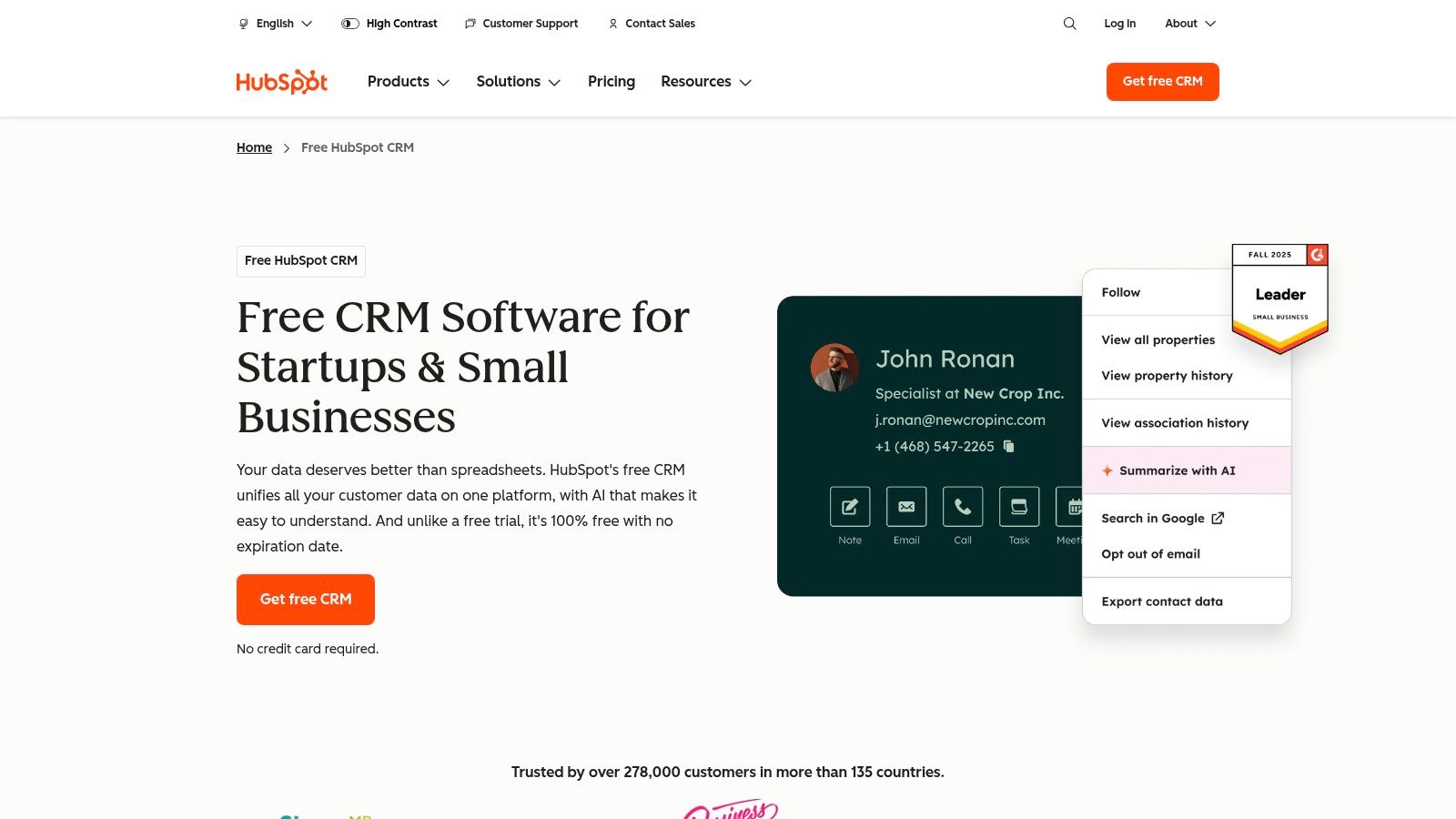
HubSpot is one of the most recognized names in the CRM space, offering a powerful and comprehensive customer platform that scales from solo freelancers to large enterprises. While not built exclusively for agencies like some competitors, its mature ecosystem and renowned Solutions Partner Program make it a top-tier choice. For agencies, HubSpot serves as both an internal operational hub and a service to resell and implement for clients, making it a versatile contender for the best crm for agencies that prioritize growth and education.
The platform is divided into "Hubs" for Marketing, Sales, Service, and CMS, all built around a robust free CRM core. This modular approach allows agencies to tailor solutions for clients, starting with the free tools and upselling to paid Hubs as the client's needs grow. The partner program provides extensive training, resources, and a directory listing, creating a clear pathway for agencies to build a business around the HubSpot ecosystem.
Key Agency-Specific Features & Analysis
- Solutions Partner Program: This is HubSpot's core agency offering. It provides training, co-marketing opportunities, and a commission structure for reselling HubSpot software, turning the CRM into a revenue-generating asset for your agency.
- Scalable, All-in-One Platform: The ability to manage marketing automation, sales pipelines, and customer service in one place makes it a powerful tool for demonstrating ROI to clients. The platform's scalability means it can support a client from their startup phase to enterprise level. You can learn more in this in-depth review of HubSpot.
- Extensive Training & App Marketplace: HubSpot Academy offers free, high-quality certifications that agencies can use to train their teams and build authority. The vast app marketplace ensures you can integrate almost any other tool your clients are already using.
Pros & Cons
| Pros | Cons |
|---|---|
| Excellent training ecosystem: HubSpot Academy is a major asset for upskilling teams. | Costs rise quickly: Higher tiers and growing contact lists can become very expensive. |
| Scales from free to enterprise: Can serve clients of all sizes with a familiar interface. | Paid onboarding may be required: Some higher-tier plans require a mandatory, costly onboarding fee. |
| Mature partner program: A clear path to building referral and implementation revenue. | Less focus on white-labeling: Not designed to be rebranded and resold like GoHighLevel. |
Pricing & Ideal Use Case
- Free Tools: A generous free CRM with limited marketing, sales, and service tools.
- Starter: Starts at ~$20/month per Hub, offering more features for small teams.
- Professional: Starts at ~$800/month, providing robust automation and reporting tools.
- Enterprise: Starts at ~$3,600/month for advanced, large-scale business needs.
HubSpot is ideal for inbound marketing and sales-focused agencies that work with mid-market to enterprise-level clients. It's a great fit for agencies that want to become implementation, strategy, and retainment partners, leveraging a well-known brand to attract and service sophisticated clients.
Website: hubspot.com/products/crm
3. Salesforce Sales Cloud
Salesforce Sales Cloud is the enterprise-grade titan of the CRM world, offering unparalleled depth and customization for agencies with complex operational needs. It's designed for scalability, providing a robust platform that can be molded to fit highly specific sales processes, intricate client relationships, and strict data governance requirements. For agencies that manage multi-faceted projects, partner sales channels, or require deep analytics, Salesforce is often considered the best crm for agencies that need an enterprise-level solution.
The platform's greatest strength lies in its ecosystem. The AppExchange marketplace offers thousands of pre-built integrations and add-ons, allowing agencies to connect virtually any tool in their tech stack, from accounting software to advanced project management systems. This extensibility ensures the CRM can grow and adapt alongside the agency, handling everything from simple lead tracking to sophisticated, AI-driven sales forecasting and automation.
Key Agency-Specific Features & Analysis
- Extreme Customization: Agencies can create custom objects, fields, and workflows to perfectly map their unique processes for client onboarding, project delivery, and commission tracking. While powerful, this level of customization often requires specialized expertise to implement correctly. For more specialized integrations, you can explore detailed CRM reviews and comparisons.
- AppExchange & Integration APIs: The vast marketplace and robust APIs allow you to build a completely bespoke agency management system, integrating best-in-class tools for every function rather than relying on a single platform's native features.
- Enterprise-Grade Security & Governance: For agencies working with large corporate clients or in regulated industries, Salesforce provides advanced security controls, user permissions, and auditing capabilities that are difficult to find elsewhere.
Pros & Cons
| Pros | Cons |
|---|---|
| Infinitely Scalable: Handles complex sales operations and massive data sets with ease. | High Total Cost: Subscription fees, implementation costs, and admin resources add up quickly. |
| Massive Ecosystem: Unmatched library of third-party apps, integrations, and developer talent. | Complex Implementation: Requires significant time and often specialized consultants to set up properly. |
| Powerful Analytics & AI: Advanced reporting and Einstein AI provide deep, predictive insights. | Can Be Overkill: Far too complex and expensive for smaller agencies with straightforward needs. |
Pricing & Ideal Use Case
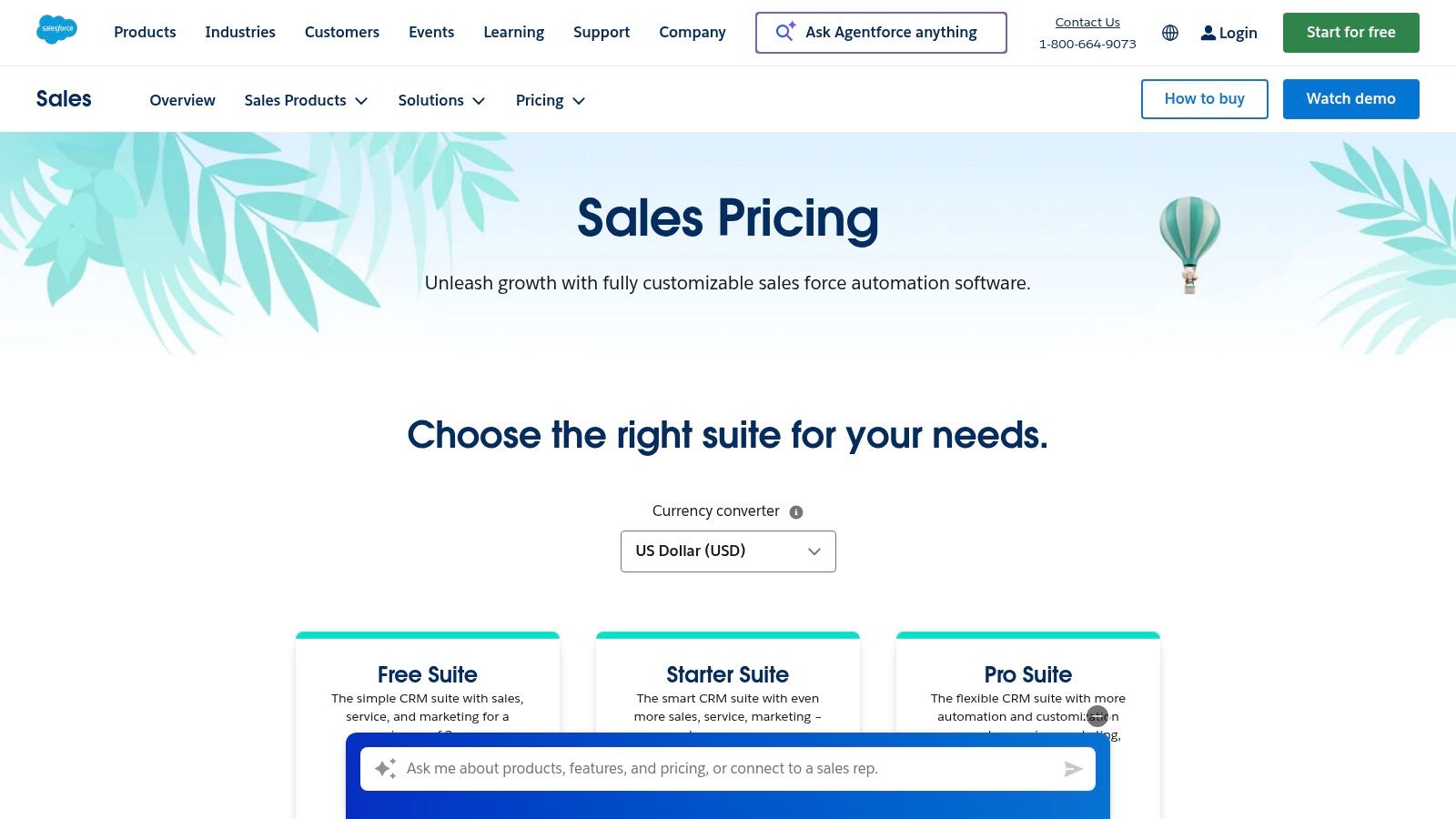
- Starter: $25/user/month (billed annually) for basic sales & marketing.
- Professional: $80/user/month (billed annually) for complete CRM functionality.
- Enterprise: $165/user/month (billed annually) for deep customization and workflow automation.
- Unlimited: $330/user/month (billed annually) for unlimited support and advanced features.
Salesforce is the best fit for large, established agencies or those with highly specialized, complex sales cycles. It's ideal for agencies that require deep integration with other enterprise systems, have strict security and compliance needs, or plan to scale their operations significantly.
Website: https://www.salesforce.com/sales/pricing/?utm_source=openai
4. Pipedrive
Pipedrive is a sales-first CRM celebrated for its visual pipelines and exceptional ease of use. It's a favorite among agencies that prioritize a streamlined business development process and want a tool their sales team can adopt quickly without extensive training. Its core strength lies in making deal tracking intuitive and actionable, helping agencies focus on what they do best: closing new client accounts.
The platform is designed around a clean, drag-and-drop interface that visualizes your entire sales process from lead to close. While not built exclusively for agencies like some competitors, its modular approach with optional add-ons for lead generation, web visitors, and project management allows you to customize its capabilities. This makes it a flexible choice for agencies that want a powerful sales engine without paying for an overly complex, all-in-one system.
Key Agency-Specific Features & Analysis
- Visual Deal Pipelines: The intuitive, Kanban-style view of deals is Pipedrive's signature feature. Agencies can create multiple pipelines for different service offerings or lead sources, making it easy to track progress and forecast revenue at a glance.
- Activity-Based Selling: Pipedrive prompts users to schedule the "next activity" for every deal, a simple but powerful methodology that ensures no lead falls through the cracks. This is ideal for managing a high volume of agency prospects.
- Extensive Integrations & Add-ons: With over 400 integrations, Pipedrive connects seamlessly with tools agencies already use. Its add-ons for projects, marketing campaigns, and lead generation let you expand functionality as your agency grows.
Pros & Cons
| Pros | Cons |
|---|---|
| Quick to Deploy: Extremely intuitive interface ensures fast team adoption. | Marketing Features are Add-ons: Core plans lack native email marketing, requiring extra cost. |
| Modular Pricing: Add-ons let you control costs by only paying for the features you need. | Not Agency-Native: Lacks a built-in multi-client or sub-account structure for management. |
| Strong Sales Focus: Excellent for tracking deals, setting goals, and managing sales activities. | Less Suited for Project Delivery: The Projects add-on is basic compared to dedicated PM tools. |
Pricing & Ideal Use Case
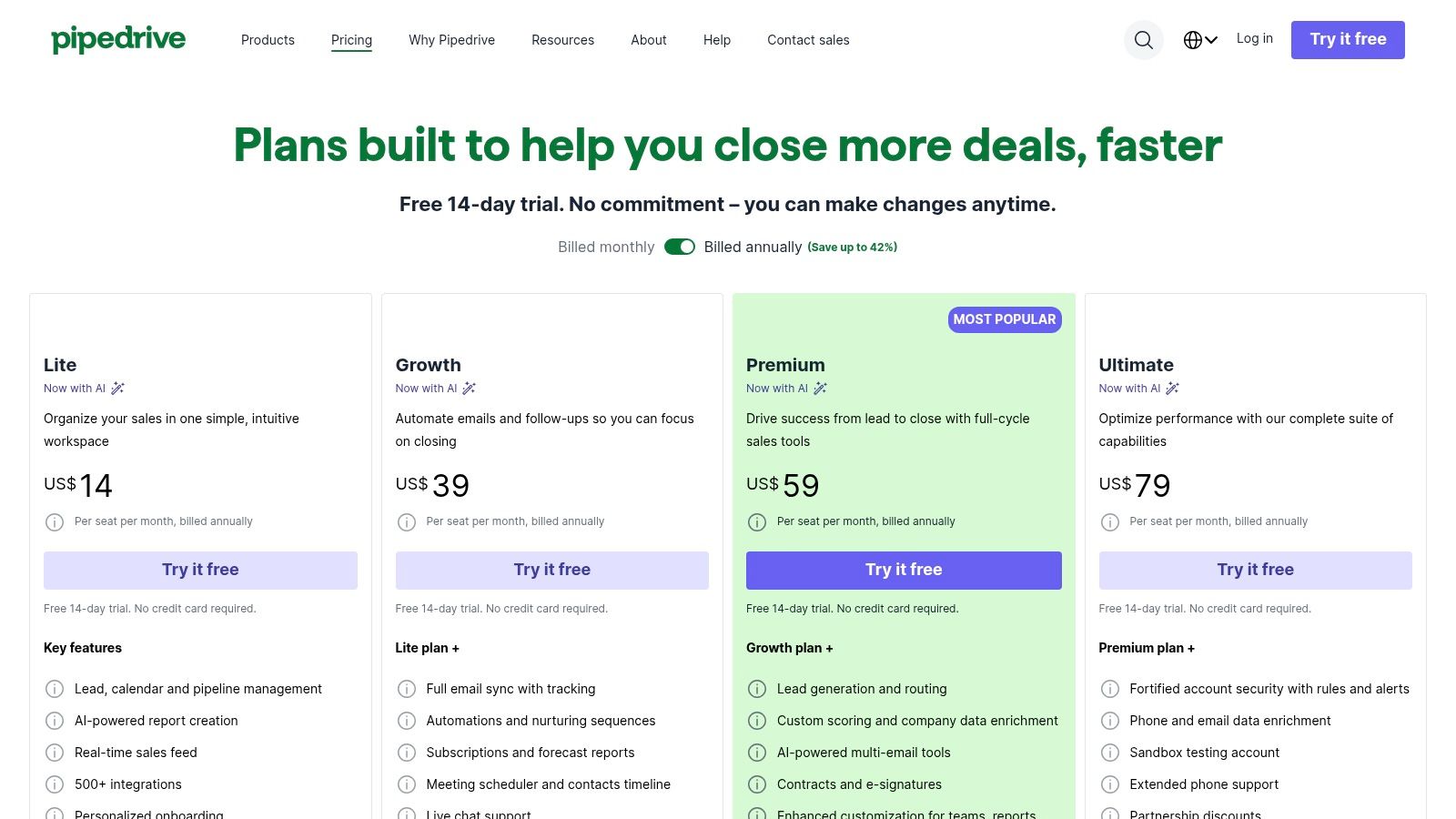
- Essential: $14.90/user/month for basic pipeline and contact management.
- Advanced: $27.90/user/month adds email sync, scheduling, and more automation.
- Professional: $49.90/user/month includes advanced reporting, revenue forecasting, and team management.
- Power: $64.90/user/month for deeper project planning and phone support.
Pipedrive is the best crm for agencies whose primary need is a robust, user-friendly sales pipeline to manage their own business development. It’s perfect for creative, B2B, and consulting agencies that want to empower their sales team without the complexity of an all-in-one marketing and project management platform.
Website: https://pipedrive.com/pricing
5. Zoho CRM
Zoho CRM is a powerful and highly adaptable platform that serves as the central hub of the vast Zoho business ecosystem. For agencies, its strength lies not just in its standalone CRM capabilities but in its seamless integration with over 40 other Zoho apps, including Zoho Projects, Books, and Campaigns. This allows agencies to build a custom, all-in-one operating system for a fraction of the cost of disconnected tools, making it a top choice for the best crm for agencies seeking scalability and deep customization.
The platform excels at letting agencies create bespoke workflows, custom modules, and sales processes (Blueprints) that mirror their unique client delivery models. Instead of forcing an agency into a rigid structure, Zoho provides the building blocks to construct a system that manages everything from lead nurturing and client onboarding to project execution and invoicing, all within a unified environment. For a deeper look, you can explore a comprehensive Zoho CRM review.
Key Agency-Specific Features & Analysis
- Deep Customization: Agencies can create custom modules for specific services (e.g., "SEO Audits," "Campaigns") and build automated "Blueprints" that guide team members through every stage of a client project, ensuring process consistency.
- Integrated Business Suite: The native connection to Zoho Projects for task management, Zoho Books for invoicing, and Zoho Analytics for reporting creates a single source of truth for all client and operational data. This eliminates data silos and costly third-party integrations.
- AI-Powered Insights: At higher tiers, the Zia AI assistant provides predictive lead scoring, deal closure predictions, and anomaly detection, helping agency owners focus sales efforts on the most promising opportunities.
Pros & Cons
| Pros | Cons |
|---|---|
| Excellent Value: Feature-rich plans are priced very competitively, especially for larger teams. | Can Be Complex: The sheer number of features and customization options can be overwhelming to set up. |
| All-in-One Ecosystem: Native integrations with 40+ other Zoho apps reduce reliance on external tools. | Tiered Features: Advanced AI and customization are locked behind more expensive Enterprise/Ultimate plans. |
| Highly Customizable: Can be tailored to fit nearly any agency workflow or service model. | Support SLAs: Premium support plans may be needed for faster, more dedicated customer service. |
Pricing & Ideal Use Case
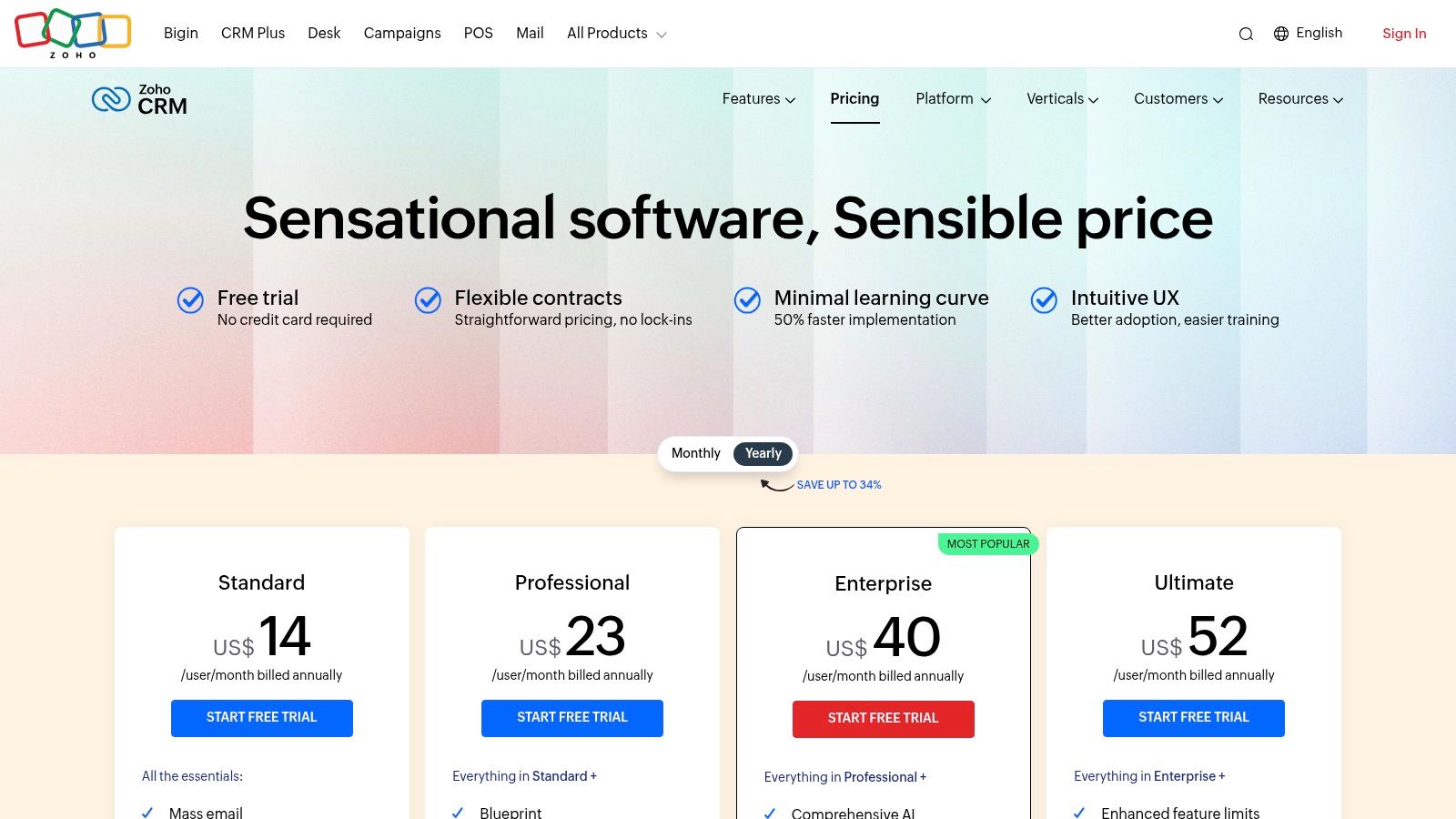
- Standard: $14/user/month (billed annually)
- Professional: $23/user/month (billed annually)
- Enterprise: $40/user/month (billed annually)
- Ultimate: $52/user/month (billed annually)
Zoho CRM is ideal for mid-sized to large agencies that require a highly customizable platform to manage complex client services and internal operations. It's particularly well-suited for agencies that want to build a unified tech stack and are willing to invest time in a custom setup to achieve long-term efficiency and scalability.
Website: zoho.com
6. monday sales CRM
monday sales CRM leverages the power of monday.com's Work OS to create a highly visual and flexible CRM that excels at bridging the gap between sales and project delivery. Instead of a rigid, traditional CRM, it uses customizable boards, dashboards, and automations to manage the entire client lifecycle. This unique approach makes it a top contender for the best crm for agencies that need to seamlessly hand off new clients from the sales team to the project implementation team.
The platform’s core strength is its unification of pre-sale and post-sale activities. An agency can track a lead through a sales pipeline, and once the deal is won, the same "item" or client record can be moved to a project management board. This eliminates data silos and ensures the delivery team has all the context from the sales process, from initial contact notes to signed proposals, all within a single, collaborative environment.
Key Agency-Specific Features & Analysis
- Unified Sales & Project Delivery: Its ability to manage sales pipelines and client projects on the same platform is a major advantage. This creates a smooth handoff process, improves team collaboration, and provides a 360-degree view of the client relationship.
- Customizable Boards and Automations: Agencies can build workflows that precisely match their processes. You can automate tasks like assigning leads, sending follow-up emails, or creating a new project board when a deal status changes to "Won."
- Integrated Collaboration Tools: Features for file sharing, @mentioning team members, and creating shared dashboards keep everyone aligned without leaving the platform, reducing reliance on external communication tools like Slack or email.
Pros & Cons
| Pros | Cons |
|---|---|
| Combines sales and project management: Excellent for agencies managing client work post-sale. | Minimum seat requirements: Plans start with a minimum of 3 users, which can be costly for solo operators. |
| Highly visual and customizable: Easy to adapt to any agency's unique workflow with templates. | Not a pure CRM: Lacks some niche, advanced sales features found in dedicated CRMs. |
| Extensive integration marketplace: Connects easily with tools like Slack, Google Drive, and Mailchimp. | Cost can increase: Pricing rises with more seats and higher tiers of automation/integration usage. |
Pricing & Ideal Use Case
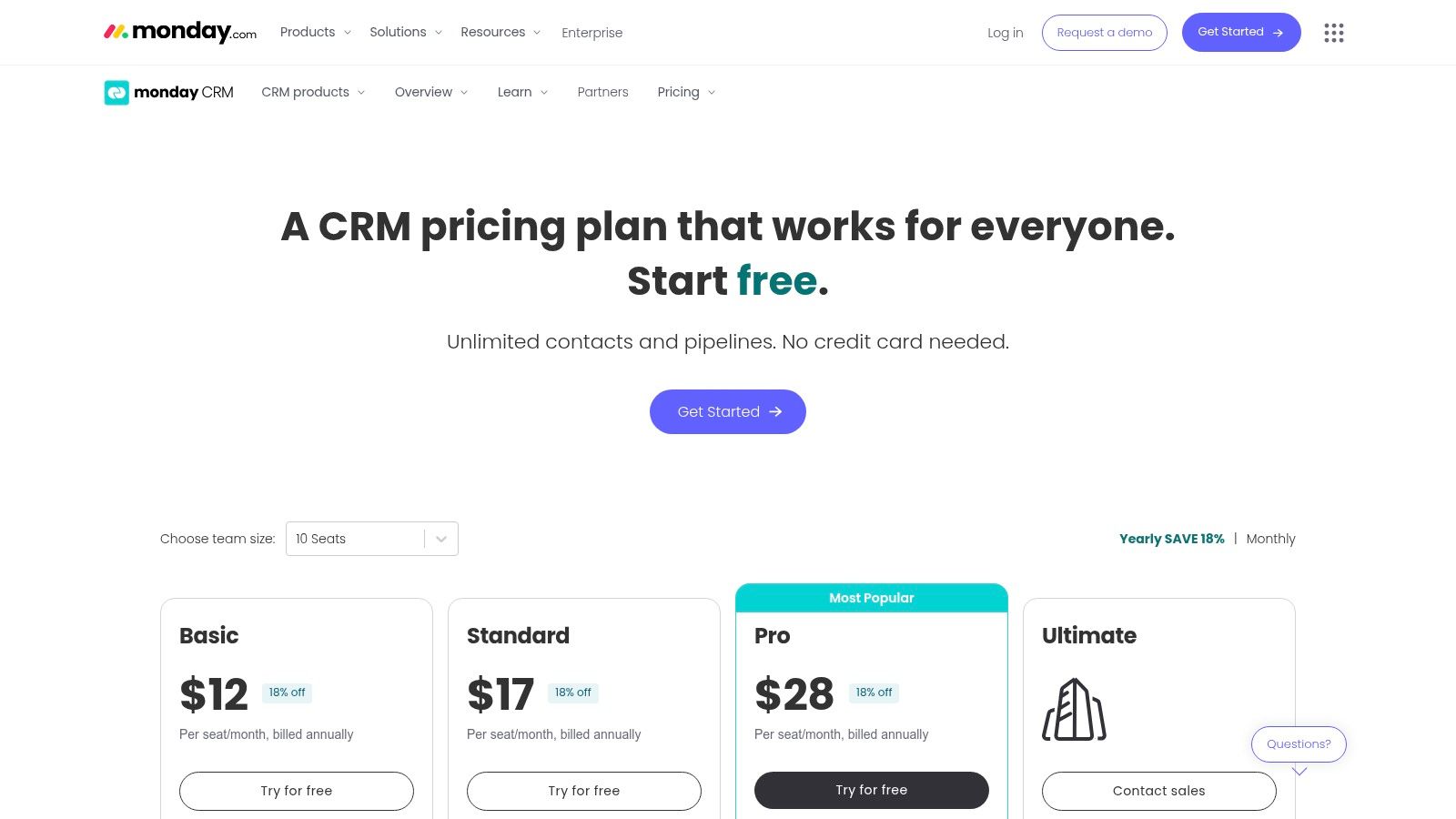
- Basic CRM: $10 per seat/month (3-seat minimum).
- Standard CRM: $14 per seat/month (3-seat minimum), adds advanced CRM features and more automations.
- Pro CRM: $24 per seat/month (3-seat minimum), includes sales forecasting and email tracking.
- Enterprise: Custom pricing for advanced security and reporting.
monday sales CRM is ideal for full-service creative, marketing, or development agencies that handle both the sales process and the subsequent project execution. It's best for teams of three or more who value a visual, all-in-one platform for managing the complete client journey from lead to final deliverable.
Website: https://monday.com/crm/pricing?utm_source=openai
7. Copper
Copper is a CRM designed for teams that live and breathe inside Google Workspace. Instead of being a separate, standalone application, it integrates directly into Gmail, Google Calendar, and Google Drive, operating as a seamless layer on top of the tools your agency already uses. This deep integration is its core value proposition, aiming to eliminate data entry friction and boost adoption rates by meeting your team where they work.
For agencies heavily reliant on Google's ecosystem, Copper feels less like a new system to learn and more like an extension of their existing workflow. The CRM contextually pulls up client information, deal history, and tasks right inside your Gmail inbox as you communicate with contacts. This makes it an excellent candidate for the best crm for agencies that prioritize ease of use and want to keep their tech stack simple and Google-centric.
Key Agency-Specific Features & Analysis
- Deep Google Workspace Integration: Copper’s Chrome extension is its standout feature, embedding the CRM directly into Gmail. It automatically captures emails, logs activities, and enriches contact data without requiring users to switch tabs, making CRM hygiene nearly effortless.
- Visual Sales Pipelines: Create and manage multiple pipelines for different services, such as new client acquisition, project upsells, or retainer renewals. The drag-and-drop interface provides a clear, at-a-glance view of your agency's entire sales funnel.
- Task & Project Automation: While not a full project management suite, you can automate task creation and follow-up reminders based on pipeline stages, helping to ensure client deliverables and sales activities don't fall through the cracks.
Pros & Cons
| Pros | Cons |
|---|---|
| Fast adoption for teams using Google: Minimal training is required for users already familiar with Gmail. | Limited Native Marketing Tools: Lacks built-in email marketing or funnel builders found in all-in-one platforms. |
| Clean UI & excellent activity capture: The interface is intuitive, and it excels at syncing email history. | Contact Caps on Lower Tiers: The Basic and Professional plans have limits on the number of contacts. |
| Good for relationship-based sales: Focuses on managing communication and relationships effectively. | Relies on Integrations: Requires connecting to other tools for advanced marketing or project management. |
Pricing & Ideal Use Case
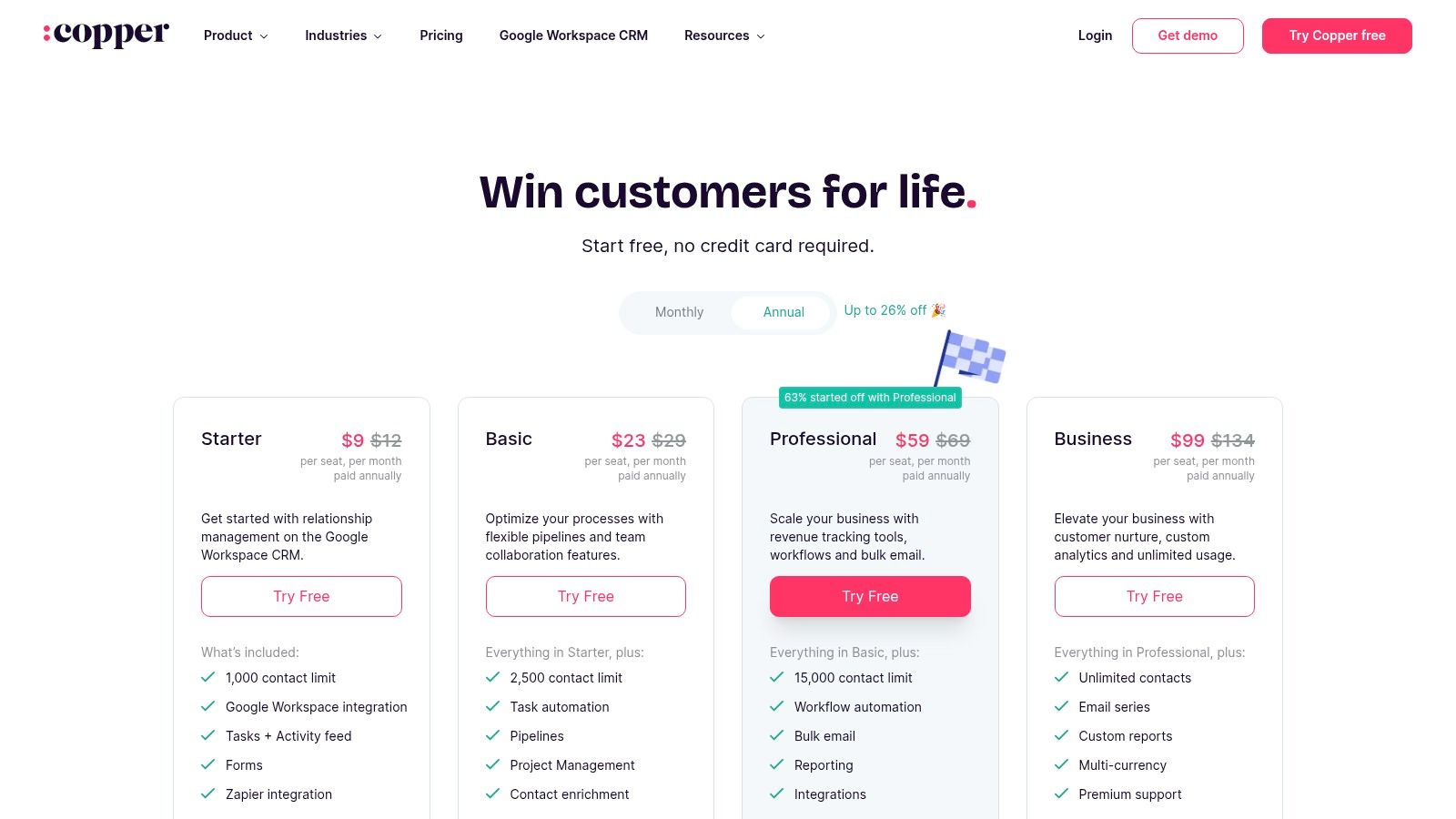
- Basic: $29/user/month for up to 3 users and core CRM features.
- Professional: $69/user/month adds workflow automation and unlimited pipelines.
- Business: $129/user/month for advanced features like lead scoring and activity reporting.
Copper is ideal for small to mid-sized creative, consulting, or service-based agencies that manage their entire business within Google Workspace. It’s perfect for teams that value simplicity and high user adoption over an exhaustive feature set and want a CRM that enhances their existing email and calendar workflows.
Website: https://www.copper.com/pricing?utm_source=openai
8. Close
Close is a high-velocity sales engagement CRM designed for teams that live on the phone and in their email inbox. Unlike all-in-one marketing platforms, its focus is laser-sharp: equipping agency sales reps with the tools to prospect, follow up, and close new client retainers efficiently. Its core strength lies in consolidating calling, SMS, and email automation into a single, intuitive interface, eliminating the need to switch between different apps during outreach.
This sales-first approach makes it a powerful tool for agencies focused on aggressive growth and lead generation. The platform is built for speed, with features like a Power Dialer that automatically calls leads one after another and pre-built email sequences to nurture prospects. It’s an excellent choice for agencies that prioritize new business acquisition and need a CRM that directly supports their sales workflow without unnecessary complexity.
Key Agency-Specific Features & Analysis
- Built-In Communication Suite: The native VoIP dialer, two-way SMS, and email sync are seamlessly integrated. This allows reps to run multi-channel outreach campaigns from one screen, view all communication history in a single timeline, and increase contact rates.
- Powerful Sales Automation: Features like the Power Dialer and automated email sequences are perfect for agency business development. You can build a pipeline for new client outreach, automate the initial follow-ups, and get instant notifications when a lead engages.
- Smart Views & Lead Filtering: Close excels at helping you organize and prioritize leads. You can create dynamic "Smart Views" to instantly filter contacts based on lead score, last communication, or custom fields, ensuring your team always knows who to contact next.
Pros & Cons
| Pros | Cons |
|---|---|
| All Outreach Channels in One App: Consolidates calling, SMS, and email to maximize sales efficiency. | Usage-Based Communication Costs: Telephony and SMS usage are billed separately from the subscription fee. |
| Excellent for Outbound Teams: Built from the ground up to support high-velocity sales and prospecting. | Limited Marketing Automation: Lacks the advanced marketing features of broader, all-in-one platforms. |
| Quick to Implement: Simple, intuitive interface allows for fast adoption with minimal training. | Not a Project Management Tool: Focused purely on sales and lacks features for client onboarding or project delivery. |
Pricing & Ideal Use Case
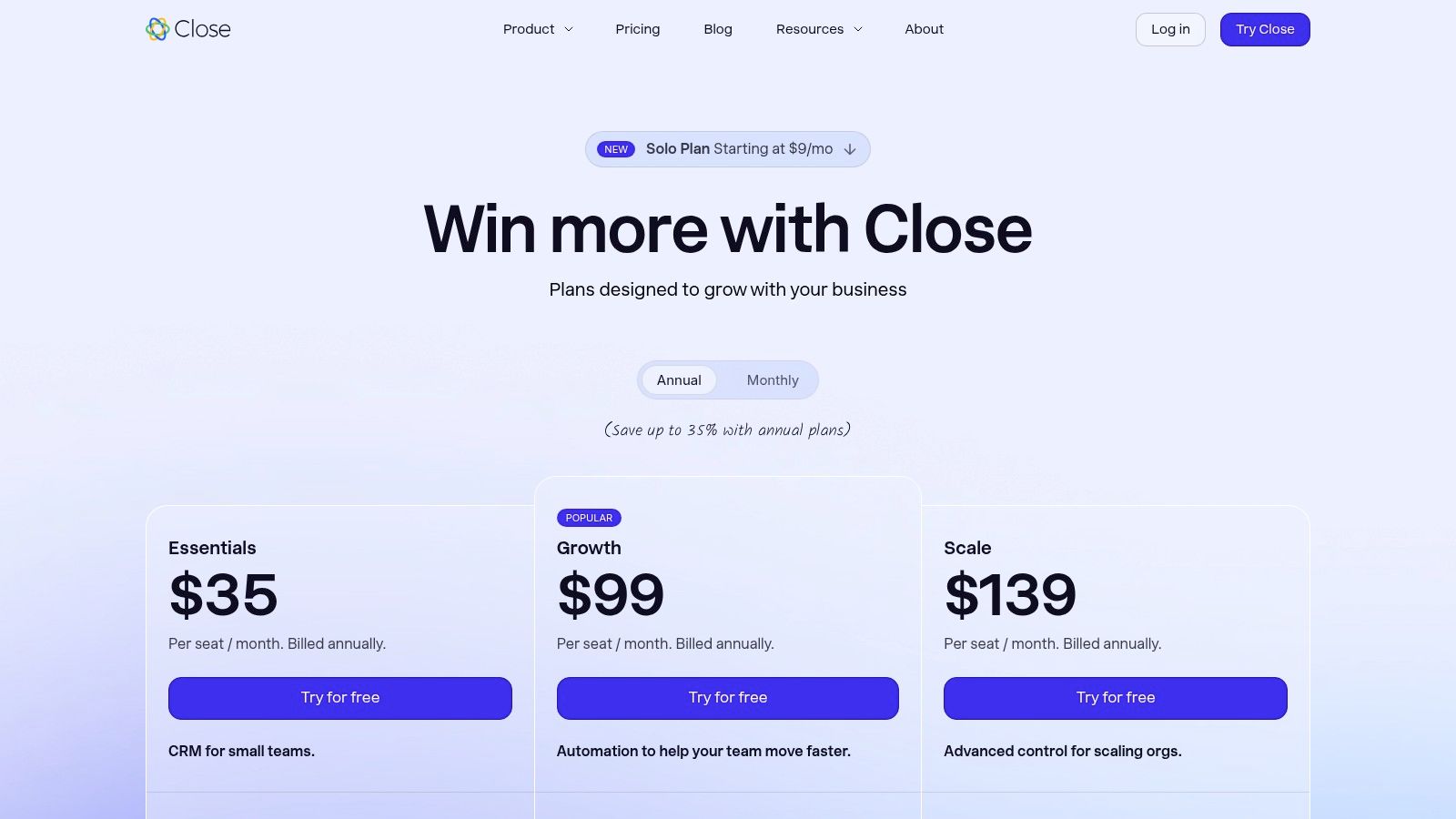
- Startup: $49/user/month for core CRM features.
- Professional: $99/user/month, adds the Power Dialer and email sequences.
- Enterprise: $149/user/month, includes predictive dialing and call coaching.
Close is the best crm for agencies with dedicated sales or business development teams focused heavily on outbound prospecting to win new clients. It is ideal for lean, high-activity teams that need to make a high volume of calls and send personalized emails at scale to keep their new business pipeline full.
Website: close.com
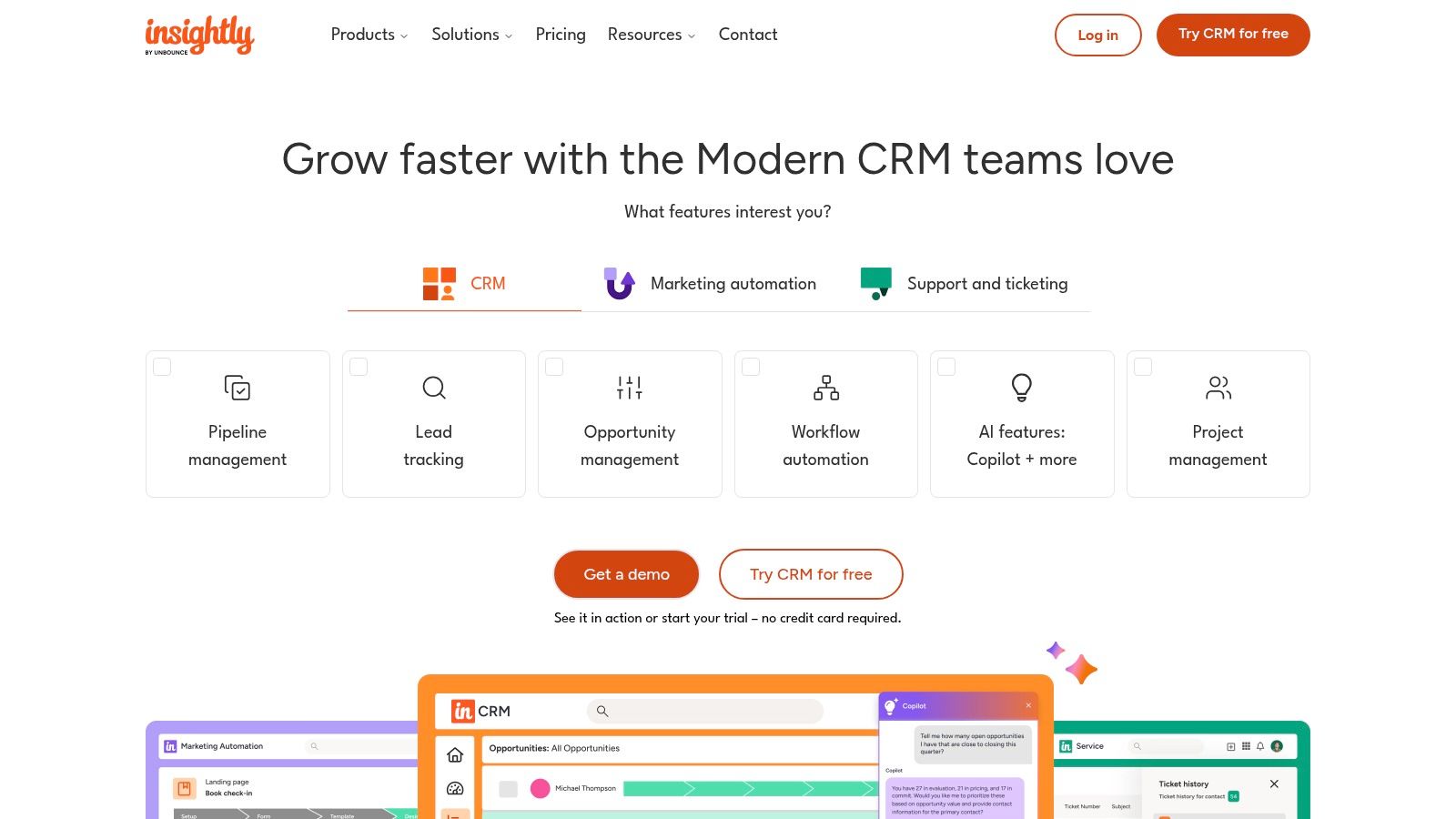
9. Insightly
Insightly carves out its niche by tightly integrating project management directly into its CRM functionality. For agencies, this means the journey from a closed deal to project kickoff is seamless, eliminating the common disconnect between sales and delivery teams. It's designed for businesses that need to manage the entire client lifecycle, from initial contact and lead nurturing to post-sale project execution and milestone tracking, all within a single platform.
The platform’s strength lies in its ability to convert a won sales opportunity into a project with just a few clicks. This "opportunities-to-projects" handoff automatically transfers all relevant data, creating a connected workflow that ensures account managers and project managers are perfectly aligned. This built-in capability makes it a top contender for the best crm for agencies that manage complex, multi-stage client projects after the contract is signed.
Key Agency-Specific Features & Analysis
- Integrated Project Management: Convert opportunities to projects, create task templates, define milestones, and track progress against project pipelines. This is a core differentiator for service-based agencies.
- AppConnect Integration Builder: Its no-code/low-code integration tool allows you to build custom automations and connect Insightly to hundreds of other apps without extensive developer resources.
- Configurable Dashboards: Create custom dashboards with real-time data to monitor both sales performance and project health, giving leadership a complete view of the business.
Pros & Cons
| Pros | Cons |
|---|---|
| Combines Sales & Delivery: Seamlessly manages the client lifecycle from lead to project completion. | Advanced Features Gated: Many key features like custom objects are locked behind higher-priced tiers. |
| Strong Usability: Known for a clean interface and good onboarding resources for new teams. | Support Varies by Plan: The level of live support is tied to your subscription level, with premium support as an add-on. |
| Scalable Platform: Offers clear tiering that grows with your agency, from small teams to enterprise-level needs. | Separate Marketing Suite: The marketing automation platform is an additional product and cost. |
Pricing & Ideal Use Case
- Plus: $29 per user/month, for basic CRM and project management.
- Professional: $49 per user/month, adds lead assignment rules and custom dashboards.
- Enterprise: $99 per user/month, for advanced customization, custom objects, and AppConnect.
Insightly is ideal for creative, consulting, and B2B service agencies that manage long-term client projects with distinct milestones. It excels where the handoff from the sales team to the project delivery team needs to be flawless and trackable within one system.
Website: https://www.insightly.com
10. SharpSpring
SharpSpring (now part of Constant Contact) is a robust marketing automation platform with a built-in CRM designed with agencies at its core. It provides a comprehensive suite of tools that allows agencies to manage client campaigns, nurture leads, and demonstrate ROI, all from a single, rebrandable interface. This makes it a powerful choice for agencies that need sophisticated automation without the enterprise-level price tag.
The platform's agency-first model is its main differentiator. SharpSpring offers features like multi-client management, white-labeling, and a flexible pricing structure that is historically friendly to the agency business model. Agencies can provide each client with their own portal, manage campaigns separately, and leverage powerful tools like lead scoring and behavior-based email triggers to drive results.
Key Agency-Specific Features & Analysis
- White-Label & Multi-Client Management: The ability to fully rebrand the platform and manage numerous client accounts from a single login is crucial for agency efficiency and branding consistency.
- Integrated Marketing Automation: SharpSpring combines a visual workflow builder, email marketing, landing pages, and forms with its CRM. This allows agencies to create and execute complex, multi-channel campaigns for clients without needing separate tools.
- Agency-Friendly Pricing & Support: The pricing model often includes unlimited users, which helps agencies avoid escalating per-seat costs as their team grows. They also provide dedicated agency support and onboarding to ensure success.
Pros & Cons
| Pros | Cons |
|---|---|
| Unlimited Users Reduce Costs: The pricing structure removes the worry about per-user fees as your agency scales. | Required Onboarding Fee: There is an initial, one-time cost for mandatory onboarding and setup. |
| Strong Automation & CRM Combo: Tightly integrated tools for a seamless lead-to-close process. | Contact-Based Pricing: Costs increase as the size of your client's contact database grows. |
| Rebrandable Interface: Excellent for agencies wanting to offer a white-labeled software solution. | Acquired by Constant Contact: Some long-time users have noted changes since the acquisition. |
Pricing & Ideal Use Case
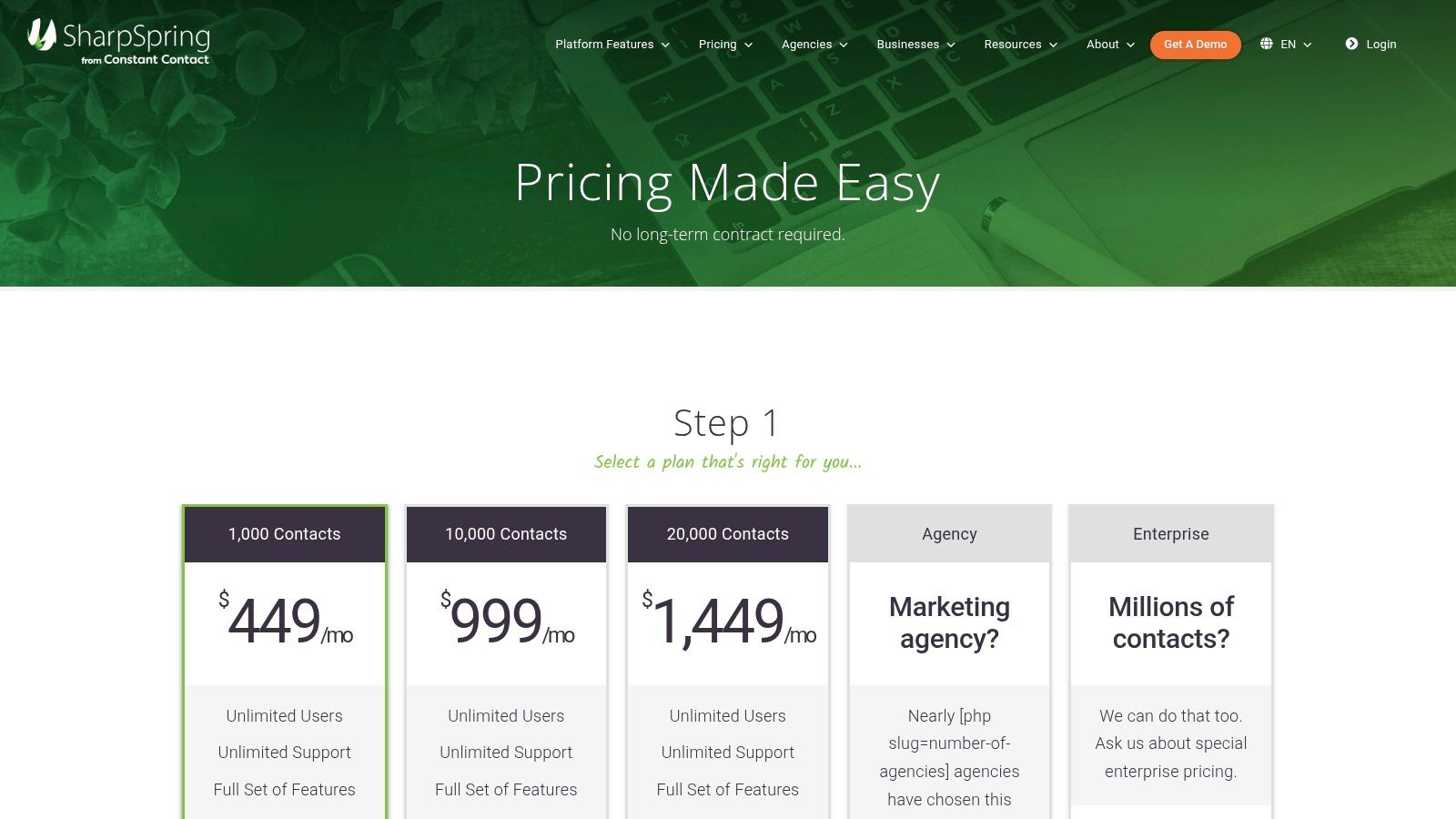
- Pricing is quote-based and varies depending on the number of contacts in your database, starting from around $449/month for 1,000 contacts. All plans typically include unlimited users.
SharpSpring is an excellent fit for marketing and advertising agencies that manage full-funnel campaigns for multiple SMB or mid-market clients. It’s particularly valuable for those who need deep marketing automation capabilities combined with a solid CRM and want to present the platform as their own branded solution.
Website: sharpspring.com
11. Vendasta
Vendasta is not just a CRM but a comprehensive agency operating system designed to help agencies scale by productizing their services. It centers around a white-label marketplace, allowing agencies to package, sell, and fulfill a wide array of digital solutions like SEO, social media, and reputation management under their own brand. This model positions Vendasta as a unique platform for agencies looking to transition from custom services to a more scalable, product-based offering.
The platform integrates a partner-focused CRM with sales pipelines, billing, and a client-facing portal. This allows an agency to manage the entire customer lifecycle, from initial lead to ongoing service delivery and invoicing, all from one place. Its core value proposition is enabling agencies to become a one-stop-shop for their clients' digital marketing needs, backed by a vast marketplace of ready-to-sell products.
Key Agency-Specific Features & Analysis
- White-Label Marketplace: This is Vendasta's defining feature. It provides access to hundreds of resellable digital products and services, allowing agencies to instantly expand their service catalog without building new fulfillment teams.
- Integrated Sales & Billing: The platform includes a robust pipeline management tool, invoicing, and subscription billing. This tight integration simplifies the process of selling and managing recurring revenue from productized services.
- Centralized Client Portal: Offer clients a branded portal where they can access reporting, manage services, and communicate with your team. This enhances the client experience and reinforces your agency's brand.
Pros & Cons
| Pros | Cons |
|---|---|
| Enables Productized Services: Ideal for packaging and reselling a broad catalog of solutions. | Higher Entry Cost: More expensive than single-purpose CRM tools, with required onboarding fees. |
| All-in-One Operations: Centralizes sales, marketing fulfillment, billing, and client reporting. | Complexity: The extensive marketplace and feature set can feel overwhelming initially. |
| Extensive Training Resources: Access to the Vendasta Academy, webinars, and dedicated account managers. | Seat-Based Pricing: Additional costs for extra team members can add up as your agency grows. |
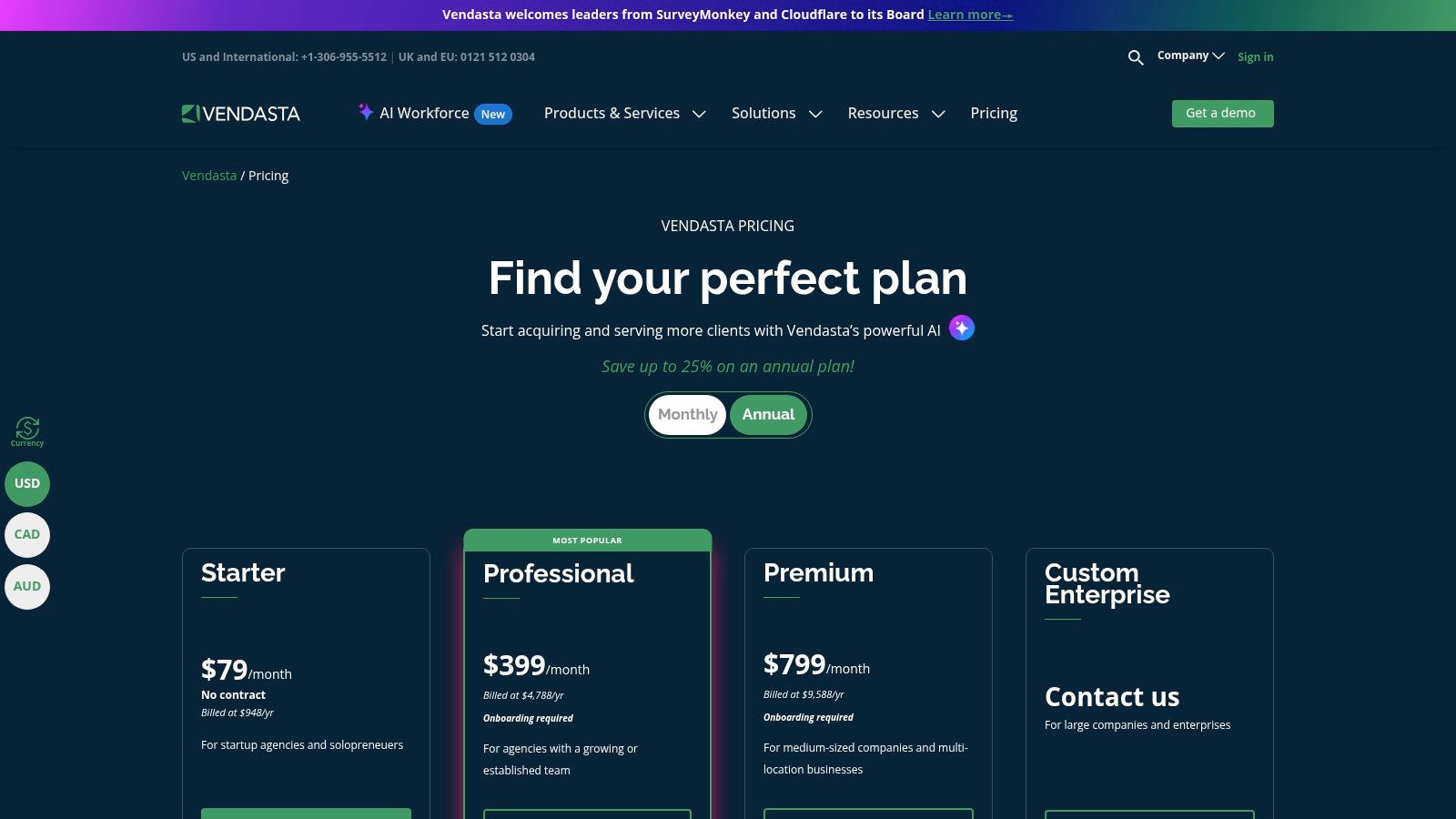
Pricing & Ideal Use Case
- Essentials: $579/month for core platform features and a limited number of managed accounts.
- Growth: $1159/month for more accounts, advanced reporting, and marketplace features.
- Scale: $2319/month for the full suite, including API access and premium support.
- Note: Onboarding fees and per-seat costs apply to most plans.
Vendasta is the best crm for agencies that want to scale by selling productized marketing solutions rather than just custom services. It's particularly well-suited for MSPs, media companies, and marketing agencies aiming to serve a high volume of SMB clients with a standardized set of digital products.
Website: https://www.vendasta.com/pricing/?utm_source=openai
12. Clientjoy (now part of Synup OS)
Clientjoy is an agency-focused platform designed to manage the entire client lifecycle, from initial lead to final payment. It consolidates CRM, proposals, billing, and a client portal into one streamlined system. This approach makes it a compelling choice for agencies seeking to replace multiple tools and simplify their client operations, positioning it as a strong candidate for the best crm for agencies that prioritize an integrated prospect-to-payment workflow.
The platform's strength lies in its purpose-built structure for agency processes. It directly connects the sales pipeline to actionable next steps like sending a proposal, getting a contract signed electronically, and issuing an invoice. By bundling these traditionally separate functions, Clientjoy helps reduce administrative friction and gives a clear, unified view of each client's status, from lead to active project.
Key Agency-Specific Features & Analysis
- Integrated Proposals & Invoicing: Create, send, and get proposals or contracts e-signed directly from the CRM. Once a deal is won, you can convert it into an invoice with just a few clicks, connecting your sales and finance operations seamlessly.
- White-Label Client Portal: On higher tiers, agencies can offer a branded client portal for communication, file sharing, and invoice management. This enhances the client experience and reinforces your agency's brand identity.
- Sales Pipeline Management: The platform includes a visual sales pipeline with integrated email sequencing and appointment scheduling tools, helping automate the lead nurturing process without leaving the CRM.
Pros & Cons
| Pros | Cons |
|---|---|
| Consolidates Agency Tools: Replaces separate software for proposals, e-signatures, and invoicing. | Evolving Platform: As part of Synup OS, features and packaging may change; confirm current offerings. |
| Purpose-Built for Agencies: The workflow is logically designed around the prospect-to-payment cycle. | Fewer Advanced Sales Analytics: Lacks the deep reporting capabilities of larger, enterprise-focused CRMs. |
| Client Portal & Branding: White-labeling and SSO options create a professional client experience. | Less Extensive Integrations: While it covers the basics, it doesn't have the vast app marketplace of some competitors. |
Pricing & Ideal Use Case
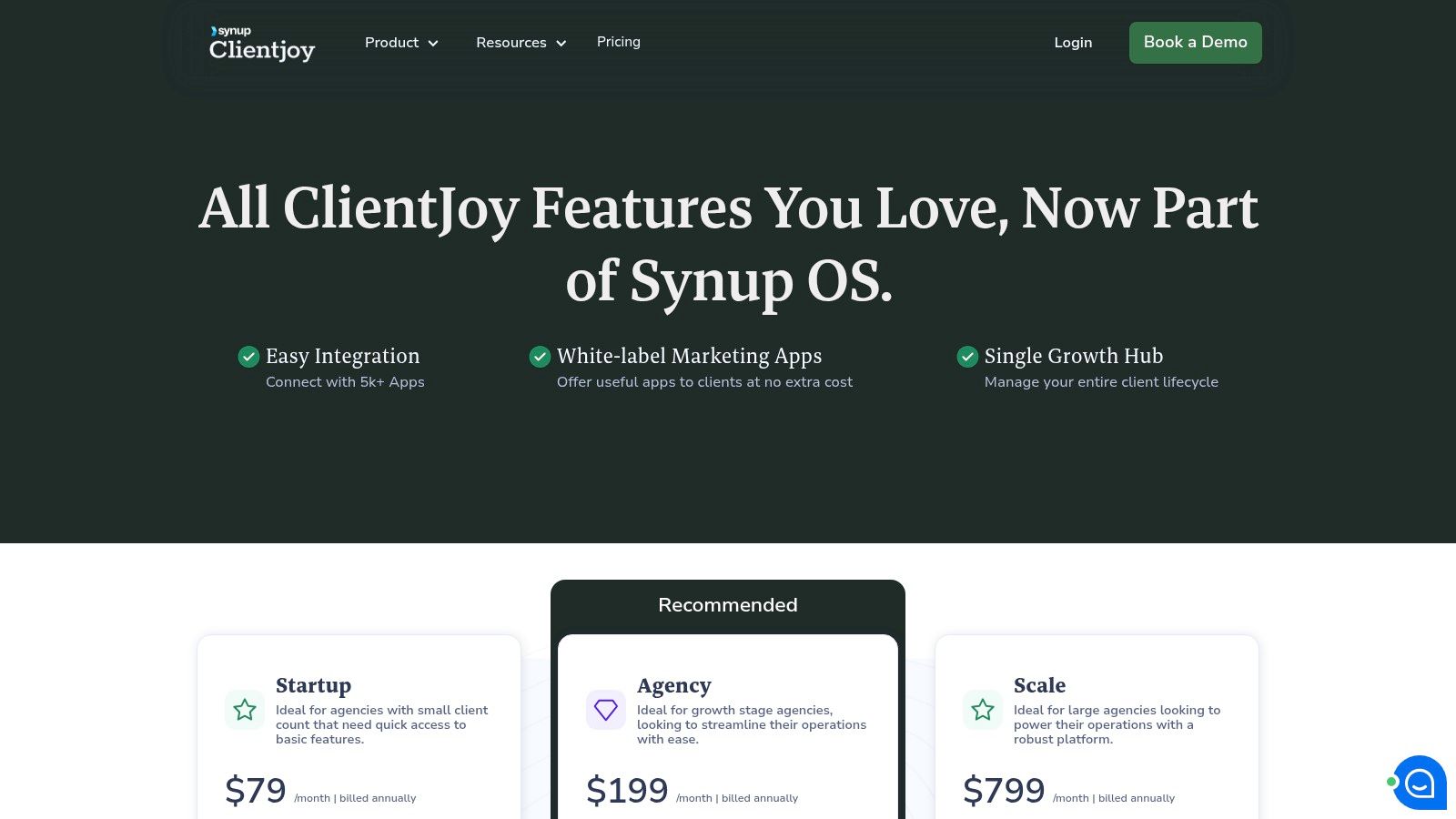
- Clientjoy's pricing is now integrated into Synup's offerings, which are custom-quoted based on needs. You will need to contact their sales team for specific details.
Clientjoy is best suited for small to mid-sized creative, marketing, and consulting agencies that want a simple, all-in-one solution to manage the entire client lifecycle. It's ideal for those who value efficiency and want to combine sales, proposals, and billing into a single, easy-to-use platform.
Website: https://www.clientjoy.io/pricing?utm_source=openai
Top 12 CRMs for Agencies — Side-by-Side Comparison
| Product | Core focus ✨ | UX / Quality ★ | Agency fit 👥 | Value & Pricing 💰 | Standout / USP 🏆 |
|---|---|---|---|---|---|
| GoHighLevel | Agency-first CRM + marketing automation; white‑label ✨ | Powerful but steep learning curve ★★★ | Built for multi-client agencies & resellers 👥 | Consolidates tools; extra telephony/SMS fees 💰 | Unlimited sub-accounts & white‑label 🏆 |
| HubSpot | Full CRM + marketing/sales/service ecosystem ✨ | Polished UX, best-in-class onboarding ★★★★ | Scales for agencies; Solutions Partner program 👥 | Free tier available; costs rise at scale 💰 | Academy + large marketplace 🏆 |
| Salesforce Sales Cloud | Enterprise-grade configurable CRM & automation ✨ | Extremely powerful; complex admin ★★★ | Large/complex agencies with strict governance 👥 | Highest TCO; premium pricing & implementation 💰 | AppExchange ecosystem & security 🏆 |
| Pipedrive | Sales-focused visual pipelines & simplicity ✨ | Intuitive, fast adoption ★★★★ | Small–mid agencies / BD teams wanting speed 👥 | Good value; modular add-ons control cost 💰 | Drag‑and‑drop pipelines & mobile UX 🏆 |
| Zoho CRM | Flexible CRM inside broad Zoho app suite ✨ | Feature-rich; tier-dependent polish ★★★ | Value-conscious agencies using multiple apps 👥 | Strong value across tiers; upsells on top plans 💰 | Deep native app integrations 🏆 |
| monday sales CRM | Board-based CRM + project delivery workflow ✨ | Highly visual & customizable ★★★★ | Agencies that manage sales + delivery together 👥 | Seat/automation costs can climb with scale 💰 | Combines sales pipelines with project boards 🏆 |
| Copper | Google Workspace‑native CRM (Gmail/Calendar) ✨ | Fast adoption for Google teams ★★★★ | Google-first small/mid teams 👥 | Reasonable tiers; contact caps on lower plans 💰 | Native Gmail/Calendar integration 🏆 |
| Close | Sales engagement CRM with built-in calling ✨ | Streamlined for outbound teams ★★★★ | High-velocity sales & SDR teams 👥 | Telephony/SMS billed separately; unlimited contacts 💰 | Native dialer, sequences & AI summaries 🏆 |
| Insightly | CRM with embedded project management ✨ | Usable with solid onboarding ★★★ | Agencies needing opportunities→projects handoff 👥 | Tiered pricing; advanced features on upper plans 💰 | Opportunities-to-projects workflow 🏆 |
| SharpSpring | Agency-oriented marketing automation + CRM ✨ | Agency-focused but onboarding required ★★★ | Agencies running multi-client campaigns 👥 | Agency-friendly pricing; contact-based scaling 💰 | Rebrandable UI & unlimited users 🏆 |
| Vendasta | Full agency OS: CRM + fulfillment & billing ✨ | Comprehensive platform; higher entry cost ★★★ | Agencies packaging/reselling services at scale 👥 | Higher entry cost; centralizes billing & payouts 💰 | White‑label marketplace & built‑in billing 🏆 |
| Clientjoy (Synup OS) | Client lifecycle: proposals, billing, CRM ✨ | Streamlines prospect→payment; evolving product ★★★ | Agencies wanting end-to-end client ops 👥 | Replaces multiple tools; confirm evolving packaging 💰 | Proposals + contracts + payments in one 🏆 |
Choosing the Right CRM is Just the Beginning
Navigating the crowded market for the best CRM for agencies can feel overwhelming, but as we've explored, the perfect solution is rarely a one-size-fits-all product. It's the system that aligns perfectly with your agency’s unique DNA: your client intake process, your project management style, your sales cycle, and your long-term growth ambitions. The right tool isn’t just about features; it's about fit.
We've covered a wide spectrum of options, from all-in-one agency powerhouses like GoHighLevel and Vendasta to sales-centric machines like Pipedrive and Close. We've also seen how flexible platforms like monday sales CRM and HubSpot can adapt to nearly any workflow you can imagine. Your ideal choice depends on what your agency needs most right now. Are you focused on lead generation and sales pipeline management? Or do you need a unified system for managing client projects, retainers, and reporting all in one place?
From Selection to Successful Implementation
Choosing a CRM is a significant first step, but the real work begins after you’ve made your decision. A powerful tool with a poor implementation strategy will create more problems than it solves. True success comes from a combination of the right software and well-defined internal processes.
Here are the key takeaways to guide your next steps:
- Define Your Processes First: Before you even start a free trial, map out your core agency workflows. Document how you currently handle new leads, onboard clients, manage projects, and report on results. This map will become your compass for evaluating which CRM can best support and streamline these activities.
- Prioritize Team Adoption: The most feature-rich CRM is useless if your team doesn't use it. Involve your team in the selection process, especially the primary users in sales, account management, and project delivery. Focus on a tool with an intuitive interface and provide thorough training to ensure everyone is comfortable and confident.
- Integrations are Non-Negotiable: Your CRM must act as the central hub of your tech stack, not an isolated island. Double-check that your top candidates integrate seamlessly with the tools you already rely on, from your email marketing platform to your accounting software and your content management system. This connectivity is what transforms a simple contact database into a powerful business engine.
Making a thoughtful selection is a strategic investment in your agency's future. For agencies operating within a franchise model or similar structured networks, the considerations can be even more specific. To further aid in your selection process, this guide delves deeper into Choosing the Best CRM for Growth and offers valuable insights for scaling your operations effectively.
Ultimately, the goal is to find a platform that not only organizes your data but also empowers your team to build stronger client relationships and drive predictable revenue. Use this guide to shortlist your top two or three contenders, sign up for their free trials, and run your real-world scenarios through each one. This hands-on testing is the only way to be certain you've found the best CRM for your agency.
This decision is more than just a software purchase; it's a foundational commitment to building a more organized, efficient, and scalable future for your business.
Once your client relationships are managed in a powerful CRM, the next step is streamlining your content workflow. PostFlow integrates with your process, allowing your team and clients to collaborate on, approve, and schedule social media content seamlessly. Stop chasing feedback in endless email threads and start publishing content faster with PostFlow.

