
Let's be honest, a one-size-fits-all website just doesn't cut it anymore. Personalizing your web content means you stop shouting the same message at everyone and start having a real conversation. It’s about dynamically changing your site’s messaging, offers, and the whole user experience based on who is visiting, right then and there.
This is the key to making every interaction feel relevant and genuinely valuable to each person who lands on your site. For founders, coaches, and consultants, this isn't just a "nice-to-have"—it's how you build trust, show you get your audience, and ultimately, drive conversions.
Why Personalizing Content Is No Longer Optional

Generic content is noise. It’s like getting a sales pitch for a product you already own—completely tone-deaf and easy to ignore. In a world where your audience expects to be understood, personalization is your way of showing you're listening.
For anyone trying to build authority in a crowded market, this shift is critical. When you tailor your website, you're proving you understand your visitors' specific challenges and goals. This isn't just about making them feel good; it directly influences their behavior and drives real business results.
The Power of Standing Out
Think about a platform like LinkedIn. It’s a massive professional network with over a billion users, yet a tiny fraction—just 1%—posts content weekly. That small group generates a mind-boggling 9 billion impressions every single week.
That massive gap is a clear signal. Personalization is what helps you cut through the static and actually connect with the right people. For B2B professionals, where 80% of leads come from LinkedIn, this is a game-changer. You can dig into more of these eye-opening LinkedIn statistics to see the full picture.
When you personalize your content, you’re not just posting—you’re strategically building a presence that nurtures growth. The alternative? Getting lost in the crowd.
Moving Beyond Simple Customization
Look, effective personalization goes way beyond just dropping a visitor's first name into a headline. It's about adapting the entire user experience based on real-time data and behavior.
It might look something like this:
- A first-time visitor from the tech industry? Show them a case study featuring a SaaS company.
- A returning customer exploring advanced features? Serve up an invitation to a webinar for power users.
- A prospect who downloaded your marketing ebook? Highlight a blog post about SEO strategy the next time they visit.
This level of detail used to be a massive headache, requiring a ton of resources. But today’s tools have made it surprisingly accessible, even if you don't have a giant marketing team. To really get why this is such a fundamental shift, you have to understand why Machine Learning for Business has become a non-negotiable for anyone serious about growth. AI is what makes it possible to analyze user data, predict what someone wants, and serve the perfect content variant at the perfect moment.
The core idea is simple: give the customer what they want, when they want it. By updating your user profiles in real time based on behavioral data and purchase history, you are far more likely to attract, convert, and retain customers.
This guide is designed to get you past the theory and into a practical framework. We’re going to show you how to turn this sophisticated strategy into a manageable workflow, so you can achieve measurable growth by making every visitor feel seen and understood.
Building a Winning Personalization Strategy
Jumping into web content personalization without a solid plan is a recipe for disaster. I've seen it happen: companies get excited about the tech but forget to define what they’re actually trying to achieve. It’s like setting off on a road trip with no destination in mind—you’ll just burn through resources and end up lost.
Before you touch a single line of code or a single piece of software, you have to tie your efforts back to core business goals. What’s the end game here?
- Are you chasing higher-quality leads?
- Trying to slash your cart abandonment rate?
- Looking to boost customer lifetime value?
Each of these goals demands a completely different approach. For example, a consulting firm trying to attract better leads might personalize its homepage to feature case studies relevant to the visitor’s industry. An e-commerce brand, on the other hand, might use a visitor’s real-time behavior to trigger a pop-up with a special offer just as they’re about to leave their cart.
Defining Your Key Performance Indicators
Once you know why you're personalizing, you need to figure out how you'll measure success. Vague goals like "improving engagement" are useless. You need to get specific with Key Performance Indicators (KPIs) that directly map back to your objectives.
Here are a few practical KPIs I always recommend focusing on:
- Conversion Rate Lift: This is the big one. What’s the percentage increase in sign-ups or purchases when a user gets a personalized experience versus a generic one?
- Average Order Value (AOV): Smart product recommendations aren't just helpful; they can directly increase how much customers spend with you.
- Time on Page: When content truly speaks to a visitor, they stick around longer. It’s a clear sign you’re hitting the mark.
- Reduced Bounce Rate: Show visitors what they want to see the moment they land, and they’re far less likely to hit that back button.
Setting these benchmarks upfront gives you a clear scorecard. You'll know what’s working and what’s not, allowing you to make decisions based on data, not just a hunch.
Gathering the Right User Data
Great personalization runs on great data. It’s the fuel for the entire engine. Understanding the different kinds of user data you can collect is the first step toward creating experiences that feel genuinely helpful, not creepy.
According to Epsilon, a staggering 80% of consumers are more likely to buy from a company that provides personalized experiences. That number alone shows how critical it is to get your data strategy right from the start.
The data you collect is what turns an anonymous visitor into someone you can have a real conversation with. Let’s break down the most common data sources and how they fit into the puzzle.
Key Data Sources for Web Content Personalization
Understanding the difference between what users tell you, what their actions show you, and the context they're in is fundamental. This table breaks down the main types.
| Data Type | Example | Collection Method | Best Used For |
|---|---|---|---|
| Explicit | A user fills out a form indicating their industry is "SaaS." | Form submissions, surveys, preference centers | Creating highly targeted segments based on self-reported information. |
| Implicit | A visitor repeatedly views blog posts about "lead generation." | Website analytics, clickstream data, heatmaps | Inferring user interest and intent based on their browsing behavior. |
| Contextual | A user is visiting your site from a mobile device in London during work hours. | IP address lookup, device type, time of day | Adapting the user experience based on the visitor's immediate environment. |
| Third-Party | Data from external sources showing a user has an interest in "marketing automation." | Data providers, public records, partner data | Enriching user profiles with information not collected directly on your site. |
It's absolutely essential to handle this data ethically. Be transparent about what you’re collecting and why. A clear privacy policy and easy-to-manage preferences are non-negotiable—they're how you build trust.
The end goal is to make the user’s experience better, not to be intrusive. For creators, this same principle applies on a smaller scale. Learning how to customize LinkedIn posts with AI is a perfect parallel; it's all about using audience insights to shape your message so it resonates more deeply.
By starting with a clear roadmap and a thoughtful approach to data, you're setting yourself up for a personalization strategy that delivers real, measurable results.
Diving Deep into Audience Segmentation
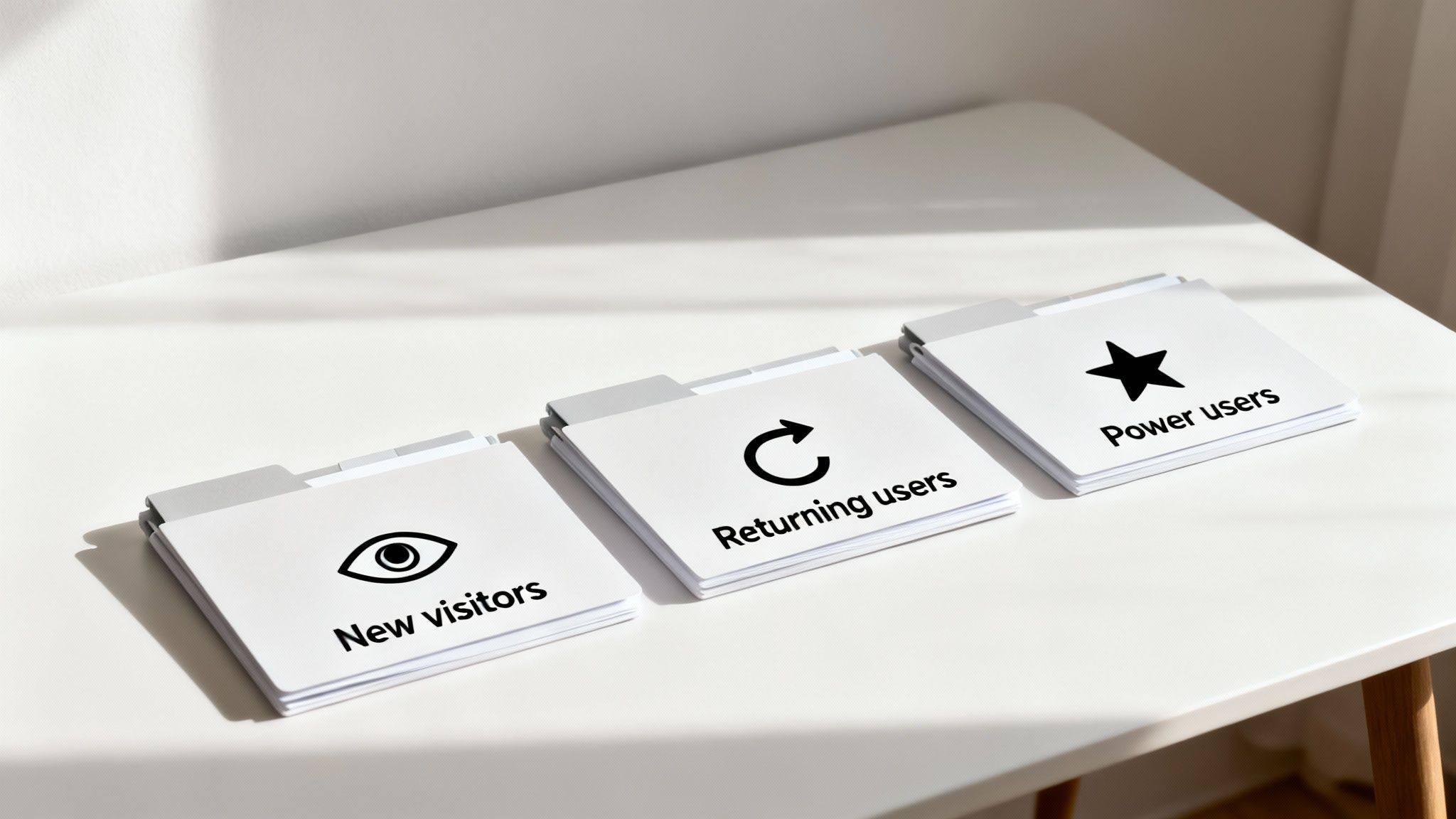
Piling up user data is one thing. Actually turning it into something that powers a better experience is where the real work begins. This is the art of audience segmentation—carving your broad audience into smaller, more focused groups so you can talk to each one with startling relevance.
Think of it as the difference between shouting into a crowded stadium and having a quiet, meaningful one-on-one conversation. Instead of a generic message for everyone, you deliver an experience that clicks with each group's specific mindset.
Going Beyond the Obvious Demographics
Sure, age, gender, and location are easy starting points, but they barely scratch the surface. To create personalization that truly connects, you need to get a lot more specific about who your users are, what they care about, and how they interact with your brand. It’s all about layering different types of data.
You’re not just drawing a simple sketch; you’re painting a detailed portrait. By combining different data points, you create a rich, multi-dimensional view of your audience.
Let's unpack the methods that get you there:
Behavioral Segmentation: This is all about actions. Did they just abandon a cart? Have they clicked on your pricing page three times this week? Are they a power user who has logged in every single day for a month? These actions scream intent and tell you exactly how engaged they are.
Psychographic Segmentation: This gets into the "why" behind their actions. It groups people by their values, interests, and lifestyles. For a coaching business, this could mean segmenting by "ambitious career-climbers" versus "work-life balance seekers."
Firmographic Segmentation (for B2B): This is just demographics for businesses. You’re slicing your audience by company size, industry, annual revenue, and location. A B2B consultant could use this to show manufacturing case studies only to visitors from that sector.
Creating Segments That Actually Work
The real magic happens when you blend these methods to create highly specific, actionable segments. Generic buckets like "new visitors" are fine to start, but they don't have the teeth needed for high-impact personalization.
You need to aim for more granular segments that tell a clear story about the user. Here are a few real-world examples that pack a punch:
"First-Time Visitors from the Tech Industry": Greet them with a headline that speaks directly to SaaS challenges and immediately show them a case study from a well-known tech company.
"Repeat Customers Exploring Advanced Features": Stop showing them introductory content. Instead, hit them with a link to a detailed tutorial or an invite to a power-user webinar.
"Cart Abandoners from a Specific Ad Campaign": The next time they visit, remind them what they left behind. Maybe even sweeten the deal with a small, time-sensitive discount to nudge them over the finish line.
Segmentation is about finally admitting that your audience is not a monolith. By creating distinct groups, you can stop broadcasting generic messages and start building real relationships based on genuine understanding. This is how you make every single visitor feel like your content was made just for them.
The key is to create segments that are not only distinct but also big enough to matter for your business goals. You don’t need dozens of segments to get going; even three to five well-defined groups can make a world of difference. For a deeper dive, check out our guide on how to finally nail your target audience on LinkedIn for more practical tips.
Tailoring Your Content for Each Segment
Once you've got your segments locked in, the final piece is creating content variations for each one. This doesn't mean you need to rewrite your entire website five times over. Often, small, strategic tweaks are all it takes.
Think about adapting these key elements:
| Content Element | Example for "First-Time Visitor" | Example for "Returning Customer" |
|---|---|---|
| Headline | "The All-in-One Solution for Growing Startups" | "Unlock More Value with Our Advanced Features" |
| Call-to-Action (CTA) | "Start Your Free Trial" | "Book a Personalized Demo" |
| Imagery | Images showing collaborative teams and startups. | Screenshots of specific, advanced tool functions. |
| Social Proof | Logos of well-known companies using your product. | Testimonials from long-term, satisfied clients. |
The goal is simple: align every touchpoint with where that user is in their journey. This kind of focus is critical on platforms where attention is currency. With 82% of B2B marketers seeing the most success on LinkedIn, personalizing your outreach is no longer optional. It’s been shown that personalized messages can lift response rates by a whopping 30%, turning cold outreach into warm conversations. You can find more details in these insightful LinkedIn statistics. This principle applies directly to your website—relevance drives results.
Choosing Your Personalization Technology
Alright, you've got your strategy mapped out and your segments defined. Now for the fun part: picking the tools that will actually make it all happen. The technology you choose is the engine behind your entire personalization effort, so getting this right is a pretty big deal.
This isn't about finding some mythical "best" platform. It’s about finding the right fit for your business, your budget, and how comfortable you are with the technical side of things.
The world of personalization tools can feel a little overwhelming at first, but it really boils down to one key difference: where the content changes happen. Get your head around that, and you're already halfway there.
Server-Side vs. Client-Side Personalization
The two main ways to deliver personalized content are server-side and client-side. Each has its place, and knowing the difference will save you a ton of headaches down the road.
Client-side personalization is the one most people start with. It all happens right in the user's web browser, using JavaScript to tweak the page after it has already loaded. Think of it as a quick, nimble way to make changes. It’s perfect for swapping out a headline, changing a call-to-action button, or showing a targeted pop-up.
- The upside? It's way easier to set up, especially for marketers. You don't need to pull in a developer for every little test.
- The downside? You can sometimes get a "flicker," where the original content flashes for a split second before the personalized version appears. It can also have a tiny impact on site performance.
Server-side personalization is the heavy-hitter. The changes are made on your web server before the page ever gets sent to the user's browser. The visitor gets a completely pre-built, personalized page from the get-go. This is the approach you need for deeper, more integrated experiences, like completely changing a page layout or customizing product recommendations on an e-commerce site.
- The upside? It’s seamless—no flicker. It's also more secure and can handle much more complex logic.
- The downside? It definitely requires more technical know-how and developer time to set up and manage.
My advice? If you're a founder or a small team just dipping your toes in, start with client-side tools. They let you test ideas fast without a huge engineering commitment. As your strategy gets more sophisticated, you can graduate to a more powerful server-side solution.
Building Your Personalization Tech Stack
Let’s be real: no single tool does it all. A modern personalization setup usually involves a few key players working together. Your CMS might handle some basic stuff, while a dedicated testing platform runs the more advanced experiments.
Here’s a quick rundown of the major components you’ll encounter:
- Content Management Systems (CMS): A lot of modern platforms like HubSpot or WordPress (with the right plugins) have some personalization features built-in. They're great for showing or hiding content based on simple rules, like where a visitor came from.
- Experimentation Platforms: Tools like Optimizely or VWO are the bread and butter of A/B testing and client-side personalization. They often have visual editors that let marketers create and launch experiments without writing a line of code.
- Customer Data Platforms (CDPs): Think of a CDP like Segment as the central nervous system for all your customer data. It pulls information from everywhere—your website, CRM, email tool—and stitches it together into one rich user profile. That profile then fuels personalization across every channel.
And don't forget the tools that feed the beast. Things like the best online form builders are critical for capturing the very data you'll use to create your segments in the first place.
Personalization Platform Evaluation Checklist
Choosing the right platform can feel overwhelming. Before you sign any contracts, it helps to have a structured way to compare your options. I've put together this checklist based on years of helping companies navigate this exact decision. Use it to cut through the marketing noise and focus on what really matters for your business.
| Evaluation Criterion | Key Questions to Ask | Importance (High/Medium/Low) |
|---|---|---|
| Integration Capabilities | Does it connect easily with my existing CMS, CRM, and analytics tools? Are there native integrations or will I need custom API work? | High |
| Data & Segmentation | What data sources can it use? How flexible are the segmentation rules? Can it handle real-time data? | High |
| Ease of Use | Can my marketing team run campaigns without needing a developer? Is the interface intuitive? | High |
| Personalization Methods | Does it support both client-side and server-side? What about A/B/n testing and multivariate testing? | Medium |
| Performance Impact | What is the typical latency or "flicker" effect for client-side changes? How does it affect my site's Core Web Vitals? | High |
| Scalability | Will this tool grow with us? Can it handle our projected traffic and the increasing complexity of our campaigns? | Medium |
| Reporting & Analytics | What kind of reporting does it offer? Can I easily measure the impact of my personalization efforts on key business metrics? | High |
| Support & Documentation | What level of customer support is included? Is the documentation clear and helpful for both marketing and technical teams? | Medium |
| Total Cost of Ownership | What are the subscription fees? Are there additional costs for implementation, training, or overages? | High |
This checklist isn't about finding a tool that scores perfectly on every point. It’s about understanding the trade-offs and choosing the platform that best aligns with your team's skills, your budget, and your long-term goals.
Making the Right Choice for Your Business
Ultimately, this decision comes down to balancing your ambition with your reality. A solo consultant doesn't need an enterprise-grade CDP, and a fast-growing e-commerce site will outgrow a basic CMS plugin in a matter of months.
Before you pull the trigger, step back and have an honest conversation with your team about these questions. Doing your homework now will save you from a costly mistake later and set you up with a tech stack that not only works today but supports your growth for years to come.
Weaving Personalization Into Your Workflow
Let's be real: executing a personalization strategy isn't a "set it and forget it" kind of deal. If you want to get this right, you have to embed it into the very fabric of your daily operations. This is all about creating a living, breathing system where your data insights, content creation, and technology actually talk to each other.
Without a solid process, even the most brilliant strategy will just fall apart. I've seen it happen. Teams get siloed, content becomes a mess of inconsistencies, and golden opportunities slip through the cracks. A structured workflow makes sure everyone knows their role and how their piece of the puzzle contributes to a much more relevant experience for the user.
Getting Your Content Operations in Order
First thing's first: you need to map out the entire lifecycle of a piece of personalized content. And I'm not just talking about writing copy. It’s a full-circle process that starts with data, moves through creation and delivery, and ends with analysis—which then feeds right back into the start of the loop.
This operational shift turns personalization from a special project into a core part of how you create. It ensures your efforts are repeatable, scalable, and constantly getting better. It’s how you connect your segmentation strategy directly to the content that gets produced, making sure every single variant has a clear purpose.
A solid workflow usually involves these key players:
- The Strategist: This is the person who owns the big picture. They’re digging into the data, defining the segments, and setting the goals for each campaign.
- The Content Creator: They're the wordsmiths, crafting all the different versions of headlines, CTAs, and body copy needed to speak directly to each segment.
- The Technologist: This is the person in the driver's seat of your personalization tool, setting up the rules to make sure the right content gets to the right user at the right time.
- The Analyst: They close the loop. They're measuring performance, reporting on what worked (and what didn't), and serving up the insights needed for the next round.
Using AI Assistants to Streamline Creation
Manually creating dozens of content variations is a massive bottleneck. It’s tedious and time-consuming. This is exactly where AI assistants, like the one we've built into PostFlow, become a complete game-changer. Instead of brainstorming every headline and CTA from scratch, you can use AI to generate tailored options based on the rules you've already set.
Think about a consultant with a core service page. Using an AI tool, they could instantly generate three distinct headlines: one for startup founders, another for enterprise managers, and a third for non-profit leaders. The AI can ensure each version maintains the consultant's core voice and style while tweaking the angle to resonate with that specific audience.
AI doesn't replace the creator; it empowers them. It handles the mind-numbing, repetitive work of generating variants, freeing up your team to focus on high-level strategy and creative storytelling. This makes a sophisticated workflow totally achievable, even for a small team.
Tools like HubSpot are also getting in on the action, integrating AI to generate personalized landing pages from simple prompts. You can describe the page's purpose, audience, and goals, and the AI will spit out a draft, complete with copy, images, and forms.
This flow diagram gives you a simplified look at how the tech pieces fit together. It all starts with your core content in a CMS, gets enriched by user data from a CDP, and is then delivered and optimized by A/B testing platforms.
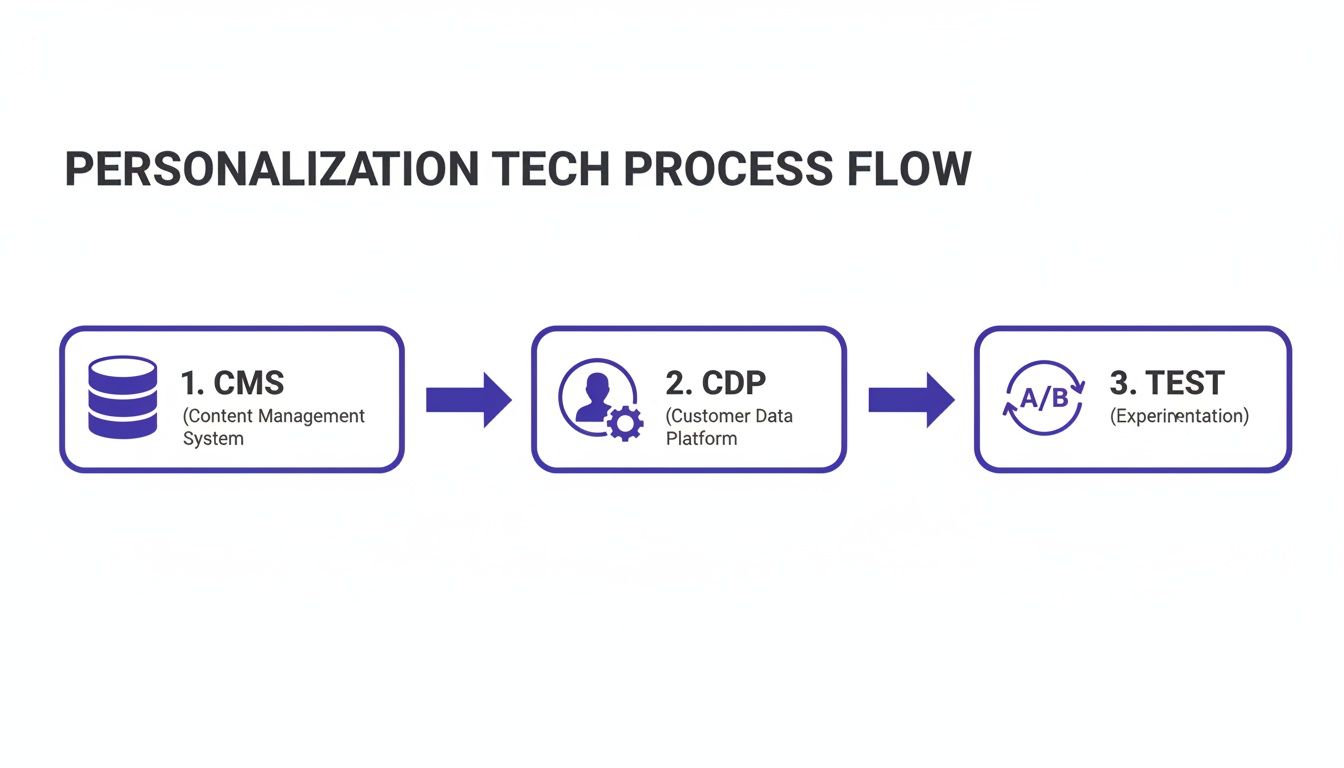
The main takeaway here is how interconnected everything is. Each component feeds the next, creating a continuous loop of data-driven content delivery.
By building a clear workflow and using AI to do the heavy lifting, you can transform personalization from a daunting, complex project into a smooth, efficient part of your daily marketing motion. This is how you scale your ability to personalize content without having to scale your team or your budget.
Measuring Success and Ensuring Compliance
Launching a personalization strategy is a big win, but it's really just the starting line. The real work begins now: proving it was worth the effort and doing it all responsibly.
If you can't measure the impact, you're not personalizing; you're just making expensive guesses. This is where you tie every custom headline and clever CTA back to real business results, all while earning—and keeping—your audience's trust.
Proving Your Personalization ROI
You have to look beyond the vanity metrics. A spike in page views is nice, but it doesn't directly translate to revenue. The whole point is to draw a straight line from your personalization efforts to the numbers that actually matter to the business.
This means you need a solid testing framework. A/B testing is your absolute best friend here. It’s the clearest way to see how a personalized experience (the variant) stacks up against the generic one everyone else sees (the control). No guesswork involved.
Here are the KPIs you should be obsessed with:
- Conversion Lift: This is the big one. What’s the percentage increase in sign-ups, downloads, or sales from your targeted segment compared to the control group? This is your proof in black and white.
- Customer Lifetime Value (CLV): Are people who get a personalized journey sticking around longer or buying more often? This metric reveals the long-term health of your customer relationships.
- Average Order Value (AOV): For e-commerce sites, this is a goldmine. Are those slick personalized product recommendations actually leading to bigger shopping carts?
Tracking these KPIs isn't a one-and-done task; it requires a disciplined, ongoing approach. For more on this mindset, our guide on how to measure social media success shares principles that are just as relevant here—it’s all about connecting what you do to what you get.
The best personalization strategies are never "set it and forget it." They are built on a bedrock of continuous testing and learning. Never fall in love with your first idea; let the data show you what truly connects with your audience.
The Non-Negotiable Rules of Privacy and Compliance
Personalization is a powerful tool, but it comes with some serious responsibility. We're in an age of data privacy, and regulations like GDPR and CCPA aren't just suggestions—they are the law, with hefty fines for those who ignore them.
Breaking these rules does more than just hurt your wallet; it shatters the trust you've worked so hard to build. Think of it this way: ethical personalization isn't just a legal box to check, it's a massive competitive advantage. After all, 80% of consumers say they are more likely to buy from a company that offers personalized experiences, but that willingness is fragile and built entirely on trust.
Here’s how to make sure your personalization is both effective and ethical:
- Be Radically Transparent: Don't hide what you're doing. Clearly explain what data you collect and how you use it to make the experience better for them. Your privacy policy needs to be written in plain English, not dense legalese.
- Provide Clear Opt-Outs: Make it ridiculously easy for users to manage their data and opt out of personalization whenever they want. Burying these controls is a surefire way to lose trust for good.
- Practice Data Minimization: Only collect what you absolutely need to deliver that improved experience. Don't be a data hoarder; it only increases your risk and feels creepy to your users.
At the end of the day, you want your personalization to feel helpful, not invasive. When you respect user privacy and put them in control, you build a much stronger, more loyal relationship for the long haul.
Ready to turn your expertise into consistent, high-impact content on LinkedIn? PostFlow helps you transform your ideas into polished posts that match your unique voice. Start growing your presence today.

